1. Introduction
This manual provides instructions for the setup, operation, and maintenance of your Ceybo 06-519W37-TY01X Remote Control. This remote is designed for seamless compatibility with various JVC HD LED Smart TV models, offering intuitive control over your television's functions and quick access to popular streaming services.

Image 1: Front and back view of the Ceybo 06-519W37-TY01X Remote Control, showcasing its ergonomic design and battery compartment.
2. Setup
2.1 Battery Installation
- Locate the battery compartment on the back of the remote control.
- Slide the battery cover downwards to open it.
- Insert two (2) AAA batteries (not included), ensuring the positive (+) and negative (-) terminals align correctly with the markings inside the compartment.
- Replace the battery cover by sliding it upwards until it clicks into place.

Image 2: The back of the remote control with the battery compartment open, illustrating the correct placement for two AAA batteries.
2.2 Initial Use
The Ceybo 06-519W37-TY01X Remote Control is designed for immediate use with compatible JVC Smart TVs. No programming or pairing is required. Once batteries are installed, the remote is ready to operate your television.

Image 3: The remote control, emphasizing that no programming is needed for operation.
3. Operating Instructions
The remote control features a standard layout for easy navigation and control of your JVC Smart TV.
3.1 Basic Functions
- Power Button (⬤): Turns the TV on or off.
- Number Buttons (0-9): Directly select channels.
- Volume Up/Down (VOL +/-): Adjusts the sound level.
- Channel Up/Down (CH +/-): Changes the TV channel.
- Mute Button (🔇): Mutes or unmutes the TV sound.
- Navigation Pad (Up, Down, Left, Right, OK): Navigates through menus and confirms selections.
- Source Button: Selects input sources (HDMI, AV, etc.).
- Exit Button: Exits the current menu or application.
- Info Button: Displays information about the current program or input.
3.2 Shortcut Buttons
The remote includes dedicated buttons for quick access to popular streaming applications:
- Netflix Button: Launches the Netflix application directly.
- YouTube Button: Launches the YouTube application directly.

Image 4: A detailed view of the remote control, showing the dedicated Netflix and YouTube shortcut buttons for quick access.
4. Compatibility
This Ceybo 06-519W37-TY01X Remote Control is compatible with the following JVC HD LED Smart TV models:
- S139H
- S140FS
- SI49FSC
- SI50US
- SI55FS
- SI65FS
- Sl32HS
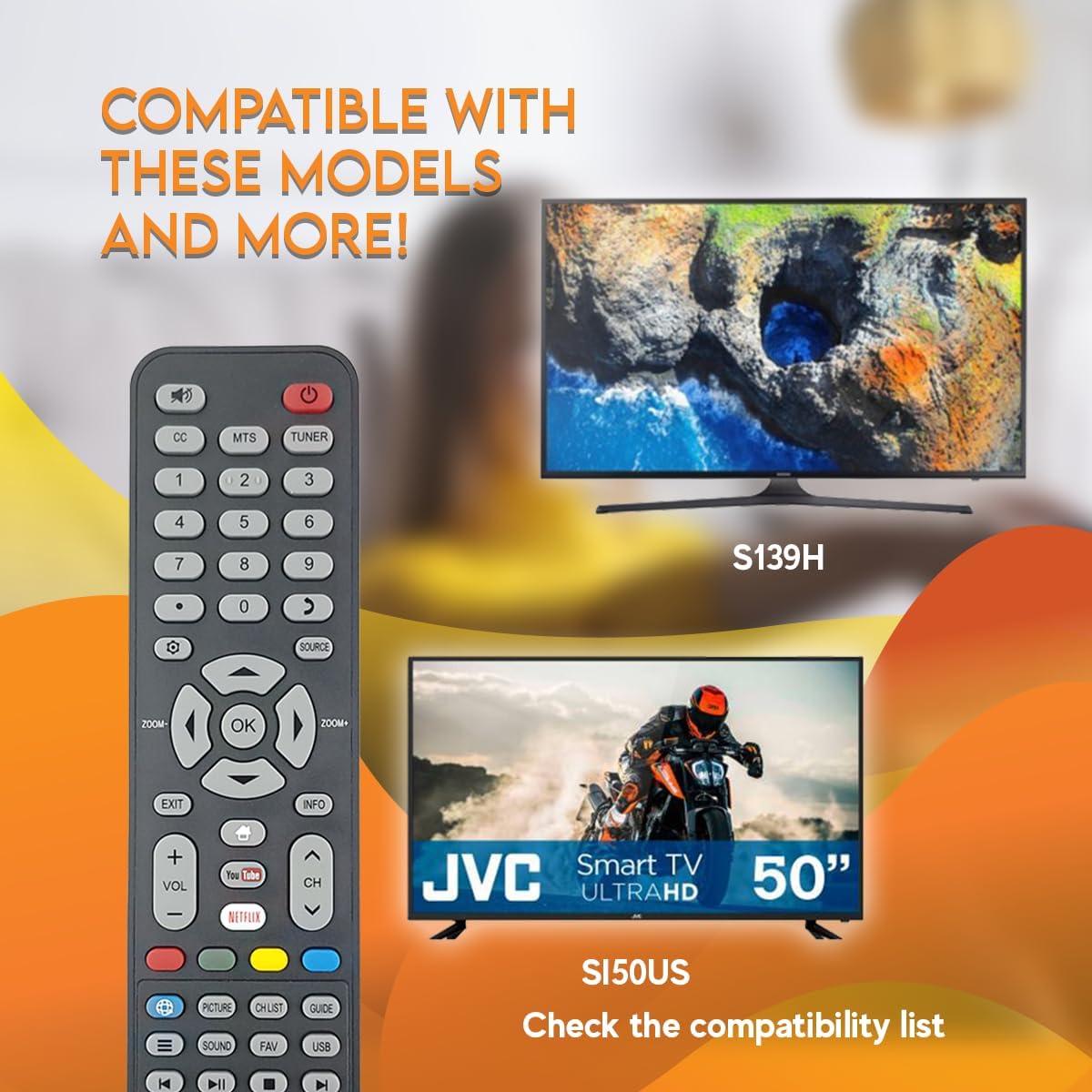
Image 5: The remote control displayed with examples of compatible JVC TV models, such as S139H and SI50US.
5. Maintenance
5.1 Cleaning
To clean your remote control, use a soft, dry cloth. For stubborn dirt, slightly dampen the cloth with water or a mild, non-abrasive cleaner. Avoid using harsh chemicals or abrasive materials, as these can damage the remote's surface or internal components.
5.2 Battery Replacement
Replace batteries when the remote's response becomes sluggish or stops working. Always replace both AAA batteries at the same time with new ones. Do not mix old and new batteries, or different types of batteries.
6. Troubleshooting
- Remote not responding:
- Check if the batteries are inserted correctly with the correct polarity.
- Replace old batteries with new ones.
- Ensure there is a clear line of sight between the remote control and the TV's infrared sensor. Obstructions can block the signal.
- Make sure the remote is pointed directly at the TV.
- Specific buttons not working:
- Clean the remote control, especially around the unresponsive buttons, to remove any dirt or debris that might be causing interference.
- If only certain buttons are not working after checking batteries and line of sight, the remote may be faulty and require replacement.
7. Specifications
| Feature | Detail |
|---|---|
| Model Number | 06-519W37-TY01X |
| Brand | Ceybo |
| Compatible Devices | JVC HD LED Smart Televisions |
| Connectivity Technology | Infrared (IR) |
| Power Source | 2 x AAA Batteries (not included) |
| Special Feature | Ergonomic Design, Quick Access Buttons (Netflix, YouTube) |
8. Warranty and Support
For warranty information or technical support, please refer to the documentation provided with your purchase or contact the seller directly. Keep your proof of purchase for any warranty claims.


