
Dpofirs Dpofirsbvwxrt31s0-11
Dpofirs Smart Scent Air Machine Essential Oil Diffuser User Manual
Model: Dpofirsbvwxrt31s0-11 | Brand: Dpofirs
Introduction
Thank you for choosing the Dpofirs Smart Scent Air Machine. This waterless essential oil diffuser is designed to purify and humidify the air, providing a pleasant aromatic experience in various environments such as homes, offices, spas, and commercial spaces. This manual provides detailed instructions for setup, operation, maintenance, and troubleshooting to ensure optimal performance and longevity of your device.
Important Safety Information
- Avoid direct skin contact with undiluted essential oils.
- Keep out of reach of children and pets.
- Ensure adequate ventilation during use.
- Use only the provided power adapter.
- Do not immerse the device in water or any other liquid.
Package Contents
Upon opening the package, please verify that all the following items are included:
- 1x Dpofirs Smart Scent Air Machine
- 1x Essential Oil Bottle (400ml capacity)
- 1x Power Adapter (US Plug)
- 1x Wall Mounting Kit (screws, anchors, tube)
- 1x English User Manual
- 1x Connection Tube (for HVAC integration, if applicable)

Image: All components included in the Dpofirs Smart Scent Air Machine package.
Product Overview
Familiarize yourself with the main parts and features of your Dpofirs Smart Scent Air Machine.
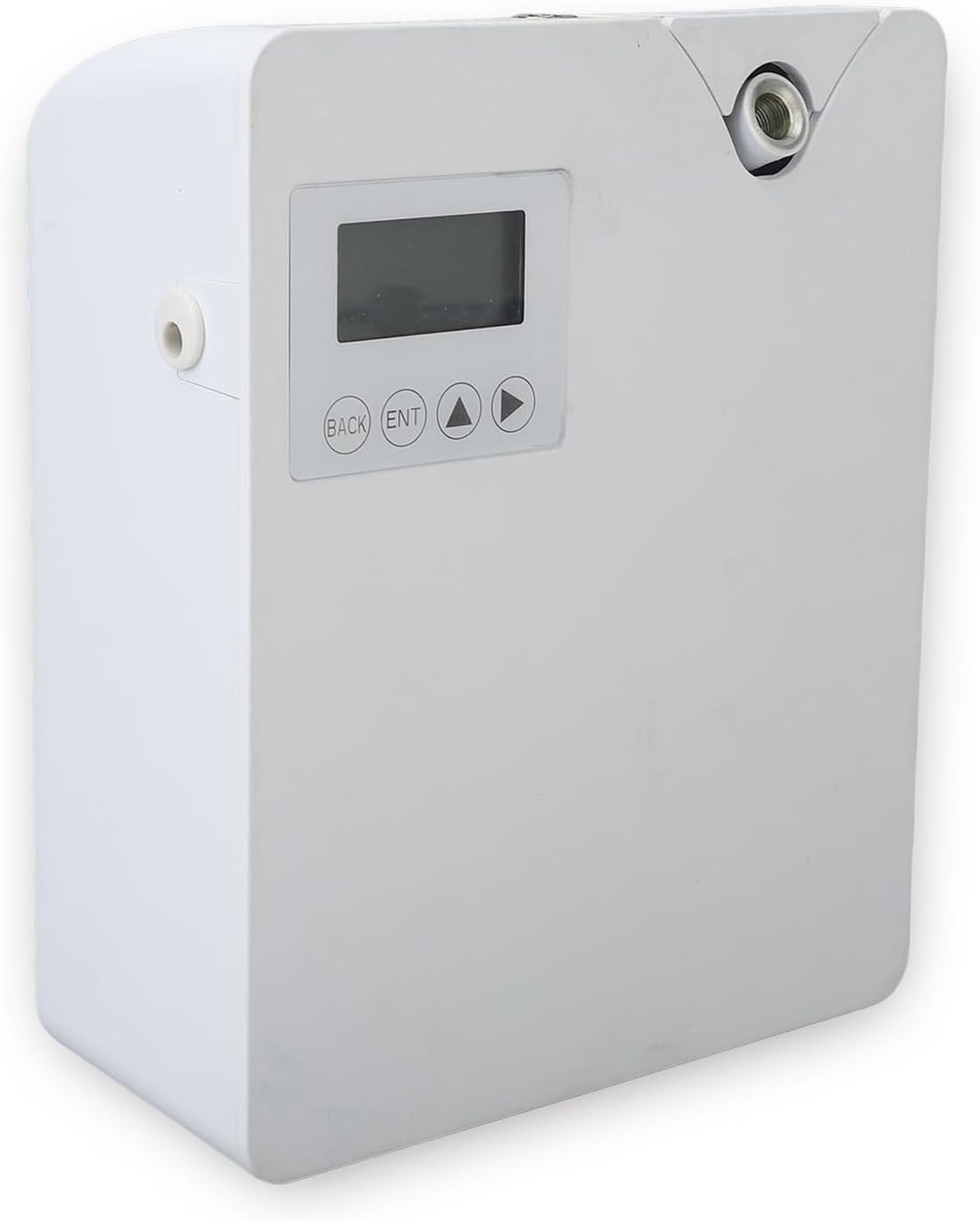
Image: Front view of the Dpofirs Smart Scent Air Machine.

Image: Rear and front views highlighting mounting options and control interface.
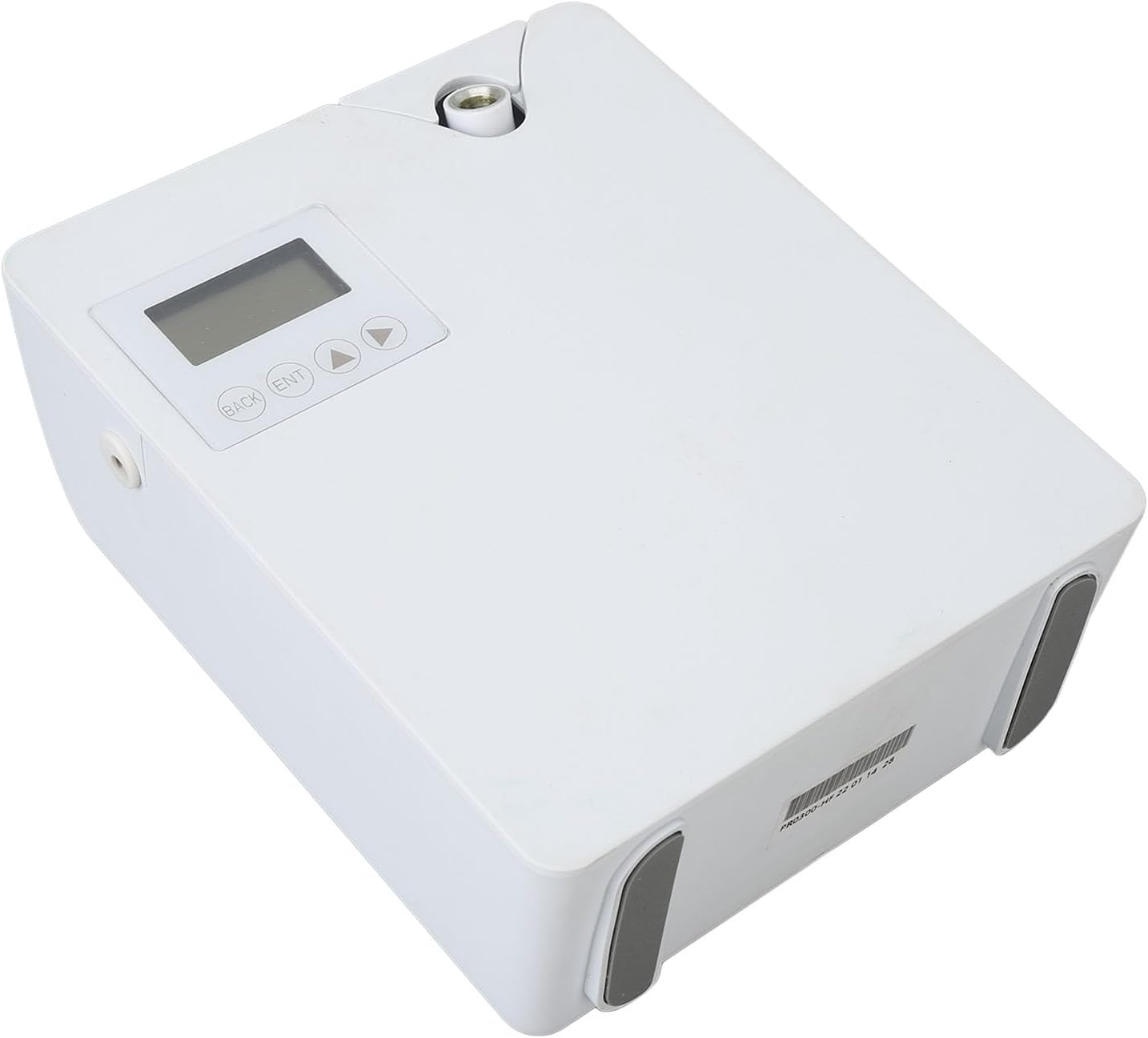
Image: Detailed view of the control panel and digital display.
Setup
1. Filling the Essential Oil Bottle
- Open the machine casing by gently pulling the top cover.
- Remove the empty essential oil bottle from its compartment.
- Unscrew the atomization sprayer head from the bottle.
- Carefully pour your desired essential oil into the bottle. Do not overfill.
- Screw the atomization sprayer head back onto the bottle securely.
- Place the filled essential oil bottle back into the machine.
- Close the machine casing.
Video: Demonstration of opening the machine, removing the essential oil bottle, filling it, and reinserting it. This video also shows basic button operation.
2. Power Connection
Connect the power adapter to the machine's power interface and then plug it into a suitable power outlet. The display will light up, indicating the device is powered on.

Image: Angled view of the diffuser, showing the power input port.
3. Wall Mounting (Optional)
If you wish to mount the diffuser on a wall, use the provided wall mounting kit. Ensure the mounting location is secure and allows for easy access to the essential oil compartment and controls.
Operating Instructions
1. Manual Control via Device Buttons
The device features a digital display and control buttons for basic settings:
- MODE Button: Used to select the working cycle, set up to five working periods, and turn the time cycle on/off. Press and hold to restart the machine.
- SET Button: Enter configuration state, select content (time, dates, aroma concentration). Press and hold to lock/unlock the device.
- UP/DOWN Buttons: Fine-tune settings (working hours, dates, aroma concentration). Press and hold the UP button to turn the fan on/off.
Video: Detailed demonstration of setting time and aroma concentration using the device's physical buttons.
2. Smart Control via Mobile App
For advanced control and customization, download the companion mobile application.
- Download the App: Scan the QR code located on the side of the machine or search for 'AFT Aroma' in your device's app store (App Store for iOS, Google Play for Android).
- Enable Bluetooth: Ensure Bluetooth is active on your mobile device.
- Connect Device: Open the AFT Aroma app, select 'Add New Device', and choose your diffuser (e.g., AF-11S). Enter the pairing code '9999' if prompted.
- Configure Settings: Once connected, you can customize working modes, set schedules (start/end times, days of the week), and adjust aroma intensity (run time and stop time for atomization cycles). You can also manually turn the fan on/off.
Video: Guide on connecting the diffuser to the mobile application and setting up intelligent control features.
Video: Short demonstration of the diffuser's Bluetooth connectivity and app control.
Maintenance
Regular maintenance ensures the optimal performance and longevity of your diffuser.
- Cleaning the Essential Oil Bottle: Periodically clean the essential oil bottle and atomization head with rubbing alcohol to prevent clogging and ensure efficient diffusion.
- Exterior Cleaning: Wipe the exterior of the machine with a soft, dry cloth. Do not use harsh chemicals or abrasive cleaners.
- Storage: If not in use for an extended period, empty the essential oil bottle, clean it, and store the diffuser in a cool, dry place.
Troubleshooting
| Problem | Possible Cause | Solution |
|---|---|---|
| No mist/aroma output | Empty essential oil bottle, clogged atomization head, incorrect settings. | Refill essential oil, clean atomization head, check app/device settings for correct working times and intensity. |
| Device not powering on | Power adapter not connected, power outlet issue. | Ensure power adapter is securely connected and plugged into a working outlet. |
| Difficulty connecting to app | Bluetooth not enabled, incorrect pairing code, device too far from phone. | Enable Bluetooth, ensure correct pairing code (9999), bring phone closer to the device. Restart both devices if necessary. |
| Weak aroma output | Low aroma concentration setting, large room size. | Increase aroma intensity in app/device settings. Consider optimal placement for room size. |
Specifications
| Feature | Detail |
|---|---|
| Brand | Dpofirs |
| Model Name | Dpofirsbvwxrt31s0-11 |
| Color | White |
| Material | Acrylonitrile Butadiene Styrene (ABS) |
| Recommended Uses | Home, Office |
| Power Source | Corded Electric |
| Wattage | 2 watts |
| Run Time | 6 hours |
| Auto Shutoff | No |
| Coverage Area | Large room or entire house |
| Special Feature | Silent Operation |
Warranty and Support
Return Policy
This product is eligible for a 30-day free return. Please refer to the retailer's return policy for detailed information.
Extended Protection Plans
Optional extended warranty plans are available for purchase:
- Assurant - 2 Year Home Appliances Extended Warranty (Includes Manufacturer's Warranty)
- Assurant - 3 Year Home Appliances Extended Warranty (Includes Manufacturer's Warranty)
For further assistance or technical support, please contact Dpofirs customer service through your purchase platform or visit the official Dpofirs brand store.
Ask a question about this manual
Ask about setup, troubleshooting, compatibility, parts, safety, or missing instructions. Manuals+ will review the question and use this page’s manual context to help answer it.