About Your ToLife TZ-K2-A Replacement Filter
This manual provides essential information for the proper use and maintenance of your ToLife TZ-K2-A Replacement Filter, designed for the ToLife TZ-K2 Air Purifier. This 3-in-1 filter ensures your air purifier continues to deliver clean and fresh air by effectively capturing airborne particles and odors.

Image: The ToLife TZ-K2-A filter positioned next to the compatible ToLife TZ-K2 air purifier, illustrating its intended use.
Key Features
- Powerful 3-Stage Filtration: Our H13 True HEPA Filter traps at least 99.97% of airborne particles 0.3 microns.
- Ultra-Fine Nylon Pre-Filter: Designed to trap larger particles like dust, lint, fibers, hair, and pet fur, extending the filter's lifespan.
- Activated Carbon Filter: Effectively eliminates household odors, including pet odors, smoke, fumes, VOCs, and cooking smells, without secondary pollution.
- Long Lifespan: The filter can be used for up to 6000 hours.
- Optimal Compatibility: Exclusively designed for the ToLife TZ-K2 Air Purifier to maintain peak performance.

Image: Visual representation of the filter's key benefits: perfect fit, powerful filtration, and long lifespan.

Image: A detailed diagram illustrating the three layers of filtration: Pre-Filter, H13 HEPA Filter, and Activated Carbon Filter.
Setup and Installation
To ensure optimal performance, please follow these steps carefully when installing your new filter:
- Step 1: Prepare the Air Purifier
Ensure the ToLife TZ-K2 Air Purifier is turned off and unplugged from the power outlet.
- Step 2: Remove the Filter Cover
Gently open and remove the filter cover from the air purifier.

Image: The first step of filter replacement, showing the air purifier's front cover being removed.
- Step 3: Remove Old Filter and Unpack New Filter
Carefully remove the old filter. Unpack the new TZ-K2-A replacement filter from its plastic packaging. It is crucial to remove all plastic packaging before installation to allow proper air circulation.

Image: A close-up view of the ToLife TZ-K2-A replacement filter, ready for installation.
- Step 4: Install New Filter
Insert the new filter into the air purifier, ensuring the "FRONT" indicator on the filter faces outwards.
- Step 5: Replace Cover and Power On
Securely replace the filter cover. Plug the air purifier back into the power outlet and turn it on.

Image: A visual guide showing the four main steps for replacing the air purifier filter.
Operating Your ToLife TZ-K2 Air Purifier
While the TZ-K2-A is a replacement filter, understanding the air purifier's operation ensures you get the most out of your new filter.
Air Quality Sensor
The air purifier features a real-time air quality sensor. The indicator light on the control panel changes color based on air quality:
- Green: Good air quality.
- Yellow: Moderate air quality.
- Red: Poor air quality.
Fan Speed Control
Adjust the fan speed to suit your needs. Higher speeds provide faster air purification.
Timer Function
Set the timer for 2, 4, 6, or 8 hours of operation.
Quiet Operation
The air purifier operates at a low noise level, as low as 23 decibels, making it suitable for bedrooms and quiet environments.
Sleep Mode
For undisturbed sleep, activate sleep mode which turns off all indicator lights except for the light button itself.
Maintenance and Filter Replacement
Regular filter replacement is crucial for maintaining the efficiency of your ToLife TZ-K2 Air Purifier.
Filter Lifespan
The TZ-K2-A filter has a lifespan of up to 6000 hours.
Replacement Indicator
The ToLife TZ-K2 Air Purifier will illuminate a replacement indicator light when the filter needs to be changed. This ensures you replace the filter at the optimal time for continued clean air.
Cleaning the Filter
The filter is not washable. Attempting to clean it with water or other liquids will damage the filter media and reduce its effectiveness. Replace the filter as indicated.
Troubleshooting Common Issues
| Issue | Possible Cause | Solution |
|---|---|---|
| Air purifier not turning on after filter replacement | Filter plastic packaging not removed. | Ensure all plastic packaging is removed from the new filter. |
| Air quality not improving / unusual odors persist | Filter is old or heavily soiled. | Replace the filter with a new ToLife TZ-K2-A filter. |
| Filter replacement indicator remains on after changing filter | Filter reset button not pressed (if applicable on air purifier model). | Refer to your ToLife TZ-K2 Air Purifier manual for instructions on resetting the filter life indicator. |
| Reduced airflow from air purifier | Filter is clogged. | Replace the filter. |
For issues not listed here, please refer to the complete ToLife TZ-K2 Air Purifier user manual or contact customer support.
Product Specifications
| Attribute | Detail |
|---|---|
| Model Number | TZ-K2-A |
| Product Dimensions | 11.8"L x 10.8"W x 1.38"Th (11.8 x 10.8 x 1.38 inches) |
| Item Weight | 12 ounces (11.99 Ounces) |
| Material | Nylon, HEPA |
| MERV Rating | 13 |
| Compatible Devices | ToLife TZ-K2 Air Purifier |
| Filter Lifespan | Up to 6000 hours |
| Filtration Stages | 3 (Pre-Filter, H13 True HEPA, Activated Carbon) |

Image: An image displaying the dimensions of the ToLife TZ-K2-A filter: 11.8 inches in length, 10.8 inches in width, and 1.38 inches in thickness.
Warranty and Customer Support
For warranty information, technical support, or any inquiries regarding your ToLife TZ-K2-A Replacement Filter or ToLife TZ-K2 Air Purifier, please visit the official ToLife website or contact their customer service directly. Always use genuine ToLife replacement parts to ensure product longevity and performance.
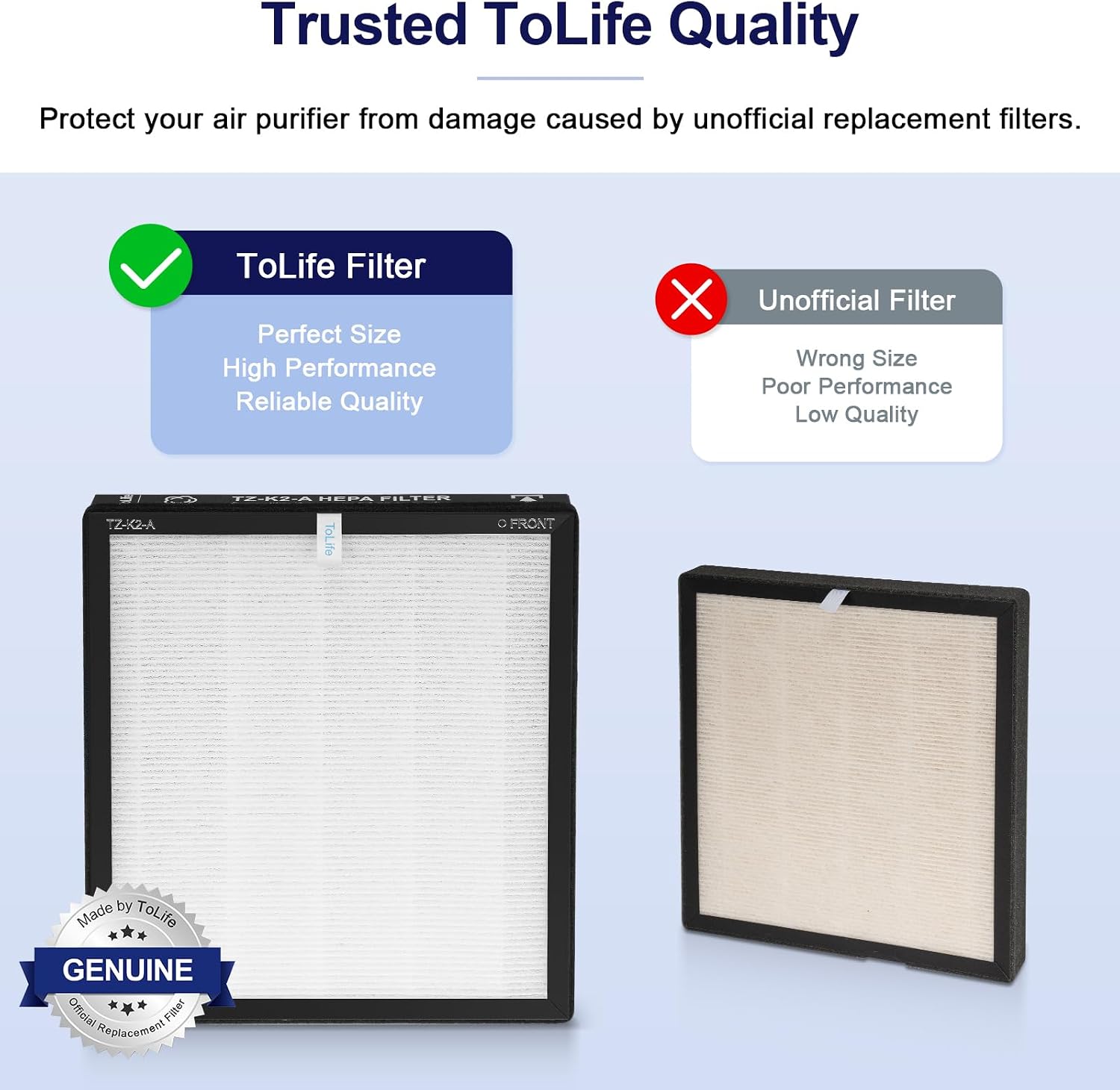
Image: An image comparing a genuine ToLife filter with an unofficial filter, emphasizing the perfect size and high performance of the genuine product.


