1. Introduction
Thank you for choosing the TONOR K3 Mini Karaoke Machine. This portable Bluetooth speaker system, equipped with two wireless microphones and colorful LED lights, is designed for entertainment. This manual provides detailed instructions for setup, operation, and maintenance to ensure optimal performance and user satisfaction.

Image: The TONOR K3 Mini Karaoke Machine, featuring the main speaker unit and two wireless microphones.
2. Package Contents
Please verify that all items are present in your package:
- 1 x TONOR K3 Karaoke Speaker
- 2 x Wireless Handheld Microphones
- 1 x USB Charging Cable
- 1 x User Manual (this document)
3. Product Overview
3.1 Speaker Unit
The K3 speaker unit is compact and designed for portability. It features a 2.24-inch speaker with DSP technology for clear audio output. The unit also includes control buttons and LED lighting.

Image: An exploded view diagram illustrating the internal speaker components and DSP technology of the TONOR K3 unit.
3.2 Wireless Microphones
The package includes two wireless microphones for duet performances. Each microphone features controls for power, volume, and voice effects.

Image: Two individuals using the TONOR K3 wireless microphones, demonstrating the voice magic feature and ease of use.
3.3 Connection Ports and Dimensions
The K3 supports multiple connection methods including Bluetooth 5.3, AUX-in, and TF card. The USB port is for charging only.

Image: A visual representation of the TONOR K3 speaker and microphone, detailing their dimensions and available connection options: Bluetooth 5.3, AUX-in, and TF Card.
4. Setup Guide
- Charge the Device: Before first use, fully charge the karaoke speaker and both microphones using the provided USB charging cable. The speaker's battery indicator will show charging status.
- Power On: Press and hold the power button on the speaker unit until the LED lights illuminate. Repeat for each microphone.
- Pair Microphones: The microphones should automatically pair with the speaker upon power-on. If not, ensure they are within range and try restarting both the speaker and microphones.
- Connect Audio Source:
- Bluetooth: On your smartphone, tablet, or laptop, enable Bluetooth and search for "TONOR K3". Select it to pair. A confirmation sound will indicate a successful connection.
- AUX-in: Connect an audio device to the speaker's AUX-in port using a 3.5mm audio cable (not included).
- TF Card: Insert a TF card with MP3 audio files into the designated slot on the speaker. The speaker will automatically begin playing music from the card.
5. Operating Instructions
5.1 Speaker Controls
- Power Button: Press and hold to turn on/off. Short press to switch modes (Bluetooth/TF Card/AUX).
- Volume Buttons (+/-): Adjust the speaker's master volume.
- Play/Pause Button: Play or pause audio playback.
- Next/Previous Track Buttons: Skip to the next or previous song.
- LED Light Button: Short press to cycle through 3 LED light modes (Solid Colors, Spectral Flow, Spectral Gradient) or turn off the lights.

Image: The TONOR K3 speaker unit showcasing its vibrant LED lighting, illustrating the three available light modes.
5.2 Microphone Controls
- Power Button: Press and hold to turn on/off.
- Volume Buttons (+/-): Adjust the microphone's vocal volume.
- Voice Effect Button: Short press to cycle through various voice effects (e.g., magic voice, reverb).
Note: Both microphones will operate with the same voice effect setting. Individual voice effects for each microphone are not supported simultaneously.
6. Charging and Battery
The TONOR K3 karaoke machine and microphones are powered by rechargeable batteries. A full charge provides approximately 4-6 hours of playtime.
- Connect the provided USB charging cable to the charging port on the speaker and microphones.
- Connect the other end of the cable to a standard USB power adapter (5V DC) or a computer USB port.
- The charging indicator will show the charging status. Disconnect once fully charged to preserve battery life.
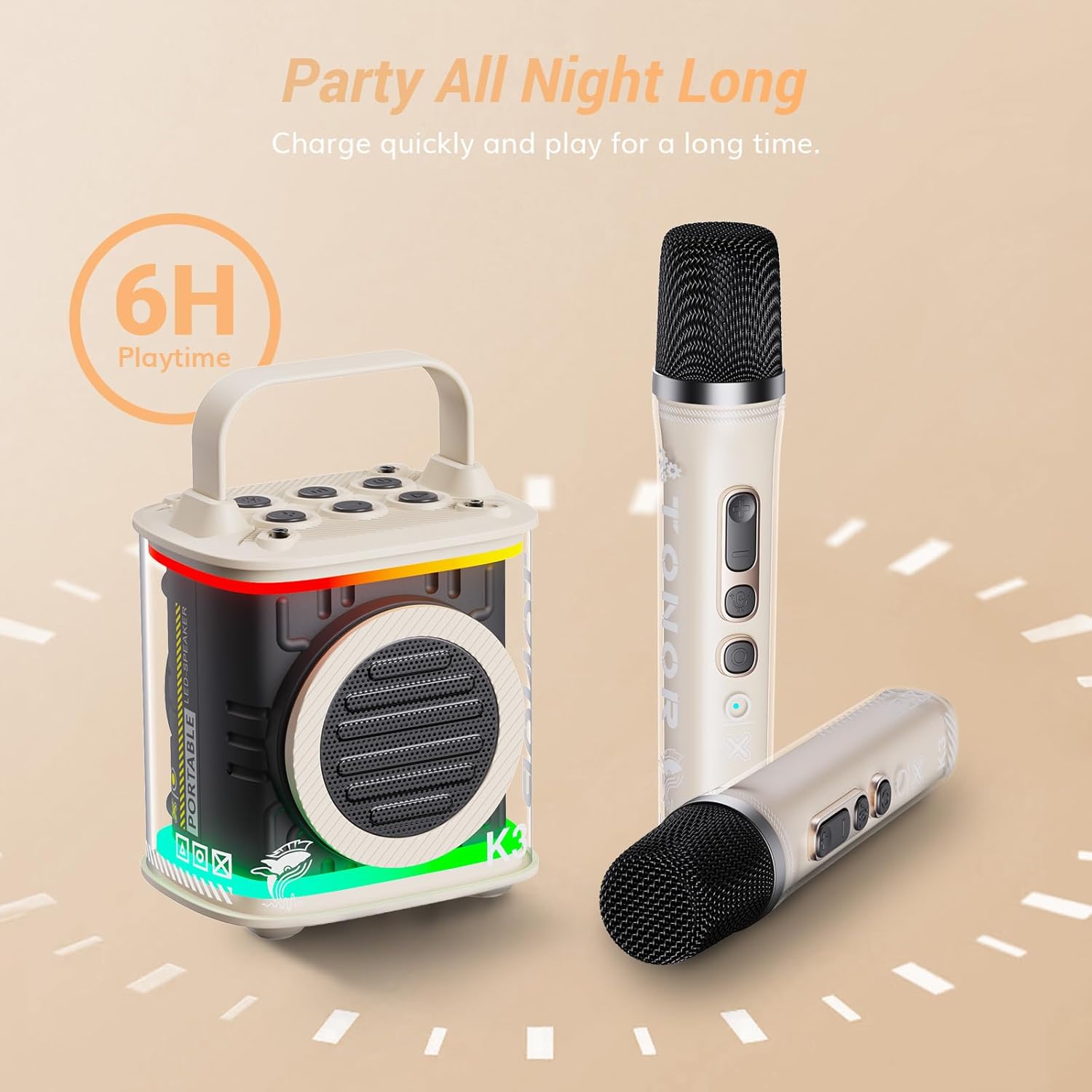
Image: The TONOR K3 speaker and microphone connected to a charging cable, highlighting the approximate 6-hour battery life.
7. Troubleshooting
| Problem | Possible Cause | Solution |
|---|---|---|
| No sound from speaker. | Speaker is off, volume is low, or not connected to audio source. | Ensure speaker is on and charged. Increase speaker volume. Verify Bluetooth, AUX, or TF card connection. |
| Microphone not working. | Microphone is off, battery low, or not paired. | Ensure microphone is on and charged. Restart microphone and speaker to re-pair. |
| Bluetooth connection unstable. | Device too far from speaker, interference, or low battery. | Keep devices within 10 meters. Avoid obstacles. Charge speaker and connected device. |
| LED lights not working. | Lights turned off or battery low. | Press the LED light button to cycle modes. Charge the speaker. |
8. Specifications
| Feature | Detail |
|---|---|
| Model Number | K3 |
| Bluetooth Version | 5.3 |
| Speaker Size | 2.24 inches |
| Power Output | 10W |
| Battery Capacity | 2600mAh |
| Playtime | 4-6 hours |
| Charging Voltage | 5V/1A (DC) |
| Charging Time | 3-4 hours |
| Product Dimensions | 3.78 x 2.91 x 5.51 inches |
| Item Weight | 1.9 pounds |
| Compatible Devices | Smartphone, Tablet, Laptop |
| Connector Type | 3.5 mm Jack, USB |
| Special Features | Compact, Portable, Rechargeable, Wireless, LED Lights, Voice Effects |
Note: Specifications are subject to change without prior notice.
9. Safety Information
- Do not expose the device to extreme temperatures, humidity, or direct sunlight.
- Avoid dropping or subjecting the device to strong impacts.
- Do not disassemble or attempt to repair the device yourself. Contact qualified service personnel.
- Keep the device away from water and other liquids.
- Use only the provided charging cable or a certified equivalent.
- This product contains small parts and is not suitable for children under 36 months due to choking hazards.
10. Warranty and Support
TONOR products come with a standard manufacturer's warranty. For specific warranty details, product support, or service inquiries, please refer to the official TONOR website or contact their customer service directly.
TONOR Official Website: www.tonormic.com
Please retain your proof of purchase for warranty claims.


