
GP M452
GP ReCyko M452 USB Battery Charger User Manual
Model: M452 (GPRCKCHM452U433)
1. Introduction
Thank you for choosing the GP ReCyko M452 USB Battery Charger. This slim and efficient charger is designed to provide a reliable and safe charging solution for your AA and AAA NiMH rechargeable batteries. It features smart safety mechanisms and technical functionalities to ensure optimal battery life and user convenience. This manual provides essential information for the proper setup, operation, maintenance, and troubleshooting of your new charger.

Image: The GP ReCyko M452 USB Battery Charger, a compact dark grey and black unit with visible green rechargeable batteries inside its four charging slots.
2. Safety Information
Please read all safety instructions carefully before using the charger. Failure to follow these instructions may result in electric shock, fire, or damage to the charger or batteries.
- Use only with NiMH rechargeable AA and AAA batteries. Do not attempt to charge primary (non-rechargeable) batteries, as this may lead to leakage, rupture, or explosion.
- Do not disassemble, modify, or repair the charger. Refer all servicing to qualified personnel.
- Do not expose the charger to rain, moisture, or extreme temperatures.
- Ensure proper ventilation during charging. Do not cover the charger.
- Keep out of reach of children.
- Unplug the charger from the power source when not in use or before cleaning.
- The charger features automatic power-off timer and DV full charge detection to prevent overcharging, overvoltage, short circuits, and impairment of battery life.
- Safety protections include: Timer protection (3/3/4.5/6 hours for 1/2/3/4 batteries), -dv full charge detection, temperature interruption, primary battery protection, and protection against reverse polarity.
3. Package Contents
Verify that all items are present in your package:
- 1x GP ReCyko M452 USB Battery Charger
- 4x GP ReCyko AA 2600 mAh NiMH Rechargeable Batteries
- 1x USB Charging Cable
- 1x Instruction Manual (this document)
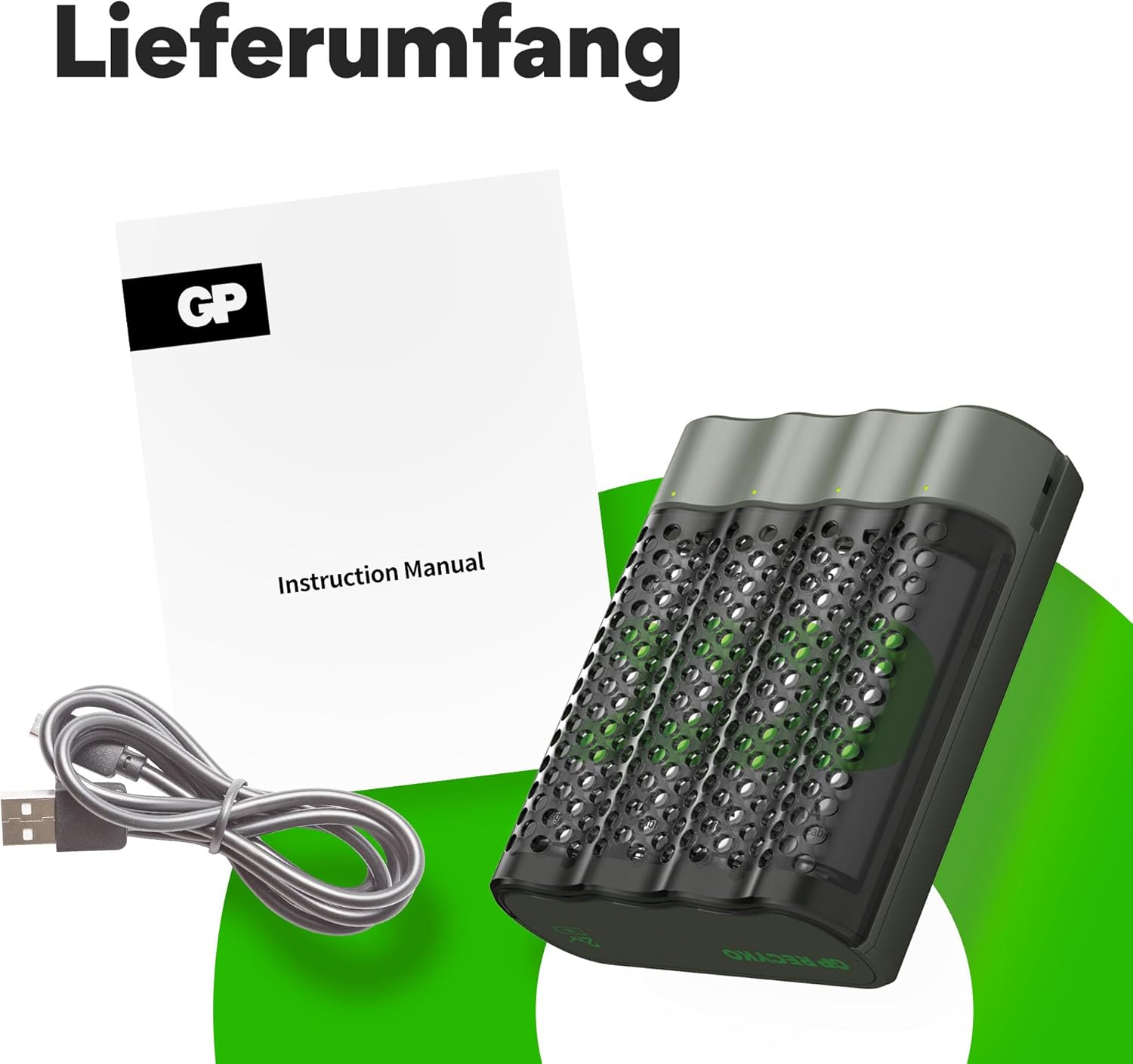
Image: The GP ReCyko M452 charger, a USB charging cable, and the instruction manual, representing the items included in the package.
4. Setup
The GP ReCyko M452 charger is designed for ease of use. Follow these steps for initial setup:
- Connect the Charger: Use the provided USB charging cable to connect the GP ReCyko M452 charger to a USB power source (e.g., a USB wall adapter, computer USB port, or power bank). The charger requires a minimum input of D.C. 5.0V 1.0A.
- Insert Batteries: Insert 1 to 4 AA or AAA NiMH rechargeable batteries into the charging slots. Ensure the correct polarity (+ and -) is observed as indicated on the charger. The charger can accommodate both AA and AAA batteries simultaneously.

Image: The GP ReCyko M452 charger with icons indicating its compatibility for charging both AA and AAA size batteries.
5. Operating Instructions
Once batteries are inserted and the charger is connected to power, the charging process will begin automatically.
5.1 LED Indicators
The charger features 4 LED indicators, one for each charging slot, to show the charging status:
- Green LED lights up for 0.5 seconds: Indicates successful USB power connection.
- Green LED flashes slowly: Batteries are currently charging.
- Green LED ON (solid): Batteries are fully charged. The charger will automatically stop charging to prevent overcharging.
- Red LED flashes quickly: Indicates that bad or disposable (non-rechargeable) batteries have been inserted. Remove these batteries immediately.

Image: The GP ReCyko M452 charger displaying icons for different LED charge statuses: error, charging, and fully charged.
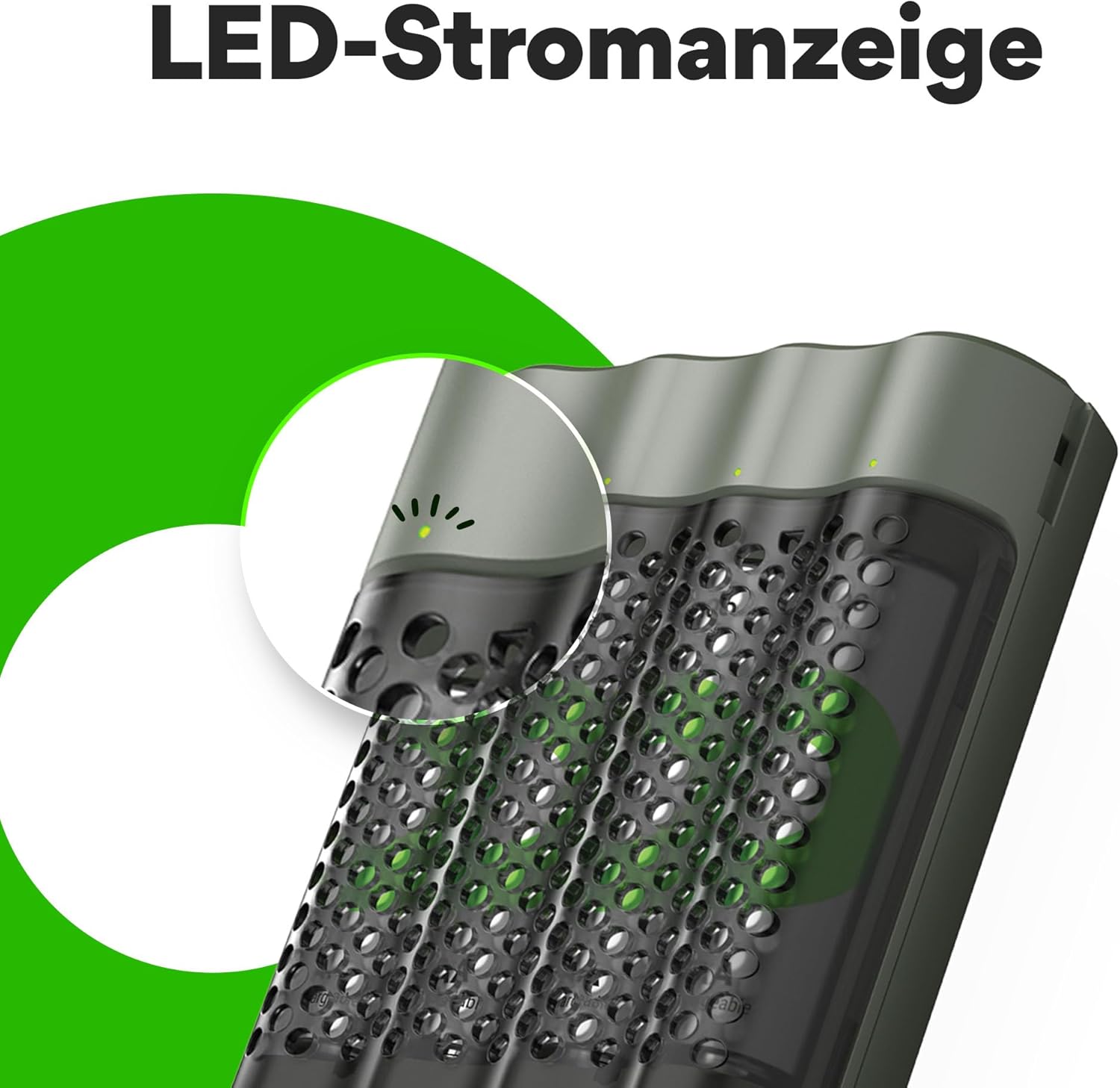
Image: A close-up view of the GP ReCyko M452 charger's LED indicator, showing a small green light indicating power or charging status.
5.2 Charging Times
Charging times vary depending on the battery capacity and the number of batteries being charged:
- Approx. 120 minutes for 2x 2100mAh AA batteries.
- Approx. 85 minutes for 2x 850mAh AAA batteries.
- Full charge for 4 batteries takes just over 4 hours (for 2100 mAh AA batteries).

Image: The GP ReCyko M452 charger alongside an alarm clock graphic, indicating its fast charging capability, specifically "Schnellladen in 2 Stunden" (Fast charging in 2 hours).
5.3 Battery Status Check
The M452 charger includes a "battery status check" function. This allows you to quickly determine if your batteries are sufficiently charged or require recharging, helping to avoid unexpected situations with depleted batteries.

Image: The GP ReCyko M452 charger with a graphic illustrating its automatic shut-off feature once batteries are fully charged, preventing overcharging.
6. Maintenance
To ensure the longevity and optimal performance of your GP ReCyko M452 charger, follow these maintenance guidelines:
- Cleaning: Disconnect the charger from the power source before cleaning. Use a soft, dry cloth to wipe the exterior of the charger. Do not use liquid cleaners or abrasive materials.
- Storage: When not in use, store the charger and batteries in a cool, dry place, away from direct sunlight and extreme temperatures. The robust housing of the charger also serves as a battery holder, protecting your batteries at home or on the go.
- Battery Care: For best results, use only high-quality NiMH rechargeable batteries. Avoid mixing different types or brands of batteries.

Image: The GP ReCyko M452 charger being held in a hand, highlighting its compact and portable design.
7. Troubleshooting
If you encounter issues with your GP ReCyko M452 charger, refer to the following common problems and solutions:
| Problem | Possible Cause | Solution |
|---|---|---|
| LEDs do not light up when connected to power. | No power supply, faulty USB cable, or faulty power source. | Check USB cable connection. Try a different USB port or power adapter. Ensure the power source provides at least 5V 1A. |
| Red LED flashes quickly. | Disposable batteries inserted, defective batteries, or incorrect battery polarity. | Remove the battery. Ensure you are using NiMH rechargeable batteries. Check battery polarity. If the battery is old or damaged, replace it. |
| Batteries not charging or charging slowly. | Poor contact, low power input, or very old/damaged batteries. | Ensure batteries are properly seated in the slots. Verify the USB power source meets the minimum requirement (5V 1A). Batteries may have reached the end of their lifespan. |
| Charger feels warm during operation. | Normal during charging, especially with multiple batteries. | This is normal. Ensure adequate ventilation around the charger. If it becomes excessively hot or emits smoke/odor, disconnect immediately and contact support. |
8. Specifications
Detailed technical specifications for the GP ReCyko M452 USB Battery Charger:
| Model Number | M452 (GPRCKCHM452U433) |
| Dimensions (L x W x H) | 68 x 78 x 26 mm (2.68 x 3.07 x 1.02 inches) |
| Weight | Approx. 52 g (1.83 ounces) |
| Number of Slots / Channels | 4 / 4 |
| Compatible Battery Types | NiMH AA, NiMH AAA |
| USB Input Power | DC 5 V / 1 A (minimum) |
| Output Voltage / Charging Current (AA) | DC 1.4 V / 1100 mA (1-2 AA batteries) DC 1.4 V / 730 mA - 550 mA (3-4 AA batteries) |
| Output Voltage / Charging Current (AAA) | DC 1.4 V / 730 mA (1-2 AAA batteries) DC 1.4 V / 490 mA - 370 mA (3-4 AAA batteries) |
| Charging Time (2100mAh AA) | Approx. 120 minutes (for 2 batteries) |
| Charging Time (850mAh AAA) | Approx. 85 minutes (for 2 batteries) |
| Safety Features | Timer protection, -dv full charge detection, temperature interruption, primary battery protection, reverse polarity protection. |
| Certifications | CE |
9. Warranty and Support
For warranty information and customer support, please refer to the official GP Batteries website or contact your local distributor. Keep your purchase receipt as proof of purchase.
GP Batteries Official Website: www.gpbatteries.com
Related documentsM452


Ask a question about this manual
Ask about setup, troubleshooting, compatibility, parts, safety, or missing instructions. Manuals+ will review the question and use this page’s manual context to help answer it.