
Dreo PolyFan 513S, Pilot Max
Dreo PolyFan 513S Pedestal Fan and Pilot Max Tower Fan User Manual
Model: PolyFan 513S, Pilot Max
Brand: Dreo
Welcome
Thank you for choosing Dreo. This manual provides essential instructions for the safe operation, assembly, and maintenance of your new Dreo PolyFan 513S Pedestal Fan and Dreo Pilot Max Tower Fan. Please read this manual thoroughly before use and retain it for future reference.

Image: The Dreo PolyFan 513S Pedestal Fan and Dreo Pilot Max Tower Fan, shown with their respective remote controls and smartphone app interfaces.
Important Safety Instructions
To reduce the risk of fire, electric shock, or injury, observe the following safety precautions:
- Ensure the power supply matches the voltage specified on the fan's rating label.
- Do not operate the fan with a damaged cord or plug. Contact customer support for assistance.
- Keep the fan away from water or moist environments. Do not immerse the fan in water.
- Unplug the fan before cleaning, moving, or performing any maintenance.
- Do not insert fingers or foreign objects into the fan grilles while it is operating.
- Place the fan on a stable, level surface to prevent tipping.
- Keep children and pets away from the fan during operation.
- Do not block air openings or operate near curtains or other materials that could obstruct airflow.
Product Overview
Dreo PolyFan 513S Pedestal Fan
The PolyFan 513S is a 43-inch pedestal fan designed for powerful and quiet air circulation. It features omni-directional oscillation and multiple speed and mode settings.

Image: The Dreo PolyFan 513S Pedestal Fan, its remote control, and a smartphone displaying the Dreo app interface for the fan.
Dreo Pilot Max Tower Fan
The Pilot Max is a 42-inch tower fan offering efficient cooling with smart controls, including Wi-Fi and voice command compatibility. It provides various modes and speed settings for personalized comfort.
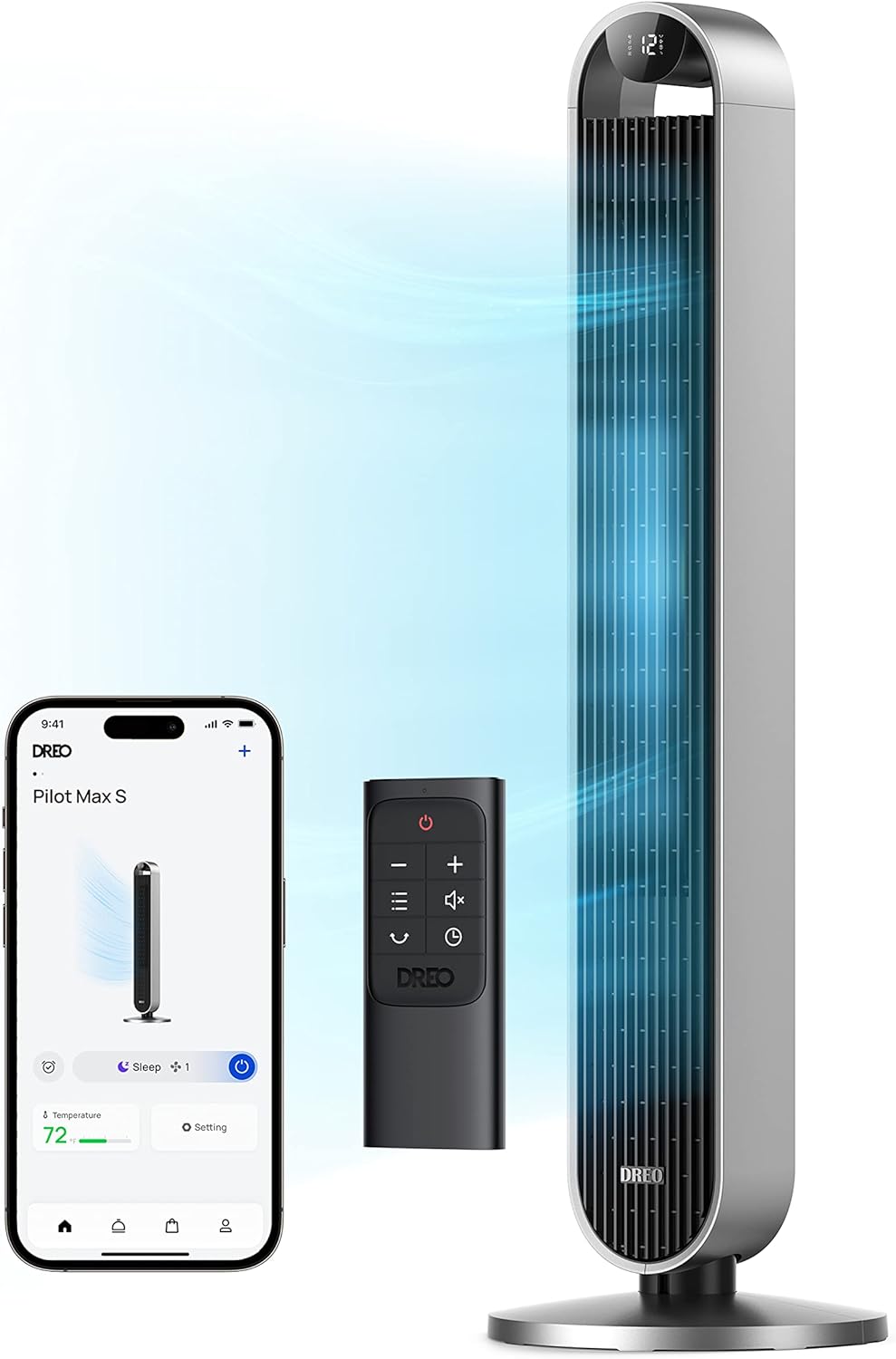
Image: The Dreo Pilot Max Tower Fan, its remote control, and a smartphone displaying the Dreo app interface for the fan.
Setup and Assembly
PolyFan 513S Pedestal Fan Assembly
- Carefully unpack all components from the box.
- Attach the base to the main fan body, ensuring it is securely fastened according to the diagrams in the separate assembly guide (if provided).
- Place the assembled fan on a firm, level surface.
Pilot Max Tower Fan Assembly
- Remove all packaging materials.
- Attach the base to the bottom of the tower fan, aligning the components and securing them as instructed in the separate assembly guide (if provided).
- Ensure the fan is stable on a flat surface before plugging it in.
Initial Power On
- Plug the power cord into a suitable electrical outlet.
- Press the power button on the fan or remote control to turn it on.
Wi-Fi and App Setup
- Download the Dreo app from your smartphone's app store.
- Create an account or log in.
- Follow the in-app instructions to add your Dreo fan to your Wi-Fi network. This typically involves putting the fan into pairing mode and connecting via the app.
- Once connected, you can control your fan remotely and access additional features.
Operating Your Fan
Dreo PolyFan 513S Pedestal Fan Controls and Features
The PolyFan 513S can be controlled via its onboard panel, the included remote control, or the Dreo smartphone app.
- Modes: Features 6 distinct wind modes to suit various preferences.
- Speeds: Offers up to 8 speed settings for precise airflow control.
- Oscillation: Provides 120° horizontal and 105° vertical oscillation for wide-area air distribution. The fan automatically resets to its initial position when turned off if oscillation was active.
- Air Circulation: Designed to channel air into a focused stream, delivering up to 882 CFM of air volume and reaching distances of up to 100 feet.
- Quiet Operation: Operates at a low noise level of 25dB due to its Brushless DC Motor and custom blade design.

Image: The Dreo PolyFan 513S Pedestal Fan operating in a living room, illustrating its air circulation capability over a long distance.
Dreo Pilot Max Tower Fan Controls and Features
The Pilot Max Tower Fan can be controlled using its touch panel, the remote control, the Dreo smartphone app, or voice commands.
- Modes: Features 4 distinct modes for various cooling needs.
- Speeds: Offers 12 speed settings for precise airflow adjustment.
- Oscillation: Customizable oscillation angles (30°/60°/90°/120°) to direct airflow.
- Timer: Includes a 12-hour timer function for scheduled operation.
- Airflow: Optimized air outlets and wide 120-degree oscillation circulate air at speeds up to 26 ft/s, with a maximum air volume of 1475 CFM.
- Quiet Operation: Equipped with a Brushless DC motor, operating at a low noise level of 25dB.
- Smart Control: Compatible with Amazon Alexa and Google Assistant for voice control.

Image: The Dreo Pilot Max Tower Fan in a living room setting, demonstrating voice control capabilities with examples of Alexa commands.

Image: The Dreo Pilot Max Tower Fan illustrating its maximum air volume output.
Maintenance
Regular cleaning helps maintain fan performance and extends its lifespan.
- Before Cleaning: Always unplug the fan from the power outlet.
- Exterior Cleaning: Wipe the exterior surfaces with a soft, damp cloth. Do not use abrasive cleaners or solvents.
- Grille Cleaning: Use a vacuum cleaner with a brush attachment to remove dust from the air inlet and outlet grilles. For the PolyFan 513S, ensure the fan blades are free of dust.
- Storage: If storing the fan for an extended period, cover it with a plastic bag to protect it from dust and store it in a cool, dry place.
Troubleshooting
| Problem | Possible Cause | Solution |
|---|---|---|
| Fan does not turn on. | No power supply; Power cord not fully plugged in. | Check power outlet; Ensure power cord is securely plugged in. |
| Weak airflow. | Air inlets/outlets blocked; Fan speed too low. | Clear any obstructions; Increase fan speed. |
| Fan makes unusual noise. | Fan not on a level surface; Internal obstruction. | Place fan on a flat, stable surface; Unplug and check for obstructions. |
| Remote control not working. | Batteries depleted; Obstruction between remote and fan. | Replace batteries; Ensure clear line of sight to the fan's receiver. |
| App control not working. | Wi-Fi disconnected; App not updated. | Check Wi-Fi connection; Restart app or fan; Update app to the latest version. |
Specifications
| Feature | Dreo PolyFan 513S Pedestal Fan | Dreo Pilot Max Tower Fan |
|---|---|---|
| Model | PolyFan 513S | Pilot Max |
| Height | 43 inches | 42 inches |
| Air Volume | Up to 882 CFM | Up to 1475 CFM |
| Max Air Distance | 100 ft | Not specified (efficient room circulation) |
| Noise Level | 25dB | 25dB |
| Wind Modes | 6 Modes | 4 Modes |
| Speed Settings | 8 Speeds | 12 Speeds |
| Horizontal Oscillation | 120° | 120° (customizable 30°/60°/90°/120°) |
| Vertical Oscillation | 105° | Not applicable (tower fan) |
| Control Method | App, Remote, Onboard Controls, Voice (Alexa/Google) | App, Remote, Onboard Controls, Voice (Alexa/Google) |
| Timer | Not specified | 12-Hour Timer |
| Indoor/Outdoor Usage | Indoor | Indoor |
Warranty and Support
Dreo products come with a limited warranty. For detailed warranty information, product registration, or technical support, please visit the official Dreo website or contact Dreo customer service.
Website: www.dreo.com
Customer Support: Refer to your product packaging or the Dreo website for contact details.
Related documentsPolyFan 513S, Pilot Max


Ask a question about this manual
Ask about setup, troubleshooting, compatibility, parts, safety, or missing instructions. Manuals+ will review the question and use this page’s manual context to help answer it.