
Bestier 00810081942218
Bestier 95.2" L Shaped Desk User Manual
Model: 00810081942218
1. Introduction
This manual provides comprehensive instructions for the assembly, operation, and maintenance of your Bestier 95.2" L Shaped Desk. Designed for versatility, this desk can be configured as an L-shaped corner desk or a long two-person workstation, offering ample space for multiple monitors, computers, and office essentials. It features adjustable shelves and integrated cable management to enhance functionality and organization in your home or office environment.
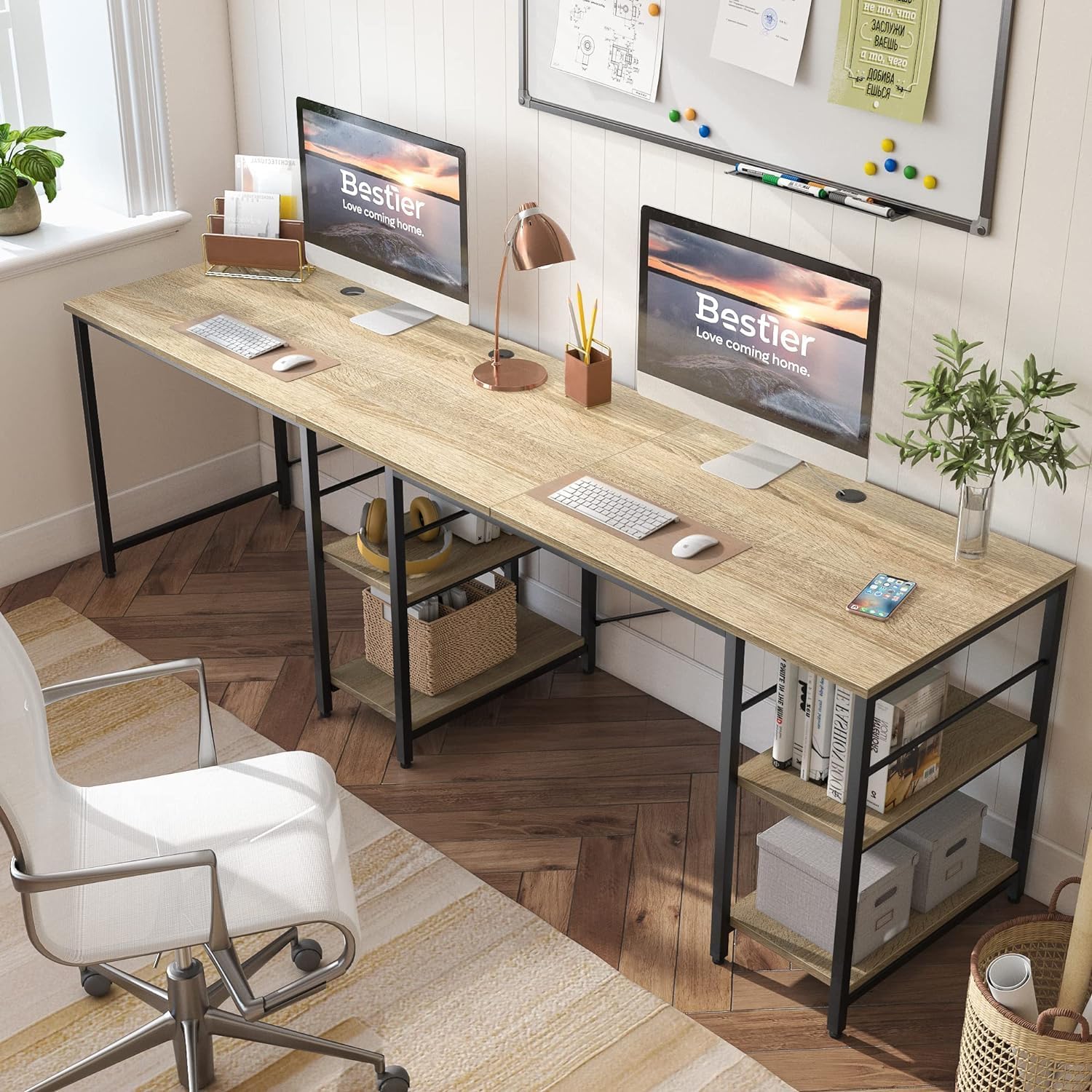
Figure 1: Bestier 95.2" L Shaped Desk configured for a dual-user setup.
2. Safety Information
Adhering to these safety guidelines is crucial for safe assembly and long-term use of your desk:
- Always assemble and secure the desk according to the provided instructions.
- Use proper lifting techniques when handling the desk components to prevent injury.
- Ensure the desk is properly anchored to the floor, especially if using it on uneven surfaces or carpet, to maintain stability.
- Do not exceed the maximum weight recommendation of 120 pounds on the desktop surface.
3. Package Contents
Before beginning assembly, verify that all components are present and undamaged. The package includes:
- All necessary desk panels (P2 Class Wood certified by CARB).
- Metal frame components with X-bar design for stability.
- Adjustable shelves for flexible storage.
- Cable management grommets.
- All required assembly tools.
- Illustrated assembly instructions with labeled parts.
4. Setup
The Bestier L Shaped Desk is designed for straightforward assembly. It is recommended that two people assemble the desk for ease and safety.
4.1. Assembly Instructions
Follow the detailed, illustrated instructions provided in the package. All parts are labeled to simplify the process. The necessary tools for assembly are included.
4.2. Configuration Options
This desk offers two primary configurations:
- L-Shaped Corner Desk: Ideal for maximizing corner space, providing a compact yet spacious workstation.
- 95.2" Double Long Table: Perfect for two individuals working side-by-side or for an extended single workspace.

Figure 2: Desk dimensions and reversible configurations.
4.3. Adjustable Shelf Installation
The storage shelves under the desk are flexible. When configured as an L-shaped desk, they can be installed at the Right + Middle or Left + Middle positions. When configured as a long desk, they can be installed at the Right + Middle position. This allows for customization based on your storage needs, such as accommodating a computer tower or books.

Figure 3: Adjustable shelf for customized storage.
4.4. Assembly Video Guide
Video 1: Official Bestier guide demonstrating the assembly and reversible configurations of the 95.2 Inch Corner Computer Desk. This video highlights the modular design and ease of setup.
Video 2: Official Bestier video showcasing the features of the 95 Inch L Shaped Desk, including its stable design, storage space, and easy cleaning. This video provides a visual overview of the desk's practical aspects.
5. Operating the Desk
The Bestier L Shaped Desk is designed for optimal functionality and user convenience.
5.1. Workspace Utilization
The spacious desktop can comfortably accommodate two monitors on one side, with ample room remaining for a computer, printer, and other accessories on the other side. This design ensures a clutter-free and efficient workspace.

Figure 4: L-shaped desk configuration with computer setup.
5.2. Cable Management
Equipped with three cable holes, the desk facilitates organized wire routing, helping to keep your workspace tidy and free from tangled cables. Feed your wires through these grommets for a clean setup.
5.3. Stability Features
The desk is constructed with a sturdy metal frame and features an X-bar design for enhanced stability. Adjustable feet ensure the desk remains level on uneven floors, preventing wobbling and providing a solid work surface.
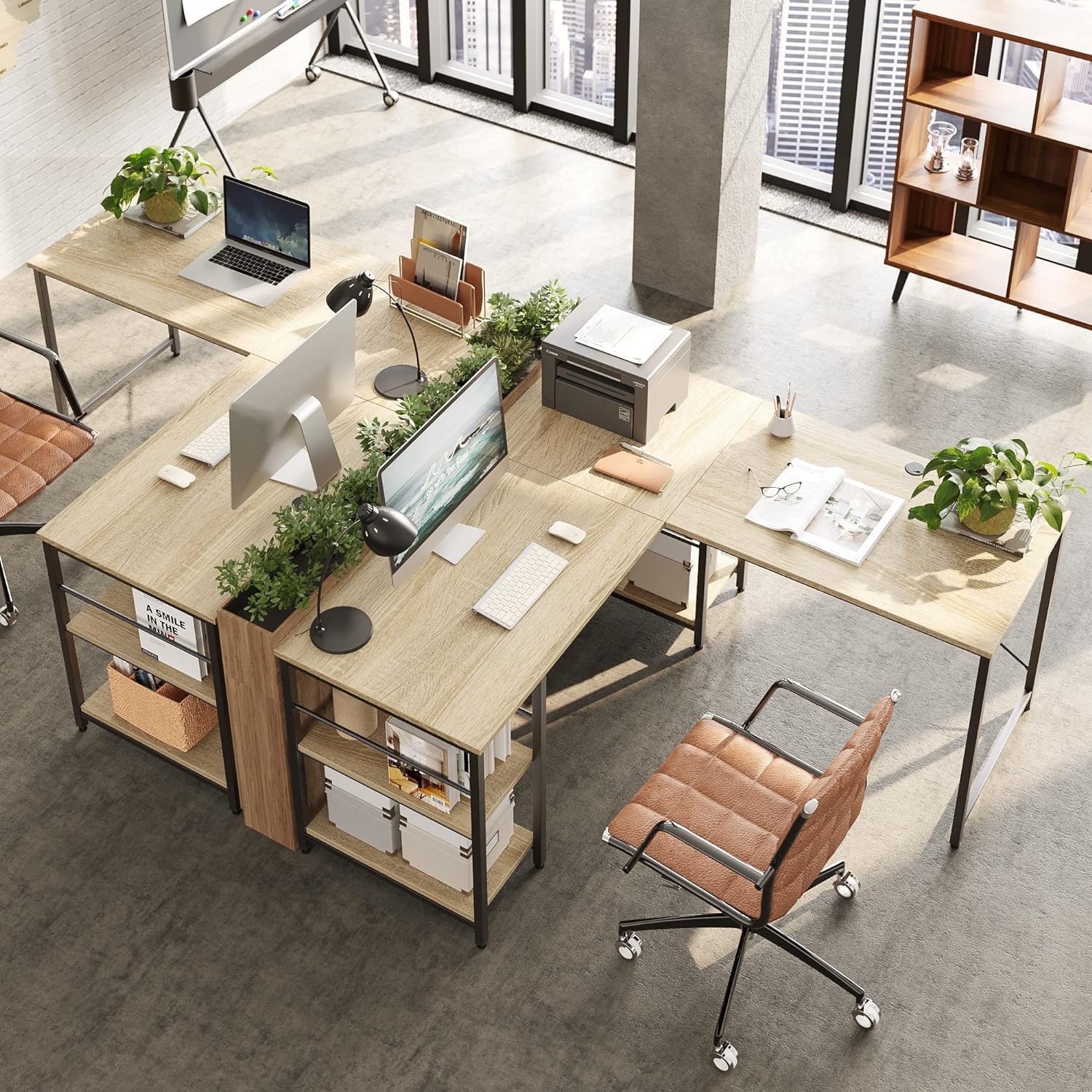
Figure 5: Key structural and functional features of the desk.
6. Maintenance
Proper care will ensure the longevity and appearance of your Bestier L Shaped Desk.
6.1. Cleaning Instructions
To clean the desk surface, simply wipe it with a damp cloth. Avoid using harsh chemicals or abrasive cleaners that could damage the finish.
6.2. Material Properties
The desk surface is made from CARB P2 grade engineered wood with a laminated finish, offering properties that contribute to its durability and ease of maintenance:
- Heat-resistant: Helps protect the surface from minor heat exposure.
- Waterproof: Provides resistance against spills, making cleaning easier.
- Anti-scratching: Enhances durability against everyday wear and tear.
7. Troubleshooting
This section addresses common issues you might encounter with your desk.
7.1. Desk Wobbles
If the desk feels unstable or wobbles, ensure all screws and fasteners are securely tightened. Utilize the adjustable feet located at the bottom of the desk legs to level the desk on uneven floor surfaces. Adjust each foot individually until stability is achieved.
7.2. Cable Clutter
To manage cables effectively, utilize the integrated cable holes on the desktop. Route power cords and peripheral cables through these openings to keep them organized and out of sight, reducing clutter and improving aesthetics.
7.3. Insufficient Storage Space
The desk features adjustable shelves. If you require more space for larger items like a computer tower, adjust the shelf height or remove a shelf as needed. The modular design allows for flexible customization of storage areas.
8. Specifications
| Feature | Detail |
|---|---|
| Brand | Bestier |
| Product Dimensions | 59.45"D x 59.45"W x 29.13"H (L-shaped) |
| Color | Oak |
| Style | Rustic |
| Base Material | Metal |
| Top Material Type | Engineered Wood |
| Finish Type | Laminated |
| Special Feature | Reversible, Adjustable Shelves, Cable Management |
| Recommended Uses | Working, Home Office, Study Room, Gaming |
| Model Number | 00810081942218 |
| UPC | 810117535810 |
| Item Weight | 68.34 Pounds |
| Maximum Weight Recommendation | 120 Pounds |
| Required Assembly | Yes |
| Recommended People for Assembly | 2 |
| Includes All Assembly Tools | Yes |
| Number Of Shelves | 4 (adjustable) |
| Frame Joint Type | X-type |
9. Warranty and Support
9.1. Warranty Information
The Bestier 95.2" L Shaped Desk comes with a Limited Warranty. For specific details regarding coverage and duration, please refer to the warranty documentation included with your product or contact Bestier customer service.
9.2. Returns Policy
Bestier offers a 30-day easy returns policy. If you are not satisfied with your purchase, you may return it within 30 days for a refund or replacement, subject to the terms and conditions.
9.3. Customer Support
Bestier is committed to providing excellent customer service. If you encounter any product issues, have questions about assembly, or require assistance, please do not hesitate to contact Bestier customer support. The Bestier team is dedicated to offering satisfying solutions and stands by its products with lifetime customer service.
For further assistance, visit the official Bestier store: Bestier Store on Amazon.
Related Documents - 00810081942218
 |
Assembly Guide for Bestier 95.5" Two Person Computer Desk (BEST-T60) Comprehensive assembly instructions and parts list for the Bestier 95.5" two-person computer desk, model BEST-T60. Includes helpful hints, assembly tips, and detailed steps for putting together this L-shaped desk. |
 |
L-Shaped Desk with Shelves Installation Guide Comprehensive instructions for assembling the L-shaped desk with shelves, including parts list, accessories, and step-by-step assembly diagrams for configurations A, B, and C. |
 |
Bestier Computer Desk with Storage Shelves Assembly Instructions Comprehensive assembly instructions for the Bestier Computer Desk with Storage Shelves (Model v101), including parts list, accessories, and step-by-step guidance for building your desk. Supports reversible L-shape configuration. |
 |
Bestier L-Shaped Desk with Storage Shelves Assembly and Care Instructions Comprehensive guide for assembling and maintaining the Bestier L-Shaped Desk with Storage Shelves (Model BEST-1298-D31). Includes safety precautions, parts list, assembly steps, and care instructions. |
 |
Bestier L-Shaped Desk with Shelves Assembly Instructions Detailed assembly guide for the Bestier L-Shaped Desk with Shelves (Model BEST-15158-D31), covering part identification, accessory usage, and step-by-step instructions for multiple configurations. |
 |
Bestier Desk with Storage Shelves Assembly Instructions Comprehensive assembly guide for the Bestier Desk with Storage Shelves (Model 1298-D31). This document provides step-by-step instructions, part lists, hardware details, and dimensions to help you build your desk. |
Ask a question about this manual
Ask about setup, troubleshooting, compatibility, parts, safety, or missing instructions. Manuals+ will review the question and use this page’s manual context to help answer it.