
Introduction
Thank you for choosing the iKF Y3 Wired Retro Headphones. This manual provides essential information for setting up, operating, maintaining, and troubleshooting your headphones. Please read it thoroughly to ensure optimal performance and longevity of your device.

Image: The iKF Y3 Retro Wired Headphones, showcasing their vintage-inspired design.
Product Overview
Key Features
- Retro Design: Metal steel bars create a vintage-inspired aesthetic.
- Lightweight and Comfortable: Weighing approximately 50g, with breathable, dense sponge ear pads for extended wear.
- HiFi Sound Quality: Equipped with 30mm white magnetic speakers for clear, dual-channel stereo audio.
- Flexible and Convenient: Features a retractable body and manually adjustable earcups for a personalized fit.
- High Compatibility: Connects to devices with a standard 3.5mm audio jack, including phones, tablets, and computers.
Package Contents
Ensure all items are present in the package:
- 1 x iKF Y3 Wired Headphones
- 1 x User Manual
- 2 x Pairs of Replacement Ear Pads (1 Black, 1 Orange)

Image: The iKF Y3 headphones, user manual, and two pairs of ear pads (black and orange) included in the package.
Setup
1. Adjusting the Headband
Gently extend or retract the metal steel bars of the headband to fit your head comfortably. The earcups can also be manually adjusted for optimal positioning over your ears.

Image: The iKF Y3 headphones demonstrating the ergonomic headband design for a pressure-free fit.
2. Connecting to a Device
Locate the 3.5mm audio jack on your device (phone, tablet, laptop, PC). Insert the 3.5mm plug of the iKF Y3 headphones firmly into the audio jack. No additional drivers or software are required for basic audio playback.
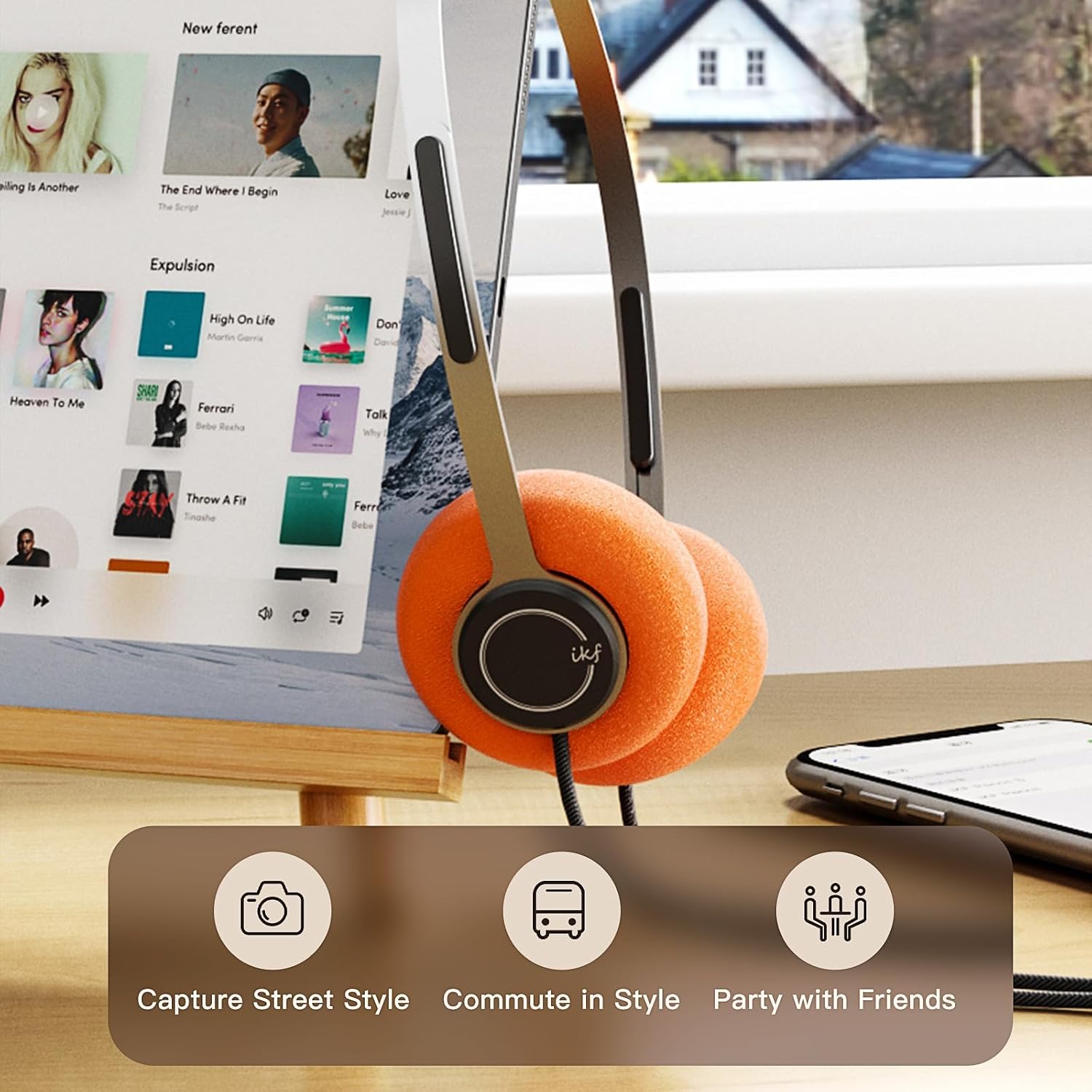
Image: iKF Y3 headphones connected to a tablet, illustrating compatibility with various devices for music and communication.
Operating Instructions
Volume Control
The iKF Y3 headphones feature an inline controller on the cable for convenient volume adjustment:
- Increase Volume: Slide the volume button upwards.
- Decrease Volume: Slide the volume button downwards.
Note: The volume level on your connected device (phone, tablet, PC) will also affect the overall sound output. Adjust both for your preferred listening level.
Call and Media Control
The inline controller also allows for basic call and media management:
- Play/Pause Music / Answer/End Call: Single click the central button.
- Reject Call: Long press the central button.
- Next Track: Double click the central button.
- Previous Track: Triple click the central button.

Image: Close-up of the inline controller on the headphone cable, showing the volume slider and multi-function button for media and call control.
Maintenance
Cleaning
- Use a soft, dry cloth to wipe the headphones.
- For ear pads, gently wipe with a slightly damp cloth and allow to air dry completely before use.
- Avoid using harsh chemicals, solvents, or abrasive cleaners.
Replacing Ear Pads
The iKF Y3 headphones come with detachable sponge ear cushions, allowing for easy replacement:
- Gently pull off the existing ear pad from the earcup.
- Align the new ear pad with the earcup and carefully stretch it over the edge until it is securely fitted.

Image: Illustration of the detachable sponge ear cushions, highlighting the ease of switching between different styles (black and orange).
Storage
Store your headphones in a cool, dry place away from direct sunlight and extreme temperatures. Avoid tangling the cable to prevent damage.
Troubleshooting
| Problem | Possible Cause | Solution |
|---|---|---|
| No sound | Headphone plug not fully inserted. Device volume too low. Incorrect audio output selected on device. | Ensure 3.5mm plug is fully inserted. Increase volume on both headphones and connected device. Check device audio settings to ensure headphones are selected as output. |
| Sound is distorted or unclear | Volume too high. Damaged cable or connector. | Lower the volume. Inspect the cable and 3.5mm plug for any visible damage. Try with another device to isolate the issue. |
| Microphone not working | Microphone input not selected on device. | Check your device's audio input settings and ensure the headphone microphone is selected. |
Specifications

Image: An exploded view of the iKF Y3 headphone's internal components, highlighting the 30mm neodymium driver for crystal clear sound.
| Feature | Detail |
|---|---|
| Brand | iKF |
| Model Name | iKF Y3 |
| Color | Brown |
| Connectivity Technology | Wired |
| Headphone Jack | 3.5 mm Jack |
| Ear Placement | On-Ear |
| Impedance | 32 Ohms |
| Soundproofing | Sound Isolation |
| Audio Driver Type | Dynamic |
| Audio Driver Size | 30 Millimeters |
| Frequency Range | 20 Hz to 20,000 Hz |
| Product Weight | Approx. 50g |
| Compatible Devices | Computer, Laptop, Mobile Phone |
| Product Features | Adjustable Headband, Retro Design, Lightweight, HiFi Sound Quality |
| Control Type | Media Control (Inline Controller) |
| Country of Origin | China |
Warranty and Support
For warranty information and customer support, please refer to the documentation provided with your purchase or contact iKF customer service through their official website. Keep your proof of purchase for warranty claims.


