
1. Introduction
Thank you for choosing the ANCHEER Electric Bike Charger, model AMA005183. This manual provides essential information for the safe and efficient operation, maintenance, and troubleshooting of your new charger. Please read this manual thoroughly before using the product and retain it for future reference.
2. Safety Instructions
To ensure safe operation and prevent damage, please observe the following safety precautions:
- Indoor Use Only: This charger is designed for indoor use. Do not expose it to rain, moisture, or extreme temperatures.
- Proper Voltage: Ensure the power outlet voltage matches the charger's specifications.
- Ventilation: Do not cover the charger during operation. Ensure adequate ventilation to prevent overheating.
- Disconnect Power: Always disconnect the charger from the power outlet before connecting or disconnecting it from the electric bike.
- Avoid Damage: Do not use the charger if the cord, plug, or casing is damaged. Contact customer support for replacement.
- Children and Pets: Keep the charger out of reach of children and pets.
- Compatibility: Use this charger only with compatible ANCHEER electric bike batteries as specified by the manufacturer. Using an incompatible charger may damage the battery or charger.
3. Product Overview
The ANCHEER Electric Bike Charger AMA005183 is designed to efficiently and safely charge your electric bike's battery. It features a durable casing and standard connectors for ease of use.
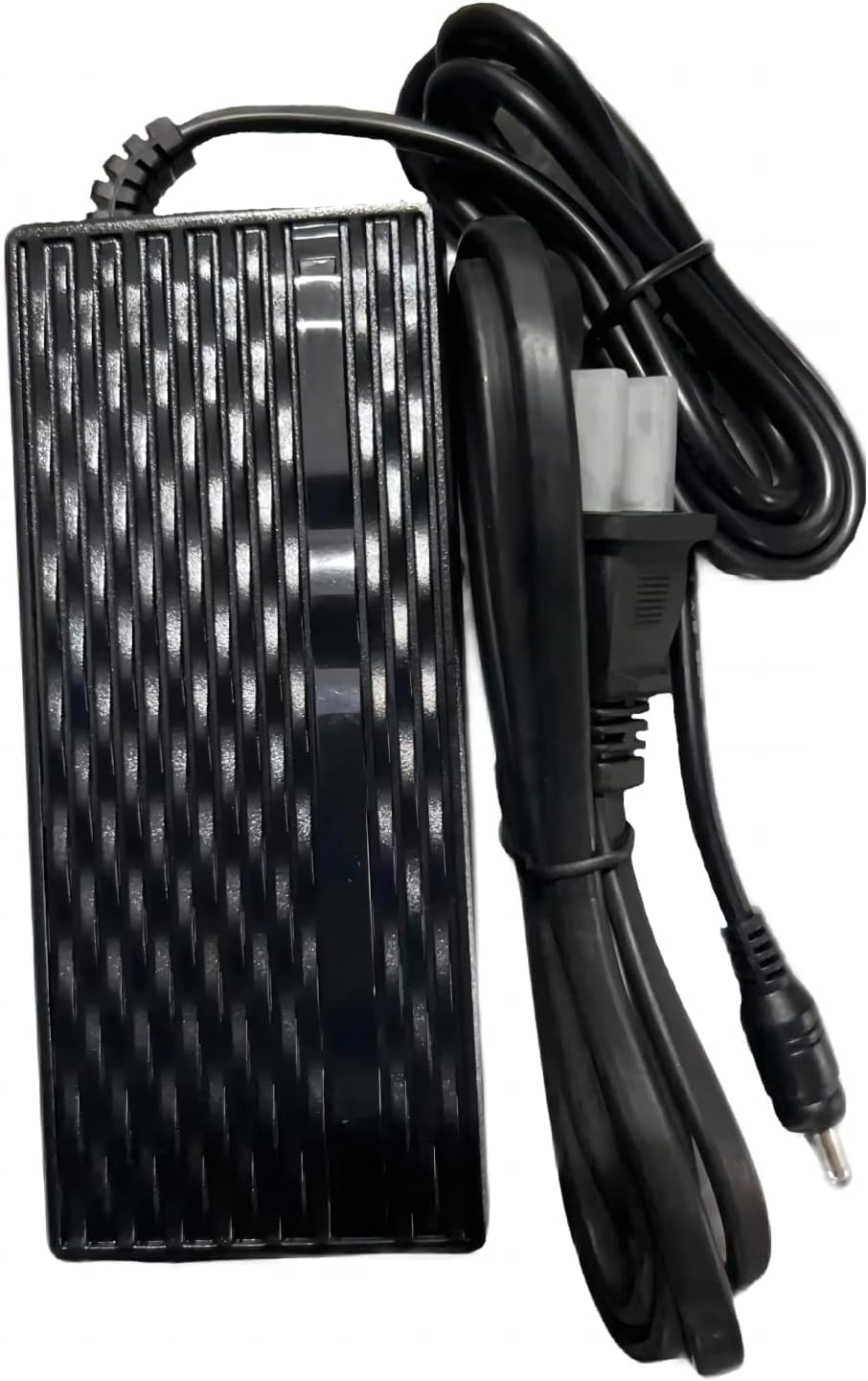
Figure 3.1: ANCHEER Electric Bike Charger (Model AMA005183). This image shows the main charger unit, which is a black rectangular block with a textured surface, connected to a power cord with a standard wall plug and a separate cable ending in a round connector for the electric bike battery.
4. Setup
- Unpack: Carefully remove the charger from its packaging. Inspect for any visible damage.
- Placement: Place the charger on a stable, flat, and well-ventilated surface, away from direct sunlight, heat sources, and flammable materials.
- Connect to Bike: Locate the charging port on your ANCHEER electric bike. Connect the charger's output cable (the cable with the round connector) firmly into the bike's charging port. Ensure a secure connection.
- Connect to Power: Plug the charger's power cord into a standard wall outlet.
Note: Always connect the charger to the bike first, then to the power outlet.
5. Operating Instructions
Once properly set up, the charger will begin charging your electric bike battery. The charging process is typically indicated by an LED light on the charger (refer to your specific charger's indicator for details, as this manual is generic for AMA005183).
- Charging Indicator: A red light typically indicates charging in progress. A green light typically indicates charging is complete or the charger is in standby mode.
- Charging Time: Charging time varies depending on the battery's capacity and its current charge level. Refer to your electric bike's manual for estimated charging times.
- Disconnecting: Once charging is complete (indicated by a green light), first unplug the charger from the wall outlet, then disconnect the charger from the electric bike.
Caution: Do not leave the charger connected to the battery for extended periods after charging is complete.
6. Maintenance
Proper maintenance ensures the longevity and safe operation of your charger:
- Cleaning: Disconnect the charger from all power sources before cleaning. Use a soft, dry cloth to wipe the exterior. Do not use liquid cleaners or solvents.
- Storage: Store the charger in a cool, dry place when not in use. Avoid extreme temperatures and humidity. Coil the cables loosely; do not wrap them tightly around the charger.
- Inspection: Periodically inspect the power cord, plug, and connectors for any signs of wear, cuts, or damage. If damage is found, discontinue use and contact customer support.
7. Troubleshooting
| Problem | Possible Cause | Solution |
|---|---|---|
| Charger indicator light is off. | No power to the charger; charger not connected to bike; faulty outlet. | Check power outlet, ensure charger is plugged in securely. Verify connection to the bike. Try a different outlet. |
| Charger light remains red after extended charging. | Battery not fully charged; battery issue; charger issue. | Allow more time for charging. If issue persists, consult your bike's manual or contact ANCHEER support. |
| Charger feels excessively hot. | Poor ventilation; prolonged use; internal fault. | Ensure adequate ventilation around the charger. Disconnect and allow to cool. If overheating persists, discontinue use and contact support. |
If you encounter problems not listed here or if solutions do not resolve the issue, please contact ANCHEER customer support.
8. Specifications
- Brand: ANCHEER
- Model: AMA005183
- ASIN: B0CF1YG8P6
- Manufacturer: Shenzhen Counterbalance Technology Co., Ltd
- Date First Available: August 8, 2023
- (Note: Specific electrical specifications like input/output voltage and current are not provided in the source data. Please refer to the product label for precise details.)
9. Warranty and Support
For warranty information, technical support, or service inquiries, please contact ANCHEER customer service. Details can typically be found on the product packaging or the official ANCHEER website.
ANCHEER Official Store: Visit the ANCHEER Store on Amazon

