
HOZO NeoRuler, NeoReading Kit, and NeoDrafting Kit Bundle
NeoRuler Digital Scale Ruler, NeoReading Kit, and NeoDrafting Kit Bundle
User Manual
Introduction
This manual provides comprehensive instructions for the HOZO NeoRuler Digital Scale Ruler, NeoReading Kit, and NeoDrafting Kit Bundle. It covers setup, operation, maintenance, and troubleshooting to ensure optimal use of your device and its accessories. The NeoRuler is designed for precision drafting and detailed reading, offering features like unit conversion, customizable scales, and data digitalization.

Image: The NeoRuler Digital Scale Ruler being used on a technical drawing, demonstrating its application in design and engineering.
What's in the Box
The NeoRuler Digital Scale Ruler, NeoReading Kit, and NeoDrafting Kit Bundle includes the following components:
- NeoRuler Digital Scale Ruler
- NeoPointer (x1)
- NeoMagnifier (x1)
- 0.8mm PenHolder (x1)
- 1.2mm PenHolder (x1)

Image: An overview of the NeoRuler Digital Scale Ruler and its accompanying accessories, including the NeoPointer, NeoMagnifier, and two penholders of different sizes.
Setup
Before using your NeoRuler bundle, ensure all components are present and familiarize yourself with the main device.
- Unpacking: Carefully remove all items from the packaging.
- Initial Inspection: Check the NeoRuler and accessories for any visible damage.
- Powering On: Press the power button on the NeoRuler to turn it on. The digital display should illuminate.
- Accessory Attachment: The NeoPointer, NeoMagnifier, and PenHolders can be easily attached to the slider mechanism of the NeoRuler as needed for specific tasks. Ensure they are securely seated.
Operating the NeoRuler
The NeoRuler offers various functions for precise measurement and drafting.
Unit Conversion
The NeoRuler supports instant unit conversion. Use the dedicated buttons on the device to cycle through available units such as inches, millimeters, and other standard measurements. The current unit will be displayed on the screen.
Customized Scales
Beyond standard scales, the NeoRuler allows for the creation and application of infinite customized scales. This feature is particularly useful for specialized drafting or when working with non-standard blueprints. Refer to the MEAZOR App section for details on setting custom scales.
Equal Division
The equal division function assists in dividing a measured length into equal segments, simplifying tasks that require precise partitioning.

Image: A composite image illustrating the NeoRuler's capabilities: unit conversion showing "inch 6.25 1:1", infinite customized scales showing "1"=666' 100 yd", and equal division showing "mm 305.26 ÷ 25.44".
Data Digitalization with MEAZOR App
The NeoRuler integrates with the MEAZOR App 2.0 for data recording, smart scale setting, and further editing and drawing. The app is available for free on Google Play and the App Store.
- Data Recording: Transfer measurements directly to your mobile device.
- Smart Scale Setting: Create and manage custom scales within the app and sync them to your NeoRuler.
- Editing & Drawing: Utilize recorded data for further design and drafting tasks within the app.

Image: A series of screenshots showcasing the MEAZOR App 2.0, demonstrating its interface for custom scale creation, measurement input, and digital drawing functionalities, alongside the NeoRuler device.
Built-in Scales
The NeoRuler comes with 93 built-in scales, including 41 Metric Scales and 52 US Standard Scales, covering various architectural, engineering, and mapping requirements.

Image: A detailed table displaying the 41 built-in metric scales and 52 built-in US standard scales available on the NeoRuler, categorized by Arch, ENG I, ENG II, and MAP.
Using the NeoReading Kit
The NeoReading Kit enhances precision and readability for detailed work.
- NeoMagnifier: Attach the NeoMagnifier to the NeoRuler's slider. It provides enhanced visibility, making it easier to read small text or view intricate details on blueprints and drawings.
- NeoPointer: Attach the NeoPointer to the NeoRuler's slider. It aids in precise point identification and measurement, excelling in measuring fine details.

Image: The NeoPointer and NeoMagnifier, the two primary components of the NeoReading Kit, shown separately.

Image: A user's hand operating the NeoMagnifier, attached to the NeoRuler, to magnify a section of a blueprint for improved reading accuracy.
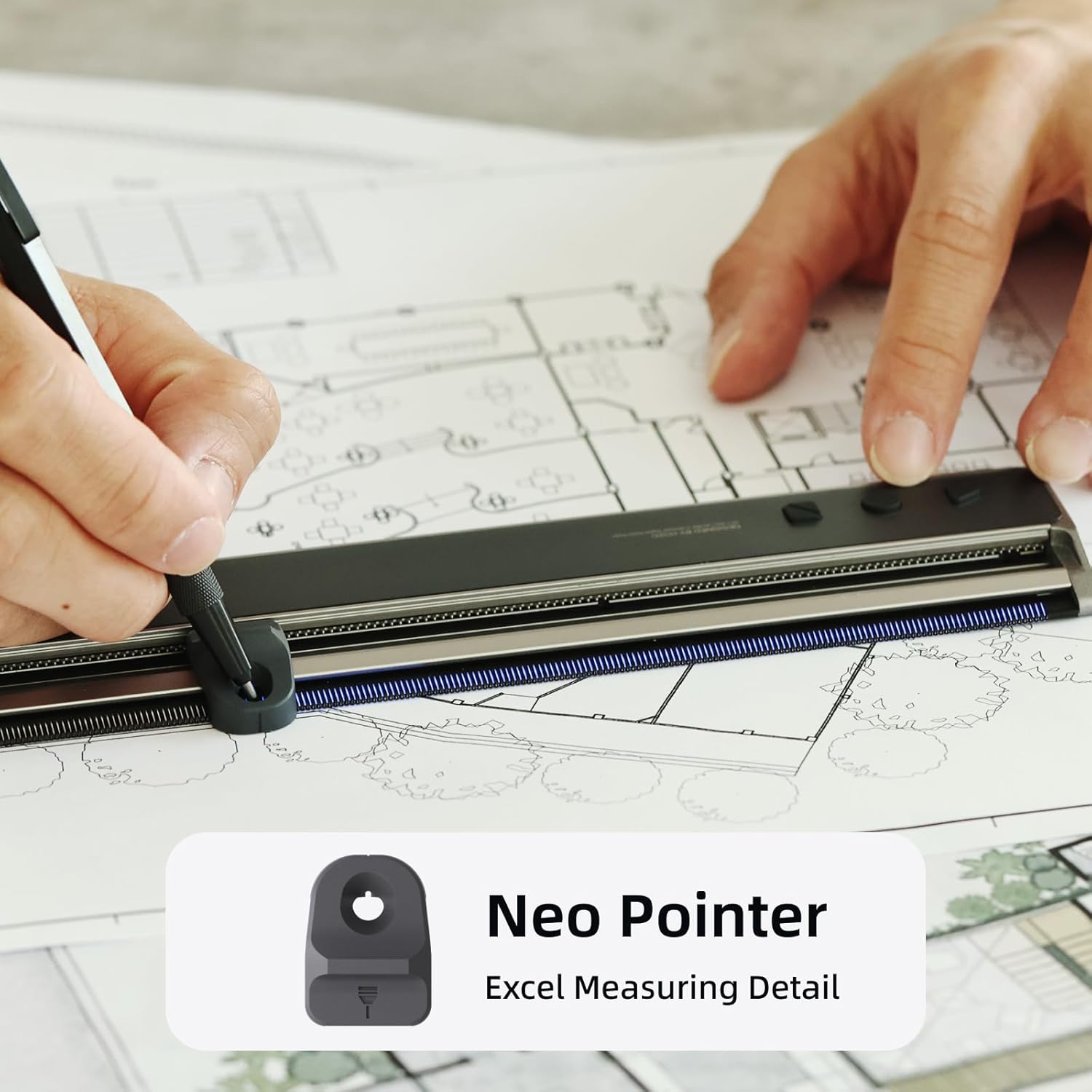
Image: A user's hand utilizing the NeoPointer, attached to the NeoRuler, along with a pen to mark or measure details on a technical drawing, highlighting its precision in drafting.
Using the NeoDrafting Kit
The NeoDrafting Kit provides versatility for various drawing and drafting needs.
- PenHolders (0.8mm and 1.2mm): The bundle includes two different sized PenHolders (0.8mm and 1.2mm) to accommodate a wide range of pens and pencils. Attach the appropriate PenHolder to the NeoRuler's slider to facilitate precise drawing and marking along the ruler's edge.

Image: The two PenHolders included in the NeoDrafting Kit, one for 0.8mm pens and another for 1.2mm pens, designed to fit various writing instruments.

Image: A user demonstrating the NeoRuler with an attached penholder, precisely drawing lines on a blueprint, showcasing its utility in drafting.
Maintenance
Proper maintenance ensures the longevity and accuracy of your NeoRuler bundle.
- Cleaning: Use a soft, dry cloth to wipe the NeoRuler and its accessories. Avoid abrasive cleaners or solvents that could damage the finish or electronic components.
- Storage: Store the device and accessories in a clean, dry place, away from extreme temperatures and direct sunlight.
- Battery Care: While the product specifications indicate that batteries are not included, if your specific model requires batteries, ensure they are replaced as needed. If it has a rechargeable battery, follow manufacturer guidelines for charging.
- Avoid Impact: Protect the NeoRuler from drops or impacts, as this can affect its precision and functionality.
Troubleshooting
If you encounter issues with your NeoRuler, refer to the following common solutions:
| Problem | Possible Cause | Solution |
|---|---|---|
| Device does not power on. | Low or depleted battery. | Charge the device or replace batteries if applicable. |
| Inaccurate measurements. | Dirty sensor or improper calibration. | Clean the measurement track and sensor. Refer to the app for calibration options if available. |
| Cannot connect to MEAZOR App. | Bluetooth is off or app is not updated. | Ensure Bluetooth is enabled on your device. Update the MEAZOR App to the latest version. Restart both the NeoRuler and your mobile device. |
| Accessories do not attach securely. | Obstruction or incorrect alignment. | Check for any debris in the attachment mechanism. Ensure accessories are aligned correctly before attempting to attach. |
Specifications
Key technical specifications for the NeoRuler Digital Scale Ruler:
- Color: Black
- Style: NeoRuler, NeoReading Kit, and NeoDrafting Kit Bundle
- Resolution: 0.1mm
- Built-in Scales: 93 (41 Metric, 52 US Standard)
- Water Resistance Level: Not Water Resistant
- First Available: August 8, 2023
Warranty and Support
For warranty information, technical support, or service inquiries, please refer to the official HOZO website or contact their customer service directly. Keep your purchase receipt as proof of purchase for warranty claims.
Manufacturer: HOZO
ASIN: B0CDZQJR2V
Ask a question about this manual
Ask about setup, troubleshooting, compatibility, parts, safety, or missing instructions. Manuals+ will review the question and use this page’s manual context to help answer it.