Product Overview
The CRAFTSMAN® V20* Cordless Tiller/Cultivator (CMCTL320B) is designed for efficient garden preparation and maintenance. This tool offers an 8-inch tilling width and a 6.5-inch tilling depth, suitable for various garden sizes. Its lightweight design enhances ease of use and maneuverability. The V20* battery platform is compatible with other CRAFTSMAN® V20* Outdoor Equipment and Power Tools.

Figure 1: CRAFTSMAN® V20* Cordless Tiller/Cultivator (CMCTL320B) main unit.
Safety Information
Prior to operating the CRAFTSMAN® V20* Cordless Tiller/Cultivator, it is crucial to review and understand all safety guidelines to prevent injury and ensure proper tool function.
- Always wear appropriate safety gear, including gloves and eye protection.
- Be aware of moving parts and keep bystanders at a safe distance from the operating area.
- Take regular breaks during extended use to prevent fatigue and maintain focus.
- Never operate the tool in wet or slippery conditions to avoid loss of control.
- Always unplug the charger before removing it from the tool to prevent electrical hazards.
Setup and Assembly
The CRAFTSMAN® V20* Cordless Tiller/Cultivator is designed for straightforward assembly. Ensure all components are present before beginning.
- Unpacking: Carefully remove all contents from the packaging. Verify that the tiller unit and (4) tines are included.
- Handle Assembly: Attach the auxiliary handle to the main shaft. Ensure it is securely fastened for optimal control during operation.
- Tine Installation: Install the four tines onto the tiller head. Refer to the markings on the tines and the tiller head to ensure correct orientation. Secure them with the provided pins or fasteners.
- Battery Insertion: Insert a fully charged CRAFTSMAN® V20* battery (sold separately) into the battery compartment until it clicks into place.
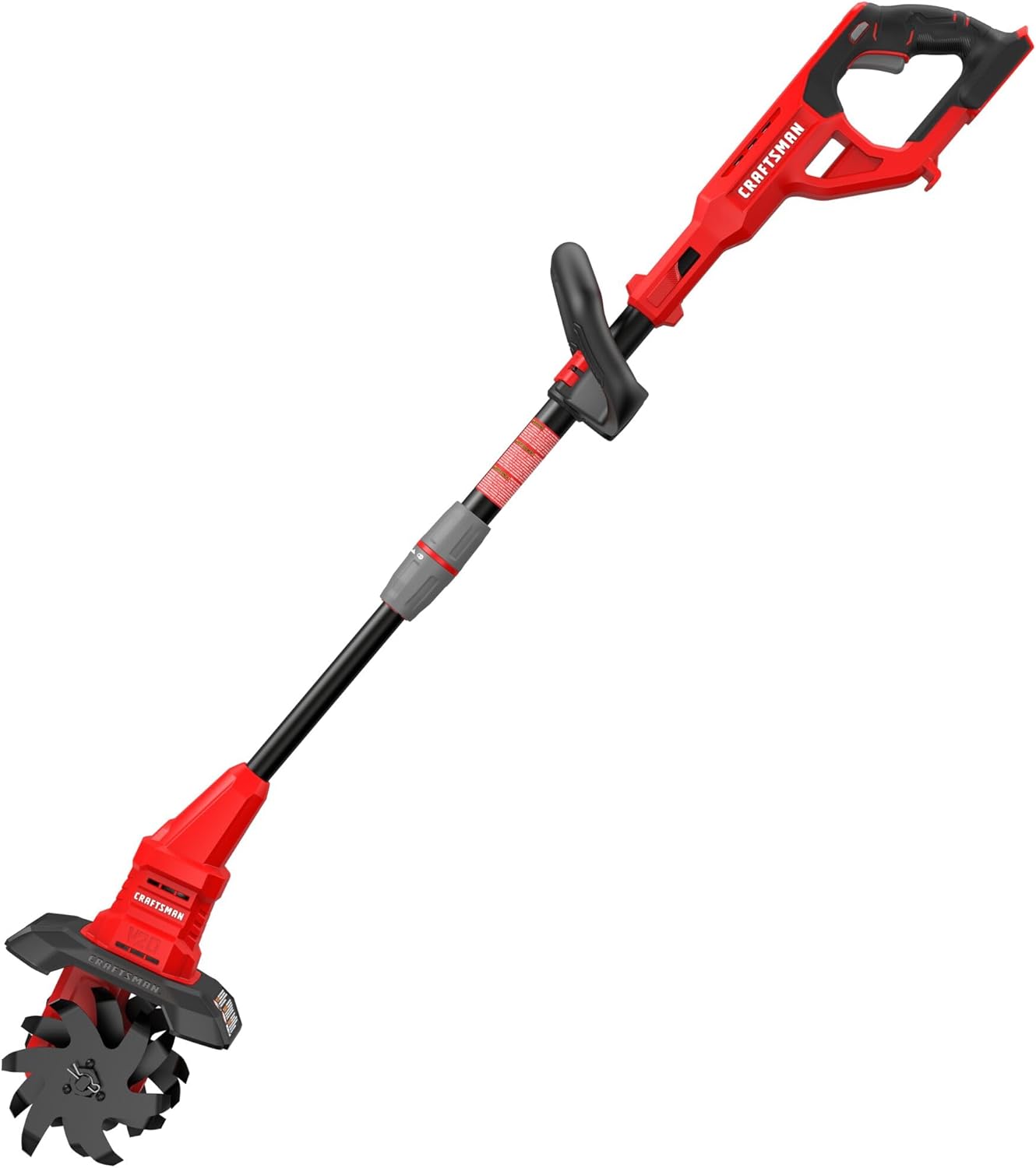
Figure 2: Exploded view of the tiller/cultivator showing main components and assembly points.
Operating Instructions
Follow these steps for safe and effective operation of your tiller/cultivator.
- Pre-Operation Check: Before each use, inspect the tines for damage or debris. Ensure the battery is fully charged and securely seated.
- Starting the Tool: Grip the main handle and the auxiliary handle firmly. Engage the safety switch, then press the trigger to start the motor.
- Tilling/Cultivating: Guide the tiller/cultivator slowly over the soil. Allow the tines to penetrate the ground. For deeper tilling, make multiple passes over the same area. The tool is designed for an 8-inch tilling width and a 6.5-inch tilling depth.
- Maneuverability: The lightweight design facilitates easy maneuverability around garden beds and obstacles.
- Stopping the Tool: Release the trigger to stop the motor. Always remove the battery when not in use or before performing any maintenance.

Figure 3: Proper technique for operating the tiller/cultivator in a garden bed.

Figure 4: The tines effectively breaking up soil for cultivation.
Maintenance
Regular maintenance ensures the longevity and optimal performance of your tiller/cultivator.
- Cleaning: After each use, remove soil, debris, and plant matter from the tines and the tiller housing. Use a stiff brush or cloth. Do not use water directly on electrical components.
- Tine Inspection: Periodically inspect the tines for wear, damage, or bending. Replace worn or damaged tines promptly to maintain tilling efficiency.
- Storage: Store the tiller/cultivator in a dry, secure location, away from direct sunlight and extreme temperatures. The integrated hook allows for hanging on a VERSATRACK Wall Organization System (sold separately).
- Battery Care: Store batteries in a cool, dry place. Do not store fully discharged batteries for extended periods.

Figure 5: Inspecting and cleaning the tines after operation.
Troubleshooting
This section addresses common issues you might encounter with your CRAFTSMAN® V20* Cordless Tiller/Cultivator.
| Problem | Possible Cause | Solution |
|---|---|---|
| Tool does not start. | Battery not charged or not properly inserted. Safety switch not engaged. | Ensure battery is fully charged and securely clicked into place. Engage the safety switch before pressing the trigger. |
| Reduced tilling performance. | Tines are dull, damaged, or clogged with debris. | Clean tines of any debris. Inspect tines for wear and replace if necessary. |
| Tool stops during operation. | Battery is depleted. Overload protection activated. | Recharge the battery. Reduce the load on the tool by tilling shallower or in smaller passes. Allow the tool to cool down if it overheated. |
Specifications
Key technical specifications for the CRAFTSMAN® V20* Cordless Tiller/Cultivator (CMCTL320B).
- Model Number: CMCTL320B
- Brand: CRAFTSMAN®
- Power Source: Battery Powered (V20* Lithium Ion)
- Voltage: 20 Volts
- Tilling Width: 8 inches
- Tilling Depth: 6.5 inches
- Runtime: Up to 50 minutes (with CRAFTSMAN® V20* CMCB202 2.0Ah battery, sold separately)
- Weight: Approximately 6.5 kg (14.3 lbs)
- Material: Alloy Steel (tines)
- Included Components: Cmctl320 Tiller, (4) Tines
- Product Dimensions: 89.99 x 27.18 x 29.51 cm (approx. 35.4 x 10.7 x 11.6 inches)
Warranty and Support
The CRAFTSMAN® V20* Cordless Tiller/Cultivator (CMCTL320B) comes with a 3 Year Limited Warranty. For warranty claims, technical support, or replacement parts, please contact CRAFTSMAN® customer service or visit their official website. Keep your proof of purchase for warranty validation.
For additional information and resources, visit the official CRAFTSMAN® store: CRAFTSMAN Store on Amazon.ca