
Introduction
This manual provides detailed instructions for the safe and efficient operation of your YABER E1 Mini Projector. Please read this manual thoroughly before using the product and retain it for future reference.
Important Safety Information
- Do not look directly into the projector lens when the lamp is on.
- Ensure proper ventilation around the projector to prevent overheating.
- Use only the power adapter provided with the projector.
- Keep the projector away from water or other liquids.
- Avoid placing the projector on unstable surfaces.
- Do not attempt to disassemble or repair the projector yourself. Contact customer support for assistance.
What's in the Box
Upon unpacking, please verify that all the following items are included:
- 1 E1 Projector
- Remote Control
- Power Cord
- HDMI Cable
- Cleaning Kit
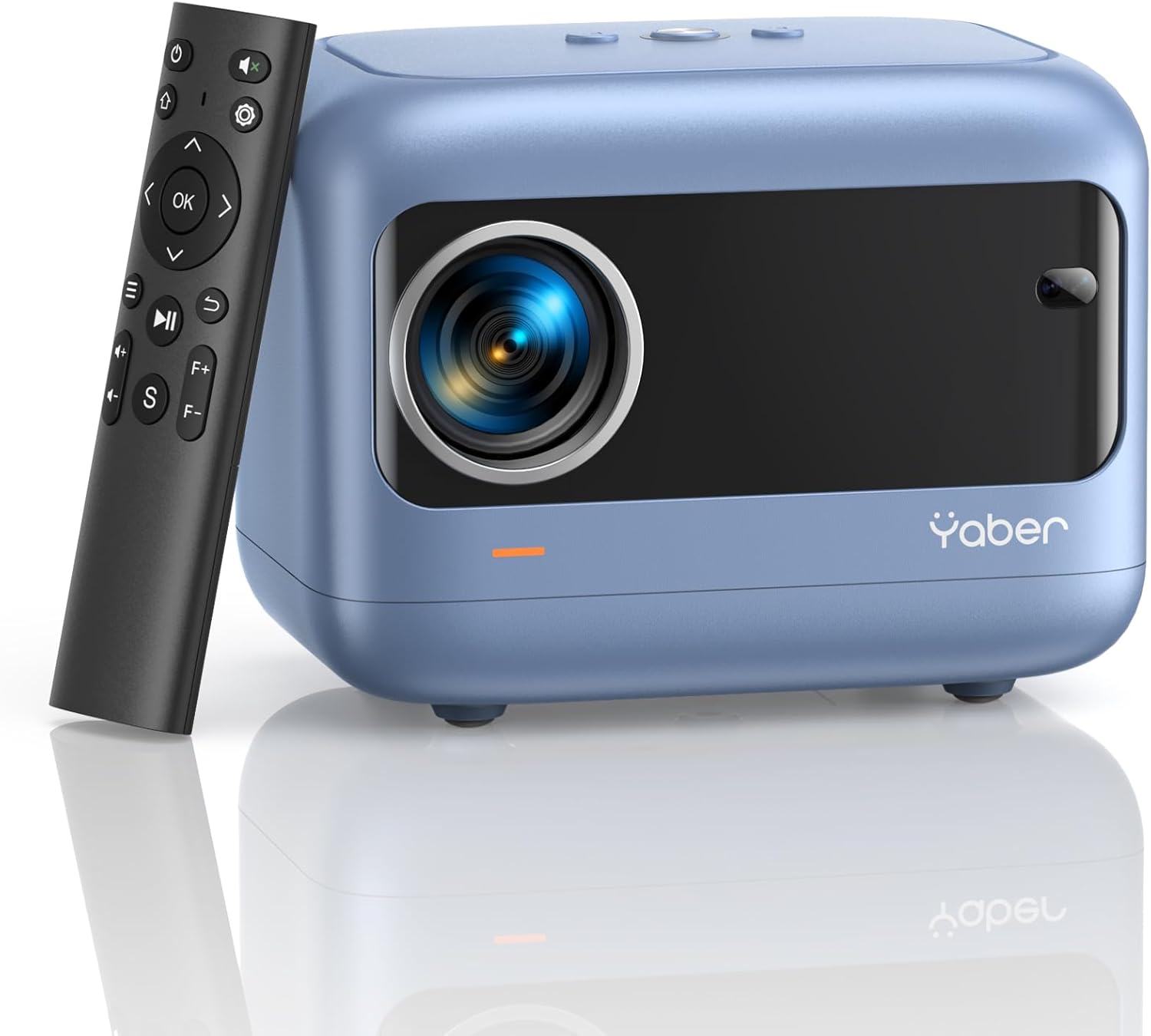
Image: YABER E1 Mini Projector with its remote control.
Setup Guide
1. Physical Placement
Place the projector on a stable, flat surface. Ensure there is adequate space around the projector for ventilation. The optimal projection distance ranges from 2.6 feet to 16.4 feet, allowing for a screen size of 50 to 200 inches.
2. Power Connection
Connect the provided power cord to the projector's power input and then to a power outlet.
3. Initial Adjustments: Electric Focus and Keystone Correction
The YABER E1 features advanced electric focus and keystone correction for optimal image clarity and shape. Use the remote control or the buttons on the projector panel to adjust these settings.
- Electric Focus: Automatically adjusts the lens position for precise focus.
- Keystone Correction: Corrects image distortion (up to ±40° vertical) when the projector is not perfectly perpendicular to the screen.

Image: Adjusting electric focus using the remote control.

Image: Illustrating vertical keystone correction.
Operating Instructions
1. Connectivity Options
The YABER E1 offers various connectivity methods to display your content.
- Wireless Connectivity (5GHz WiFi): Supports wireless screen mirroring for iOS, Android, and Windows devices. Navigate to the WiFi settings in the projector menu to connect to your home network and enable screen mirroring from your device.
- Bluetooth 5.2: Connect external Bluetooth speakers, headphones, or other audio equipment for an enhanced sound experience. Access Bluetooth settings in the menu to pair devices.
- Wired Connections: The projector includes multiple ports for wired connections:
- 2 x USB ports
- 1 x HDMI port
- 1 x 3.5mm audio port
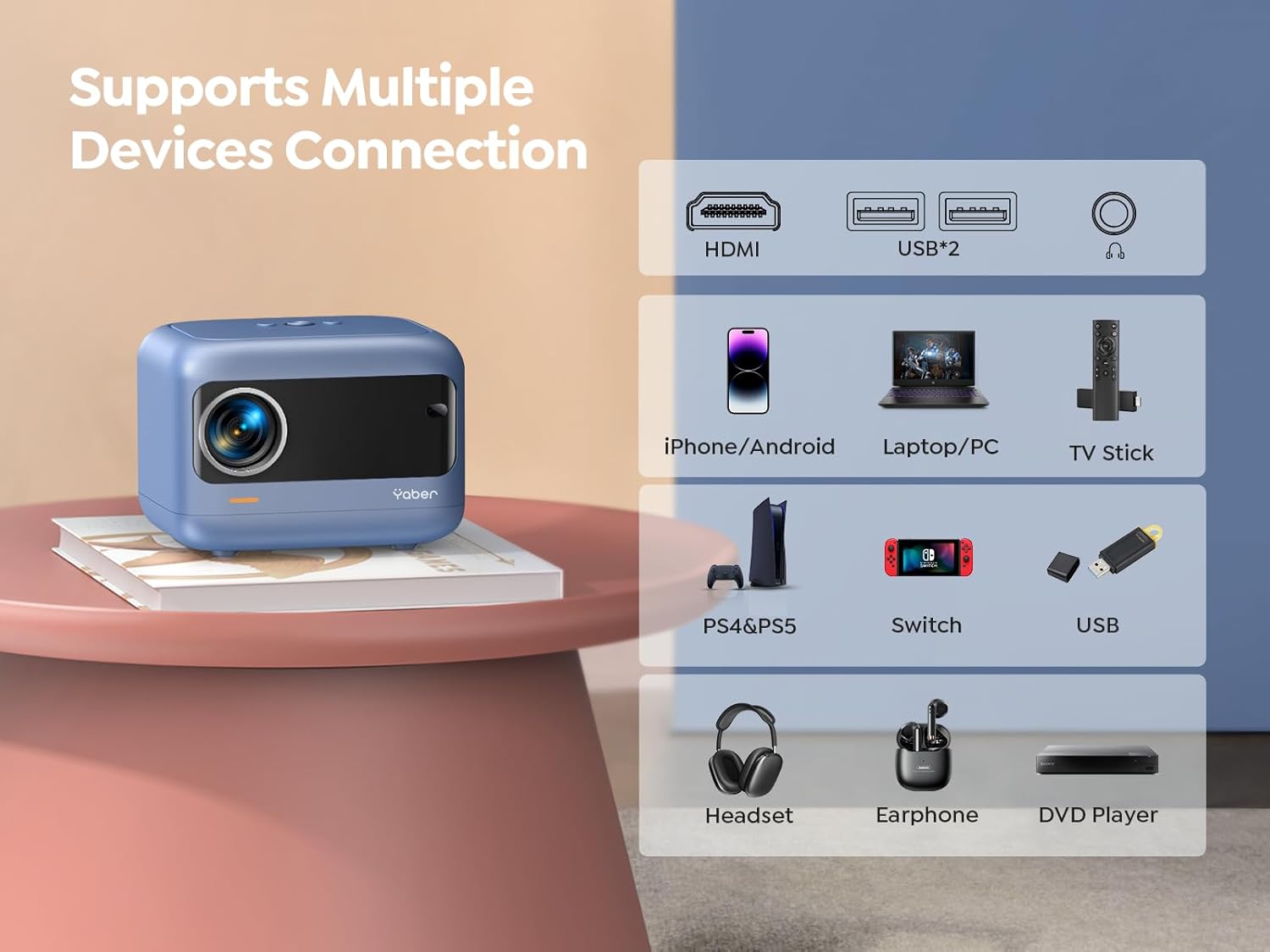
Image: Overview of available ports and compatible devices.

Image: Demonstrating 5G and 2.4G WiFi connectivity for streaming.

Image: Connecting external audio devices via Bluetooth 5.2.
2. Screen Zoom Function
The zoom function allows you to adjust the screen size without moving the projector. This is useful for fine-tuning the image to fit your projection surface.
3. Audio Output
The YABER E1 includes dual 6W built-in speakers. For a more immersive audio experience, connect external speakers or headphones via Bluetooth 5.2 or the 3.5mm audio jack.
Maintenance
- Lens Cleaning: Use the provided cleaning kit or a soft, lint-free cloth to gently clean the projector lens. Avoid abrasive materials that could scratch the lens.
- Dust Removal: Regularly clean the projector's vents to ensure proper airflow and prevent dust buildup, which can affect performance and lifespan.
- Storage: When not in use, store the projector in a cool, dry place, ideally with the lens cap on to protect it from dust and damage.
Troubleshooting
For common issues such as signal loss, sound problems, or connectivity difficulties, please refer to the detailed troubleshooting guide available on the product detail page or contact YABER customer support.
- No Image/Signal: Check all cable connections (HDMI, USB) and ensure the correct input source is selected on the projector. For wireless connections, verify WiFi settings and screen mirroring activation on your device.
- Blurred Image: Use the electric focus function to sharpen the image. Ensure the projector is placed within the recommended projection distance.
- Distorted Image: Utilize the keystone correction feature to adjust the image shape.
- No Sound: Check the volume settings on both the projector and the connected device. If using external speakers, ensure they are properly connected and powered on. Verify Bluetooth pairing if applicable.

Image: General troubleshooting tips for quick resolution.
Specifications
| Feature | Detail |
|---|---|
| Product Dimensions | 6.26 x 4.92 x 4.61 inches |
| Item Weight | 2.11 pounds |
| Model Number | YABER E1 |
| Display Resolution | 1920 x 1080 (Full HD) |
| Connectivity Technology | Wireless (5G WiFi), Bluetooth 5.2, HDMI, USB |
| Special Features | Electric Focus, ±40° Keystone Correction, Dual 6W Speakers, Wireless Screen Mirroring |
| Recommended Uses | Home Cinema |
Warranty and Support
YABER offers comprehensive customer support for your E1 Mini Projector.
- Service: 24/7 customer service team.
- Replacement: 3-year free replacement policy.
- Support: Lifetime technical support.
- Contact: For any questions or assistance, please contact us via email at support03@yaberauto.com.

Image: Overview of YABER's customer service commitments.


