1. Introduction
The Ehaho 3FT LED Whip Lights are designed to enhance visibility and aesthetics for off-road vehicles such as UTVs, ATVs, RZRs, SXSs, and Can-Ams. These whip lights feature advanced 5050 RGB LED chips, providing triple brightness and vibrant, uniform 360-degree illumination. Control is available via a dedicated mobile application and a remote control, offering extensive customization options for colors, patterns, and effects. The integrated spring base ensures durability and flexibility, making them suitable for challenging off-road conditions.
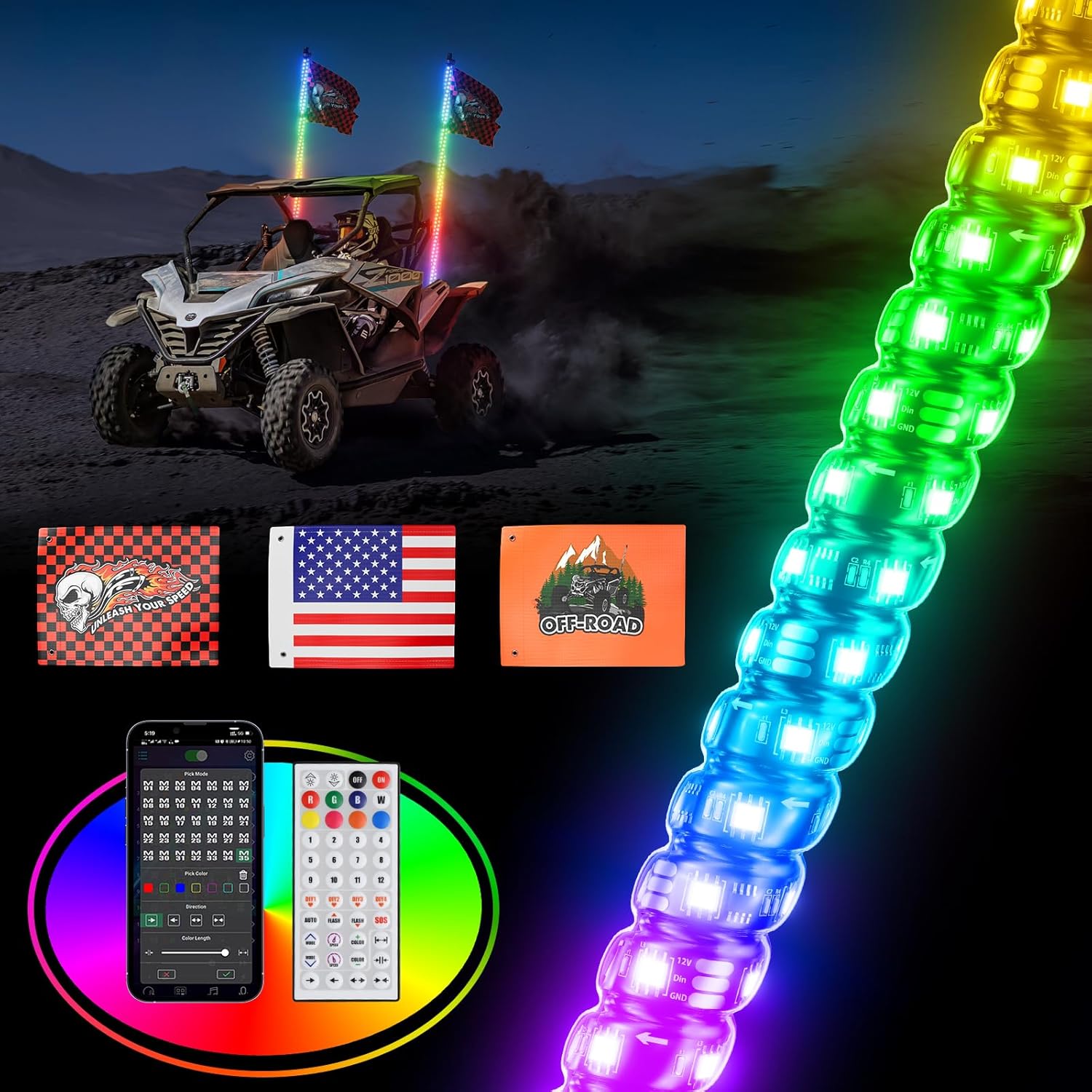
Image 1.1: Ehaho 3FT LED Whip Lights in operation on an off-road vehicle.
2. What's in the Box
Verify that all components are present before proceeding with installation.
- LED Whip Light (x1)
- RF Remote Control (x1)
- Flag Holder Set (x1)
- American Flag (x1)
- Off-Road Flag (x1)
- Skull Flag (x1)
- Instruction Manual (x1)
- Controller (x1)

Image 2.1: Contents of the Ehaho LED Whip Light Kit.
3. Specifications
| Brand | Ehaho |
| Model | EH3FT1N |
| Light Source Length | 3 Feet |
| Color | RGB |
| LED Type | 5050 RGB LED Chips |
| Operating Voltage | 12V DC |
| Water Resistance Level | IP68 Waterproof |
| Material | Aluminum, Plastic, Rubber |
| Control Method | APP Control, Remote Control |
| Special Features | Customizable Flash Patterns, Customizable Music Modes, Dust Proof, Multi-Color |
| Automotive Fit Type | Universal Fit |
4. Safety Information
Read all instructions carefully before installation and use. Failure to follow these instructions may result in electrical shock, fire, or serious injury.
- Power Supply: Ensure the power supply is 12V DC. Using a power supply exceeding 12V may damage the whip lights. A voltage converter is recommended if your vehicle's power supply is higher than 12V.
- Wiring: All wiring should be performed by a qualified individual if you are unsure. Ensure all connections are secure and properly insulated to prevent short circuits.
- Mounting: Mount the whip lights securely to prevent detachment during vehicle operation. Ensure the mounting location does not obstruct the driver's view or interfere with vehicle controls.
- Waterproof Rating: While rated IP68 waterproof, avoid submerging the controller or making connections in standing water.
- Operation: Do not stare directly into the LED lights for extended periods, as this may cause eye strain.
5. Setup and Installation
Follow these steps for proper installation of your Ehaho 3FT LED Whip Lights.
5.1 Mounting the Whip Light
- Select a suitable mounting location on your UTV, ATV, or other off-road vehicle. The location should be sturdy and provide clear visibility for the whip light.
- Secure the quick disconnect base to the chosen mounting point using appropriate hardware (not always included, may require separate purchase depending on vehicle).
- Slide the whip light into the quick disconnect base until it securely locks into place. The integrated spring base provides flexibility and shock absorption.

Image 5.1: Integrated Spring Base design for easy and secure mounting.
5.2 Wiring Connections
- Connect the power cord from the whip light to the included controller. Ensure the connection is tight and waterproof.
- Connect the controller's power input wires to a 12V DC power source on your vehicle. Typically, this involves connecting the red wire to a positive (+) 12V source and the black wire to a negative (-) ground.
- If your vehicle's power supply exceeds 12V, use a voltage converter (not included) to step down the voltage to 12V DC before connecting to the whip light controller.
- Route all wiring safely, away from moving parts, hot surfaces, and sharp edges. Secure with zip ties or clips.
5.3 Attaching Flags
Use the provided flag holder set to attach the desired flags (American, Off-Road, or Skull) to your whip light. Ensure flags are securely fastened to prevent loss during vehicle operation.
6. Operating Instructions
Your Ehaho LED Whip Lights can be controlled via a mobile application or the included RF remote control.
6.1 Mobile Application Control
- Download the recommended mobile application (e.g., BLEDIM2 or similar, as indicated in the manual or product packaging) from your device's app store.
- Ensure Bluetooth is enabled on your mobile device.
- Open the app and search for available devices. Select your Ehaho whip lights to connect.
- Once connected, you can access various functions:
- Color Selection: Choose from millions of vibrant colors.
- Pattern Customization: Select from 366 pre-programmed spiral chasing modes, or create your own.
- Brightness Adjustment: Increase or decrease the light intensity.
- Speed Adjustment: Control the speed of dynamic patterns.
- Music Synchronization: Enable the music sync function to make the lights dance to the rhythm of your phone's music.
- Motion Directions: Adjust the direction of chasing patterns.

Image 6.1: Mobile App and Remote Control interfaces for customizing lighting effects.
6.2 Remote Control Operation
The included RF remote control provides quick access to common functions.

Image 6.2: Remote Control functions overview.
- Power On/Off: Use the dedicated buttons to turn the lights on or off.
- Color Buttons: Select static colors (Red, Green, Blue, White, etc.).
- Brightness +/-: Adjust the overall brightness.
- Speed +/-: Adjust the speed of dynamic patterns.
- Mode Buttons: Cycle through various pre-programmed lighting modes and patterns.
- DIY Buttons: Save your favorite custom settings for quick recall. To save a setting, activate the desired mode/color, then press and hold one of the DIY buttons until the lights confirm the save (e.g., flash white).
7. Maintenance
Regular maintenance ensures the longevity and optimal performance of your whip lights.
- Cleaning: Periodically clean the whip lights with a soft, damp cloth to remove dirt and debris. Avoid abrasive cleaners or solvents that could damage the material.
- Inspections: Regularly check all wiring connections for corrosion or damage. Ensure the quick disconnect base is securely fastened and the whip light is firmly seated.
- Storage: If storing the vehicle for an extended period, consider detaching the whip lights and storing them in a dry, protected area to prevent unnecessary wear.
8. Troubleshooting
If you encounter issues with your Ehaho LED Whip Lights, refer to the following troubleshooting guide:
| Problem | Possible Cause | Solution |
|---|---|---|
| Whip lights do not turn on. | No power, loose connection, faulty controller. | Check power source (12V DC). Verify all wiring connections are secure. Ensure the remote control or app is sending the 'on' signal. Test the controller if possible. |
| Remote control not working. | Dead battery, out of range, interference. | Replace the remote control battery. Ensure you are within effective range of the whip lights. Minimize potential signal interference. |
| Mobile app cannot connect. | Bluetooth off, app not paired, whip lights off. | Ensure Bluetooth is enabled on your phone. Confirm the whip lights are powered on. Try restarting the app and your phone. Re-pair the device in the app. |
| Lights are dim or flickering. | Low voltage, loose connection, damaged LEDs. | Check vehicle's battery voltage. Inspect wiring for loose connections or corrosion. If individual LEDs are out, the whip light may need replacement. |
| Flags detach during use. | Improperly secured flags. | Ensure flags are tightly secured to the flag holder set and the holder is firmly attached to the whip light. |
9. Warranty and Support
For warranty information or technical support, please refer to the contact details provided with your purchase or visit the official Ehaho website. Keep your proof of purchase for any warranty claims.


