
Product Overview
The NOTABRICK Ki Bluetooth Speaker delivers powerful 15W stereo sound with active extra bass, designed for both indoor and outdoor use. Its IPX6 water-resistant rating makes it suitable for various environments, from beach parties to camping trips. Featuring Bluetooth V5.0 for stable connections and TWS functionality for immersive 360° stereo sound, this portable speaker is built for convenience and high-quality audio.

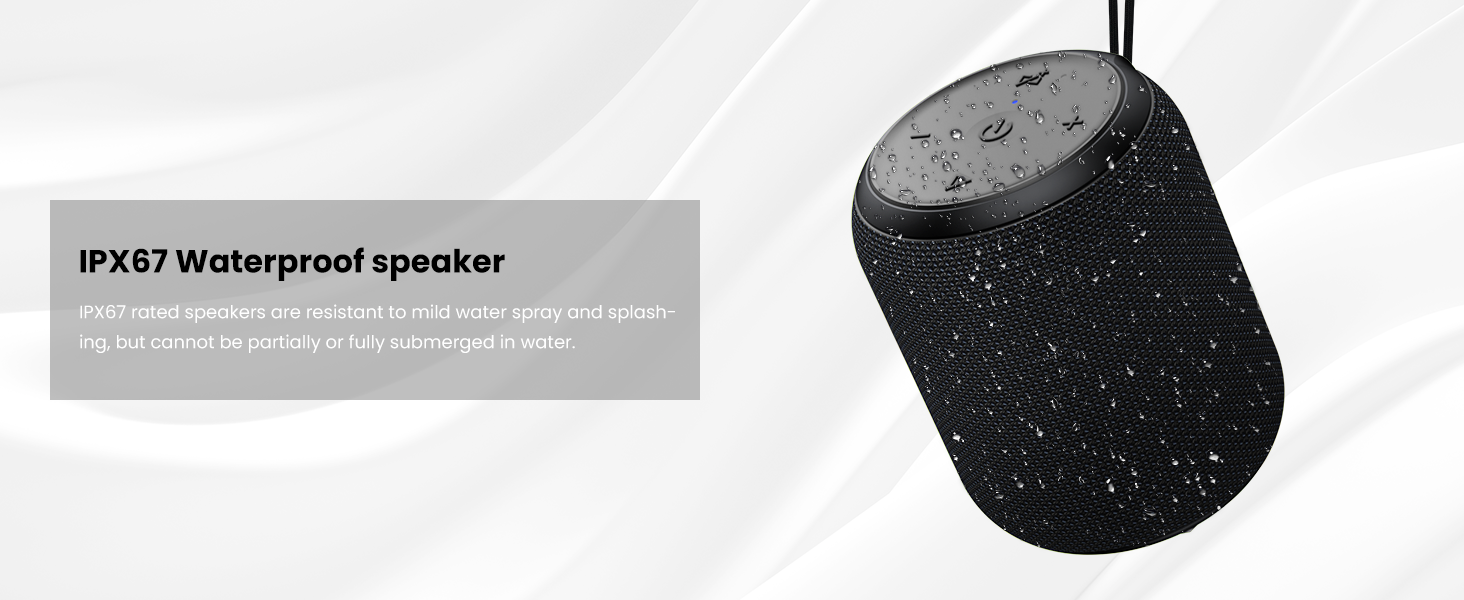
The NOTABRICK Ki Bluetooth Speaker, showcasing its IPX6 water resistance with water splashing on its blue mesh exterior.
- Clear & Delightful Sound: 15W output with loud highs, crisp midrange, and full bass for distortion-free audio.
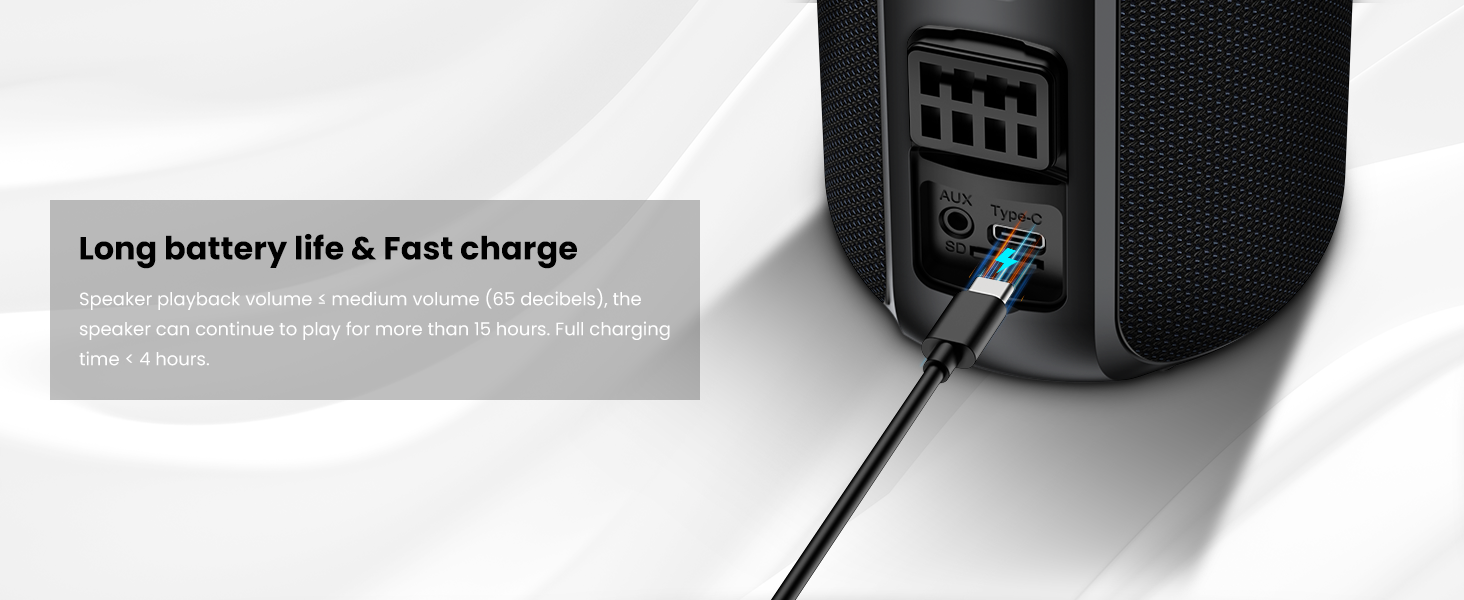
- Portable Design: Compact size (4.5 inches high, 3.5 inches diameter) with TF card slot, 3.5mm AUX input, Type-C fast charging, and a lanyard for easy portability.
- Practical Waterproofing: IPX6 rated, resistant to mild water spray and splashing, ideal for outdoor activities (not for submersion).
- TWS Pairing: True Wireless Stereo function allows two speakers to connect for 360° 30W stereo sound.
- Bluetooth V5.0: Ensures fast pairing and stable connection up to 40 meters, with a built-in microphone for hands-free calls.
Package Contents
Please check the box for the following items:
- NOTABRICK Ki Bluetooth Speaker
- Lanyard
- Type-C charging cable
Initial Setup
Charging the Speaker
Before first use, fully charge the speaker using the provided Type-C cable. The charging port is located under a protective flap on the side of the speaker.
The Type-C charging port and other input options on the NOTABRICK Ki speaker.
Power On/Off
- To Power On: Long press the power button (⏻) on the top of the speaker for 2 seconds.
- To Power Off: Long press the power button (⏻) for 2 seconds.
Bluetooth Pairing
The speaker will automatically enter pairing mode when powered on for the first time or if it's not connected to a previously paired device. The blue LED indicator on top will blink rapidly.
- Turn on the speaker.
- Enable Bluetooth on your device (smartphone, tablet, etc.).
- Search for "Notabrick Kibe" in your device's Bluetooth settings.
- Select "Notabrick Kibe" to connect. The blue LED will become solid when successfully paired.
The top control panel of the speaker, indicating its Bluetooth connectivity.
Operation
Button Functions
- Power On/Off: Long press ⏻ for 2 seconds.
- Volume Up: Short press +.
- Volume Down: Short press -.
- Next Track: Long press +.
- Previous Track: Long press -.
- Play/Pause: Short press ▶.
- Answer/Reject Call: Short press ▶ to answer, long press to reject.
- Activate Voice Assistant: Short press the Bluetooth button (looks like a triangle with a line through it).
True Wireless Stereo (TWS) Pairing
To achieve a wider soundstage and more powerful audio, you can pair two NOTABRICK Ki speakers together.
- Ensure both speakers are powered on and not connected to any Bluetooth device.
- On one speaker (this will be the master speaker), long press the Bluetooth button (looks like a triangle with a line through it) for 2 seconds. It will enter TWS pairing mode.
- The two speakers will automatically connect to each other. Once connected, the master speaker's LED will blink slowly, and the slave speaker's LED will be solid.
- Connect your device to the master speaker via Bluetooth as described in the "Bluetooth Pairing" section.

Two speakers paired for True Wireless Stereo sound.
Care and Maintenance
To ensure the longevity and optimal performance of your NOTABRICK Ki Bluetooth Speaker, follow these care guidelines:
- Water Resistance: The speaker is IPX6 rated, meaning it is resistant to strong jets of water. It is suitable for use in rainy conditions or near splashes. However, it is NOT designed to be submerged in water. Ensure the charging port cover is securely closed before exposing the speaker to water.
- Cleaning: Use a soft, damp cloth to clean the speaker's exterior. Do not use harsh chemicals or abrasive cleaners.
- Storage: Store the speaker in a cool, dry place away from direct sunlight and extreme temperatures.
- Battery Care: To preserve battery life, fully charge the speaker before long periods of inactivity.

The speaker is designed to withstand splashes and rain, but not full submersion.
Troubleshooting Common Issues
| Problem | Possible Cause | Solution |
|---|---|---|
| Speaker does not power on. | Low battery. | Charge the speaker fully. |
| Cannot pair with Bluetooth device. | Speaker is not in pairing mode or already connected. | Ensure speaker is in pairing mode (blinking blue LED). Disconnect from other devices if necessary. Restart both speaker and device. |
| No sound or low volume. | Volume too low on speaker or device; device not connected. | Increase volume on both speaker and connected device. Ensure Bluetooth connection is stable. |
| Sound distortion. | Volume too high; interference. | Lower the volume. Move speaker closer to the device or away from other electronic interference. |
| TWS pairing fails. | Speakers already paired to other devices. | Ensure both speakers are disconnected from all devices before attempting TWS pairing. |
Technical Specifications
| Feature | Specification |
|---|---|
| Model Name | Ki |
| Brand | NOTABRICK |
| Speaker Type | Outdoor |
| Connectivity Technology | Bluetooth V5.0 |
| Wireless Transmission Range | Up to 40 meters (open field) |
| Output Power | 15W (Single Speaker) |
| Battery | 3.7V/1800mAh Lithium Ion (included) |
| Playing Time | ≥15 hours (@60dB SPL) |
| Charging Time | 3 hours |
| Power Supply | Type-C 5V/1A |
| Frequency Response | 115Hz-15kHz |
| Distortion | ≤1.0% |
| Water Resistance Level | IPX6 |
| Product Dimensions | 2.7"D x 2.67"W x 8.3"H |
| Item Weight | 14.9 ounces |
| Included Components | Lanyard, Type-C cable |
Warranty and Customer Support
The NOTABRICK Ki Bluetooth Speaker comes with a Limited Warranty. For specific warranty terms and conditions, please refer to the documentation included with your purchase or contact NOTABRICK customer support.
For any questions, troubleshooting assistance, or warranty claims, please contact NOTABRICK customer support through the retailer's platform or the official NOTABRICK website.


