
1. Introduction
Thank you for choosing the HOMPANY SmartVac 12 Cordless Vacuum Cleaner. This manual provides essential information for the safe and efficient operation, maintenance, and troubleshooting of your new appliance. Please read it thoroughly before first use and keep it for future reference.
Important Safety Instructions
- Always disconnect the vacuum cleaner from the charger before cleaning or performing maintenance.
- Do not use the appliance to pick up water or wet substances.
- Keep hair, loose clothing, fingers, and all parts of the body away from openings and moving parts.
- Do not pick up burning or smoking materials, such as cigarettes, matches, or hot ashes.
- Use only as described in this manual. Use only manufacturer's recommended attachments.
- Store the vacuum cleaner indoors in a dry place.
2. Package Contents
Please check the package contents to ensure all items are present and in good condition:
- 1 × HOMPANY Cordless Vacuum Cleaner Main Unit
- 1 × Flat Nozzle (Crevice Tool)
- 1 × 2-in-1 Brush
- 1 × Mini Cleaning Brush
- 1 × HEPA Filter (pre-installed or spare)
- 1 × Sponge Filter (pre-installed or spare)
- 1 × Power Adapter
- 1 × Quick Guide
- 1 × Instruction Manual
- 1 × Warranty Card

3. Product Overview
Familiarize yourself with the components of your HOMPANY SmartVac 12:
- Main Unit: Contains the motor, dustbin, and control panel.
- Extension Tube: Connects the main unit to the floor brush for upright cleaning.
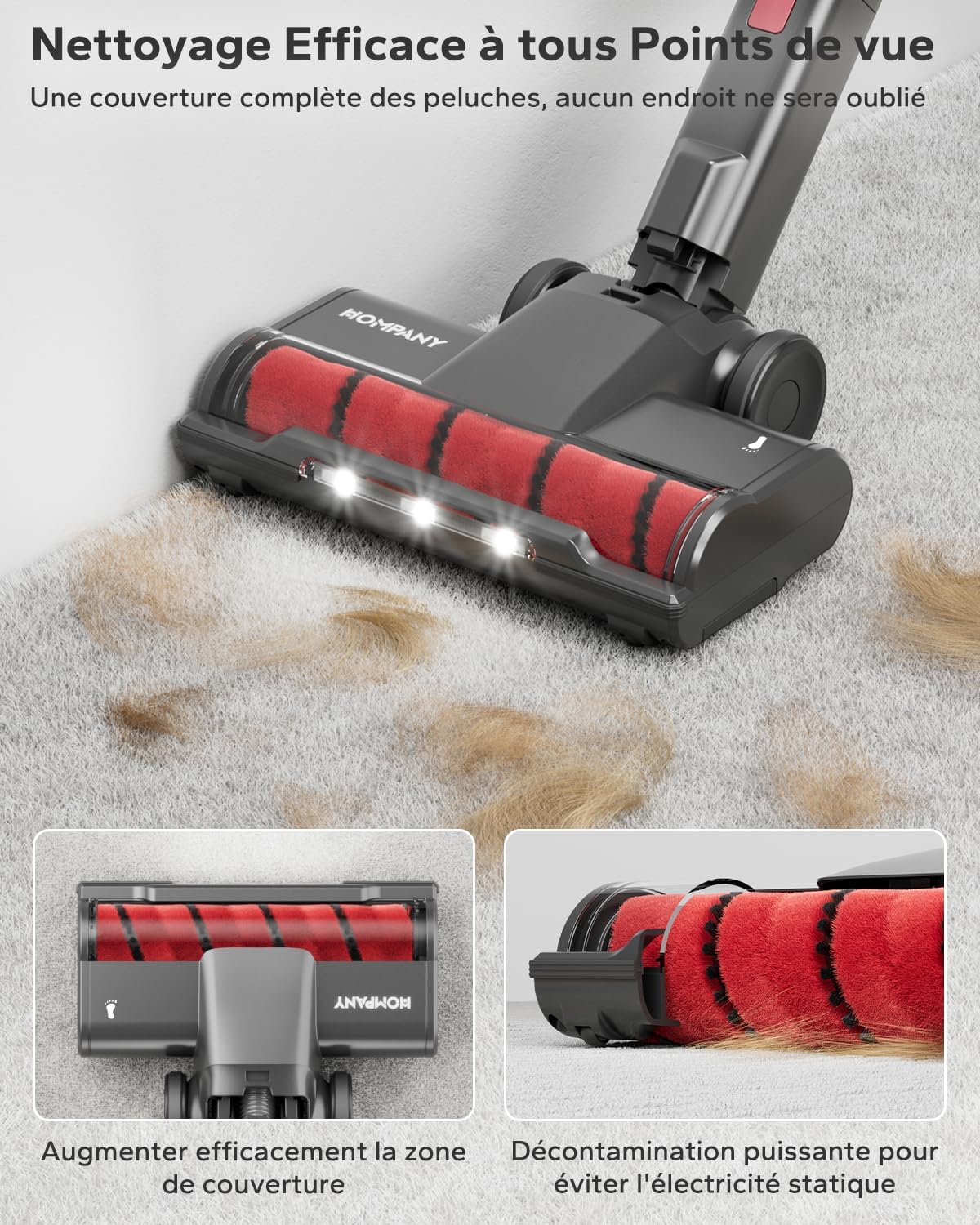
- Floor Brush: Equipped with an upgraded roller brush and LED lights for effective cleaning on various surfaces.
- Flat Nozzle (Crevice Tool): Ideal for narrow gaps and corners.
- 2-in-1 Brush: Versatile tool for upholstery, curtains, and delicate surfaces.
- LED Display: Shows battery level, suction mode, dustbin full warning, and brush blockage alerts.
- Touch Screen: For adjusting suction power.

4. Setup and Assembly
4.1 Initial Charging
Before first use, fully charge the battery. Connect the power adapter to the charging port on the main unit or directly to the removable battery. The LED display will indicate charging status. A full charge takes approximately 4-5 hours.
4.2 Assembling the Vacuum Cleaner
- Attach the Extension Tube: Insert the extension tube into the main unit until it clicks securely.
- Attach the Floor Brush: Connect the floor brush to the other end of the extension tube, ensuring it clicks into place.
- Attach Accessories: For handheld use, attach the flat nozzle or 2-in-1 brush directly to the main unit. For extended reach, attach them to the extension tube.
5. Operating Instructions
5.1 Powering On/Off and Suction Modes
- Power On: Press the power button on the main unit. The vacuum will start in the default suction mode.
- Adjust Suction: Use the touch screen on the main unit to cycle through MIN, MID, and MAX suction modes. The LED display will show the current mode.
- Power Off: Press the power button again to turn off the vacuum cleaner.
5.2 Using Attachments
- Floor Brush: Suitable for both hard floors and carpets. The upgraded large carpet brush provides enhanced contact and traction for deep cleaning.
- Flat Nozzle: Use for cleaning tight spaces, corners, and edges.
- 2-in-1 Brush: Use the brush bristles for dusting delicate surfaces or retract them for wider suction on upholstery.


6. Maintenance and Cleaning
Regular maintenance ensures optimal performance and extends the lifespan of your vacuum cleaner.
6.1 Emptying the Dustbin
The 1.2L dustbin should be emptied regularly, especially when the 'dustbin full' warning appears on the LED display.
- Ensure the vacuum is turned off.
- Press the dustbin release button to detach it from the main unit.
- Position the dustbin over a trash can and press the bottom release button to open the flap and empty the contents.
- Close the flap and reattach the dustbin to the main unit until it clicks.

6.2 Cleaning the Filters
The 5-stage filtration system includes HEPA and sponge filters. These should be cleaned regularly to maintain suction power.
- Remove the dustbin.
- Twist and pull out the filter assembly.
- Separate the HEPA filter and sponge filter.
- Rinse both filters under running water until the water runs clear. Do not use detergent.
- Allow filters to air dry completely for at least 24 hours before reassembling and placing back into the vacuum. Do not use while wet.

6.3 Cleaning the Brush Roll
Periodically check the brush roll for tangled hair or debris.
- Turn off the vacuum and detach the floor brush.
- Use a coin or screwdriver to unlock the brush roll cover.
- Remove the brush roll.
- Use the mini cleaning brush or scissors to remove any tangled hair or debris.
- Reinsert the brush roll and secure the cover.
7. Troubleshooting
If you encounter any issues, please refer to the following common problems and solutions:
| Problem | Possible Cause | Solution |
|---|---|---|
| Vacuum does not turn on | Battery is depleted Battery not properly installed | Charge the battery fully Ensure battery is securely clicked into place |
| Weak suction power | Dustbin is full Filters are clogged Hose or brush roll is blocked | Empty the dustbin Clean and dry the filters Check and clear any blockages in the hose or brush roll |
| Brush roll not spinning | Brush roll is tangled with hair/debris Brush roll is blocked | Clean the brush roll (refer to Section 6.3) Check for and remove any obstructions |
| LED display shows blockage warning | Airflow is restricted | Check dustbin, filters, extension tube, and brush roll for blockages and clear them. |
8. Specifications
| Feature | Detail |
|---|---|
| Model Number | SmartVac 12 (V16) |
| Suction Power | Up to 35Kpa |
| Motor Power | 450W |
| Battery Type | Lithium-ion (7x 2500 mAh) |
| Voltage | 25.9 Volts |
| Runtime | Up to 55 minutes (MIN mode) |
| Dustbin Capacity | 1.2 Liters |
| Filtration System | 5-stage, including HEPA filter |
| Noise Level | 68 dB |
| Weight | 1.5 Kilograms |
| Dimensions (L x W x H) | 24.97 x 21.49 x 111.99 cm |
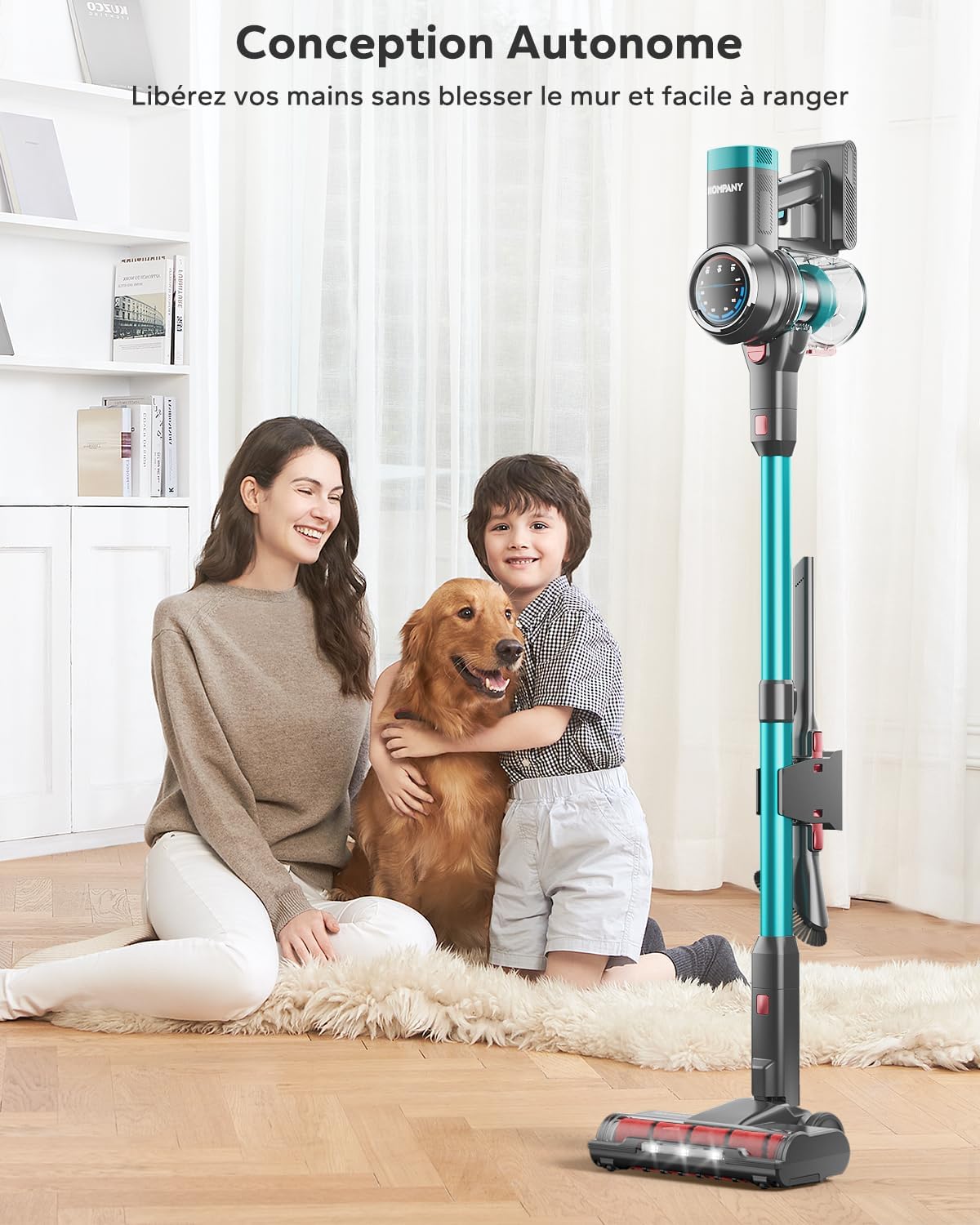
| Special Features | Self-standing design, Smart LED display, Touch screen suction control, Upgraded large carpet brush |
9. Warranty and Support
HOMPANY is committed to providing high-quality products and excellent customer service.
9.1 Warranty Information
Your HOMPANY SmartVac 12 Cordless Vacuum Cleaner comes with a 2-year after-sales service and a 1-year return and exchange policy from the date of purchase. Please retain your proof of purchase for warranty claims.
9.2 Customer Support
If you encounter any issues or have questions regarding your product, please do not hesitate to contact our customer support team. We offer 7*24H customer service to assist you promptly.
For support, please refer to the contact information provided on your warranty card or visit the official HOMPANY website.


