1. Important Safety Information
Please read all instructions carefully before using the appliance. Keep this manual for future reference.
- Ensure the washing machine is properly grounded.
- Do not allow children to play with or operate the appliance.
- Unplug the machine before performing any maintenance or cleaning.
- Do not wash items that are soiled with flammable substances.
- Do not install the machine in areas exposed to direct sunlight or freezing temperatures.
2. Product Overview
The Toshiba TW-BK90GF4EG(MK) is an 8 kg front-load automatic washing machine featuring Inverter technology, Steam function, Ultra Fine Bubbles, and Smart Control (Wifi) capabilities. It is designed for efficient and gentle fabric care.

Image: Front view of the Toshiba TW-BK90GF4EG(MK) washing machine, showcasing its Morandi Grey finish and large front-loading door.

Image: The washing machine with its door open, revealing the stainless steel drum and interior.
3. Setup and Installation
3.1 Unpacking
- Carefully remove all packaging materials.
- Remove all transit bolts from the rear of the machine. Refer to the separate installation guide for detailed instructions.
3.2 Placement
The washing machine is designed for freestanding installation. Ensure it is placed on a firm, level surface to minimize vibration and noise during operation.
- Dimensions (D x W x H): 59.5 x 63 x 85 cm.
- Allow adequate space around the machine for ventilation and access.
3.3 Water and Power Connection
- Connect the water inlet hose to a cold water tap.
- Ensure the drain hose is properly secured to a drain pipe or sink.
- Plug the power cord into a grounded electrical outlet.
4. Operating Instructions
4.1 Control Panel Overview
The washing machine features a control console with buttons for program selection and settings adjustment.

Image: Detailed view of the control panel, showing the program dial, buttons, and digital display.
4.2 Loading Laundry and Detergent
- Open the front-load door and place laundry inside, ensuring not to overload the drum.
- Pull out the detergent drawer. Add appropriate amounts of detergent and fabric softener to their respective compartments.
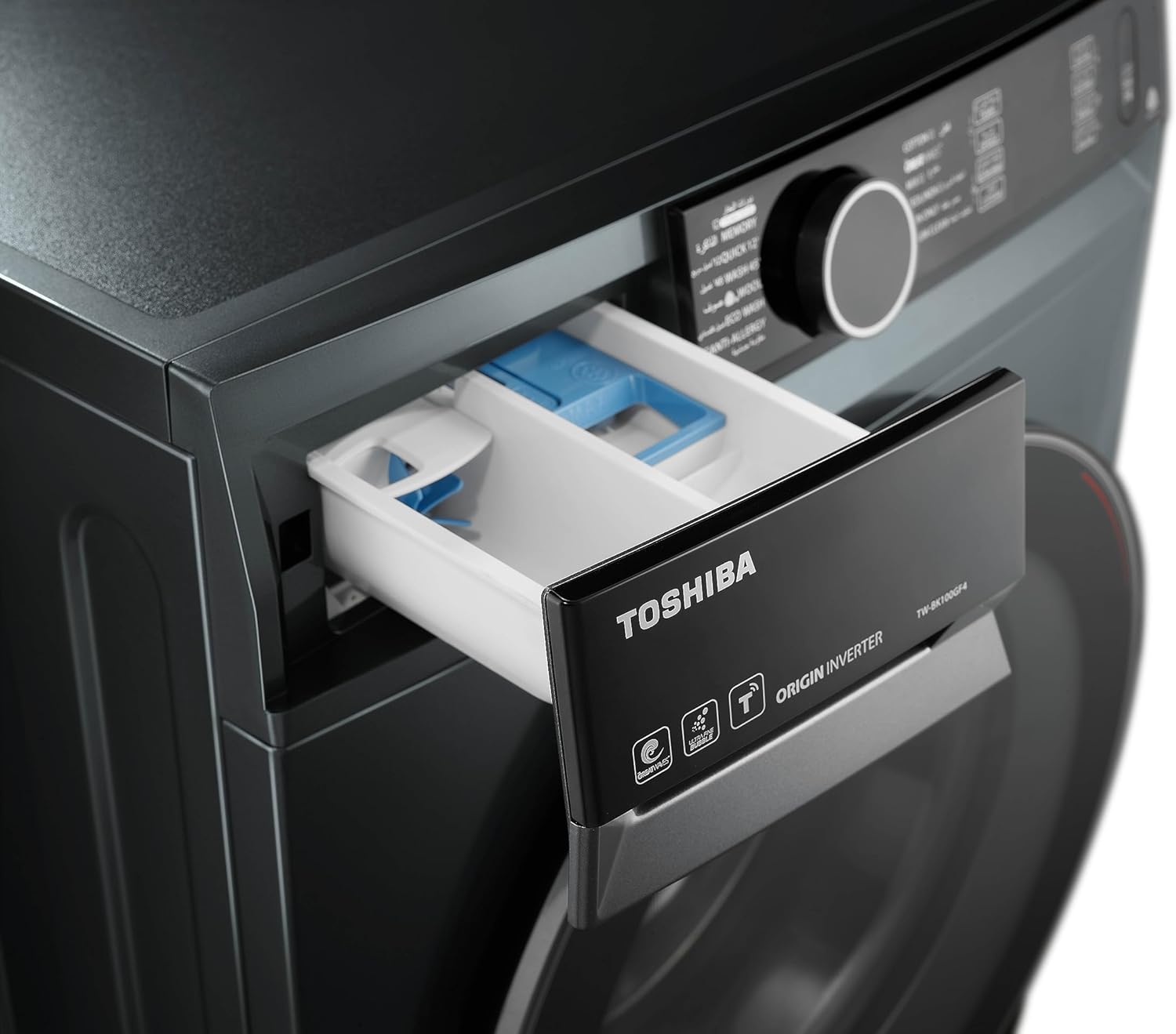
Image: The detergent dispenser drawer, showing compartments for detergent and softener.
4.3 Selecting a Wash Cycle
Turn the program dial or press the cycle buttons to select your desired wash program. Available cycle options include:
- Drain
- Spin
- Steam
- 12 Minute Wash Cycle (Quick Wash)
- Other standard cycles (e.g., Cotton, Synthetics, Delicates) as indicated on the control panel.
4.4 Special Features
- Ultra Fine Bubbles (UFB): This feature generates tiny bubbles that penetrate fabric fibers, enhancing the cleaning process and improving detergent effectiveness.

Image: Visual representation of Ultra Fine Bubbles working to clean fabrics.
- GREAT WAVES™: This technology optimizes water flow and washing beats to achieve effective cleaning results while being gentle on fabrics and shortening wash times.

Image: Diagram showing the different water flow patterns (Soak, Rub, Slap) utilized by GREAT WAVES technology.
- Steam Function: Provides a hygienic wash by using high-temperature steam to eliminate odors and reduce wrinkles in clothes.
- Origin Inverter Motor: The inverter motor provides efficient and quiet operation with enhanced durability.

Image: Internal view of the Origin Inverter motor, highlighting its components.
- Smart Connectivity (Wifi): Allows for remote control and monitoring of the washing machine via a smart device. Refer to the separate smart control guide for pairing and app usage.
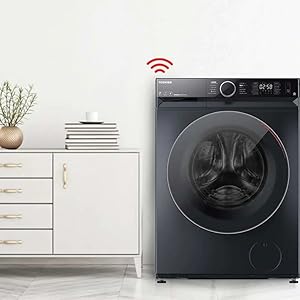
Image: The washing machine positioned in a room, with a Wi-Fi symbol above it, illustrating its smart connectivity feature.
5. Maintenance
5.1 Cleaning the Drum
Regularly use the Drum Clean function to maintain hygiene and prevent odor buildup. This cycle uses high temperatures for sterilization.

Image: Graphic depicting the high-temperature Drum Clean cycle for sterilization.
5.2 Water Shield Filter
The Water Shield Filter prevents dirt and debris from entering the washing machine, extending its lifespan and ensuring clean water for each wash.
- Periodically check and clean the filter as per the detailed instructions in the full user manual.

Image: Cross-section diagram of the Water Shield Filter, showing its multi-layered design to prevent debris entry.
5.3 General Cleaning
- Wipe the exterior of the machine with a soft, damp cloth.
- Clean the detergent dispenser drawer regularly to prevent residue buildup.
- Inspect the door seal for any trapped debris and clean it.
6. Troubleshooting
This section provides solutions to common issues. For more complex problems, contact customer support.
| Problem | Possible Cause | Solution |
|---|---|---|
| Machine does not start | Power cord unplugged, door not closed properly, water supply off. | Check power connection, ensure door is latched, open water tap. |
| Excessive vibration/noise | Machine not level, transit bolts not removed, uneven load. | Adjust leveling feet, remove transit bolts, redistribute laundry. |
| Water leakage | Hoses loose, detergent drawer overflowing, drain hose blocked. | Tighten hose connections, do not overfill detergent, clear drain. |
| Clothes not clean | Overloading, insufficient detergent, incorrect program. | Reduce load size, use correct detergent amount, select appropriate cycle. |
7. Specifications
| Feature | Detail |
|---|---|
| Brand | TOSHIBA |
| Model Number | TW-BK90GF4EG(MK) |
| Capacity | 8 Kilograms |
| Max Spin Speed | 1400 RPM |
| Installation Type | Freestanding |
| Access Location | Front Load |
| Product Dimensions (D x W x H) | 59.5 x 63 x 85 cm |
| Item Weight | 1 Kilograms (Note: This weight seems unusually low for a washing machine and might be a data entry error. Refer to product packaging for accurate weight.) |
| Color | Morandi Grey |
| Control Console | Buttons |
| Special Features | Ultra Fine Bubbles (UFB), GREAT WAVES™, Steam, Inverter Motor, Smart Connectivity (Wifi), Anti Bacterial Gastek, Mega Glass Door, 12 Minute Wash Cycle |
| Recommended Uses | Residential |
8. Warranty and Support
Your Toshiba washing machine comes with the following warranty:
- Full Warranty: 6 Years
- Inverter Motor and Drum Warranty: 10 Years
This warranty ensures lasting satisfaction and reliability. For technical support, service requests, or further inquiries, please refer to the contact information provided with your purchase documentation or visit the official Toshiba website.
You can also visit the TOSHIBA Store on Amazon for more product information.


