
1. Introduction
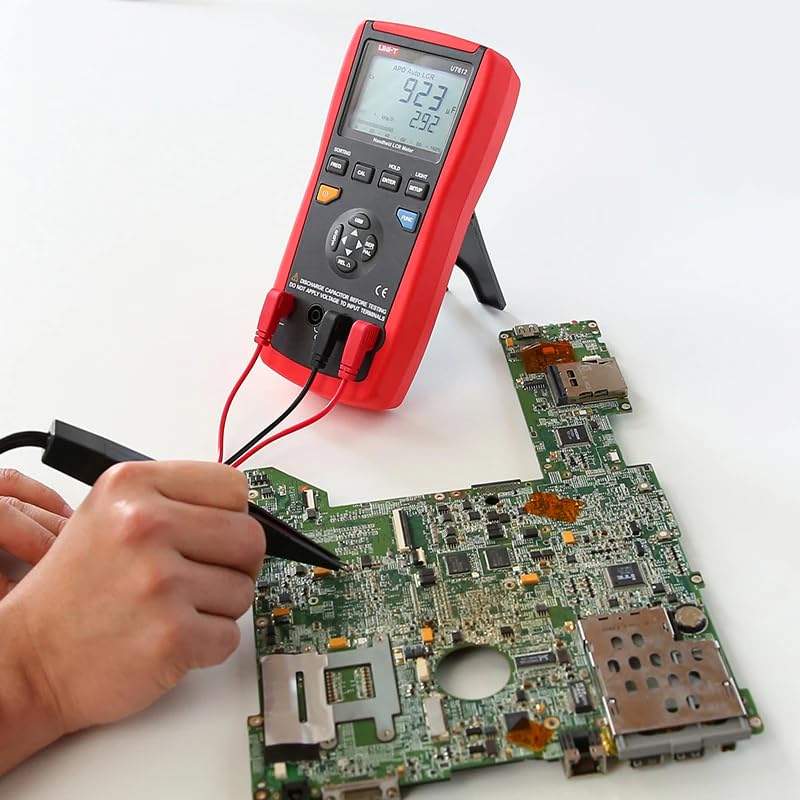
The UNI-T UT612 is a high-performance handheld LCR meter designed for precise measurement of inductance (L), capacitance (C), and resistance (R). It features a large LCD with backlight, data hold, relative mode, USB interface for PC communication, and various advanced functions for comprehensive component analysis. This manual provides detailed instructions for the safe and effective use of your UT612 LCR Meter.
2. Product Overview
2.1 Key Features
- Auto power off
- Data hold
- Relative mode
- USB interface for PC communication
- LCD backlight
- Deviation ratio measurement
- Comparison function
- Calibration function
- Output impedance: 120Ω
- Auto LCR check and measurement
- Low battery indication: ≤6.8V
2.2 Components


3. Setup
3.1 Battery Installation
The UT612 LCR Meter requires a 9V battery for operation. To install or replace the battery:
- Ensure the meter is powered off.
- Locate the battery compartment on the back of the meter.
- Unscrew the battery compartment cover and remove it.
- Connect the 9V battery to the battery clips, observing polarity.
- Place the battery inside the compartment and replace the cover, securing it with the screw.
3.2 Connecting Test Leads
The meter comes with specialized test leads for LCR measurements. Insert the red and black test leads into the corresponding input terminals on the meter. Ensure a secure connection for accurate readings.
3.3 Software Installation (USB Interface)
To utilize the PC communication features and record data, install the provided software:
- Insert the software CD into your computer's CD/DVD drive.
- Follow the on-screen instructions to install the UNI-T LCR Meter software.
- Connect the UT612 meter to your PC using the supplied Mini-USB cable. The USB port is located on the side of the meter.
- Launch the software to begin acquiring, analyzing, and collecting measurement data.

4. Operating Instructions
4.1 Basic Measurements
To perform a basic LCR measurement:
- Press the power button to turn on the meter.
- Select the desired measurement function (L, C, or R) using the 'FUNC' button or allow the meter to auto-detect.
- Connect the component to be measured to the test leads.
- Read the measurement value displayed on the LCD.
4.2 Advanced Functions
- Sorting Function: Use the 'SORTING' button to enable component sorting based on predefined criteria.
- Frequency Selection: Press 'FREQ' to cycle through measurement frequencies (100Hz, 120Hz, 1KHz, 10KHz, 100KHz).
- Calibration: Use the 'CAL' button for open/short circuit calibration to ensure measurement accuracy.
- Data Hold: Press 'HOLD' to freeze the current measurement on the display.
- Relative Mode: Activate relative mode with 'REL Δ' to measure the difference between the current reading and a stored reference value.
5. Maintenance
Proper maintenance ensures the longevity and accuracy of your UT612 LCR Meter.
- Cleaning: Wipe the meter's surface with a soft, damp cloth. Do not use abrasive cleaners or solvents.
- Storage: When not in use for extended periods, remove the battery to prevent leakage. Store the meter in a cool, dry place, away from direct sunlight and extreme temperatures.
- Fuse Replacement: Refer to the operating manual for instructions on replacing fuses, if necessary. Always use fuses with the specified amperage and voltage ratings.
6. Troubleshooting
If you encounter issues with your UT612 LCR Meter, refer to the following common problems and solutions: