
Introduction
Thank you for choosing the ECORELAX K99 Digital Coffee Scale. This manual provides detailed instructions for the proper setup, operation, and maintenance of your scale. Please read this manual thoroughly before use to ensure optimal performance and longevity of the product.
Product Features
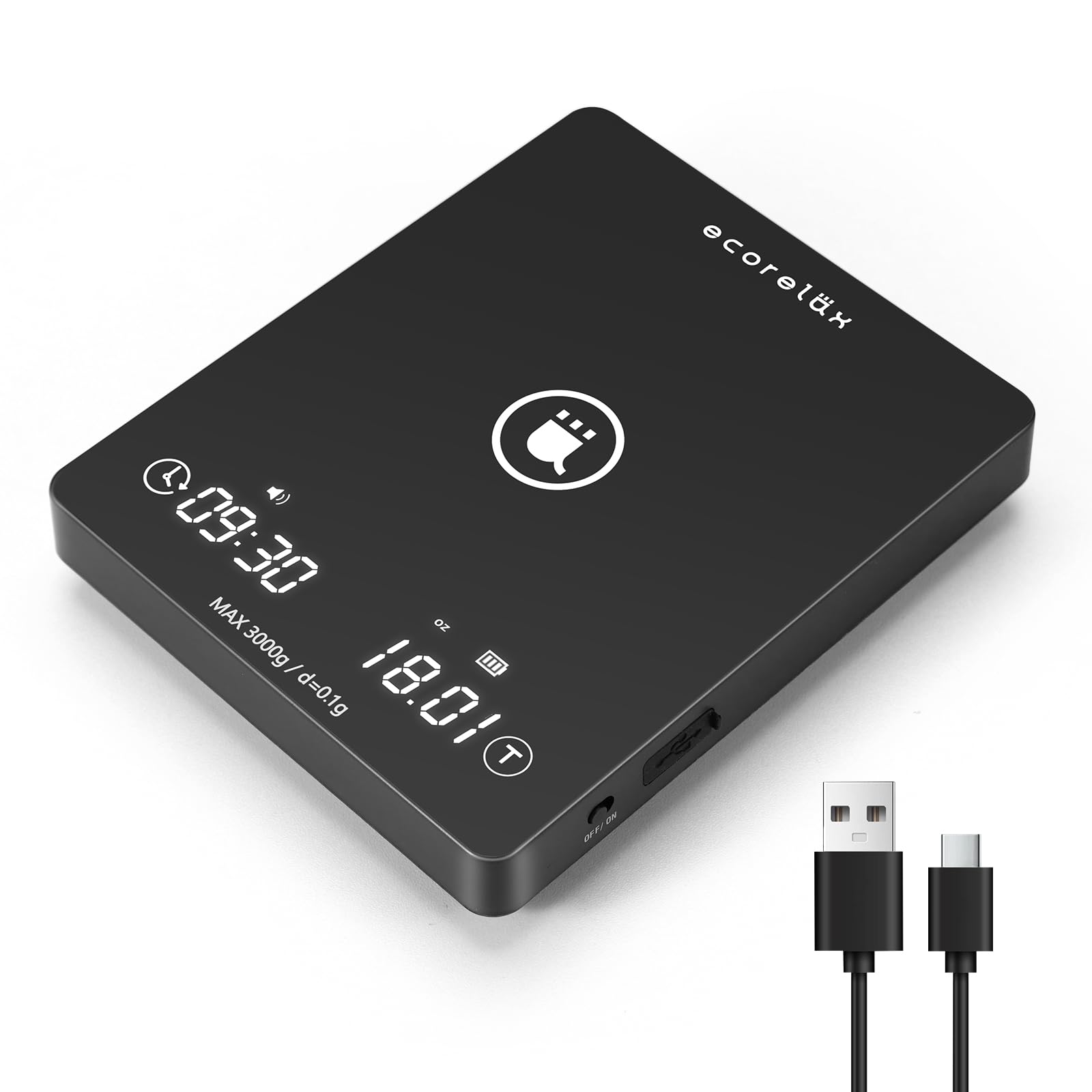
Image: The ECORELAX K99 Coffee Scale highlighting its 0.1g high precision sensing capability and a maximum capacity of 3000g, ensuring accurate measurements for coffee preparation.
- High Precision Measurement: Equipped with upgraded high-precision sensors, offering 0.1g accuracy for measurements from 0.3g up to 3kg.
- Integrated Timer: Built-in timer with 1-second precision, capable of timing up to 99 minutes and 59 seconds, ideal for coffee extraction.
- User-Friendly Interface: High-sensitivity touch controls with two composite touch buttons for easy operation. Features a dual LED display for clear reading of time and weight.
- Automatic Tare Function: One-press tare function to easily subtract the weight of containers.
- Multiple Unit Options: Switch between grams (g), ounces (oz), and milliliters (ml) for various weighing needs (solids, liquids, powders).
- Rechargeable Battery: Integrated 1500mAh lithium battery, rechargeable via USB Type-C. Full charge takes approximately 3-4 hours.
- Energy Saving: Automatic shutdown after 5 minutes of inactivity to conserve battery life.
- Protective Silicone Pad: Includes a waterproof, heat-insulating, and non-slip silicone pad to protect the scale surface.
- Compact and Versatile: Compact size (16.5 x 13.5 cm) suitable for coffee preparation, kitchen use, baking, weighing pet food, jewelry, and more.
Package Contents
- ECORELAX K99 Digital Coffee Scale
- USB Type-C Charging Cable
- Silicone Protective Pad
- User Manual
Product Overview
Familiarize yourself with the components of your ECORELAX K99 Digital Coffee Scale.

Image: Overview of the ECORELAX K99 Digital Coffee Scale, highlighting key display areas and buttons such as Battery Display, One Key Tare, Unit selection (g/oz/ml), Timing Area, and Weighing Area.
- Weighing Platform: The central area where items are placed for measurement.
- LED Display: Shows weight, time, battery status, and unit.
- Power Button (ON/OFF): Located on the side.
- Tare Button (T): Touch button to reset the scale to zero.
- Unit Button: Touch button to switch between g, oz, ml.
- Timer Button: Touch button to start/stop the timer.
- USB Type-C Port: For charging the internal battery.
- Silicone Pad: Removable, waterproof, and non-slip pad for protection and stability.

Image: Detailed view of the ECORELAX K99 Coffee Scale, illustrating the USB Type-C charging port, the removable silicone pad, and the non-slip bottom design for enhanced stability.
Setup
- Unpack: Carefully remove the scale and all accessories from the packaging.
- Initial Charge: Before first use, fully charge the scale using the provided USB Type-C cable. Connect the cable to the scale's Type-C port and a compatible USB power source (e.g., computer, wall adapter). The battery indicator on the LED display will show charging status. A full charge typically takes 3-4 hours.
- Placement: Place the scale on a flat, stable, and level surface to ensure accurate readings. Avoid placing it near strong electromagnetic fields or vibrating equipment.
- Silicone Pad: Place the silicone protective pad on the weighing platform. This pad helps protect the scale from heat and spills, and provides a non-slip surface for your containers.
Operating Instructions
Power On/Off
- To turn on the scale, slide the ON/OFF switch located on the side of the scale to the "ON" position. The LED display will illuminate.
- To turn off the scale, slide the ON/OFF switch to the "OFF" position.
- The scale will automatically shut off after 5 minutes of inactivity to save battery.
Weighing Items
- Ensure the scale is on and displaying "0.0g".
- Place the item directly onto the silicone pad on the weighing platform. The weight will be displayed on the LED screen.
Tare Function (Zeroing)
- Place an empty container on the weighing platform. The display will show the container's weight.
- Press the Tare (T) touch button. The display will reset to "0.0g", effectively subtracting the container's weight.
- You can now add ingredients to the container, and only the weight of the ingredients will be measured.
Unit Conversion
- With the scale on, press the Unit touch button to cycle through the available units: grams (g), ounces (oz), and milliliters (ml).
- Select the desired unit for your measurement.
Using the Timer
- To start the timer, press the Timer touch button. The timer will begin counting up from "00:00".
- To pause the timer, press the Timer touch button again.
- To resume the timer, press the Timer touch button once more.
- To reset the timer to "00:00", press and hold the Timer touch button for approximately 3 seconds.
- The maximum timer duration is 99 minutes and 59 seconds.

Image: The ECORELAX K99 Coffee Scale demonstrated in typical use cases, including measuring water for pour-over coffee, weighing espresso shots, and precisely measuring whole coffee beans.
Maintenance
- Cleaning: Wipe the scale surface with a soft, damp cloth. Do not immerse the scale in water or use abrasive cleaners. The silicone pad can be removed and washed with mild soap and water.
- Storage: Store the scale in a cool, dry place. Avoid extreme temperatures and humidity.
- Handling: Handle the scale with care. Avoid dropping it or subjecting it to strong impacts, as this can damage the internal sensors.
- Battery Care: Recharge the battery when the low battery indicator appears. Avoid completely draining the battery frequently to prolong its lifespan.
Troubleshooting
| Problem | Possible Cause | Solution |
|---|---|---|
| Scale does not turn on. | Battery is depleted. | Charge the scale using the USB Type-C cable. |
| Inaccurate readings. | Scale is not on a flat, stable surface; overloaded; or damaged. | Place on a level surface. Ensure weight does not exceed 3kg. Avoid impacts. |
| Display shows "Err". | Scale is overloaded. | Remove items from the platform immediately. Do not exceed the maximum capacity of 3kg. |
| Timer not responding. | Incorrect operation. | Ensure you are using the correct touch button for the timer. Press firmly. |
| Scale turns off unexpectedly. | Auto-off function activated; low battery. | The scale automatically turns off after 5 minutes of inactivity. Recharge the battery if it's low. |
Specifications

Image: The ECORELAX K99 Coffee Scale illustrating its compact dimensions, measuring approximately 6.42 inches in length, 5.28 inches in width, and 1.14 inches in height.
- Model: K99
- Brand: ECORELAX
- Capacity: 0.3g - 3000g (3kg)
- Accuracy: 0.1g
- Units: g, oz, ml
- Timer: 00:00 - 99:59
- Battery: 1500mAh Lithium-polymer (rechargeable, included)
- Charging Port: USB Type-C
- Auto-off: 5 minutes of inactivity
- Product Dimensions: 18.39 x 13.97 x 3.28 cm (approx. 7.24 x 5.5 x 1.29 inches)
- Product Weight: 347 grams (approx. 0.76 lbs)
- Color: Black
- UPC: 614537430720
Customer Support
If you have any questions or encounter issues with your ECORELAX K99 Digital Coffee Scale, please contact our customer support team. We are committed to responding within 24 hours to provide assistance and ensure a satisfactory product experience.
Contact information (e.g., email, website) would typically be provided here by the manufacturer.