
Introduction
This manual provides essential information for the safe and effective use of your WESHLGD KH106 3-in-1 Carbon Monoxide Detector. This device is designed to monitor carbon monoxide (CO) levels, temperature, and humidity, offering crucial protection for your home and family. Please read these instructions thoroughly before installation and keep them for future reference.
Product Features
- 3-in-1 Detection: Monitors Carbon Monoxide (0 to 1000 PPM), Temperature (1 to 176 ℉), and Humidity (0% to 95% RH).
- High Accuracy Sensor: Utilizes an imported Electrochemical Sensor for reliable and responsive detection.
- Voice and Light Alarm: Activates when CO concentration exceeds 150 PPM, providing clear audible and visual alerts.
- Easy Installation: Simple plug-and-play design for quick setup.
- Compact Design: Portable and lightweight with a large, clear LCD display for easy reading, even at night.
Setup and Installation
The WESHLGD KH106 Carbon Monoxide Detector is designed for easy plug-and-play installation. Follow these steps to set up your device:
- Unpack the Device: Carefully remove the detector from its packaging.
- Remove Protective Film: Before use, gently peel off the protective film from the LCD screen. Scratches may appear on the film, not the screen itself.
- Choose a Location: Install the alarm in a bedroom, living area, kitchen, or any area where you suspect carbon monoxide may leak. It is recommended to install an alarm on each floor of a multi-story building. Ensure the alarm is placed where you can hear it in every sleeping place.
- Avoid Improper Locations: DO NOT install the alarm in dirty, dusty, or greasy places, such as kitchens, garages, and furnace rooms. Grease, dust, or household chemicals can pollute or stick to the sensor, making the alarm unable to work normally.
- Plug In: Insert the detector directly into a standard AC wall outlet. The device will automatically power on and begin its self-calibration process.
- Initial Countdown: Upon plugging in, the device will display a countdown as it initializes and calibrates. This process typically takes 10-30 seconds.
- Ready for Use: Once the countdown is complete, the LCD will display current CO levels (0 PPM if clear), temperature, and humidity. The green "POWER" light will be on, indicating normal operation.

Image: A hand removing the protective film from the detector's display screen.

Image: Back view of the detector highlighting the AC plug for wall outlet insertion.
Operating Instructions
Your WESHLGD KH106 detector continuously monitors the air for carbon monoxide, temperature, and humidity. Here’s how to understand and interact with your device:
LCD Display
The clear LCD display shows three key readings:
- CO Concentration: Displays carbon monoxide levels in Parts Per Million (PPM). A reading of "0 PPM" indicates no detectable CO.
- Temperature: Shows the ambient temperature in Fahrenheit (℉).
- Humidity: Displays the relative humidity (RH%) of the environment.
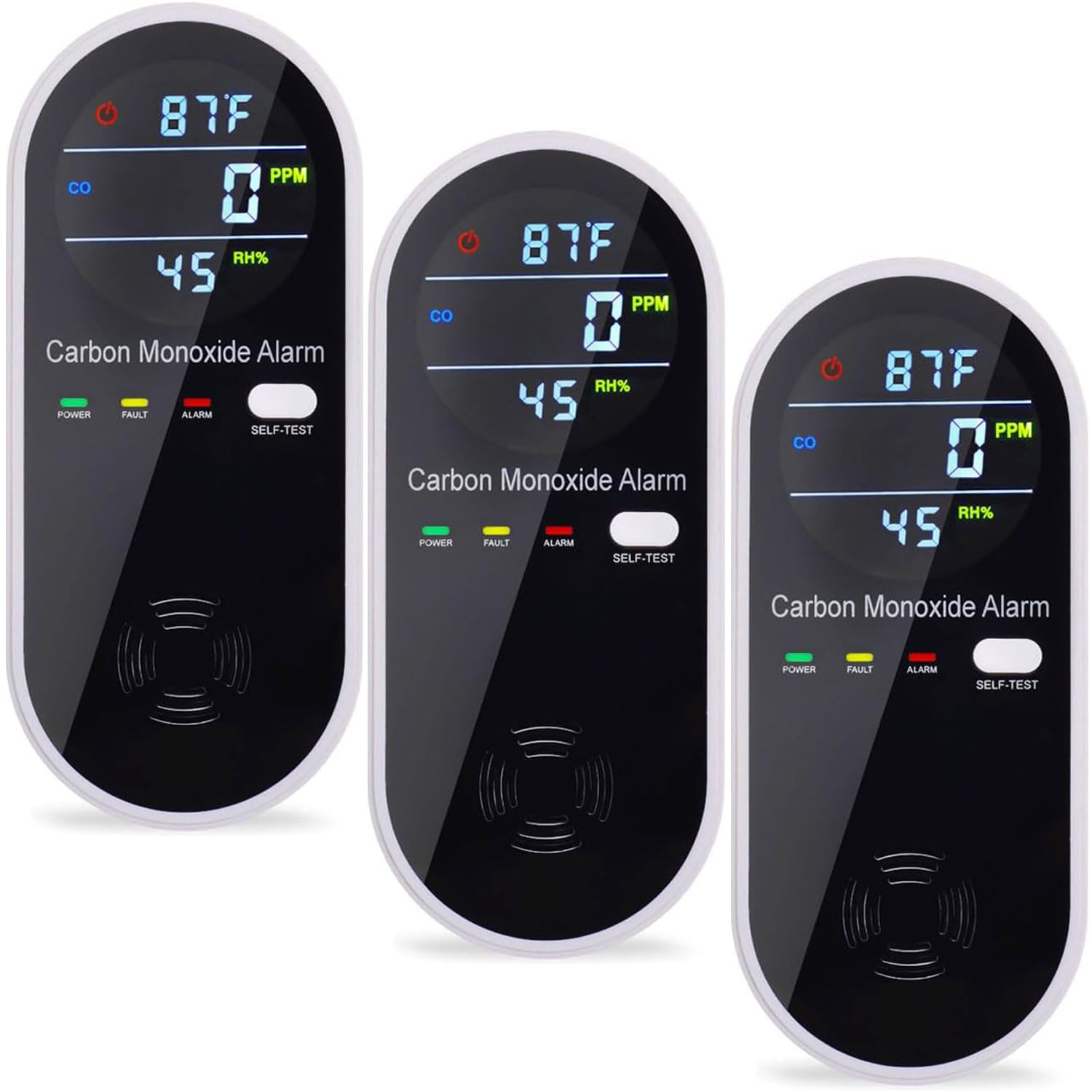
Image: Front view of the detector displaying CO concentration, temperature, and humidity. It also shows the Power, Fault, and Alarm indicator lights.
Indicator Lights
- Green (POWER): Always on during normal operation, indicating the device is powered and functioning.
- Yellow (FAULT): Illuminates if there is a fault or malfunction with the device.
- Red (ALARM): Flashes when carbon monoxide levels reach dangerous concentrations, accompanied by an audible alarm.
Self-Test Function
It is recommended to test the alarm regularly to ensure proper functionality:
- Press "SELF-TEST": Locate and press the "SELF-TEST" button on the device.
- Alarm Activation: The alarm will sound, and the red and yellow indicator lights will flash. The LCD will display "0PPM" during the test. This confirms the alarm is working correctly.
Safety Information and Alarm Response
Carbon monoxide (CO) is a colorless, odorless, and tasteless gas that can be fatal. It is produced by the incomplete combustion of fuels such as natural gas, propane, oil, kerosene, wood, or charcoal. Understanding the risks and knowing how to respond to an alarm is crucial.
Symptoms of CO Poisoning
The symptoms of CO poisoning can vary depending on the concentration and duration of exposure. Note that the symptoms listed below are for healthy adults and may differ for high-risk and vulnerable individuals.
| CO Concentration (PPM) | Symptoms / Effects |
|---|---|
| 200 PPM | Slight headache, fatigue, dizziness, and nausea after 2-3 hours. |
| 400 PPM | Pain of forehead in 1-2 hour(s). Life is threatened after 3 hours. |
| 800 PPM | Dizziness, nausea, and spasm within 45 minutes. Loss of perception in 2 hours. Death in 2-3 hours. |
| 1600 PPM | Headache, dizziness, and nausea in 20 minutes. Death in 1 hour. |
| 3200 PPM | Headache, dizziness, and nausea in 5-10 minutes. Death in 25-30 minutes. |
| 6400 PPM | Headache, dizziness, and nausea in 1-2 minute(s). Death in 10-15 minutes. |
| 12800 PPM | Death in 1-3 minute(s). |
Table: Symptoms of CO poisoning at various concentrations and exposure times.
What to Do When the Alarm Sounds
- Turn off Gas Appliances: Immediately turn off all gas appliances and cut off the gas supply system.
- Ventilate: Immediately go into fresh air - outdoors or open doors and windows. Count the number of people present to ensure all individuals enter the indoors again until the alarm returns to normal.
- Seek Professional Help: If the alarm continues to sound after 24 hours, repeat steps 1 and 2, then call qualified technicians to investigate the carbon monoxide source.
Maintenance
To ensure your WESHLGD KH106 Carbon Monoxide Detector functions optimally, regular maintenance is recommended:
- Clean the Surface: The surface of the alarm should be vacuumed once a month to prevent dust accumulation. DO NOT wipe the alarm with detergent or solvent, as chemicals can permanently damage or temporarily contaminate the sensor.
- Avoid Sprays: Do not spray air freshener, hair gel, paint, or other aerosols near the alarm.
- Regular Testing: Perform the self-test function weekly to confirm the alarm is operational.
Troubleshooting
If your WESHLGD KH106 Carbon Monoxide Detector is not functioning as expected, consider the following:
- No Display/No Power: Ensure the device is securely plugged into a working AC outlet. Check if the outlet has power.
- Yellow "FAULT" Light: If the yellow light is on, it indicates a device malfunction. Try unplugging and re-plugging the device. If the fault persists, contact customer support.
- Alarm Sounds (Red Light Flashes): This indicates detected carbon monoxide. Follow the "What to Do When the Alarm Sounds" instructions immediately.
- False Alarms: Ensure the device is not installed in areas with high dust, grease, or chemical fumes, which can trigger false alarms. Relocate the device if necessary.
Specifications
| Feature | Detail |
|---|---|
| Brand | WESHLGD |
| Model Number | KH106 |
| Power Source | AC Plug-in (110-220V, 50-60Hz) |
| Sensor Type | Electrochemical |
| CO Detection Range | 0-1000 PPM |
| CO Alarm Concentration | 150 PPM |
| Temperature Range | 1-176 ℉ (Accuracy ±3℉) |
| Humidity Range | 0-95% RH (Accuracy ±5%) |
| Alarm Type | Voice Alarm |
| Operating Temperature | -25℃ to +55℃ |
| Operating Humidity | ≤95% RH (no condensation) |
| Dimensions | 4.69 x 2.05 x 1.93 inches |
| Item Weight | 9.4 ounces |
| Material | ABS |
Warranty and Support
WESHLGD offers a worry-free after-service policy, including unconditional returns and exchanges within 180 days of purchase. If you have any questions or require assistance, please contact us via email. We are committed to helping you resolve any issues.
For further support, please refer to the contact information provided with your product packaging or on the official WESHLGD website.