
1. Introduction
The ULTIMEA Poseidon D60 is a sophisticated 5.1 channel Dolby Atmos surround sound system designed to elevate your home entertainment experience. It comprises a central soundbar, a powerful wireless subwoofer, and two wired rear surround speakers. This system delivers an immersive 3D audio landscape, ensuring crystal-clear dialogue, rich sound effects, and deep, resonant bass. Its advanced decoding capabilities make it ideal for enjoying movies, music, and games with superior audio quality.

Figure 1.1: Overview of the ULTIMEA Poseidon D60 system components.
2. System Setup
Follow these steps to correctly set up your ULTIMEA Poseidon D60 sound system for optimal performance.
2.1. Unpacking and Component Identification
Carefully remove all components from the packaging. Verify that all items listed below are present:
- 1x Soundbar
- 1x Wireless Subwoofer
- 2x Surround Speakers
- 1x Power Adapter (for soundbar)
- 1x Subwoofer Power Cable
- 1x 6m RCA to RCA Stereo Cable (for surround speakers)
- 1x 3.5mm to RCA Stereo Audio Cable
- 1x HDMI Cable (eARC compatible)
- 1x Optical Digital Cable
- 1x Remote Control
- 1x User Manual
- Wall Mounting Kit (8x mounting kits, 4x wall brackets, 4x speaker mounting screws)
2.2. Placement Guidelines
For the best audio experience, consider the following placement recommendations:
- Soundbar: Place the soundbar centrally below your television, ensuring it is unobstructed.
- Wireless Subwoofer: Position the subwoofer on the floor, ideally in a corner or near a wall to enhance bass response. Ensure it is within wireless range of the soundbar.
- Surround Speakers: Place the two surround speakers behind your primary listening position, equidistant from the center. Connect them to the subwoofer using the provided 6m RCA cable.
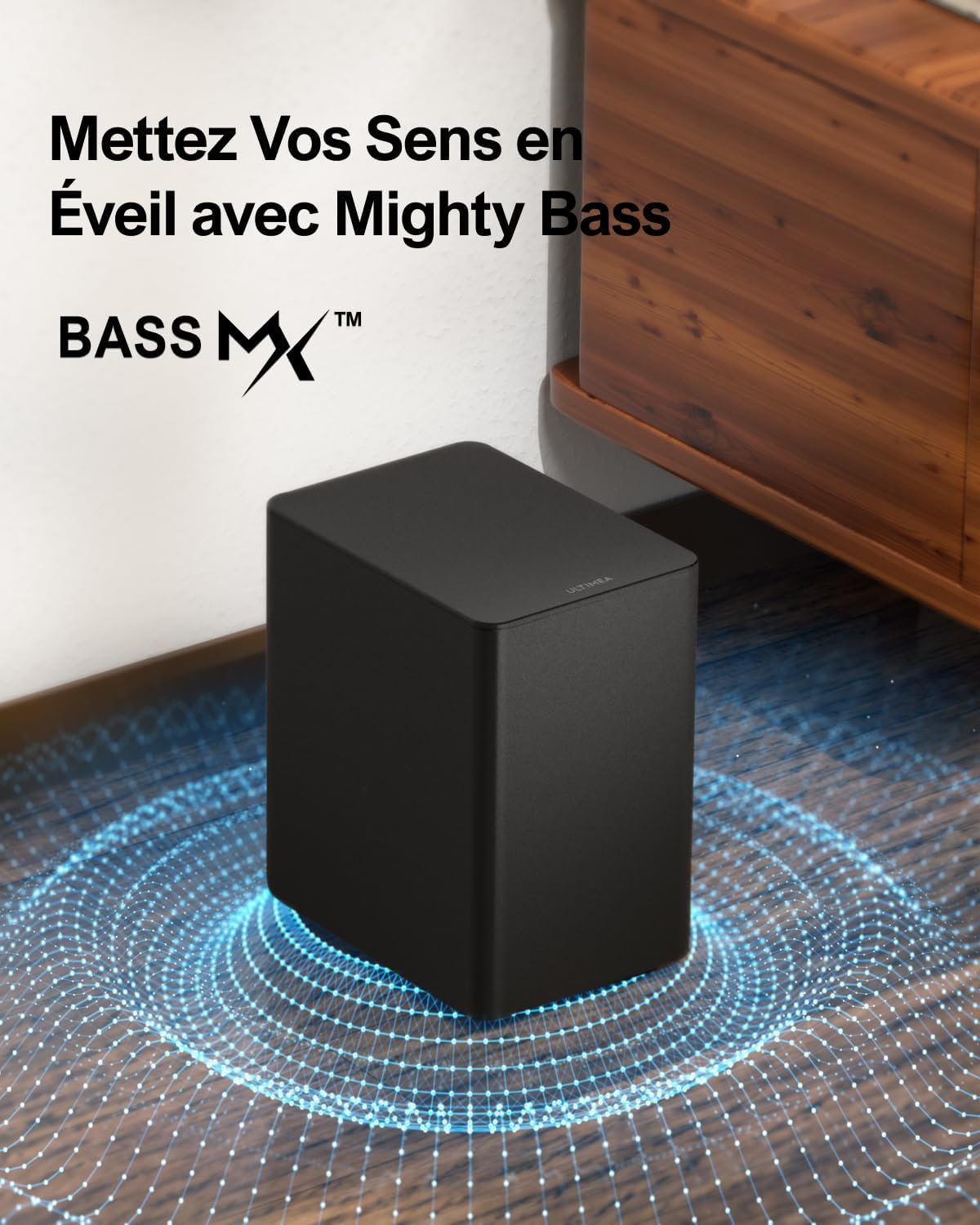
Figure 2.1: Recommended system placement for optimal surround sound.
2.3. Connection Procedures
Connect the soundbar to your television or other audio sources using one of the following methods:
- HDMI eARC (Recommended):
For the highest quality audio, including Dolby Atmos, connect the included HDMI cable from the HDMI eARC port on your TV to the HDMI eARC port on the soundbar. Ensure your TV's audio output settings are configured for HDMI eARC/ARC and set to 'Auto' or 'Bitstream'.

Figure 2.2: HDMI eARC connection and TV settings.
- Optical:
Connect an optical digital cable from your TV's optical output to the OPTICAL input on the soundbar. Select 'Optical' as the audio output on your TV.
- AUX:
Use the 3.5mm to RCA stereo audio cable to connect devices with a 3.5mm audio output to the AUX input on the soundbar.
- Bluetooth:
For wireless audio streaming from mobile devices, select the Bluetooth input on the soundbar and pair your device.

Figure 2.3: Soundbar rear panel with connection ports.
After connecting the soundbar, plug in the power adapters for the soundbar and the subwoofer. The subwoofer will automatically pair wirelessly with the soundbar.
3. Operating Instructions
Familiarize yourself with the system's controls and features for an optimal audio experience.
3.1. Remote Control Functions
The included remote control provides full command over your sound system. Key functions include power on/off, input selection (HDMI eARC, Optical, AUX, Bluetooth), volume control, bass adjustment, and surround level adjustment.

Figure 3.1: ULTIMEA Poseidon D60 Remote Control.
3.2. Sound Modes
The system offers optimized sound modes for different content types:
- Dialogue Mode: Enhances vocal clarity, making conversations easier to understand.
- Film Mode: Provides a dynamic and immersive soundstage, ideal for movies and cinematic content.
- Music Mode: Optimizes audio for music playback, delivering balanced and rich sound.

Figure 3.2: Optimized sound modes for various content.
3.3. Bass and Surround Adjustment
You can customize the bass and surround sound levels to suit your preferences and room acoustics. Use the dedicated buttons on the remote control to increase or decrease the intensity of the subwoofer and the rear surround speakers.

Figure 3.3: Wireless subwoofer with BassMAX technology for adjustable bass.

Figure 3.4: Immersive 3D sound experience with adjustable surround levels.
4. Maintenance
Proper maintenance ensures the longevity and performance of your sound system.
- Cleaning: Use a soft, dry cloth to clean the surfaces of the soundbar, subwoofer, and surround speakers. Avoid using liquid cleaners or abrasive materials.
- Ventilation: Ensure adequate ventilation around all components to prevent overheating. Do not block any vents.
- Storage: If storing the system for an extended period, disconnect it from power and store it in a cool, dry place away from direct sunlight and extreme temperatures.
5. Troubleshooting
If you encounter issues with your ULTIMEA Poseidon D60 system, refer to the following common problems and solutions:
| Problem | Possible Cause | Solution |
|---|---|---|
| No sound from the system. | Incorrect input selected, loose cables, system not powered on. |
|
| Sound dropouts or crackling from speakers (especially rear). | Interference, source compatibility issues, unstable connection. |
|
| Subwoofer loses connection or has no bass. | Wireless interference, power issue, re-pairing needed. |
|
| Remote control not working. | Dead batteries, obstructed sensor, remote out of range. |
|
6. Specifications
Detailed technical specifications for the ULTIMEA Poseidon D60 sound system:
| Feature | Detail |
|---|---|
| Model Name | Poseidon D60 (U2520) |
| Sound Channel Configuration | 5.1 Surround Sound (Dolby Atmos) |
| Max Speaker Output Power | 410 Watts |
| Subwoofer Diameter | 5.25 Inches |
| Connectivity Technology | HDMI eARC, Optical, AUX, Bluetooth, Wireless (Subwoofer) |
| Compatible Devices | TV, Projector, Game Console, Laptop, PC, Smartphone, Tablet, MP3 Player |
| Soundbar Dimensions (L x W x H) | 40 cm x 9 cm x 7 cm (approx.) |
| Item Weight | 5.3 Kilograms |
| Material | Plastic |
| Color | Black |
| Special Features | Low-profile design, Dolby Atmos 5.1 channel surround sound, Dialogue enhancement EQ, Powerful bass, Adjustable surround and bass levels. |
7. Warranty and Support
ULTIMEA provides a manufacturer's warranty for the Poseidon D60 sound system.
- Manufacturer's Warranty: This product comes with a 2-year limited manufacturer's warranty. Please retain your proof of purchase for warranty claims.
- Customer Support: For technical assistance, troubleshooting beyond this manual, or warranty inquiries, please contact ULTIMEA customer support. Visit the official ULTIMEA website or refer to the contact information provided in your product packaging for support details.