
Introduction
This manual provides detailed instructions for the setup, operation, and maintenance of your Sekonda Alpine GPS Smart Watch 50 mm. Please read this manual thoroughly to ensure proper use and to maximize the features of your device.
The Sekonda Alpine GPS Smart Watch is designed to track daily activity, monitor health metrics, and provide smart notifications. It features a 1.3-inch interactive touchscreen display and is compatible with both Android and Apple iOS devices.
Setup
1. Charging the Device
Before first use, fully charge your Sekonda Alpine GPS Smart Watch.
- Connect the standard USB charging cable with the magnetic connector to the charging points on the back of the watch.
- Plug the USB end into a compatible USB power adapter (not included) or a computer's USB port.
- The watch display will indicate charging status. A full charge can provide up to 10 days of battery life, depending on usage.

Image: The Sekonda Alpine Smart Watch with its magnetic USB charging cable connected.
2. Downloading the InfoWear App
The Sekonda Alpine GPS Smart Watch requires the InfoWear app for full functionality and synchronization with your smartphone.
- Search for "InfoWear" in your smartphone's app store (Google Play for Android, App Store for Apple iOS).
- Alternatively, scan the QR code provided in the product packaging or on the manufacturer's website using your smartphone camera or a QR code reader app.
- The InfoWear app is compatible with Android version 5.0 and above, and Apple iOS version 10.0 and above.

Image: Screenshots of the InfoWear app interface on both Android and iOS smartphones, showing QR codes for direct download from Google Play and the App Store. The app is essential for connecting and managing the smartwatch.
For more information or direct download, visit: InfoWear Download Page
3. Pairing with Your Smartphone
After installing the InfoWear app, follow these steps to pair your watch:
- Ensure Bluetooth is enabled on your smartphone.
- Open the InfoWear app and create an account or log in.
- Follow the in-app instructions to add a new device. The app will search for your Sekonda Alpine Smart Watch.
- Select your watch from the list of available devices to initiate pairing.
- Confirm the pairing request on both your watch and smartphone if prompted.
Operating Instructions
Display and Navigation
The Sekonda Alpine GPS Smart Watch features a 1.3-inch full interactive touchscreen display.
- Touchscreen: Swipe left, right, up, or down to navigate through menus and features. Tap to select.
- Customization: You can customize the display style, brightness, motion control settings, and automatic lock feature through the watch settings or the InfoWear app.
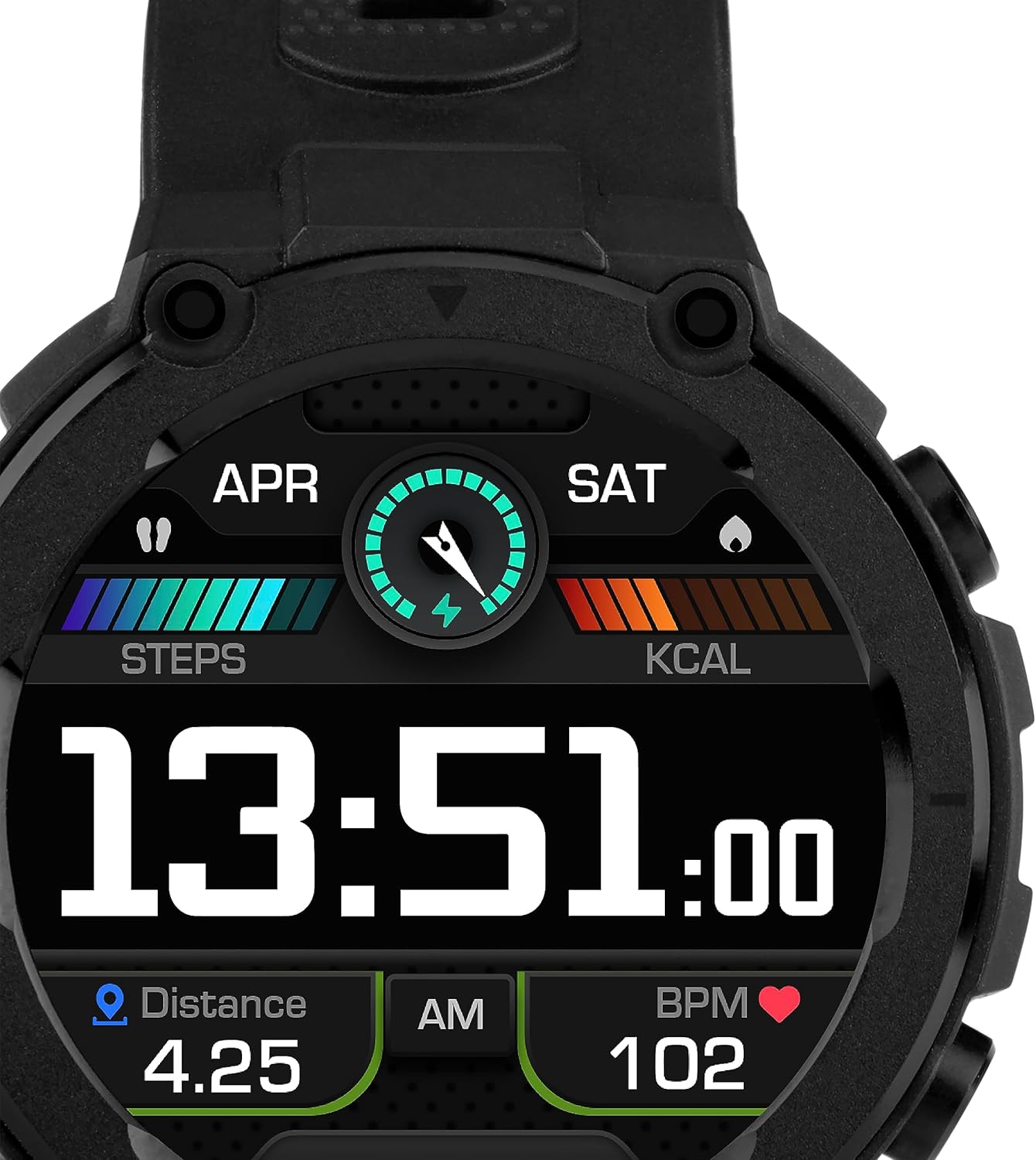
Image: A close-up view of the Sekonda Alpine Smart Watch's digital display, showing the current time, steps taken, calories burned, distance covered, and heart rate. This illustrates the watch's primary data tracking capabilities.
Daily Activity and Sport Functions
Your smartwatch tracks various daily activities and offers multiple sport modes.
- Step Counter: Automatically counts your steps throughout the day.
- Calorie Burned: Estimates calories burned based on your activity.
- Distance Tracking: Records distance covered in both kilometers and miles.
- Sport Modes: Choose from up to 20 sport modes, including walking, running, football, yoga, cycling, and more, to track specific workouts.
- GPS: The watch features built-in GPS for accurate outdoor activity tracking. You can connect to Strava via the InfoWear app to sync your activity data.

Image: A collage of four images demonstrating the Sekonda Alpine Smart Watch being worn during different outdoor activities such as fishing, hiking, and climbing, highlighting its rugged design and suitability for active lifestyles.
Health Monitoring
The watch provides continuous monitoring of key health metrics.
- Heart Rate Monitor: Continuously monitors your heart rate. You can set alerts if your heart rate exceeds a predefined limit.
- Blood Oxygen Monitor: Measures your blood oxygen levels.
- Sleep Monitor: Tracks your sleep patterns, including sleep duration and quality.
- Hydration Reminders: Set reminders to drink water.
- Sedentary Reminders: Alerts you when you have been inactive for too long.
- Medication Reminders: Helps you remember to take your medication.
- Guided Breathing Exercises: Provides guided breathing sessions for relaxation.
Smart Features
Stay connected and manage your daily life directly from your wrist.
- Notifications: View messages, news alerts, and call notifications from your smartphone.
- Weather Forecast: Check the current weather and forecast.
- Music Control: Control music playback on your smartphone (play, pause, skip tracks).
- Alarm: Set alarms directly on the watch.
- Stopwatch & Timer: Utilize built-in stopwatch and timer functions.
Maintenance
Water Resistance
The Sekonda Alpine GPS Smart Watch has an IP68 water resistance rating, meaning it is resistant to dust and can withstand immersion in water up to 1.5 meters for a maximum of 30 minutes.
- It is suitable for daily use, such as washing hands or being exposed to rain.
- Do not use the watch for swimming, diving, or showering with hot water, as steam and high water pressure can damage the device.
- Ensure the watch is dry before charging.
Cleaning
To maintain the watch's appearance and functionality:
- Wipe the watch and strap regularly with a soft, damp cloth.
- Avoid using harsh chemicals or abrasive cleaners.
- Ensure the charging contacts are clean and dry.
Battery Care
To prolong battery life:
- Avoid exposing the watch to extreme temperatures.
- Charge the watch regularly, even if not in constant use.
- If storing the watch for an extended period, charge it to about 50% before storage.
Troubleshooting
| Problem | Possible Solution |
|---|---|
| Watch does not turn on or respond. | Ensure the watch is fully charged. Connect it to the charger and wait a few minutes before attempting to turn it on again. |
| Cannot pair with smartphone. |
|
| Inaccurate heart rate or blood oxygen readings. |
|
| Short battery life. |
|
| Notifications not appearing. |
|
Specifications
| Feature | Detail |
|---|---|
| Model Name | Alpine |
| Model Number | 30180 |
| Brand | Sekonda |
| Display Size | 1.3 Inch |
| Display Type | LCD |
| Resolution | 360 x 360 |
| Max Screen Brightness | 500 NIT-coating |
| Operating System | Android, iOS (Compatible with Android 5.0+ and iOS 10.0+) |
| Connectivity | Bluetooth |
| GPS | Built-in GPS |
| Water Resistance Rating | IP68 (Water resistant up to 3.3 feet / 1.5 meters for 30 minutes) |
| Battery Type | Lithium-ion (1 LR44 battery included) |
| Battery Life | Up to 10 days |
| Strap Material | Plastic (Rubber) |
| Included Components | Standard USB Connect charging cable with magnetic connection |
| Sensors | Accelerometer, Distance sensor, Optical heart rate sensor, Blood oxygen sensor, GPS |
| User Interface Input | Touchscreen with gesture control |
| Supported Application | InfoWear |
Warranty
The Sekonda Alpine GPS Smart Watch comes with a 2-year guarantee. Please retain your proof of purchase for warranty claims. For detailed warranty terms and conditions, refer to the official Sekonda website or contact customer support.

Image: The retail packaging for the Sekonda Smart Watch, highlighting key features like GPS tracking, heart rate monitor, activity tracking, sleep monitor, sport modes, and call/text notifications, along with a prominent "2 Year Guarantee" label.
Support
For further assistance, technical support, or to view the full list of features and instruction guide, please visit the official Sekonda website or contact their customer service.
- Official Website: www.sekonda.com
- App Support: Refer to the InfoWear app for in-app support or FAQs.

