
Important Safety Instructions
Please read all instructions carefully before using the AXV Vibration Plate Fitness Platform. Retain this manual for future reference.
- Consult your physician before starting any new exercise program, especially if you have pre-existing medical conditions.
- Do not use this machine if you are pregnant, have a pacemaker, or have recently undergone surgery.
- Ensure the machine is placed on a stable, level surface.
- Keep children and pets away from the machine during operation.
- Do not exceed the maximum weight recommendation of 400 pounds.
- Always wear appropriate athletic footwear or use barefoot on the anti-slip surface.
- Unplug the machine when not in use and before cleaning.
- Do not use if the power cord is damaged.
Package Contents
Verify that all items are present in the package:
- AXV Vibration Plate Machine
- Remote Control
- User Manual (this document)
- Resistance Bands (2)
- Power Cord
Setup
1. Unpacking and Placement
Carefully remove all components from the packaging. Place the vibration plate on a firm, level surface. Ensure there is enough space around the machine for safe operation and movement. The anti-slip coating on the bottom ensures stability during use.

Image: The AXV Vibration Plate with dimensions 21 inches (W) x 12.8 inches (D) x 4.7 inches (H), illustrating its compact size for easy placement.
2. Power Connection
Connect the power cord to the machine and then plug it into a standard 110-120V electrical outlet. Ensure the power switch on the machine is in the OFF position before plugging it in.

Image: The AXV Vibration Plate showing the power cord plugged into the machine, with the power switch visible on the side.
3. Bluetooth Pairing (Optional)
The vibration plate can connect to your phone via Bluetooth to function as a speaker. Turn on the machine, then enable Bluetooth on your mobile device and search for "AXV" or a similar device name. Pair your device to play audio through the integrated speaker.
Image: A person sitting on a couch with the AXV Vibration Plate in front, showing a phone screen indicating a successful Bluetooth connection to the device, with musical notes floating around.
Operating Instructions
1. Power On/Off
Flip the main power switch located on the side of the machine to the 'ON' position. The LED display will illuminate. To turn off, flip the switch back to 'OFF'.
2. Using the Control Panel and Remote Control
The machine can be operated using the integrated LED touchscreen panel or the included remote control. The remote allows for convenient adjustments during your workout.
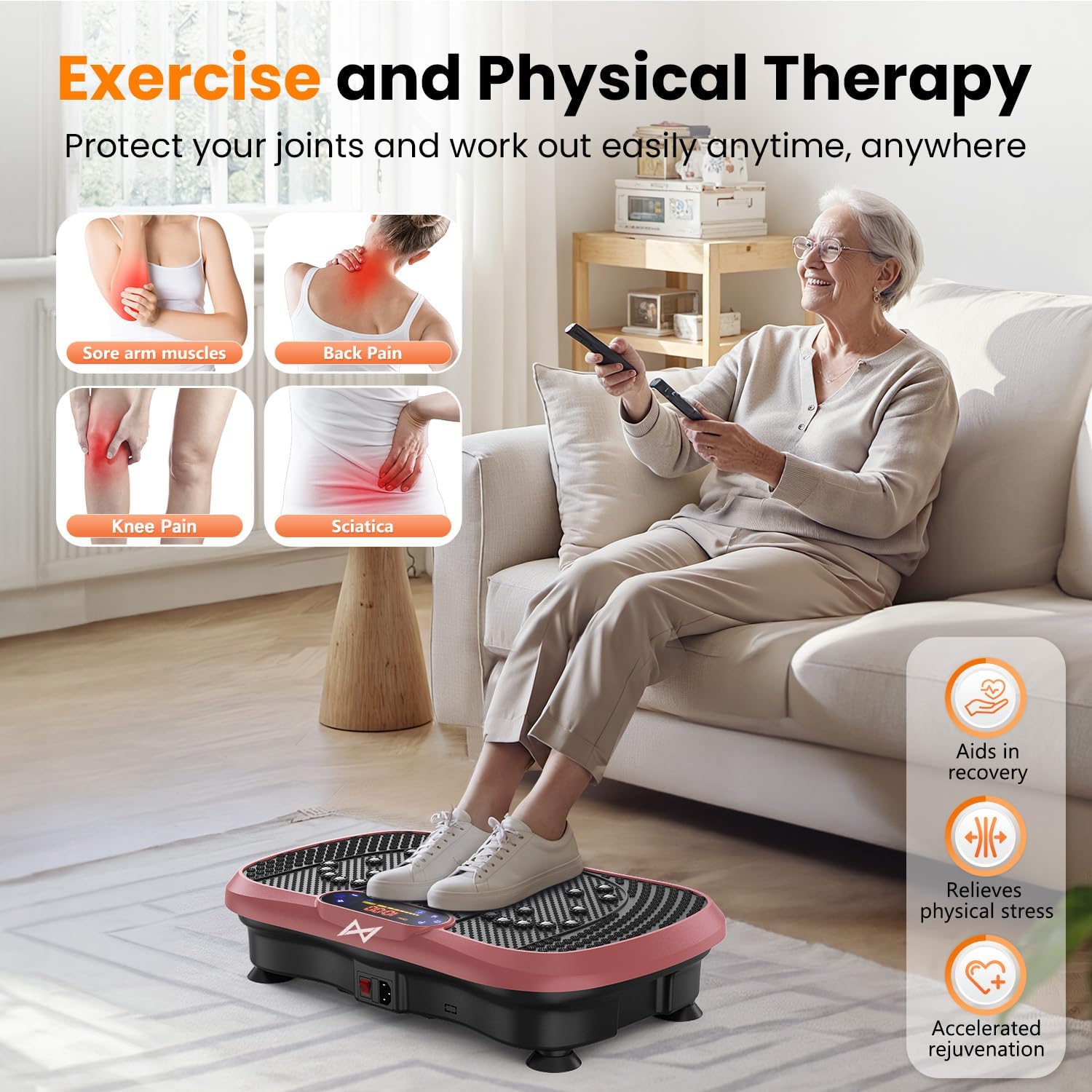
Image: An elderly woman sitting on a couch, holding the remote control for the AXV Vibration Plate, which is placed on the floor in front of her.
3. Adjusting Speed and Programs
The AXV Vibration Plate offers 120 adjustable speed levels and 5 preset modes. Use the '+' and '-' buttons on the control panel or remote to adjust the vibration intensity. Select different programs for varied workout experiences.
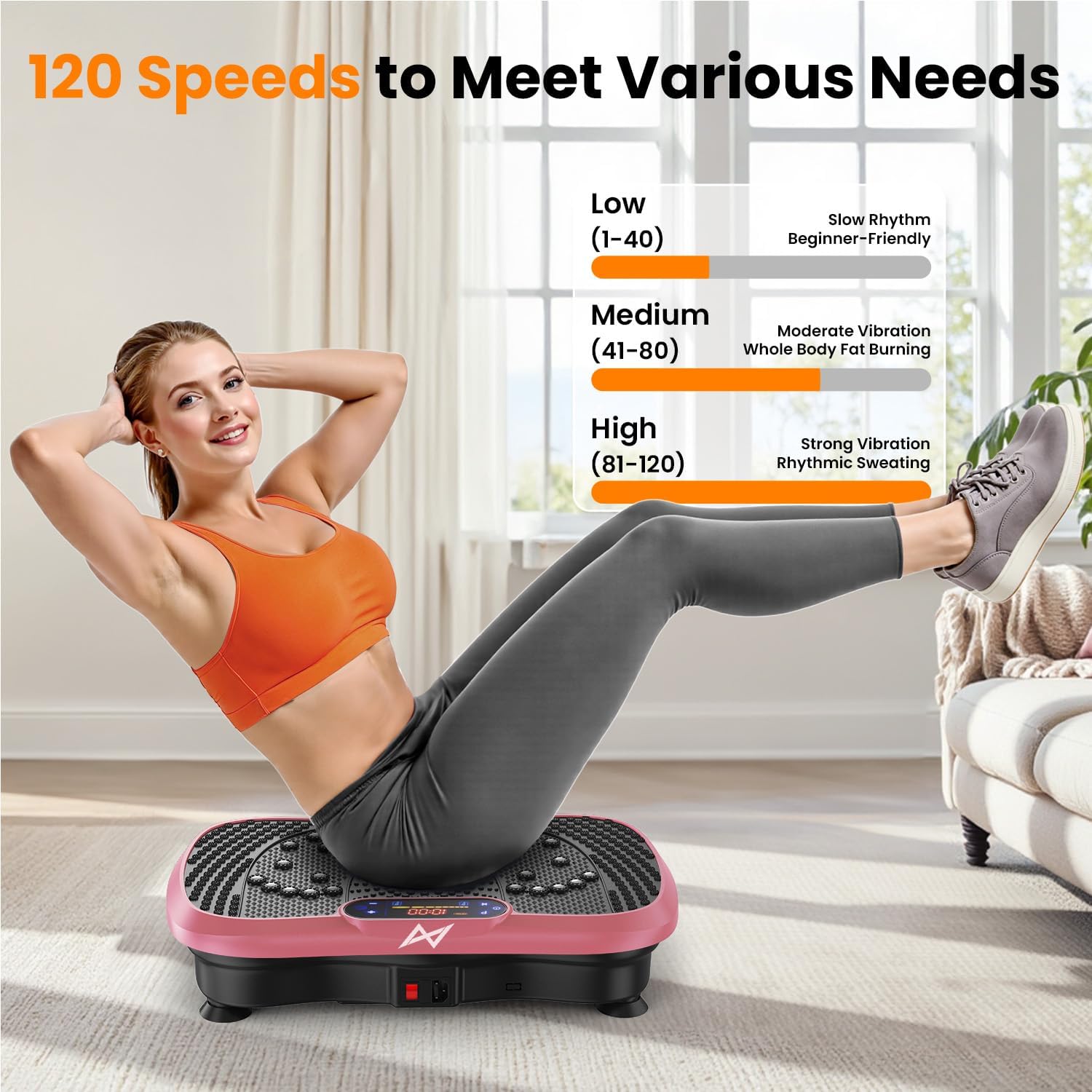
Image: A person exercising on the AXV Vibration Plate, with an overlay showing three speed zones: Low (1-40) for slow rhythm/beginner, Medium (41-80) for moderate vibration/fat burning, and High (81-120) for strong vibration/rhythmic sweating.
4. Exercise Positions and Resistance Bands
Vary your standing positions on the plate to target different muscle groups and adjust intensity. Standing closer to the center provides less intensity, while standing further out increases it. Attach the included resistance bands to the hooks on the machine for upper body workouts.

Image: An illustration of the AXV Vibration Plate showing different foot placement zones labeled "Walking," "Jogging," and "Running" to indicate varying intensity levels based on foot position.

Image: A man standing on the AXV Vibration Plate, holding resistance bands attached to the machine, demonstrating a full-body workout.
5. Shiatsu Massage Function
The platform features a magnet health massage function. You can use the machine while sitting to stimulate circulation and reduce swelling, providing a relaxing experience.

Image: A woman sitting at a desk with her feet on the AXV Vibration Plate, illustrating its use for relaxation and circulation while seated, with icons for "Stimulate Circulation," "Reduce Swelling," and "Lymphatic Drainage."
Maintenance
1. Cleaning
Always unplug the machine before cleaning. Wipe the surface with a soft, damp cloth. Do not use abrasive cleaners or solvents. Ensure no liquid enters the internal components.
2. Storage
Store the vibration plate in a cool, dry place away from direct sunlight and moisture. Its compact size allows for easy storage under furniture or in a closet.
Troubleshooting
| Problem | Possible Cause | Solution |
|---|---|---|
| Machine does not power on. | Power cord not properly connected; Power switch is off; No power from outlet. | Ensure power cord is securely plugged in. Check if the main power switch is ON. Test the outlet with another device. |
| No vibration. | Machine is on but not started; Speed level is set to 0. | Press the start button on the control panel or remote. Increase the speed level using '+' button. |
| Remote control not working. | Batteries are dead or incorrectly inserted; Remote is too far from the machine. | Replace batteries with new ones, ensuring correct polarity. Move closer to the machine and point the remote directly at the display. |
| Bluetooth not connecting. | Bluetooth on phone is off; Incorrect device selected. | Ensure Bluetooth is enabled on your mobile device. Select the correct device name (e.g., "AXV") from the available devices list. |
Specifications
- Brand: AXV
- Model Number: FR-78
- Product Dimensions (D x W x H): 12.6" x 21" x 4.7"
- Material: Metal, Plastic
- Maximum Weight Recommendation: 400 pounds
- Controls Type: Panel and Remote
- Display: LED
- Maximum Speed: 120 rpm
- Number of Resistance Levels: 2 (for bands)
- Operation Mode: Automatic and Manual
- Power Source: Corded Electric 110~120V Voltage
- Included Components: Vibration Plate Machine, Remote Control, User Manual, Resistance Bands
Warranty Information
This product comes with a manufacturer's warranty. For specific details regarding warranty coverage, duration, and claims process, please refer to the warranty card included with your purchase or contact AXV customer support directly.
Customer Support
If you encounter any issues or have questions about your AXV Vibration Plate Fitness Platform, please contact the seller or AXV customer support for assistance. Provide your model number (FR-78) and purchase details for faster service.
You can often find contact information on the product packaging, the official AXV website, or through your purchase platform.