
1. Introduction and Overview
The Pyle PDA77BU is a versatile 4-channel home audio theater amplifier and stereo receiver designed to deliver a powerful 800-watt sound experience. It features Bluetooth wireless streaming, multiple input options including USB, SD, AUX, RCA, and FM radio, along with dual microphone inputs for karaoke and vocal applications. Independent controls for volume, bass, treble, reverb, and delay allow for precise audio customization, making it an ideal solution for home entertainment systems.

Figure 1: Pyle PDA77BU Home Audio Theater Amplifier and included remote control.
2. What's in the Box
Please check the package contents carefully. If any items are missing or damaged, contact your retailer immediately.
- Pyle PDA77BU Stereo Receiver
- Remote Control
- FM Antenna
- Power Cable
- Quick Start Guide
- Batteries for Remote Control (AAA x2)

Figure 2: Diagram illustrating the amplifier's dimensions and the accessories included in the box.
3. Setup
3.1 Connecting Speakers
The PDA77BU features 4-channel speaker outputs. Connect your passive speakers to the corresponding terminals on the rear panel. Ensure correct polarity (positive to positive, negative to negative) for optimal sound performance.

Figure 3: Overview of various audio input and output connections for the amplifier, including CD/DVD, speakers, iPod/MP3, and microphone.
3.2 Power Connection
Connect the provided power cable to the AC IN port on the rear of the amplifier and then to a standard wall outlet (110V/240V selectable).
3.3 Antenna Connection
For FM radio reception, connect the included FM antenna to the 'FM ANT' terminal on the rear panel. Extend the antenna for better signal reception.
4. Operating Instructions
4.1 Front Panel Controls
The front panel provides intuitive controls for all amplifier functions:
- Power Button: Turns the unit ON/OFF.
- CH. VOL (A/B/C/D): Independent volume controls for each of the four channels.
- MUSIC VOL: Master volume control for music playback.
- BASS/TREBLE: Adjusts the bass and treble levels of the audio output.
- DELAY/REVERB: Controls the echo and reverb effects for microphone inputs.
- AUX: 3.5mm auxiliary input for connecting external audio devices.
- MIC1/MIC2: 1/4'' microphone input jacks.
- MIC VOL: Master volume control for microphone inputs.
- USB/SD: Ports for USB flash drives and SD memory cards for MP3 playback.
- MODE: Switches between input sources (Bluetooth, USB, SD, FM, AUX, RCA).
- EQ: Selects equalizer presets (Rock, Jazz, Classical, etc.).

Figure 4: Close-up of the amplifier's front panel, highlighting the blue illuminated knobs and individual channel volume controls.
4.2 Bluetooth Pairing
To connect a Bluetooth device:
- Turn on the PDA77BU amplifier.
- Press the 'MODE' button on the front panel or remote until 'BLUE' appears on the digital LED display.
- Enable Bluetooth on your smartphone, tablet, or other device.
- Search for 'Pyle' or 'PDA77BU' in your device's Bluetooth settings.
- Select the device to pair. Once connected, you will hear a confirmation tone.
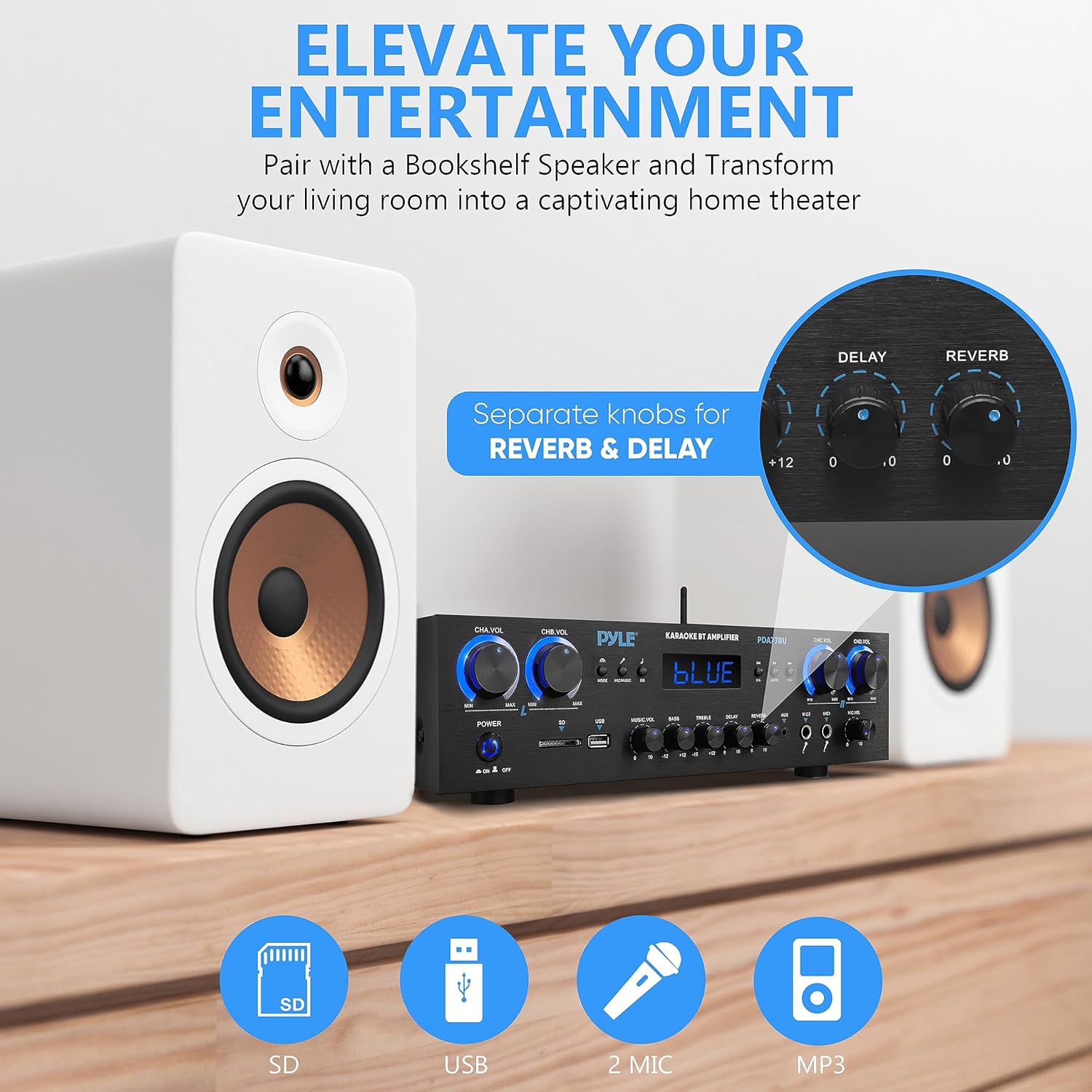
Figure 5: Visual representation of the Bluetooth pairing process with a smartphone, highlighting the amplifier's Bluetooth antenna and range.
4.3 USB/SD Playback
Insert a USB flash drive or SD memory card into the respective slot on the front panel. The amplifier will automatically switch to USB/SD mode and begin playing compatible MP3 files. Use the front panel controls or remote to navigate tracks and adjust volume.

Figure 6: The amplifier's front panel highlighting the USB and SD card reader, along with the dual microphone inputs.
4.4 FM Radio Operation
Press the 'MODE' button to select FM radio. Use the 'CH+' and 'CH-' buttons to scan through available stations. The digital display will show the current frequency.
4.5 Microphone Usage
Connect up to two microphones to the 1/4'' MIC input jacks. Adjust the 'MIC VOL' knob for overall microphone volume. Use the 'DELAY' and 'REVERB' knobs to add vocal effects for karaoke or public speaking.
4.6 Remote Control
The included remote control allows for convenient operation from a distance, including power ON/OFF, input mode selection, volume adjustment, track navigation, and EQ settings.
5. Features
- Exceptional 800W Peak Power: Delivers robust and dynamic sound for an immersive audio experience.
- Seamless Bluetooth 5.0 Connectivity: Wirelessly stream music from smartphones, tablets, and other Bluetooth-enabled devices with a range of up to 30 feet.
- Dual Microphone Inputs: Two 1/4'' microphone jacks with independent controls for Mic Delay, Reverb, and Volume, perfect for karaoke or announcements.
- Versatile Audio Sources: Supports USB flash drives, SD memory cards, AUX input, RCA audio input, and FM radio for wide compatibility.
- Intuitive Front Panel Control Center: User-friendly interface with a digital LED display and blue illuminated knobs for easy adjustments, even in low light.
- 4-Channel Stereo Receiver: Supports up to 4 sets of speakers, allowing for flexible audio distribution in your home or studio.
Video 1: Product Overview Video. This video provides a brief visual demonstration of the Pyle PDA77BU amplifier's key features and functions.
6. Specifications
| Feature | Specification |
|---|---|
| Product Dimensions | 13.8 x 9.8 x 3.5 inches |
| Item Weight | 11.14 pounds |
| Output Power | 800 Watts (Peak) |
| Wattage | 500 watts (RMS) |
| Number of Channels | 4 |
| Connectivity Technology | Bluetooth, Auxiliary, USB |
| Controller Type | Mechanical button, Remote Control |
| Compatible Devices | Smartphone, Tablet, Personal Computer, Speaker |
| Connector Type | RCA, 3.5mm Jack |
| Audio Output Mode | Surround |
| Surround Sound Channel Configuration | 2 |
| Bluetooth Version | 5.0 |
| Wireless Range | Up to 30 feet |
| Power Supply | 110/240V (selectable) |
7. Maintenance
To ensure the longevity and optimal performance of your Pyle PDA77BU amplifier, follow these maintenance guidelines:
- Cleaning: Use a soft, dry cloth to clean the exterior of the unit. Do not use liquid cleaners or aerosol sprays, as they may damage the finish or internal components.
- Ventilation: Ensure adequate ventilation around the amplifier. Do not block the ventilation openings, especially the cooling fan on the rear panel. Overheating can lead to performance issues or damage.
- Placement: Place the amplifier on a stable, flat surface away from direct sunlight, heat sources, and excessive moisture. Avoid placing it near strong electromagnetic fields.
- Power Off When Not in Use: If the amplifier will not be used for an extended period, turn it off and unplug it from the power outlet.
8. Troubleshooting
If you encounter any issues with your Pyle PDA77BU amplifier, refer to the following common problems and solutions:
| Problem | Possible Cause | Solution |
|---|---|---|
| No Power | Power cable not securely connected; Power outlet not active; Power switch off. | Check power cable connection; Test outlet with another device; Ensure power switch is ON. |
| No Sound Output | Incorrect input source selected; Speaker wires loose or incorrectly connected; Volume levels too low; Mute function active. | Press MODE to select correct input; Check all speaker connections and polarity; Increase MUSIC VOL and channel volumes; Deactivate mute. |
| Bluetooth Not Connecting | Amplifier not in Bluetooth mode; Device too far from amplifier; Bluetooth not enabled on source device; Previous device still connected. | Select 'BLUE' mode; Move device closer (within 30ft); Enable Bluetooth on your device; Disconnect from other Bluetooth devices. |
| Distorted Sound | Volume too high (clipping); Speaker impedance mismatch; Poor quality audio source. | Reduce volume; Ensure speakers match amplifier's impedance; Use high-quality audio files/sources. |
| Microphone Not Working | Microphone not plugged in correctly; MIC VOL too low; Microphone faulty. | Ensure microphone is fully inserted; Increase MIC VOL; Test with another microphone. |
9. Warranty and Support
Pyle products are designed and manufactured to the highest quality standards. This product is covered by a manufacturer's warranty against defects in materials and workmanship. For specific warranty terms and conditions, please refer to the warranty card included with your product or visit the official Pyle USA website.
For further assistance, technical support, or to download the full user manual in PDF format, please visit the Pyle USA website or contact their customer service department. You can also access the PDF user manual directly via this link: Pyle PDA77BU User Manual (PDF).


