
Introduction
Thank you for choosing the Foxtop Digital Wall Clock. This clock combines classic analog timekeeping with a modern digital display, showing the time, day of the week, and indoor temperature. Designed for quiet operation and easy readability, it is suitable for various indoor environments such as classrooms, offices, bedrooms, and homes. Please read this manual carefully before use to ensure proper setup and operation.
Key Features
- Upgraded Movement: Compatible with alkaline batteries, offering over 2 years of battery life (tested with AA Alkaline High Performance Batteries 1.5V).
- LCD Display: Shows time, day of the week, and indoor temperature (switchable between Fahrenheit and Celsius).
- Super Silent Mechanism: Precise quartz sweep movement ensures accurate time without ticking noise.
- Easy Installation: Features a hook and wide slot at the back for hassle-free wall mounting.
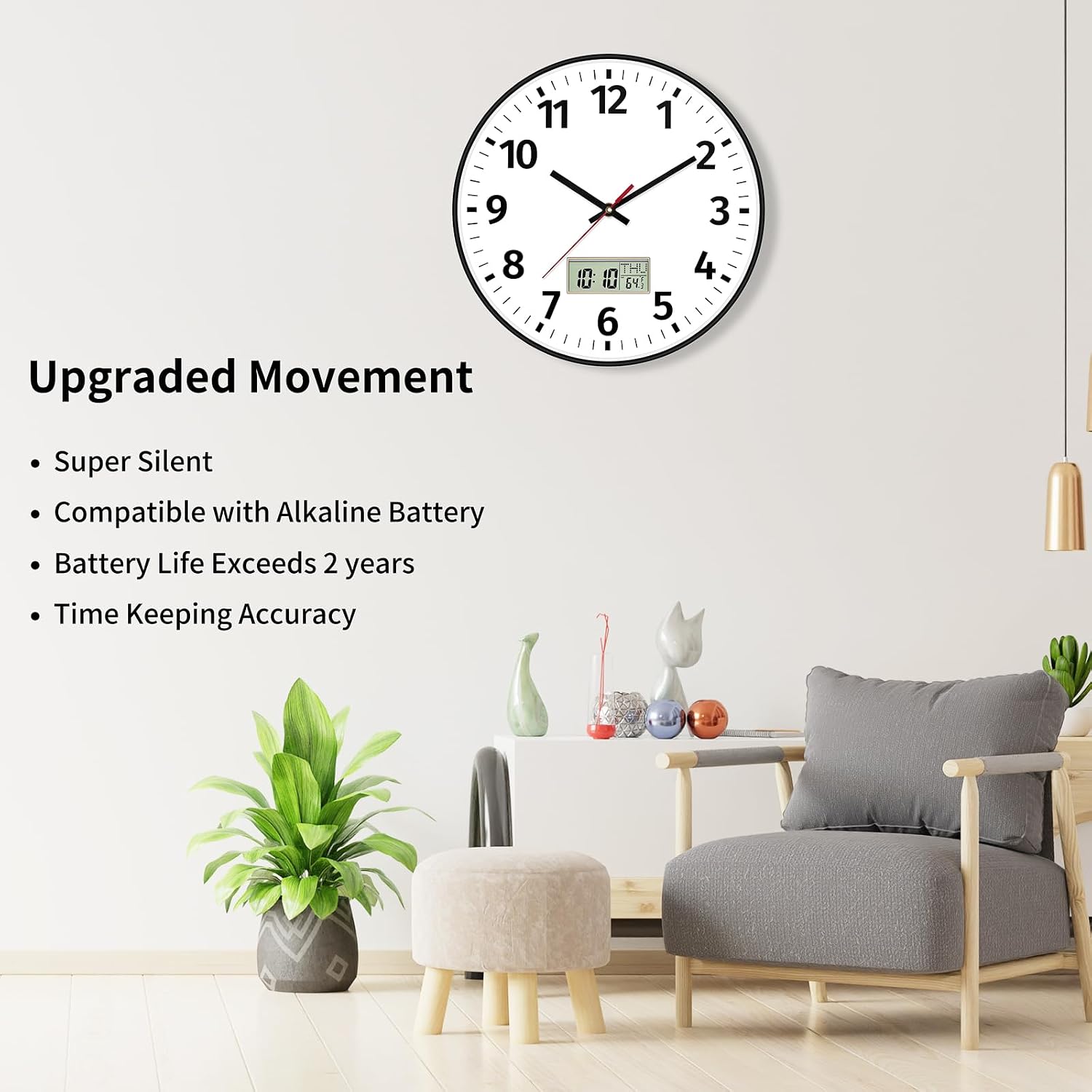
Foxtop digital wall clock in a living room setting, highlighting features like super silent movement and long battery life.
Setup Instructions
- Unpacking: Carefully remove the clock from its packaging. Inspect for any damage.
- Battery Installation:
- Locate the battery compartments on the back of the clock.
- Insert one (1) AA battery into the compartment for the clock movement. Ensure correct polarity (+/-).
- Insert one (1) AAA battery into the compartment for the LCD digital display. Ensure correct polarity (+/-).
Note: Batteries are not included and must be purchased separately.
- Setting the Time:
- Use the small wheel on the back of the clock movement to set the analog time.
- For the digital display, press the 'SET' button to enter setting mode. Use 'UP' and 'DOWN' buttons to adjust values. Press 'SET' again to confirm each setting (time, day, year).
- Mounting: The clock is designed with a wide slot at the back for easy hanging. Choose a suitable wall location and secure the clock using a nail or screw (not included).
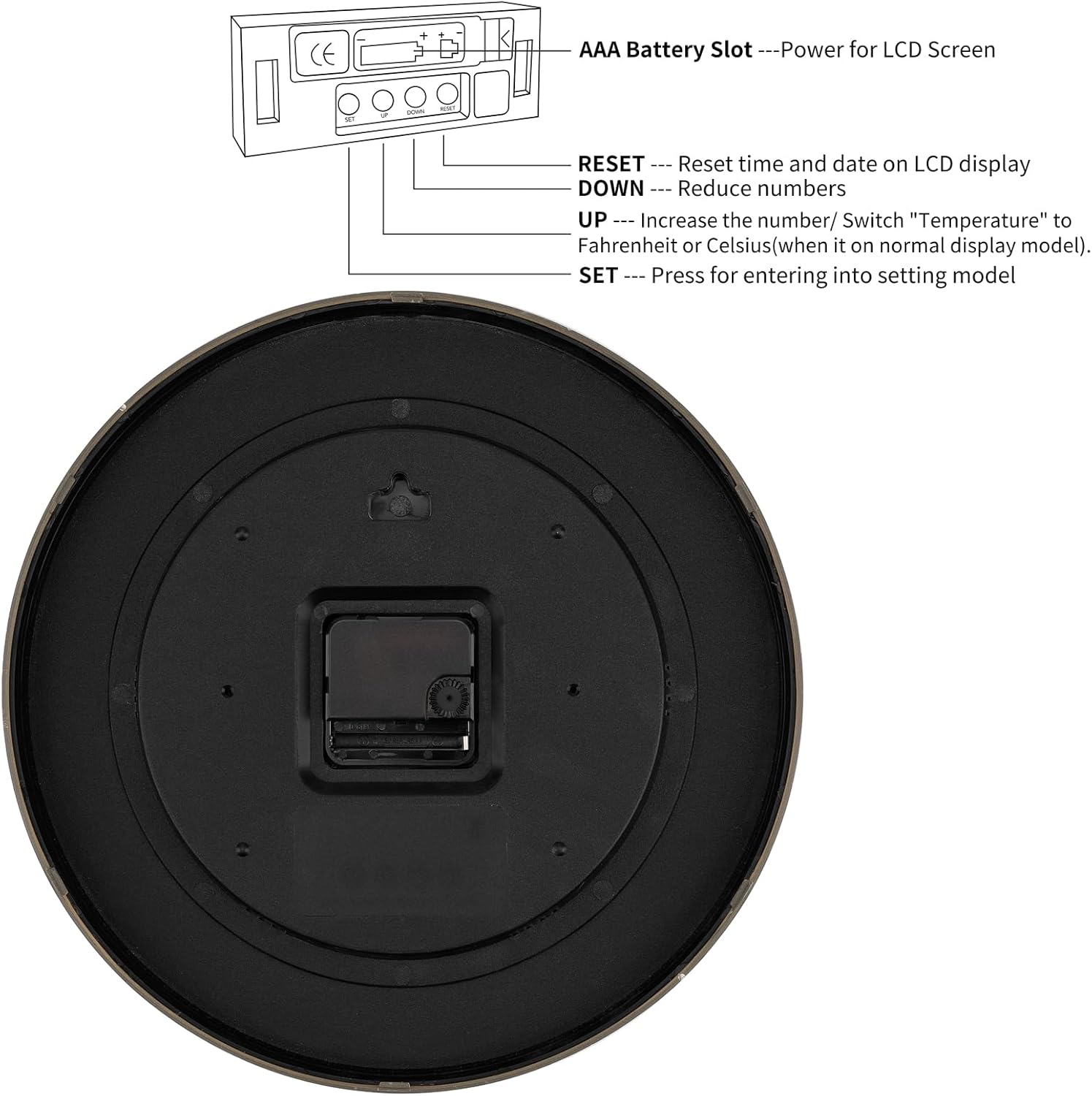
Rear view of the Foxtop digital wall clock, showing the battery compartments for AA and AAA batteries, and setting buttons (RESET, DOWN, UP, SET).
Operating Instructions
Time and Date Display
The analog hands display the current time. The LCD screen provides a digital display of the time, day of the week, and indoor temperature.
Temperature Unit Selection
In normal time display mode, press the 'UP' button on the back of the clock to switch the temperature unit between Celsius (°C) and Fahrenheit (°F).

Close-up of the Foxtop digital wall clock's LCD display showing time and temperature, with Celsius/Fahrenheit switchable.
Official product video demonstrating the features and operation of the Foxtop Digital and Analog Wall Clock 12 Inch.
Maintenance
- Battery Replacement: When the clock hands stop moving or the digital display fades, it's time to replace the batteries. Replace both AA and AAA batteries with new ones, ensuring correct polarity.
- Cleaning: Wipe the clock surface with a soft, dry cloth. Avoid using abrasive cleaners or solvents, as they may damage the finish or display.
- Placement: Avoid placing the clock in direct sunlight or near extreme temperature sources, as this can affect the accuracy of the temperature sensor and the longevity of the display.
Troubleshooting
| Problem | Possible Cause | Solution |
|---|---|---|
| Analog hands not moving | Dead AA battery or incorrect installation. | Replace the AA battery, ensuring correct polarity. |
| Digital display is blank or dim | Dead AAA battery or incorrect installation. | Replace the AAA battery, ensuring correct polarity. |
| Incorrect time/date on digital display | Settings not properly configured. | Press 'SET' to enter setting mode and adjust time, day, and year. Use 'RESET' if necessary to restart the digital display settings. |
| Day of week does not match date | Incorrect year setting. | Ensure the correct year is set in the digital display settings, as this affects the day of the week calculation. |
| Temperature reading is inaccurate | Clock placed near heat/cold source or in direct sunlight. | Relocate the clock to an area with stable ambient temperature, away from direct heat, cold, or sunlight. |
Specifications
- Brand: Foxtop
- Model: Digital Wall Clock 12 Inch
- Color: Black
- Display Type: Digital and Analog
- Movement: Quartz
- Power Source: 1 AA battery (for clock movement), 1 AAA battery (for LCD display) - not included
- Product Dimensions: 12"W x 12"H
- Material: Plastic frame
- Special Features: LCD Display (Time, Day, Temperature), Silent Clock

Diagram showing the 12-inch dimensions of the Foxtop digital wall clock.
Warranty and Support
Foxtop products are manufactured with quality and reliability in mind. This product comes with a standard manufacturer's warranty against defects in materials and workmanship. For specific warranty details, please refer to the product packaging or contact Foxtop customer support.
For further assistance or inquiries, please visit the official Foxtop store: Foxtop Store on Amazon.