
Echelon Row S
Echelon Row Series Rowing Machine User Manual
Model: Row S | Brand: Echelon
1. Introduction and Safety Guidelines
This manual provides essential information for the safe and effective operation of your Echelon Row Series Rowing Machine. Please read it thoroughly before initial use and retain it for future reference.
Important Safety Information:
- Consult a physician before beginning any new exercise program.
- Ensure all parts are securely assembled before each use.
- Keep children and pets away from the machine during operation.
- Wear appropriate athletic footwear and clothing.
- Perform warm-up and cool-down exercises to prevent injury.
- Do not exceed the maximum user weight of 350 pounds.
2. Setup and Assembly
The Echelon Row Series is designed for straightforward setup. Follow these steps to prepare your rowing machine for use.
Unfolding the Rower:
- Locate the lever near the front of the rower's frame.
- Press down on this lever to release the folding mechanism.
- Gently pull the rail section away from the main unit until it is fully extended and clicks into place, stabilizing the rower.

Image: The Echelon Row-S in its fully unfolded position, ready for use.
Activating Your Membership:
Your Echelon Row Series includes a 30-day free membership to Echelon Fitness. Follow these steps to activate your membership and access live and on-demand classes.
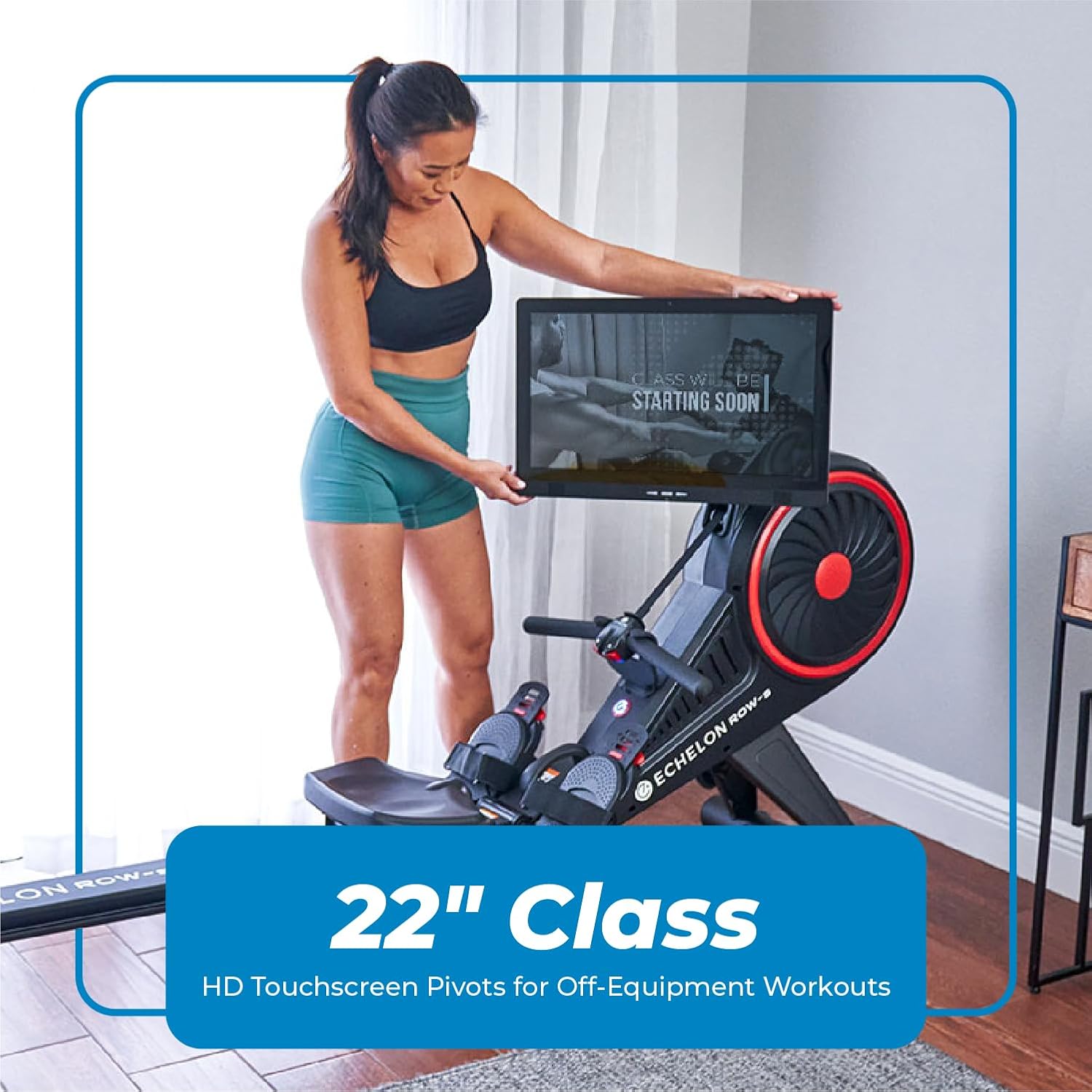
Image: Visual guide detailing the four steps to activate your Echelon membership, including account creation, profile setup, app download, and accessing classes.
3. Key Components and Adjustments
Foot Plates:
The foot plates are adjustable to accommodate various foot sizes. Press down on the red lever to slide the foot plate to your desired position. Ensure the Velcro strap goes around the widest part of your foot for secure placement.
Handlebar and Resistance Control:
The handlebar features integrated Bluetooth controls for resistance adjustment. The right button increases resistance, and the left button decreases it. Your rower offers 32 levels of magnetic resistance.

Image: A detailed view of the Echelon Row Series handlebar, highlighting the integrated Bluetooth resistance control buttons.
Ergonomic Seat:
The seat is designed for comfort and proper hip and spine alignment during your workout.

Image: A close-up of the ergonomic seat on the Echelon Row Series, designed for user comfort and support.
4. Operating Your Rower: Proper Form
Maintaining proper form is crucial for an effective and safe rowing workout. The rowing stroke consists of four phases: the Catch, the Drive, the Finish, and the Recovery.
- The Catch: Start by sitting at the front of your seat, sitting up tall. Your shins should be vertical, and arms extended forward.
- The Drive: Push off with your feet, engaging your legs. As your legs extend, lean back slightly from your hips and pull the handlebar towards your chest.
- The Finish: Your legs should be fully extended, body leaned back slightly, and the handlebar pulled to the center of your chest. Ensure your shoulders are relaxed and not hunched.
- The Recovery: Extend your arms first, then hinge forward from your hips, and finally bend your knees to slide the seat back to the catch position.

Image: A user demonstrating the proper form for rowing on the Echelon Row Series, showing the full extension and pull phases.
5. Screen Features and Tablet Holder
22-inch Rotating HD Touchscreen:
The 22-inch HD touchscreen can be flipped 180 degrees and rotated left or right. This allows you to enjoy off-equipment workouts, such as yoga or strength training, by viewing the screen from various angles.

Image: A user rotating the 22-inch HD touchscreen, demonstrating its flexibility for off-equipment workouts.
Tablet Holder and USB Charging:
The rower is equipped with an adjustable tablet holder that can accommodate tablets up to 13 inches. A built-in USB port allows you to charge your tablet while you row, ensuring uninterrupted workouts.

Image: A user engaging in a floor exercise with the Echelon Row Series screen rotated to face them, illustrating the versatility for various workout types.
6. Storage
The Echelon Row Series features a space-saving foldable design and built-in wheels for easy storage.
- Press the lever near the front of the frame to release the rail.
- Fold the rail upright until it locks into place.
- Utilize the built-in transport wheels to easily move and store the rower in an upright position.

Image: The Echelon Row Series in its compact, folded position, demonstrating its space-saving design for convenient storage.
7. Maintenance
Regular maintenance ensures the longevity and optimal performance of your Echelon Row Series Rowing Machine.
- Cleaning: Wipe down the machine with a damp cloth after each use to remove sweat and dust. Avoid abrasive cleaners.
- Inspections: Periodically check all bolts, nuts, and connections to ensure they are secure. Tighten any loose components.
- Rail Cleaning: Keep the seat rail clean and free of debris to ensure smooth seat movement.
- Cable Inspection: Inspect the resistance cable for any signs of wear or fraying.
8. Troubleshooting
If you encounter issues with your Echelon Row Series, refer to the common problems and solutions below.
| Problem | Possible Cause | Solution |
|---|---|---|
| No power to screen | Power adapter not connected or faulty. | Ensure power adapter is securely plugged into the rower and a working outlet. |
| Resistance not changing | Bluetooth connection issue or handlebar battery low. | Check Bluetooth connection to the screen. Replace handlebar batteries if necessary. |
| Seat not sliding smoothly | Debris on rail or dirty wheels. | Clean the seat rail and wheels thoroughly. |
| Unstable machine | Rower not fully unfolded and locked. | Ensure the rail is fully extended and the locking mechanism is engaged. |
9. Product Specifications
| Feature | Detail |
|---|---|
| Brand | Echelon |
| Model Name | Echelon Row S |
| Resistance Mechanism | Magnetic |
| Tension Levels | 32 Levels of Resistance |
| Display Type | 22-inch HD Touchscreen |
| Product Dimensions (L x W x H) | 81 InchL x 24 InchW x 48 InchH |
| Item Weight | 123 Pounds |
| Maximum Weight Recommendation | 350 Pounds |
| Frame Material | Alloy Steel |
| Power Source | Battery Powered (for handlebar) |
10. Warranty and Support
Warranty Information:
The Echelon Row Series Rowing Machine comes with a full 1-year warranty from Echelon. Please retain your proof of purchase for warranty claims.
Customer Support:
For technical assistance, troubleshooting, or warranty inquiries, please visit the official Echelon Fitness website or contact their customer support team. You can find more information and resources at www.echelonfit.com.
Related documentsRow S


Ask a question about this manual
Ask about setup, troubleshooting, compatibility, parts, safety, or missing instructions. Manuals+ will review the question and use this page’s manual context to help answer it.