
Introduction
This manual provides essential instructions for the setup, operation, and maintenance of your Minecraft Walkie Talkie Watches (MIN40098AC). Please read this manual thoroughly before using the product to ensure proper function and safety. These devices combine a digital watch with a two-way radio for communication over short distances.
Package Contents
- 2 x Minecraft Walkie Talkie Watches
- 1 x USB Charging Cable (for both watches)
- 1 x Instruction Manual (this document)
Setup
1. Initial Charging
The Minecraft Walkie Talkie Watches are powered by a built-in 3.7V Lithium Polymer rechargeable battery. Before first use, fully charge both watches.
- Locate the charging port on each watch.
- Connect the provided USB charging cable to the charging port of each watch.
- Connect the other end of the USB cable to a standard USB power adapter (not included) or a computer's USB port.
- A charging indicator light will illuminate. Allow approximately 2-3 hours for a full charge. The indicator light may change color or turn off when charging is complete.
Note: Use only the provided charging cable. Do not attempt to replace the internal battery.
2. Powering On/Off
- To power on: Press and hold the Power button (usually located on the side) for a few seconds until the screen illuminates.
- To power off: Press and hold the Power button again for a few seconds until the screen turns off.
Operating Instructions
1. Walkie Talkie Function
These watches allow two-way communication within a range of up to 200 meters (approximately 650 feet) in open areas. Obstacles like buildings and dense foliage may reduce this range.
- Ensure both watches are powered on and within range of each other.
- To transmit: Press and hold the "Talk" button (often labeled "MIC" or with a microphone icon) on the side of the watch. Speak clearly into the microphone.
- To receive: Release the "Talk" button. The watch will automatically receive transmissions from the other paired watch.
Tip: For best performance, extend the antenna fully when communicating.
2. Digital Watch Function
Each device also functions as a digital watch, displaying the time.
- Setting the Time: Refer to the specific buttons on your watch. Typically, there is a "Mode" or "Set" button. Press it to cycle through time settings (hours, minutes). Use the "Adjust" or "Up/Down" buttons to change the values. Press "Mode" or "Set" again to confirm and exit.
- The digital display shows the current time.
3. Built-in Compass
A functional compass is integrated into each watch for basic directional guidance.
- To use the compass: Hold the watch flat and level. Allow the compass needle to settle. The red end of the needle typically points North.
- Note: The compass is a basic navigational aid and may be affected by strong magnetic fields or electronic devices.
Maintenance
Cleaning
- Wipe the watches with a soft, dry cloth.
- Do not use abrasive cleaners or solvents, as these can damage the finish.
Storage
- Store the watches in a cool, dry place away from direct sunlight and extreme temperatures.
- If storing for an extended period, ensure the batteries are partially charged (around 50%) to prolong battery life.
Troubleshooting
| Problem | Possible Cause | Solution |
|---|---|---|
| No power / Watch not turning on | Battery is depleted. | Charge the watch fully using the provided USB cable. |
| Cannot communicate with other watch | Out of range; Obstacles blocking signal; Low battery. | Move closer to the other watch; Ensure clear line of sight; Recharge batteries. |
| Poor sound quality / Static | Weak signal; Interference; Antenna not extended. | Move closer; Avoid sources of interference; Fully extend the antenna. |
| Watch display not working | Low battery; Device malfunction. | Recharge the watch. If the problem persists, contact customer support. |
Specifications
- Model: MIN40098AC
- Power Source: 3.7V Lithium Polymer Rechargeable Battery
- Transmission Range: Up to 200 meters (650 feet) in open areas
- Functions: Two-way radio, Digital Watch, Built-in Compass
- Recommended Age: 5 years and up
- Strap Adjustment: 5.5" to 8" wrist sizes
- Manufacturer: AWC LLC
- Country of Origin: China
Safety Information
- This product is intended for children aged 5 and up.
- Do not immerse the watches in water. They are not waterproof.
- Keep away from extreme heat sources and open flames.
- Do not attempt to open or modify the watches, as this may cause damage or injury and voids the warranty.
- Supervise children during use, especially when operating the walkie-talkie function near roads or hazardous areas.
- Dispose of batteries and electronic components responsibly according to local regulations.
Warranty and Support
For warranty information or technical support, please contact the retailer where the product was purchased or refer to the manufacturer's official website. Please have your model number (MIN40098AC) and proof of purchase available when seeking support.
Product Images

This image shows the front view of both Minecraft Walkie Talkie Watches. The watch on the left has a black casing, while the one on the right has a green casing. Both feature digital time displays, microphones, and extendable antennas. The wristbands are decorated with Minecraft Creeper pixel art in various shades of green and black.
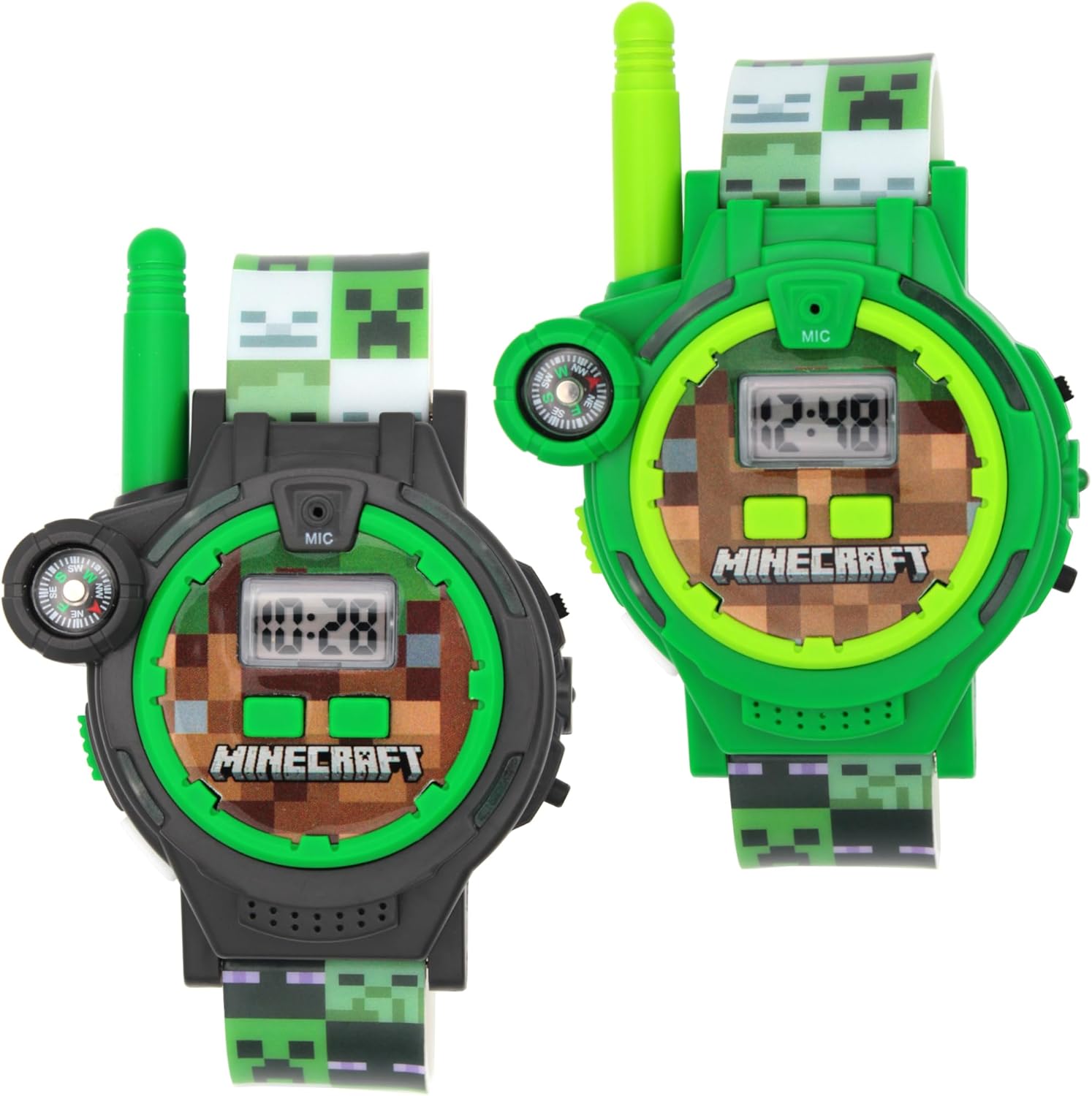
An angled front view of the two Minecraft Walkie Talkie Watches. The black watch is on the left, and the green watch is on the right. This perspective highlights the digital time display, the built-in compass on the side, and the extendable antenna. The watch faces feature a pixelated dirt block design, consistent with the Minecraft theme.

This image provides a side view of both Minecraft Walkie Talkie Watches. The black watch is positioned in the foreground, and the green watch is slightly behind it. This view emphasizes the side buttons, which are used for power and walkie-talkie functions, and the extendable antenna on each device.
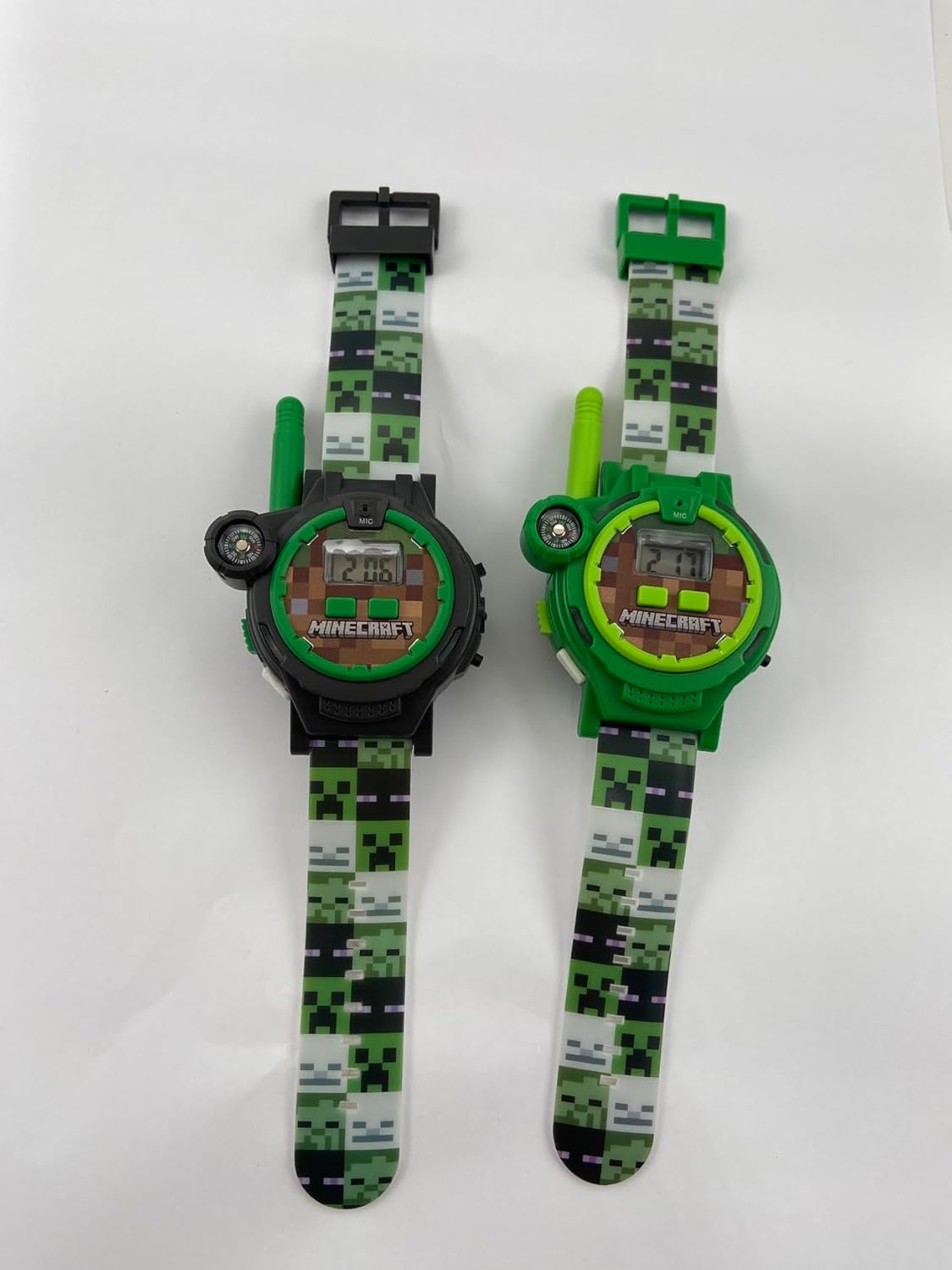
A back view of the two Minecraft Walkie Talkie Watches. The black watch is on the left, and the green watch is on the right. This perspective shows the rear casing of the watches, including regulatory markings, model information, and the design of the wristband attachment points. The wristbands are white on the inside.