
1. Introduction
This manual provides essential instructions for the proper use and care of your Bestdealing Replacement Stylus Pen for the Motorola Moto G Stylus 5G 2023. Please read this guide thoroughly to ensure optimal performance and longevity of your product.

Image 1.1: The Bestdealing Replacement Stylus Pen for Moto G Stylus 5G 2023, shown with the included SIM card ejector pin.
2. Compatibility
This replacement stylus pen is specifically designed for the following device:
- Motorola Moto G Stylus 5G (2023) 6.6-inch model.
Important: This stylus is NOT compatible with the Motorola Moto G Stylus 2021 or Moto G Stylus 5G 2021 models. Please verify your phone model before use.

Image 2.1: Visual confirmation of compatible Motorola Moto G Stylus 2023 models.
3. Package Contents
Upon opening the package, please ensure all the following items are present:
- 1 x Bestdealing Replacement Stylus Pen for Motorola Moto G Stylus 5G 2023
- 1 x SIM Card Opening Ejector Pin
4. Setup and Installation
4.1. Inserting the Stylus Pen
- Locate the stylus slot on your Motorola Moto G Stylus 5G 2023 device.
- Gently slide the replacement stylus pen into the slot until it clicks securely into place. Ensure the pen is oriented correctly.
4.2. Using the SIM Card Ejector Pin
The included SIM card ejector pin can be used to access your phone's SIM card tray.
- Locate the small hole on the side of your phone, typically near the SIM card tray.
- Insert the tip of the ejector pin into the hole and apply gentle pressure until the SIM card tray pops out.
- Carefully remove or insert your SIM card/microSD card.
- Push the tray back into the slot until it is flush with the phone's body.

Image 4.1: Demonstration of using the SIM card ejector pin to open a phone's SIM tray.
5. Operating Instructions
The Bestdealing Replacement Stylus Pen functions identically to the original stylus provided with your Motorola Moto G Stylus 5G 2023.
- Navigation: Use the stylus to tap, swipe, and scroll through your phone's interface.
- Writing and Drawing: Utilize the stylus for precise input in note-taking applications, drawing apps, or any other software that supports stylus input.
- Gestures: Perform specific gestures as supported by your phone's operating system for quick actions.

Image 5.1: A hand demonstrating the proper grip for using the stylus pen.
6. Maintenance and Care
To maintain the performance and appearance of your stylus pen, follow these guidelines:
- Cleaning: Wipe the stylus tip and body with a soft, dry, lint-free cloth. Avoid using harsh chemicals or abrasive materials.
- Storage: Always store the stylus in its designated slot within your phone when not in use to prevent loss or damage.
- Avoid Excessive Force: Do not apply excessive pressure to the stylus tip or bend the pen, as this may cause damage.
- Temperature: Avoid exposing the stylus to extreme temperatures or direct sunlight for prolonged periods.
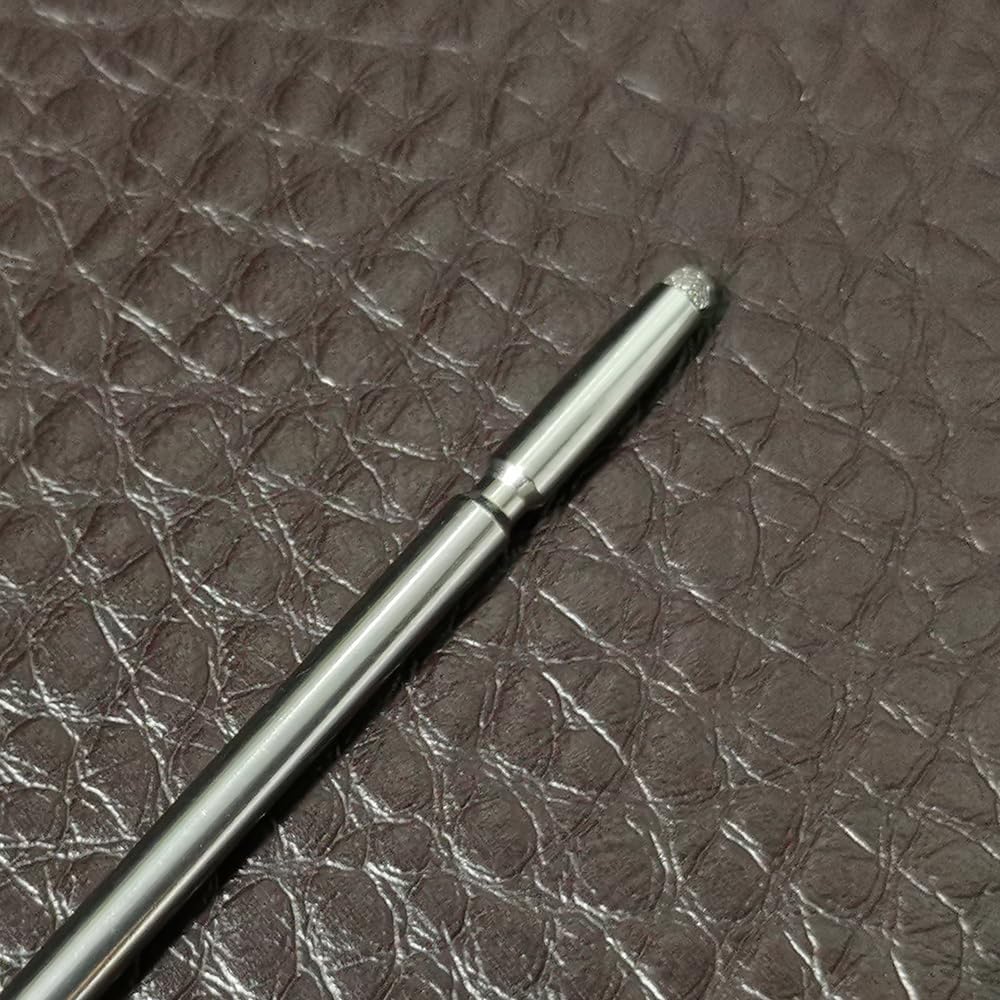
Image 6.1: A detailed view of the stylus pen tip, highlighting its delicate nature.
7. Troubleshooting
If you encounter issues with your replacement stylus pen, refer to the following common problems and solutions:
| Problem | Possible Cause | Solution |
|---|---|---|
| Stylus not responding on screen | Screen protector interference, dirty screen, or stylus tip issue. | Ensure screen is clean. Check for screen protector compatibility. Gently clean stylus tip. Restart phone. |
| Stylus does not fit correctly in phone slot | Incorrect phone model or manufacturing variance. | Double-check your phone model against the compatibility section. If the model is correct and fit is still an issue, contact customer support. |
| Stylus feels loose or separates | Wear and tear or manufacturing defect. | If the stylus separates or feels excessively loose, discontinue use to prevent damage to your phone. Contact customer support for assistance. |
8. Specifications
- Brand: Bestdealing
- Model Number: Moto G Stylus 5G 2023
- Color: Cosmic Black
- Item Weight: 0.229 ounces (6.5 Grams)
- Package Dimensions: 5.28 x 2.05 x 0.91 inches
- Compatible Devices: Motorola Moto G Stylus 5G (2023) 6.6"
- Batteries Required: No
- UPC: 770523590707
9. Warranty and Support
9.1. Customer Support
For any questions, concerns, or issues regarding your Bestdealing Replacement Stylus Pen, please do not hesitate to contact our customer service team. We are committed to providing the best service for you.
Please refer to your purchase documentation or the retailer's website for specific contact information.
9.2. Warranty Information
Specific warranty details may vary by retailer and region. Please retain your proof of purchase for any warranty claims. Generally, products are covered against manufacturing defects for a reasonable period from the date of purchase. Damage resulting from misuse, accidents, or unauthorized modifications is not covered.