Introduction
This manual provides essential information for the safe and efficient operation of your Fichero A4 Laminator. Please read it thoroughly before first use and keep it for future reference. The Fichero A4 Laminator is designed to protect and enhance important documents, photos, and drawings with a professional, durable finish, safeguarding them from spills, fading, and wear.
The package includes:
- Fichero A4 Laminator
- 5 A4 Laminating Pouches
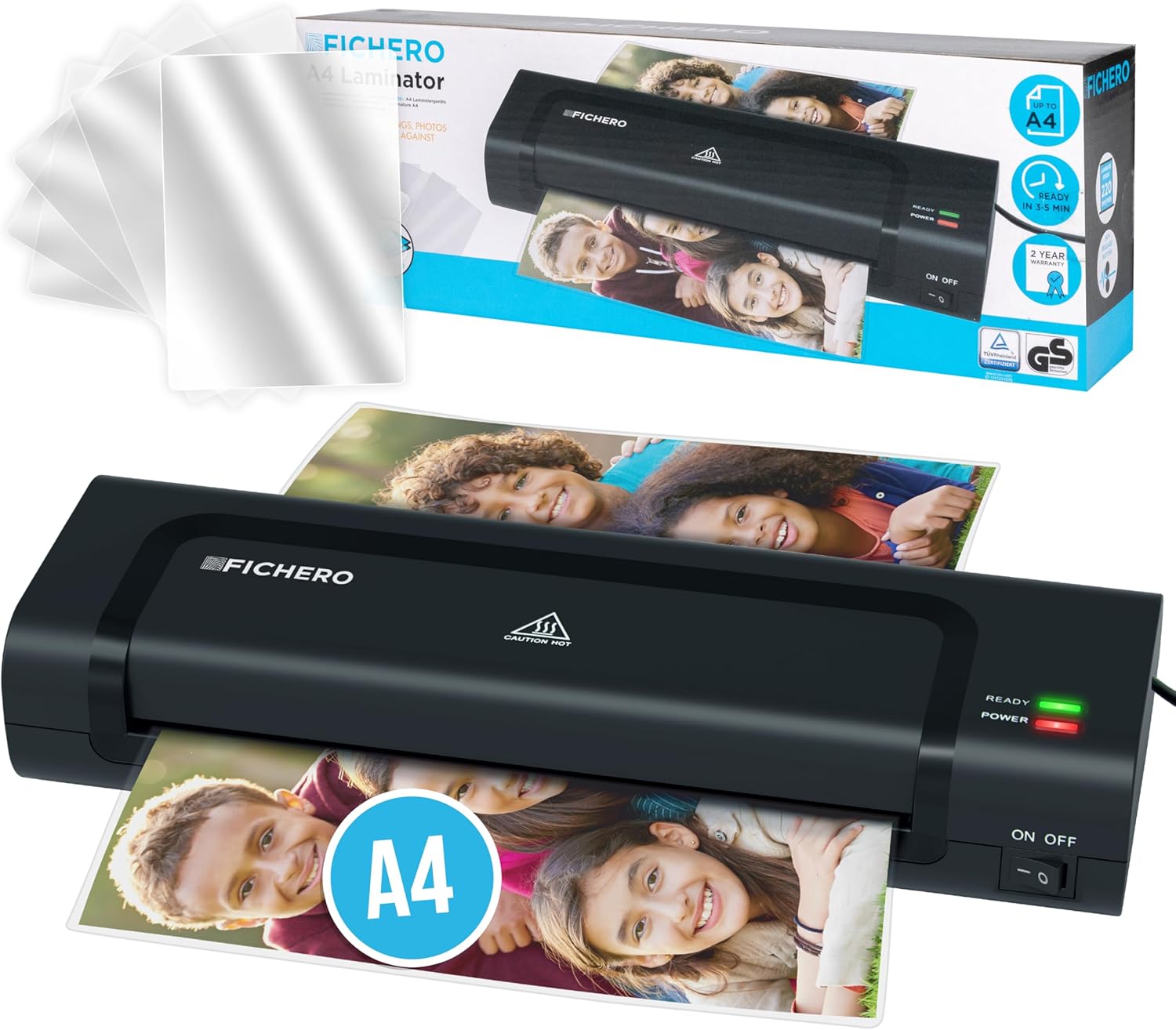
Image: The Fichero A4 Laminator shown with a stack of included laminating pouches.
Setup
- Unpacking: Carefully remove the laminator and all accessories from the packaging. Retain packaging for future storage or transport.
- Placement: Place the laminator on a stable, flat, and heat-resistant surface. Ensure there is enough clear space behind the machine for laminated documents to exit freely.
- Power Connection: Plug the power cord into a suitable electrical outlet.
Operating Instructions
The Fichero A4 Laminator is designed for ease of use with a quick warm-up time.
- Power On: Turn on the laminator using the ON/OFF switch. The "POWER" indicator light (red) will illuminate.
- Warm-up: Allow the machine to warm up. The "READY" indicator light (green) will illuminate after approximately 3-5 minutes, indicating the laminator is ready for use.
- Prepare Document: Place your document or photo inside a laminating pouch. Ensure the document is centered and there is an even border around it.
- Insert Pouch: Insert the sealed edge of the laminating pouch into the laminator's entry slot. The machine will automatically feed the pouch through.
- Lamination: The document will exit the other side, fully laminated. Allow the laminated document to cool on a flat surface before handling.

Image: Visual representation of documents being protected by lamination against dirt, humidity, light, and wear.

Image: The laminator shown with various document sizes (A4, A5, A6) indicating compatibility.

Image: Close-up of the laminator's indicator lights and a graphic highlighting its 3-5 minute warm-up time and 22 cm/min lamination speed.
Maintenance
Regular maintenance ensures optimal performance and longevity of your laminator.
- Cleaning: Ensure the laminator is unplugged and cool before cleaning. Use a soft, dry cloth to wipe the exterior. For internal rollers, occasionally feed a folded sheet of paper through the machine to pick up any adhesive residue.
- Storage: When not in use, store the laminator in a clean, dry place, away from direct sunlight and extreme temperatures.
Troubleshooting
| Problem | Possible Cause | Solution |
|---|---|---|
| Laminator not turning on. | No power supply. | Check if the power cord is securely plugged into the laminator and the wall outlet. Ensure the outlet is functional. |
| Document jam. | Pouch inserted incorrectly or too thick. | Press the "RELEASE" button (if available) to disengage the rollers and gently pull the pouch out. Ensure the sealed edge is inserted first and the pouch thickness is within specifications (140-250 microns). |
| Poor lamination quality (bubbles, cloudy). | Insufficient warm-up time or incorrect pouch thickness. | Wait until the "READY" light is solid green. Ensure you are using appropriate laminating pouches for the machine's specifications. |

Image: A close-up showing the "RELEASE" button on the laminator, used to clear document jams.
Specifications
- Model: 2061
- Brand: Silvergear
- Color: Black
- Sheet Size Compatibility: A4, A5, A6
- Warm-up Time: Quick preheating (approx. 3-5 minutes)
- Lamination Speed: Approximately 22 cm/min
- Film Thickness: 140-250 microns (2x70 or 2x125 microns per side)
- Max Document Thickness: Up to 0.6 mm
- Number of Rollers: 2
- Item Weight: 100 grams
- Dimensions (approx.): 33 cm (Length) x 10.6 cm (Width) x 6 cm (Height)

Image: A diagram illustrating the dimensions of the laminator and listing the contents of the box: A4 laminator, 5 A4 laminating pouches, manual, and total weight.
Warranty and Support
The Fichero A4 Laminator comes with a 2-year warranty from the date of purchase, covering manufacturing defects. Please retain your proof of purchase for warranty claims.
For technical support, troubleshooting assistance, or warranty inquiries, please contact Silvergear customer service. You can find contact information on the official Silvergear website or through your point of purchase.

Image: A person holding the Fichero A4 Laminator, with a graphic indicating a 2-year warranty.


