
Hyper MX4 UTV
Hyper 24V Rock Roller MX4 UTV Powered Ride-On Car
Instruction Manual
Model: MX4 UTV | Brand: Hyper
1. Introduction
Welcome to the Hyper Rock Roller MX4 UTV Powered Ride-On Car instruction manual. This document provides essential information for the safe assembly, operation, and maintenance of your new ride-on vehicle. Please read this manual thoroughly before initial use and retain it for future reference.
The Hyper Rock Roller MX4 UTV is designed to provide an exciting and realistic driving experience for young adventurers. Featuring a robust 24V four-wheel drive system, this vehicle is equipped for various terrains and offers both forward and reverse functions. It includes comfortable seating for two riders, complete with seat belts for enhanced safety.

Image: The Hyper 24V Rock Roller MX4 UTV Powered Ride-On Car, showcasing its green and black design with large wheels.
2. Safety Information
WARNING: To reduce the risk of injury, adult supervision is required. Never use in roadways, near motor vehicles, on or near steep inclines or steps, swimming pools or other bodies of water. Always wear shoes. Never allow more than two riders.
- Age Recommendation: This product is designed for children aged 5 to 12 years.
- Weight Capacity: The maximum weight capacity for this vehicle is 132 pounds (60 kg). Do not exceed this limit.
- Seat Belts: Always ensure both riders are securely fastened with the provided seat belts before operation.
- Operating Environment: Operate the vehicle only on flat, level surfaces such as pavement or grass. Avoid uneven terrain, loose dirt, sand, or gravel.
- Charging: Only use the charger supplied with the vehicle. Do not attempt to charge the batteries with any other charger.
- Battery Safety: Keep batteries away from children. Do not mix old and new batteries. Do not mix alkaline, standard (carbon-zinc), or rechargeable (nickel-cadmium) batteries.
- Adult Assembly: Adult assembly is required. Keep small parts away from children during assembly.
3. Package Contents
Please check the contents of your package to ensure all items are present and undamaged. If any items are missing or damaged, contact customer service immediately.
- Hyper Rock Roller MX4 UTV Ride-On Car Body
- 2 x 12V Rechargeable Batteries
- Battery Charger
- Wheels (4)
- Steering Wheel
- Assembly Hardware Kit
- Instruction Manual
4. Setup and Assembly
Before assembly, ensure you have a clear, spacious area to work in. Adult assembly is required. Refer to the detailed assembly diagrams in the separate assembly guide for visual instructions.
- Unpack Components: Carefully remove all parts from the packaging.
- Wheel Installation: Attach the four wheels to the vehicle axles. Ensure they are securely fastened with the provided hardware. The EVA tires are designed for extra grip.
- Steering Wheel Assembly: Install the steering wheel onto the steering column. Ensure it clicks into place or is secured with the designated fastener.
- Battery Connection: Locate the battery compartment. Connect the two 12V batteries in series to achieve the 24V system. Ensure all connections are firm and correct according to the wiring diagram.
- Initial Charge: Before first use, fully charge the batteries for the recommended duration (refer to the 'Charging the Battery' section).

Image: Front view of the Hyper Rock Roller MX4 UTV, showing the grille and headlights, important for initial setup and inspection.
5. Operating Instructions
Ensure the vehicle is fully charged and all safety precautions are observed before operating.
Starting and Driving
- Power On: Locate the power button or key switch on the dashboard and turn the vehicle on.
- Select Direction: Use the gear selector switch (typically located near the dashboard) to choose between Forward (F) or Reverse (R) modes.
- Accelerate: Press the foot pedal to accelerate. Release the pedal to brake.
- Steering: Use the steering wheel to control the direction of the vehicle.
Key Features in Operation
- Speed: The vehicle can reach a maximum forward speed of 5.5 mph and a maximum reverse speed of 3.1 mph.
- Doors: The vehicle features two opening doors for easy entry and exit.
- Adjustable Seats: The seats are designed to be adjustable for rider comfort.
- Folding Shelf: A convenient folding shelf is integrated into the design.

Image: Interior view of the Hyper Rock Roller MX4 UTV, highlighting the two seats and safety seatbelts.

Image: Dashboard and steering wheel of the Hyper Rock Roller MX4 UTV, showing controls for operation.
6. Charging the Battery
Proper battery charging is crucial for the longevity and performance of your ride-on car.
- Locate Charging Port: The charging port is typically located on the side or rear of the vehicle.
- Connect Charger: Plug the charger into the vehicle's charging port, then plug the charger into a standard wall outlet (120V AC).
- Charging Indicator: The charger will have an indicator light (e.g., red for charging, green for fully charged). Refer to the charger's specific instructions for details.
- Charging Time: Allow 8-12 hours for a full charge. Do not charge for more than 18 hours to prevent battery damage.
- Disconnect: Once fully charged, disconnect the charger from the wall outlet first, then from the vehicle.
Important: Charge the battery after each use and at least once a month during periods of non-use to maintain battery health.
7. Maintenance
Regular maintenance will help ensure the safe and efficient operation of your Hyper Rock Roller MX4 UTV.
- Cleaning: Clean the vehicle with a soft, damp cloth. Do not use abrasive cleaners or solvents. Avoid spraying water directly onto electrical components.
- Storage: Store the vehicle in a dry, cool place away from direct sunlight and moisture. If storing for extended periods, ensure the battery is fully charged and disconnect it if possible.
- Inspections: Periodically check all nuts, bolts, and fasteners to ensure they are tight. Inspect the wiring and connections for any signs of wear or damage.
- Tires: Check the EVA tires for excessive wear or damage.
- Battery Care: Follow charging instructions carefully. Do not allow the battery to fully discharge.
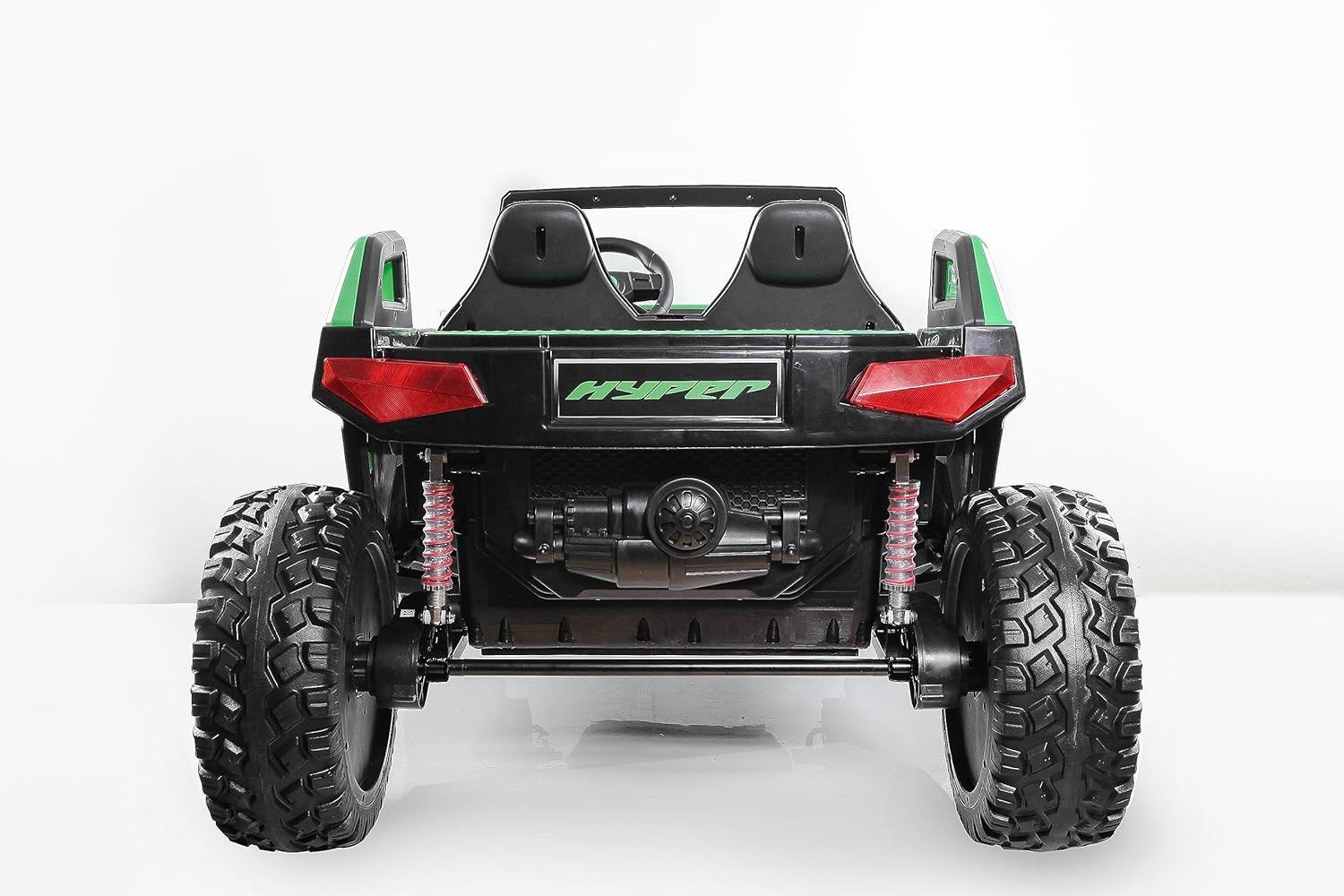
Image: Rear view of the Hyper Rock Roller MX4 UTV, showing the rear wheels and suspension, relevant for maintenance checks.
8. Troubleshooting
If you encounter issues with your ride-on car, refer to the following common problems and solutions:
| Problem | Possible Cause | Solution |
|---|---|---|
| Vehicle does not move | Battery is low or dead Loose battery connection Overload protection activated | Charge the battery fully Check and secure battery terminals Turn off vehicle, wait a few minutes, then restart |
| Vehicle moves slowly | Battery is low Vehicle is overloaded Operating on unsuitable surface | Recharge the battery Reduce weight on the vehicle Move to a flat, hard surface |
| Vehicle makes unusual noises | Loose parts Motor issue | Check all fasteners and tighten as needed Contact customer service if noise persists |
| Charger light not indicating | Charger not properly connected Faulty charger or outlet | Ensure secure connections to vehicle and wall Test charger with another outlet; contact customer service if faulty |
9. Specifications
| Feature | Specification |
|---|---|
| Model | MX4 UTV |
| Brand | Hyper |
| Battery | 2 x 12V (24V System) |
| Motor | 24V Four-Wheel Drive System |
| Max Forward Speed | 5.5 mph (8.8 km/h) |
| Max Reverse Speed | 3.1 mph (5 km/h) |
| Max Weight Capacity | 132 lbs (60 kg) |
| Recommended Age | 5 - 12 years |
| Seating Capacity | 2 Riders |
| Tires | EVA Tires for extra grip |
| Features | Forward & Reverse Functions, Two Opening Doors, Seat Belts, Adjustable Seats, Folding Shelf |
10. Warranty and Support
Hyper stands behind the quality of its products. For specific warranty details, including coverage period and terms, please refer to the warranty card included with your purchase or visit the official Hyper website.
If you require technical assistance, have questions about assembly, operation, or need to report a missing or damaged part, please contact Hyper customer service. Have your product model number (MX4 UTV) and purchase information ready when contacting support.
Customer Service Contact: Please refer to the contact information provided on the product packaging or the Hyper official website.
Related documentsMX4 UTV


Ask a question about this manual
Ask about setup, troubleshooting, compatibility, parts, safety, or missing instructions. Manuals+ will review the question and use this page’s manual context to help answer it.