1. Introduction
This manual provides essential instructions for the setup, operation, and maintenance of your LEMEGA MS3 Stereo Smart Music System. Please read this manual thoroughly before using the device to ensure proper functionality and to maximize your listening experience. Keep this manual for future reference.
2. Safety Information
- Do not expose the unit to rain or moisture to prevent fire or electric shock.
- Ensure proper ventilation around the unit. Do not block any ventilation openings.
- Only use attachments/accessories specified by the manufacturer.
- Unplug the unit during lightning storms or when unused for long periods.
- Refer all servicing to qualified service personnel.
3. Package Contents
Verify that all items are present in the package:
- LEMEGA MS3 Stereo Smart Music System
- Power Adapter
- Remote Control
- Owner's Manual (this document)

Image: The LEMEGA MS3 Stereo Smart Music System in black oak finish, shown with its accompanying remote control.
4. Product Overview
The LEMEGA MS3 is a versatile smart music system offering multiple audio sources and smart features. Key components include:
- Front Panel: Display screen, speaker grilles.
- Top Panel: Multi-function control knob.
- Rear Panel: Power input, USB charging port, headphone output, auxiliary input.
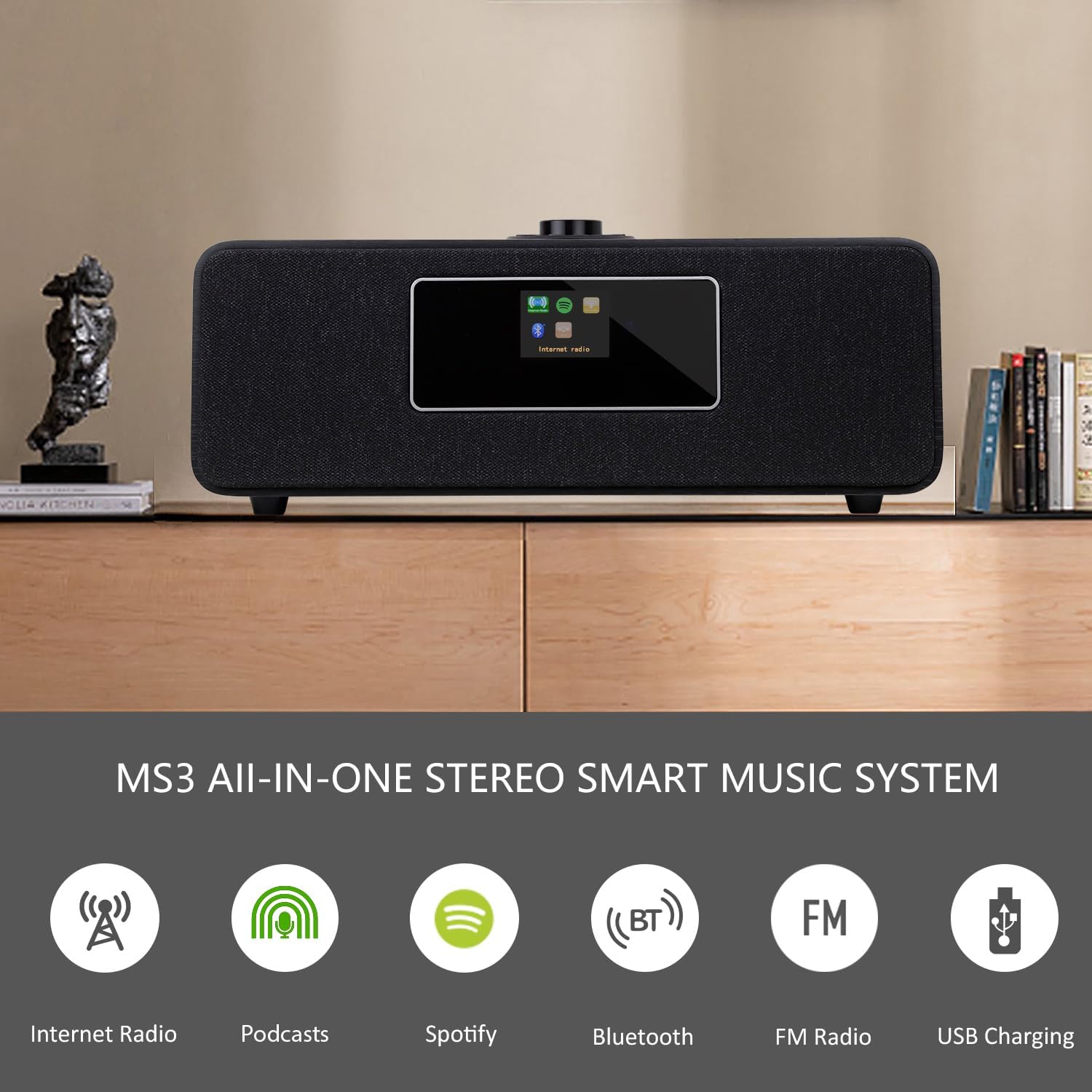
Image: An overview of the MS3's capabilities, including Internet Radio, Podcasts, Spotify, Bluetooth, FM Radio, and USB Charging.
5. Setup
5.1 Power Connection
- Connect the supplied power adapter to the DC IN port on the rear of the MS3.
- Plug the power adapter into a wall outlet.
- The unit will power on or enter standby mode.
5.2 Network Connection (Wi-Fi)
To access Internet Radio and Spotify Connect, the MS3 requires a Wi-Fi connection.
- Upon first power-on, the system will guide you through the network setup.
- Select your Wi-Fi network from the list displayed on the screen.
- Enter your Wi-Fi password using the control knob and remote control.
- Confirm the connection. The system will indicate when it is successfully connected.
6. Operating Instructions
6.1 Internet Radio
Access over 30,000 internet radio stations worldwide.
- Navigate to the 'Internet Radio' option on the display.
- Browse stations by location, genre, or search for specific stations.
- Select a station to begin playback.

Image: The LEMEGA MS3 system positioned in a living room, demonstrating its use for streaming music.
6.2 FM Digital Radio
Enjoy local FM broadcasts with clear digital sound.
- Switch to 'FM Radio' mode.
- Use the 'Auto-Scan Tune' function to automatically find available stations.
- To save a favorite station, press and hold a preset button (1-20) on the remote or unit. Briefly press to recall.

Image: The LEMEGA MS3 system placed on a kitchen counter, highlighting its suitability for various home environments.
6.3 Bluetooth Speaker Function
Stream audio wirelessly from your smartphone or tablet.
- Select 'Bluetooth' mode on the MS3. The display will show 'Pairing'.
- On your mobile device, enable Bluetooth and search for 'LEMEGA MS3'.
- Select 'LEMEGA MS3' to pair. Once connected, you can play audio from your device.

Image: The LEMEGA MS3 demonstrating its Bluetooth connectivity, with a smartphone displaying a music application.
6.4 Spotify Connect
Directly stream millions of tracks from Spotify.
- Ensure your MS3 is connected to Wi-Fi.
- Open the Spotify app on your smartphone, tablet, or computer.
- Play a song and select the 'Devices Available' icon.
- Choose 'LEMEGA MS3' from the list to transfer playback to the system.
6.5 Alarms, Clock, Snooze, and Sleep Timer
The MS3 features dual independent alarms and sleep functions.
- Setting Alarms: Access the 'Alarms' menu via the system settings. Configure two independent alarms with desired time, source (music or buzzer), and recurrence (working days/weekend/daily).
- Snooze: When an alarm sounds, press the control knob or snooze button on the remote to temporarily silence it.
- Sleep Timer: Set a timer for the unit to automatically turn off after a specified duration.
- Clock: The time and date are automatically updated via Internet or FM stations.

Image: The LEMEGA MS3 positioned on a bedside table, illustrating its alarm and clock radio features.
6.6 Remote Control & App Control
Control your MS3 conveniently.
- Remote Control: Use the included remote for full control over functions, volume, and presets. Ensure batteries are inserted correctly.
- UNDOK App: Download the UNDOK app from your device's app store. Connect the app to your MS3 via Wi-Fi for advanced control and browsing features.
6.7 USB Charging
The rear USB port provides 5V 1A power for charging mobile devices.
- Connect your device's USB charging cable to the USB port on the back of the MS3.
- Ensure the MS3 is powered on or in standby mode for charging functionality.
6.8 Equalizer Settings
Adjust the audio output to your preference.
- Access the 'Equalizer' settings in the system menu.
- Choose from preset options such as Normal, Classic, Pop, Jazz, or a custom setting.
7. Maintenance
To ensure the longevity and optimal performance of your LEMEGA MS3:
- Cleaning: Use a soft, dry cloth to clean the exterior surfaces. Do not use abrasive cleaners, waxes, or solvents.
- Placement: Place the unit on a stable, flat surface away from direct sunlight, heat sources, and excessive dust or moisture.
- Ventilation: Ensure that the ventilation openings are not obstructed.
8. Troubleshooting
If you encounter issues with your MS3, refer to the following common solutions:
| Problem | Possible Cause / Solution |
|---|---|
| No power | Ensure the power adapter is securely connected to the unit and a working power outlet. |
| No sound | Check volume level. Ensure correct audio source is selected. If using headphones, disconnect them. |
| Cannot connect to Wi-Fi | Verify Wi-Fi password. Ensure the unit is within range of your router. Restart the router and the MS3. |
| Internet Radio buffering/disconnecting | Check internet connection speed. Move the unit closer to the Wi-Fi router. Other devices on the network may be consuming bandwidth. |
| Bluetooth pairing issues | Ensure the MS3 is in Bluetooth pairing mode. Disable and re-enable Bluetooth on your mobile device. Ensure no other device is currently connected to the MS3 via Bluetooth. |
| Remote control not working | Check and replace batteries. Ensure there are no obstructions between the remote and the unit. |
9. Specifications
Detailed technical specifications for the LEMEGA MS3 Stereo Smart Music System:
- Product Dimensions: 15.35"L x 9.25"W x 6.1"H (39 x 23.5 x 15.5 cm)
- Item Weight: 9.26 pounds (4.2 kg)
- Connectivity Technology: Bluetooth, Wi-Fi
- Tuner Technology: Internet Radio, FM
- Power Source: Mains power
- Special Features: Built-In Clock, Dual Alarms, Spotify Connect, USB Charging (5V 1A)
- Model Number: MS3 stereo system
- Manufacturer: LEMEGA

Image: A diagram illustrating the physical dimensions of the LEMEGA MS3 Stereo Smart Music System.
10. Warranty Information
LEMEGA products are designed and manufactured to the highest quality standards. For detailed warranty information, including coverage period and terms, please refer to the warranty card included with your product or visit the official LEMEGA website.
11. Support
If you require further assistance or have questions not covered in this manual, please contact LEMEGA customer support. Contact details can typically be found on the official LEMEGA website or on the product packaging.
Online Resources:
- Visit the LEMEGA Store on Amazon for product information and updates.


