
CLY FLB035
CLY 35W LED Outdoor Projector with Motion Detector User Manual
Model: FLB035
Brand: CLY
Introduction
This manual provides comprehensive instructions for the installation, operation, and maintenance of your CLY 35W LED Outdoor Projector with Motion Detector. Please read this manual carefully before installation and retain it for future reference. This product is designed to provide efficient and reliable outdoor illumination with enhanced security features through its integrated motion sensor.
Important Safety Instructions
- Electrical Safety: Installation must be performed by a qualified electrician or competent person in accordance with local electrical codes and regulations. Ensure the power supply is disconnected before installation or maintenance.
- Voltage: This product operates at 230 Volts. Verify your power supply matches this requirement.
- Mounting: Mount the projector securely on a stable surface. The recommended installation height is 3 to 5 meters (9.84 to 16.40 feet).
- Water Resistance: The product is IP66 rated for water and dust resistance. However, avoid submerging the unit in water. Ensure all connections are properly sealed to maintain IP66 rating.
- Heat: The LED projector generates heat during operation. Do not cover the unit or install it in an enclosed space without adequate ventilation.
- Light Source: Do not stare directly into the LED light source when it is illuminated, as it may cause eye strain or damage.
- Disassembly: Do not attempt to disassemble or modify the product. This will void the warranty and may lead to electrical hazards.
Package Contents
Please check the package to ensure all components are present and undamaged:
- 1 x CLY 35W LED Outdoor Projector with Motion Detector (Model: FLB035)
- Mounting Screws and Wall Plugs (typically 3 screws and 3 wall plugs)
- User Manual (this document)
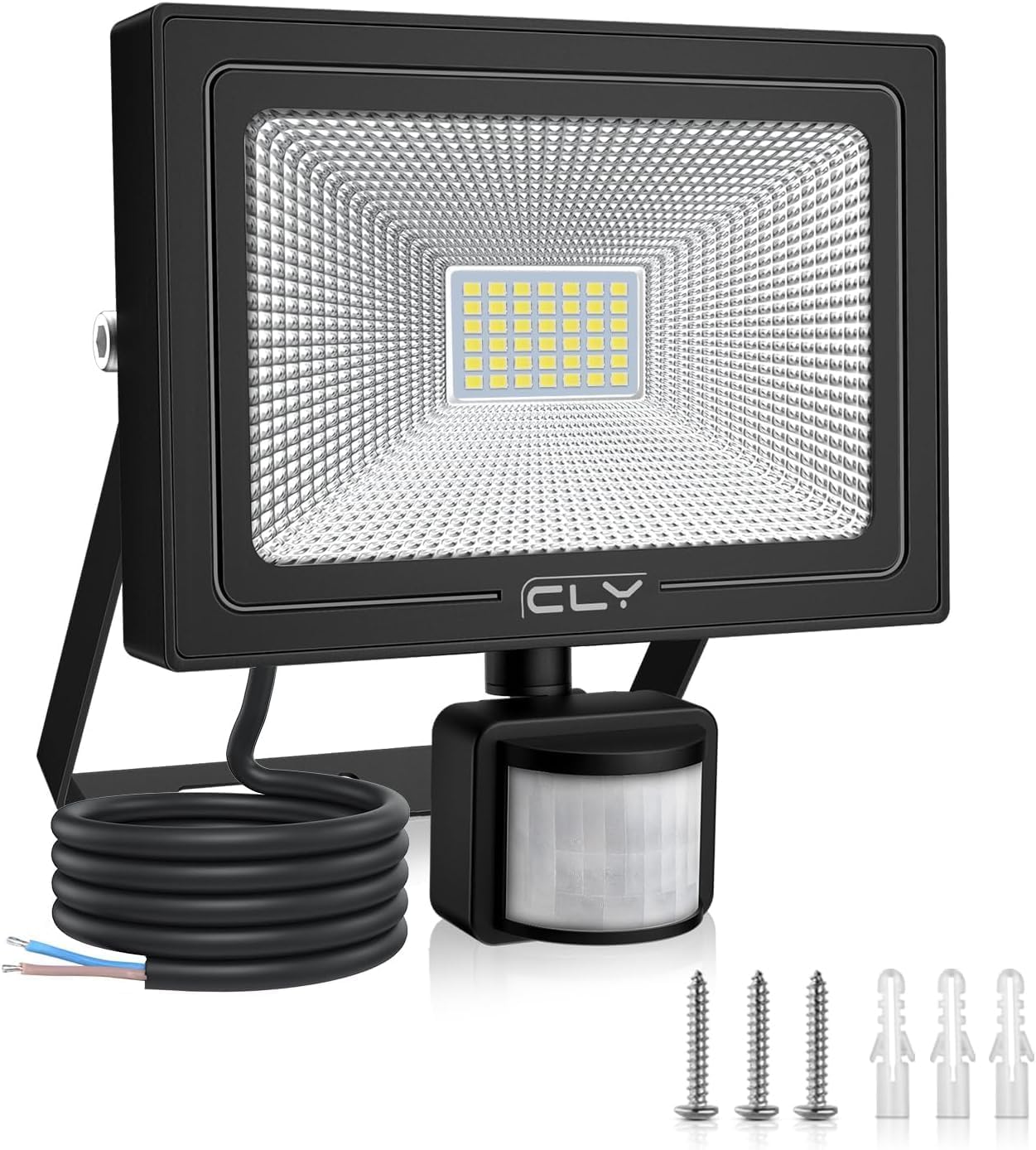
Image: The CLY 35W LED Outdoor Projector, showing the main unit, power cable, motion sensor, and included mounting screws and wall plugs.
Product Specifications
| Feature | Specification |
|---|---|
| Brand | CLY |
| Model Number | FLB035 |
| Power Consumption | 35 Watts |
| Luminous Flux | 3000 Lumens |
| Color Temperature | 6500 Kelvin (Cold White) |
| Incandescent Equivalent | 350 Watts |
| Voltage | 230 Volts |
| IP Rating | IP66 (Waterproof) |
| Beam Angle | 120 Degrees |
| Motion Sensor Detection Distance | Up to 12 meters (39 feet) |
| Motion Sensor Sensing Angle | 120-180 Degrees (Adjustable) |
| Recommended Installation Height | 3-5 meters (9.84-16.40 feet) |
| Product Dimensions (L x W x H) | 16 x 3.5 x 17.5 cm (6.3 x 1.4 x 6.9 inches) |
| Weight | 620 grams |
| Average Lifespan | 50,000 Hours |
| Cable Length | 1 Meter |
| Material | Plastic-clad Aluminum |

Image: Technical drawing showing the dimensions of the CLY LED Outdoor Projector: 160mm (6.3in) width, 175mm (6.9in) height, and 35mm (1.4in) depth.

Image: EU Energy Efficiency Label for the CLY LED Projector, model FLB035, indicating an energy efficiency class F and 35 kWh/1000h consumption. More details can be found at eprel.ec.europa.eu/qr/979506.
Installation Guide
Follow these steps for proper installation of your CLY LED Outdoor Projector:
- Choose a Location: Select a suitable outdoor location, such as a garage wall, garden fence, or patio area. Ensure the mounting surface is solid and can support the weight of the projector. The recommended installation height is between 3 to 5 meters (9.84 to 16.40 feet) for optimal motion detection and light coverage.
- Mark Drilling Points: Use the mounting bracket as a template to mark the positions for drilling holes on the wall.
- Drill Holes: Drill holes at the marked positions. Insert the provided wall plugs into the drilled holes.
- Mount the Bracket: Secure the mounting bracket to the wall using the provided screws.
- Wire Connection: Before connecting, ensure the main power supply is turned OFF at the circuit breaker. Connect the projector's power cable to your electrical wiring. The cable typically includes a Live Wire (red/brown) and a Neutral Wire (blue/black). Ensure connections are secure and properly insulated to maintain the IP66 rating.
- Attach Projector: Attach the projector unit to the mounted bracket.
- Adjust Angles: Adjust the angle of the projector and the motion sensor. The projector's metal bracket is adjustable up to 180 degrees. The motion sensor can be adjusted 180 degrees horizontally and 180 degrees vertically for optimal detection coverage.

Image: Diagram illustrating the ideal mounting height (3-5m), optimum light range (3-4m), and maximum detection range (12m) for the CLY LED Projector. It also shows the 180-degree adjustable sensing angle of the PIR sensor.

Image: An overhead view demonstrating the 120-degree beam angle and 120-180 degree detection angle of the motion sensor, with a detection distance of up to 12 meters. It also shows the recommended installation height of 3-5 meters and a lighting range of 3-4 meters.

Image: Illustration showing the 180-degree vertical and horizontal adjustment capabilities of the projector's mounting bracket, allowing for flexible installation on walls or ceilings.
Operating Instructions
The CLY LED Outdoor Projector features an advanced PIR motion sensor with adjustable settings for lighting time and light sensitivity.
Motion Sensor Settings:
The motion sensor has two adjustable dials:
- Time Setting (L dial): This dial controls how long the light stays on after motion is detected. Available settings are: 10 seconds, 45 seconds, 120 seconds, and 600 seconds.
- Sensitivity Setting (M dial): This dial controls the light sensor's sensitivity to ambient light, determining when the motion sensor becomes active.
- Moon Symbol (Low Sensitivity): The sensor will only detect motion and activate the light during nighttime or in very low light conditions.
- Sun Symbol (High Sensitivity): The sensor will detect motion and activate the light throughout the day and night, regardless of ambient light levels.

Image: Close-up of the motion sensor showing the 'L' dial for lighting time settings (10s, 45s, 120s, 600s) and the 'M' dial for sensitivity settings (moon symbol for night-only detection, sun symbol for day and night detection). It also indicates a detection distance of 0-12 meters.

Image: A detailed view of the motion sensor's two adjustment dials: the 'L' dial for setting the illumination duration and the 'M' dial for adjusting the light sensitivity (day/night operation).

Image: Visual representation of the motion sensor's LUX settings. The 'Moon' symbol indicates that the light will only activate at night, while the 'Sun' symbol indicates activation throughout the day and night. It also shows the lighting time settings (10s, 45s, 120s, 600s).
Maintenance
To ensure the longevity and optimal performance of your CLY LED Outdoor Projector, follow these simple maintenance guidelines:
- Cleaning: Periodically clean the surface of the projector and the motion sensor lens with a soft, damp cloth. Do not use abrasive cleaners or solvents, as they may damage the finish or the sensor.
- Inspection: Regularly inspect the power cable and connections for any signs of wear, damage, or loose connections. Ensure the waterproof rubber plug on the sensor is securely in place.
- Obstructions: Ensure that the motion sensor is not obstructed by dirt, leaves, or other debris, which could affect its detection capabilities.
- No User Serviceable Parts: The LED light source is integrated and not user-replaceable. Do not attempt to open the main housing of the projector.
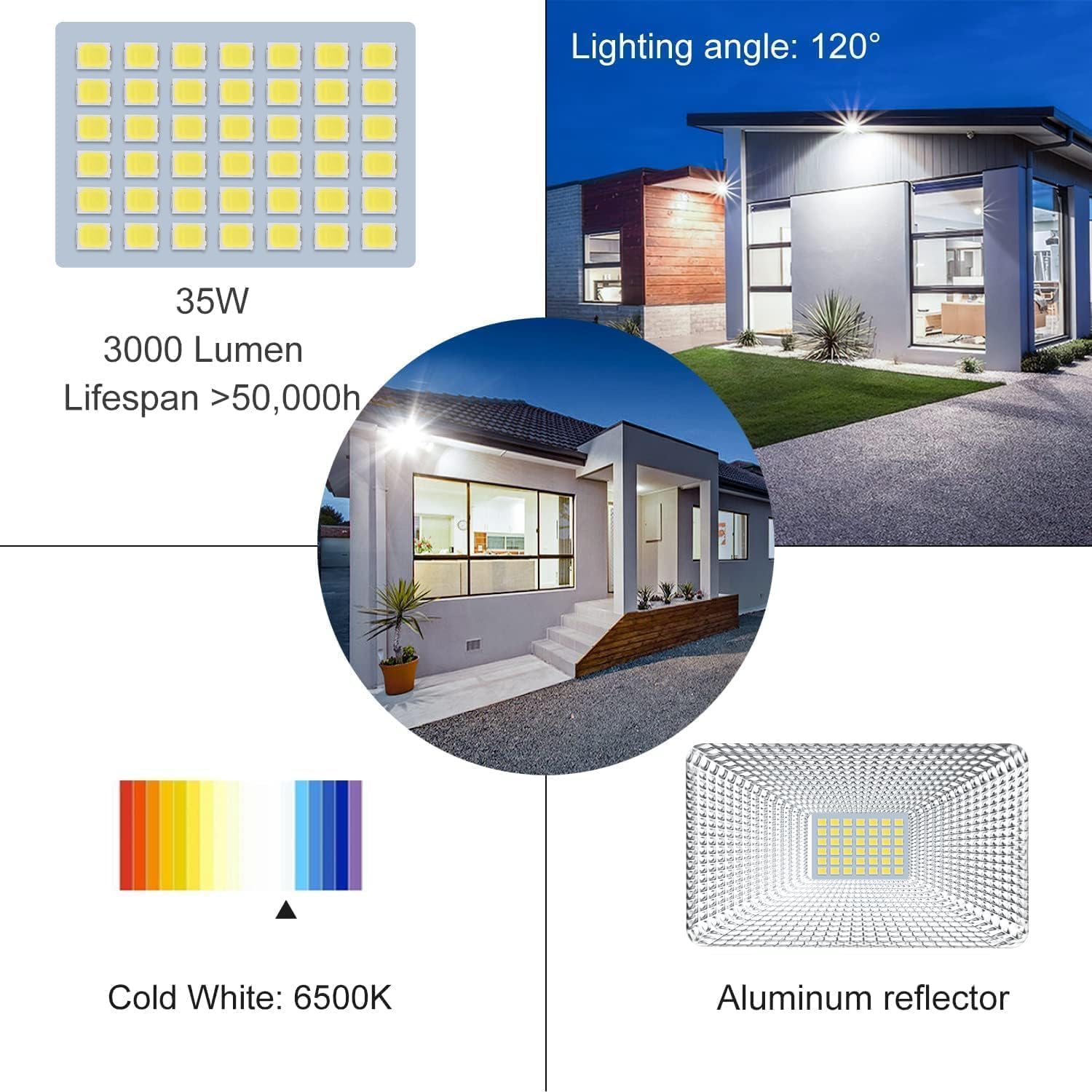
Image: Depicts the CLY LED Projector's IP66 waterproof rating, showing its resistance to rain, heat, and cold weather conditions, ensuring durability in various outdoor environments.
Image: Shows the back of the CLY LED Projector, highlighting its excellent heat dissipation design with fins. It also indicates the 1-meter cable length and the plastic-clad aluminum construction for insulation and safety.
Troubleshooting
If you encounter issues with your CLY LED Outdoor Projector, refer to the following common problems and solutions:
| Problem | Possible Cause | Solution |
|---|---|---|
| Light does not turn on. | No power supply. Sensor setting is incorrect (e.g., set to 'Moon' during daytime). Motion sensor is obstructed. | Check power connections and circuit breaker. Adjust the 'M' dial to 'Sun' for testing, or wait until dark if set to 'Moon'. Clear any obstructions from the sensor lens. |
| Light stays on continuously. | Continuous motion in detection area. Sensor sensitivity is too high. Faulty sensor. | Ensure no constant movement in the sensor's field of view. Adjust the 'M' dial to a lower sensitivity or 'Moon' setting. Contact customer support if the issue persists. |
| Light flashes or flickers. | Unstable power supply. Loose wiring connection. Product defect. | Check your electrical supply. Verify all wire connections are secure (ensure power is OFF first). Contact customer support. |
| Detection range is poor. | Sensor angle is incorrect. Obstructions in detection path. Installation height is too low/high. | Adjust the motion sensor angle for optimal coverage. Remove any objects blocking the sensor's view. Ensure installation height is within the recommended 3-5 meters range. |
Warranty and Customer Support
CLY provides a 2-year replacement service for this product. If you experience any issues or have questions regarding your CLY 35W LED Outdoor Projector, please do not hesitate to contact our customer support team.
You can reach us via Amazon's messaging service or through the service email address provided in your product packaging. We aim to respond to all inquiries within 24 hours.
For more information about CLY products, you may visit the official CLY brand store on Amazon: CLY Brand Store.
Ask a question about this manual
Ask about setup, troubleshooting, compatibility, parts, safety, or missing instructions. Manuals+ will review the question and use this page’s manual context to help answer it.