
GoPro CHDHX-121-CN
GoPro HERO12 Black User Manual
Model: CHDHX-121-CN
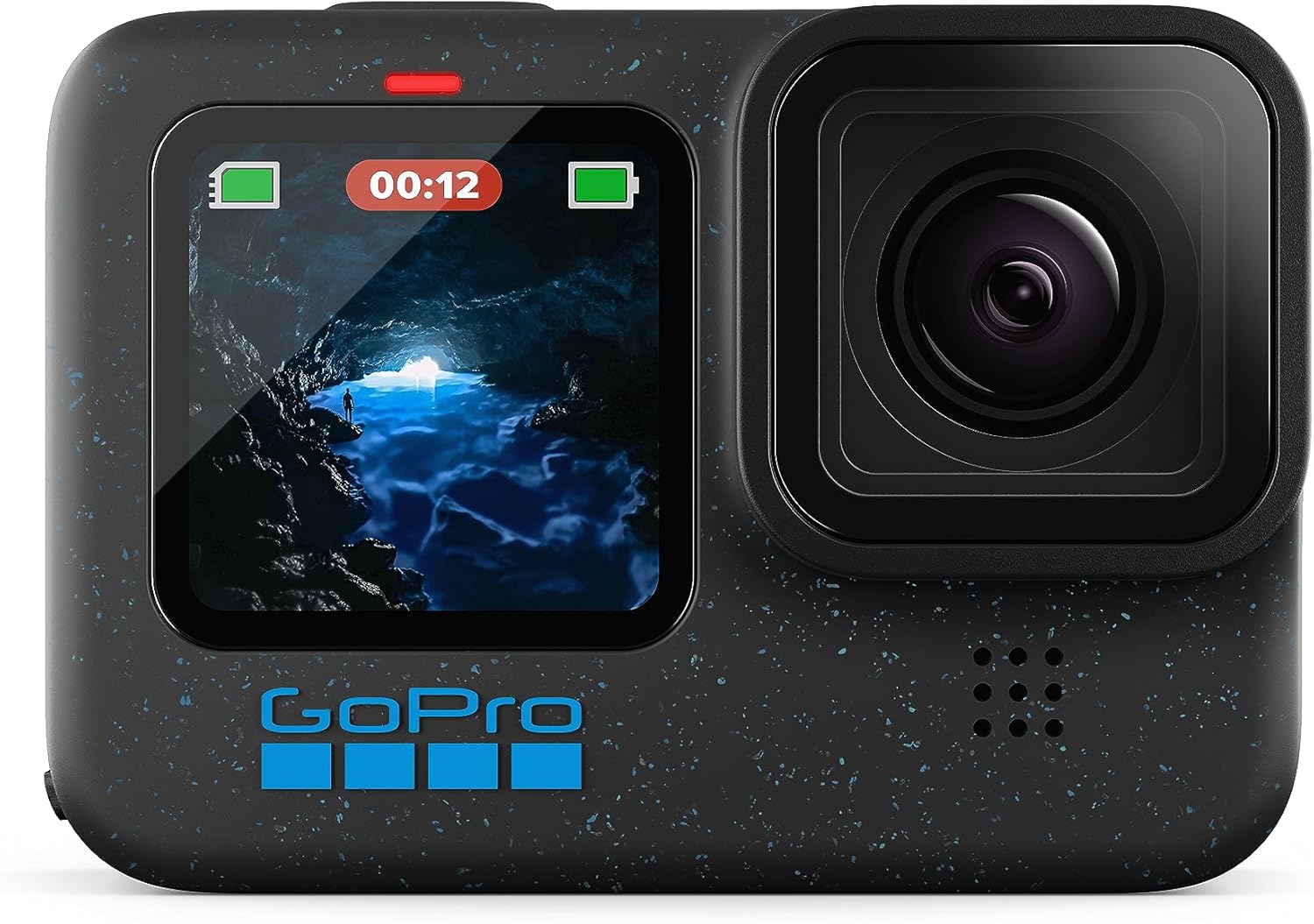
Front view of the GoPro HERO12 Black camera, showcasing its dual screens and lens.
Introduction
The GoPro HERO12 Black is a versatile action camera designed to capture high-quality video and photos in various environments. It features advanced stabilization, extended battery life, and robust construction for durability. This manual provides essential information for setting up, operating, maintaining, and troubleshooting your device.

The HERO12 Black is built to be ultra-durable and waterproof up to 33 feet (10 meters), making it suitable for various adventures.
What's Included
Your GoPro HERO12 Black package includes the following items:
- HERO12 Black Camera
- Enduro Rechargeable Battery
- Curved Adhesive Mount
- Mounting Buckle + Thumb Screw
- USB-C Cable
Getting Started
1. Charging the Battery
Before first use, fully charge the Enduro battery. Connect the included USB-C cable to the camera's USB-C port and a 2A (minimum) USB power adapter. The front status light will indicate charging status.
2. Inserting a microSD Card
The HERO12 Black requires a microSD card (sold separately) to store photos and videos. Open the side door, insert the microSD card with the label facing the front of the camera until it clicks into place. Use a recommended Class 10 or UHS-I/UHS-3 rated card for optimal performance.
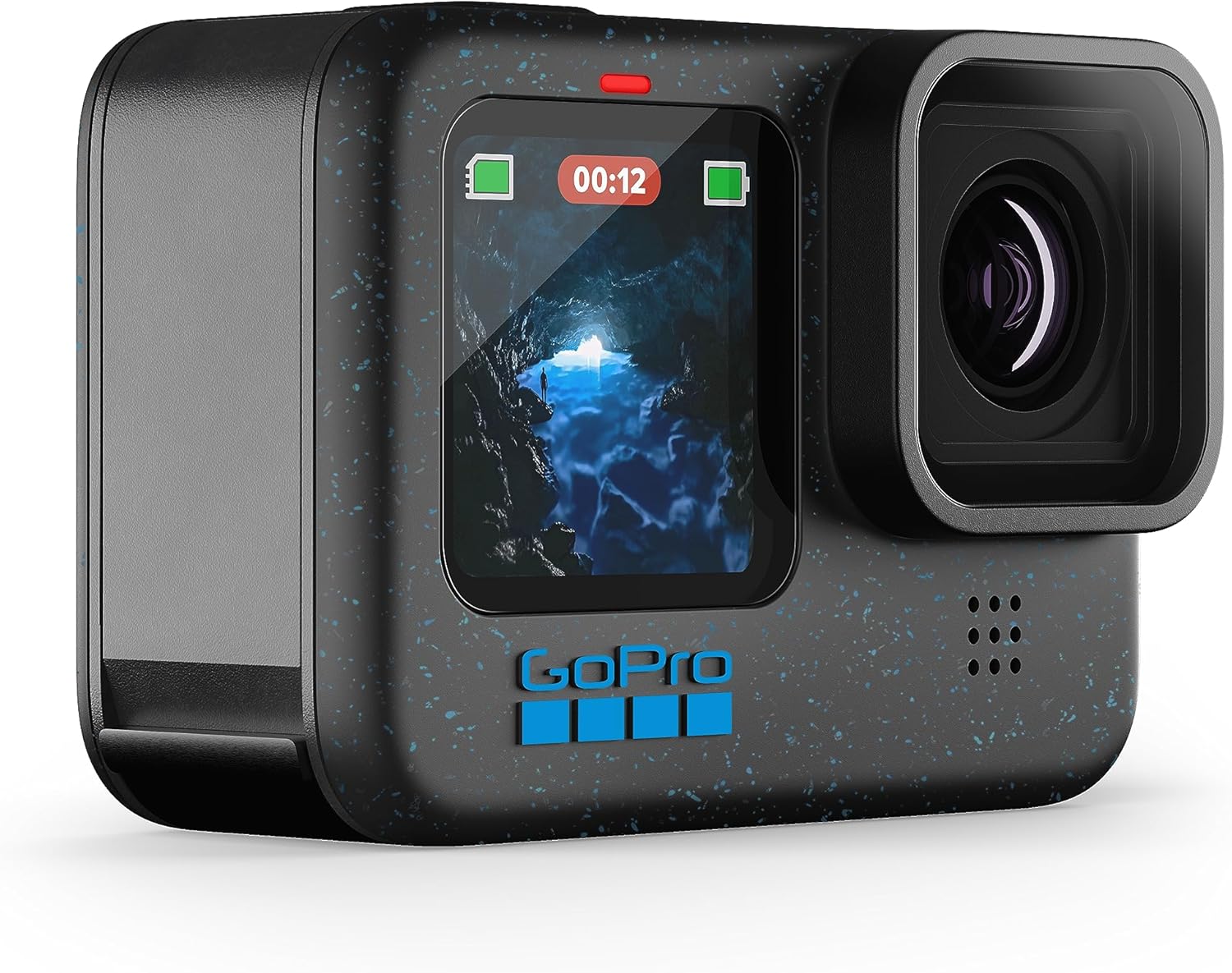
The side door provides access to the battery and microSD card slot.
3. Mounting Your GoPro
Attach the camera to the included curved adhesive mount using the mounting buckle and thumb screw. Ensure the camera is securely fastened before use.

The GoPro HERO12 Black can be easily mounted for hands-free recording.
4. Powering On/Off
To power on, press the Mode button. To power off, press and hold the Mode button for 3 seconds.
Operating Instructions
Basic Controls
Navigate menus and settings using the rear touchscreen display. Swipe and tap to access different modes and options. The Mode button cycles through capture modes (Video, Photo, TimeWarp), and the Shutter button starts/stops recording or takes a photo.
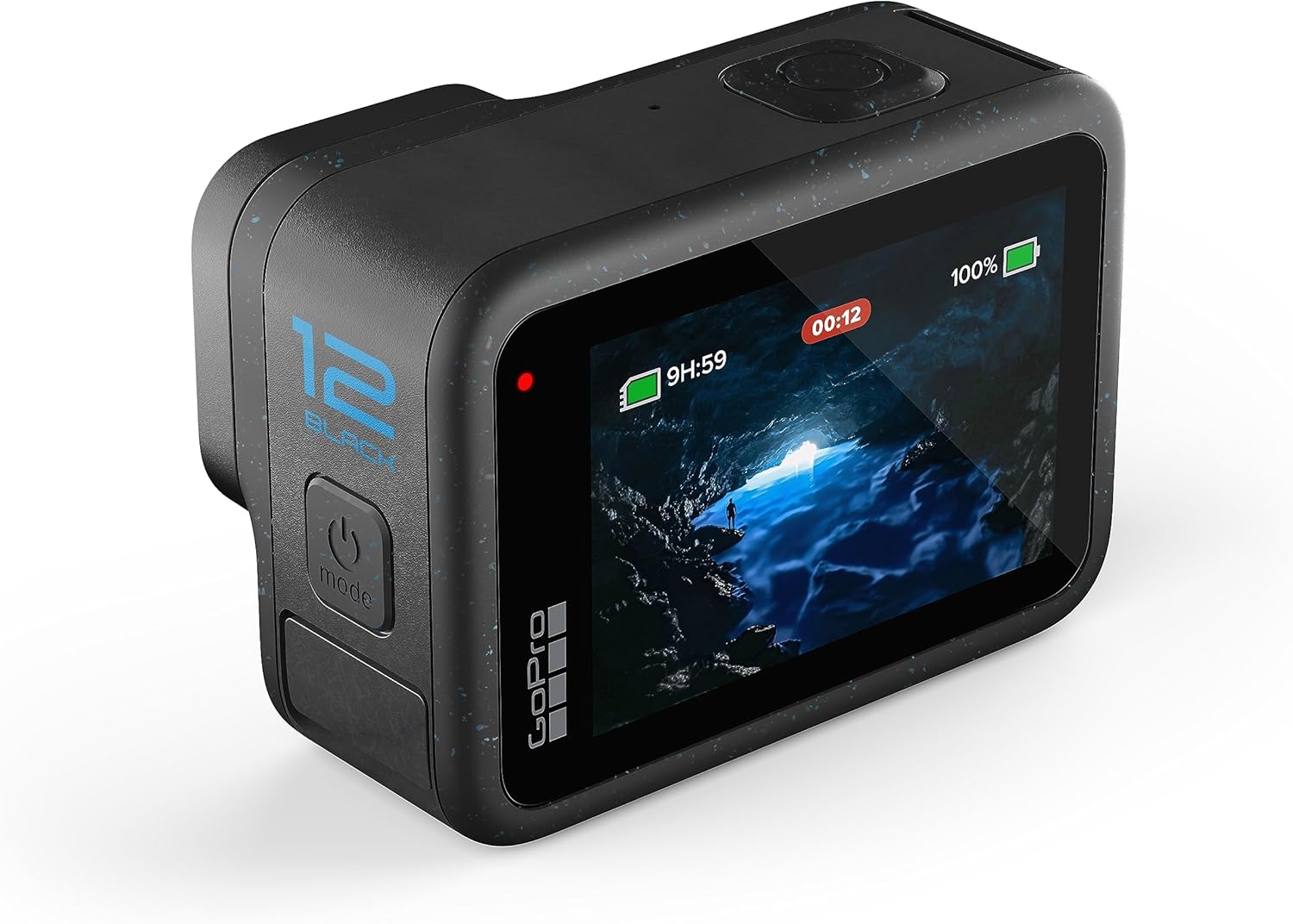
The rear touchscreen allows for easy navigation and setting adjustments.
Video Recording
The HERO12 Black captures stunning video with resolutions up to 5.3K at 60 frames per second (fps). It also supports 4K, 2.7K, and 1080p resolutions. High Dynamic Range (HDR) is available for both 5.3K and 4K video, enhancing detail in both bright and dark areas.

Experience jaw-dropping 5.3K video quality with the HERO12 Black.
Photo Capture
Capture crisp 27MP photos. You can also extract 24.7MP frame grabs directly from your videos using the GoPro Quik app. The camera supports 10-bit color for enhanced color depth and realism.

Capture stunning 27MP photos and 24.7MP frame grabs.
Night Effects
Utilize specialized night effects for creative long-exposure shots:
- Star Trails: Capture the movement of stars across the night sky.
- Light Painting: Create brilliant brush stroke effects with moving light sources.
- Vehicle Light Trails: Record stunning light trails from night-time traffic.

Achieve captivating night effects with ease.
Stabilization
The HERO12 Black features Emmy Award-winning HyperSmooth 6.0 stabilization, ensuring incredibly smooth footage even in challenging conditions. HyperSmooth AutoBoost automatically provides maximum stabilization with minimal image cropping. Built-in Horizon Lock keeps your footage level even if the camera rotates a full 360 degrees.
Versatile Framing
The larger 1/1.9" image sensor allows for flexible framing. Easily switch between traditional wide-screen, vertical, or full-frame capture depending on your content needs. HyperView and SuperView digital lenses provide ultra-wide 16:9 capture.
Audio & Connectivity
New Bluetooth Audio Support allows you to connect Apple AirPods, Bluetooth earbuds, or other wireless mics for improved audio during interviews or narration. You can also use voice commands and receive alerts from your camera. The camera supports Wi-Fi and USB connectivity for file transfer and live streaming.

Connect wireless audio devices for enhanced sound recording.
Advanced Power Tools
The HERO12 Black includes several in-camera power tools to help you capture the perfect shot:
- Hindsight: Captures up to 30 seconds of footage before you press the shutter button, ensuring you don't miss a moment.
- Scheduled Capture: Set your GoPro to turn itself on and automatically capture a shot up to 24 hours in advance.
- Duration Capture: Easily capture video clips from 15 seconds to 3 hours long.
- Interval Photo: Automatically capture photos at fixed intervals while you focus on your activity.

Hindsight ensures you capture moments even if you press the shutter late.
Care & Maintenance
Waterproofing
The HERO12 Black is waterproof to 33ft (10m). Ensure all doors are securely closed before exposing the camera to water. After use in saltwater, rinse the camera with fresh water and dry thoroughly.
Cleaning
Clean the lens and screens with a soft, lint-free cloth. Avoid abrasive materials that could scratch the surfaces. For stubborn dirt, use a small amount of water or lens cleaning solution.
Battery Life & Charging
The Enduro battery provides extended recording times. For optimal battery life, avoid extreme temperatures. When charging, the camera may become warm; this is normal. Ensure you use a power supply that meets the camera's requirements for efficient charging.
Firmware Updates
Keep your camera's firmware updated to ensure optimal performance and access to new features. Updates can typically be performed via the GoPro Quik app or by manually loading firmware onto a microSD card.
Troubleshooting
If you encounter issues with your GoPro HERO12 Black, try the following basic troubleshooting steps:
- Camera Not Responding: Remove and reinsert the battery.
- Recording Issues: Ensure your microSD card is compatible and has sufficient free space. Try reformatting the card (this will erase all data).
- Overheating: In high-performance modes or warm environments, the camera may become hot. If it shuts down, allow it to cool before resuming use. Consider reducing resolution or frame rate if persistent.
- Connectivity Problems: Ensure Wi-Fi and Bluetooth are enabled on both the camera and your device. Restart both devices.
For more detailed troubleshooting, refer to the official GoPro support resources.
Specifications
| Feature | Detail |
|---|---|
| Product Dimensions | 1.32 x 2.83 x 2 inches |
| Item Weight | 12.3 ounces |
| Model Number | CHDHX-121-CN |
| Batteries | 1 LR44 batteries required (included) |
| Photo Sensor Technology | CMOS |
| Video Capture Resolution | 5.3K |
| Maximum Focal Length | 24.4 Millimeters |
| Maximum Aperture | 2 f |
| Flash Memory Type | Micro SD |
| Video Capture Format | MP4 |
| Supported Audio Format | AAC, SBC |
| Screen Size | 2.27 Centimeters |
| Connectivity Technology | Wi-Fi, USB |
Warranty and Support
GoPro products are covered by a limited warranty. For specific warranty terms and conditions, please refer to the official GoPro website or the warranty information included with your product packaging. For technical support, product registration, or service inquiries, visit the official GoPro support page.
GoPro also offers subscription services that may include cloud storage and camera replacement. Visit gopro.com for more information on available subscriptions and support options.
Additional Resources
For more detailed information and comprehensive guides, please refer to the official PDF documents:
Related documentsCHDHX-121-CN


Ask a question about this manual
Ask about setup, troubleshooting, compatibility, parts, safety, or missing instructions. Manuals+ will review the question and use this page’s manual context to help answer it.