
Introduction
This manual provides essential information for the safe and effective use of your GUY-TECH AC/DC Adapter, designed as a replacement power supply for the Konica Minolta DiMage AF-3200 Scan Dual IV 4 Scanner. Please read these instructions carefully before use and retain them for future reference.
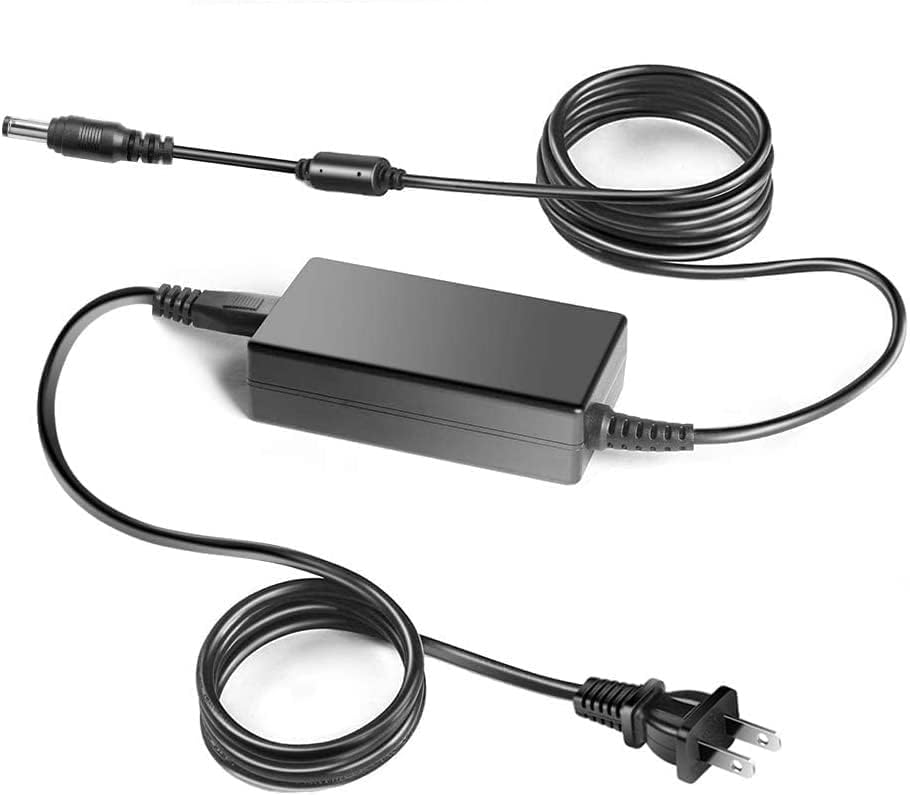
Image: The GUY-TECH AC/DC Adapter with its power cord and output cable.
Setup Instructions
- Unpack the Adapter: Carefully remove the AC/DC adapter and its cables from the packaging. Inspect for any visible damage.
- Connect to Device: Plug the output connector of the AC/DC adapter into the power input port of your Konica Minolta DiMage AF-3200 Scan Dual IV 4 Scanner. Ensure a firm connection.
- Connect to Power Outlet: Insert the AC input plug of the adapter into a standard wall power outlet (100V - 240V).
- Verify Connection: Once connected, your scanner should receive power. Refer to your scanner's manual for specific power indicator lights.

Image: The AC/DC adapter properly connected to a wall outlet and a device, ready for use.
Operating Instructions
The GUY-TECH AC/DC Adapter functions as a dedicated power supply. Once properly connected, it continuously provides the necessary power to your Konica Minolta DiMage AF-3200 Scan Dual IV 4 Scanner. There are no user-adjustable settings on the adapter itself.
- Automatic Operation: The adapter automatically converts the AC wall power to the DC power required by your scanner.
- Safety Features: This adapter is equipped with multiple safety protections including Over Voltage Output Protection, Over Current Output Protection, and Short Circuit Output Protection to safeguard your device.
- Energy Efficiency: Designed for high power exchange efficiency to maintain stable working conditions and control operating temperature.

Image: A collage illustrating the general use of an AC adapter with various electronic devices, highlighting its role in powering equipment.
Safety Information
To ensure safe operation and prevent damage to the adapter or your scanner, please observe the following safety guidelines:
- Compatibility: Only use this adapter with the specified Konica Minolta DiMage AF-3200 Scan Dual IV 4 Scanner or other compatible devices as indicated by the manufacturer.
- Power Source: Connect the adapter only to power outlets within the specified input voltage range (100V-240V).
- Cable Care: Avoid excessive pulling, bending, or rocking of the power cable. Do not place heavy objects on the cable.
- Environment: Do not expose the adapter to water, moisture, high temperatures, or direct sunlight. Use in a well-ventilated area.
- Disconnection: Always grasp the plug, not the cable, when disconnecting from the wall outlet or the device.
- Damage: If the adapter or cable appears damaged, discontinue use immediately and seek a replacement.

Image: A power cable being held, illustrating its robust construction designed to withstand typical handling.
Specifications
| Brand | GUY-TECH |
| Input Voltage | 100V - 240V AC, 50/60Hz |
| Output Voltage/Current | 19V - 2.4A |
| Color | Black |
| Material | Metal, Plastic |
| Certifications | CCC, CE, RoHS |

Image: An exploded view diagram illustrating the internal components of the adapter and its multiple safety protection mechanisms.
Troubleshooting
- No Power to Scanner:
- Ensure the adapter is securely plugged into both the wall outlet and the scanner.
- Check if the wall outlet is functional by plugging in another device.
- Verify that the scanner's power switch (if any) is in the 'ON' position.
- Adapter Feels Warm:
- It is normal for power adapters to generate some heat during operation.
- If the adapter becomes excessively hot to the touch, disconnect it immediately and contact support. Ensure it is used in a well-ventilated area.
- Scanner Malfunction:
- If the scanner is not functioning correctly, ensure the issue is not with the scanner itself. Test the scanner with its original power supply if available, or consult the scanner's instruction manual.
Maintenance
- Cleaning: Disconnect the adapter from all power sources before cleaning. Use a soft, dry cloth to wipe the exterior. Do not use liquid cleaners or solvents.
- Storage: When not in use, store the adapter in a cool, dry place, away from direct sunlight and extreme temperatures. Avoid tightly coiling the cable to prevent damage.
- Inspection: Periodically inspect the adapter and cables for any signs of wear, cuts, or damage.
Warranty and Support
For any questions, technical support, or warranty inquiries regarding your GUY-TECH AC/DC Adapter, please contact the manufacturer or your retailer. Please have your product model and purchase information available when contacting support.
