
Introduction
This manual provides comprehensive instructions for the assembly, use, and care of your HOMCOM TV Stand. Designed for televisions up to 40 inches, this Scandinavian-style unit features four storage drawers, a central open niche, and integrated cable management to enhance your living space. Please read all instructions carefully before assembly and use.
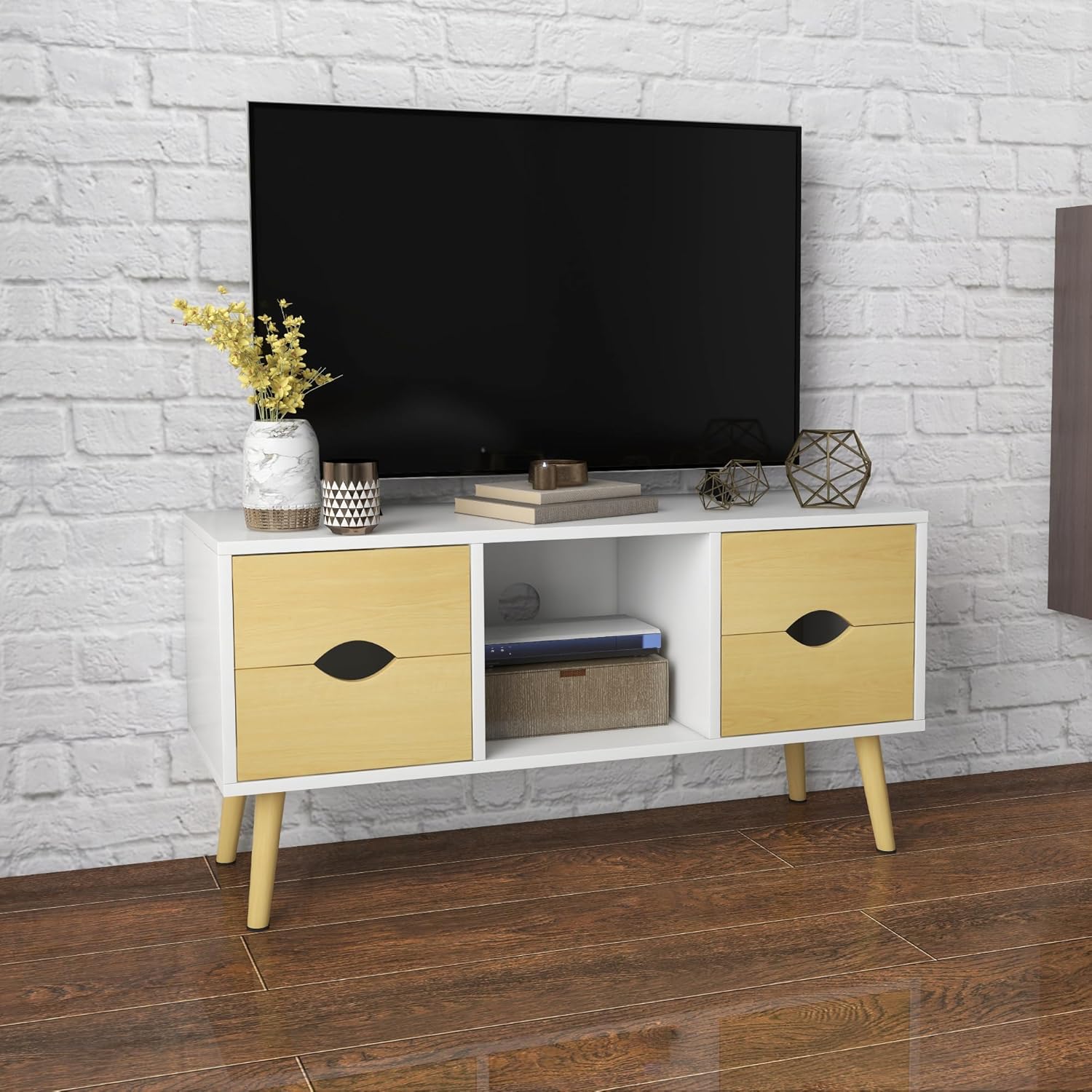
Figure 1: Assembled HOMCOM TV Stand.
Safety Information
- Read the assembly instructions carefully before beginning assembly.
- Avoid overloading the furniture, as this may cause instability and potential injury. The maximum recommended total load is 35 kg.
- Note the cable pass-through at the back to prevent injuries and ensure proper organization of electronic device cables.
- Always place the TV stand on a flat, stable surface.
Package Contents
Before assembly, ensure all parts are present and undamaged. Refer to the included parts list in your package. Typical components include:
- Top Panel
- Side Panels (2)
- Bottom Panel
- Back Panel
- Drawer Panels (for 4 drawers)
- Drawer Slides (8 sets)
- Wooden Legs (4)
- Assembly Hardware (screws, dowels, cam locks, etc.)
Setup and Assembly Instructions
Assemble the unit on a soft, clean surface to prevent scratches. Two people are recommended for assembly.
- Unpack and Verify: Unpack all components and verify them against the parts list provided in your package.
- Attach Legs: Securely attach the four wooden legs to the bottom panel of the TV stand using the provided hardware. Ensure they are tightened firmly.
- Assemble Main Frame: Connect the side panels, top panel, and bottom panel to form the main structure. Use the appropriate screws, dowels, and cam locks as indicated in your specific assembly diagram.
- Install Central Partition and Back Panel: Insert the central partition and then attach the back panel. Ensure the cable pass-through hole aligns correctly with the central niche.
- Assemble Drawers: Assemble the four drawers according to the instructions, then install the drawer slides onto both the drawers and the main unit.
- Insert Drawers: Carefully slide the assembled drawers into their respective compartments.
- Final Placement: Place the TV stand in its desired location, ensuring it is level and stable.

Figure 2: Product Dimensions. Overall dimensions: 90 cm (Length) x 30 cm (Depth) x 46 cm (Height).
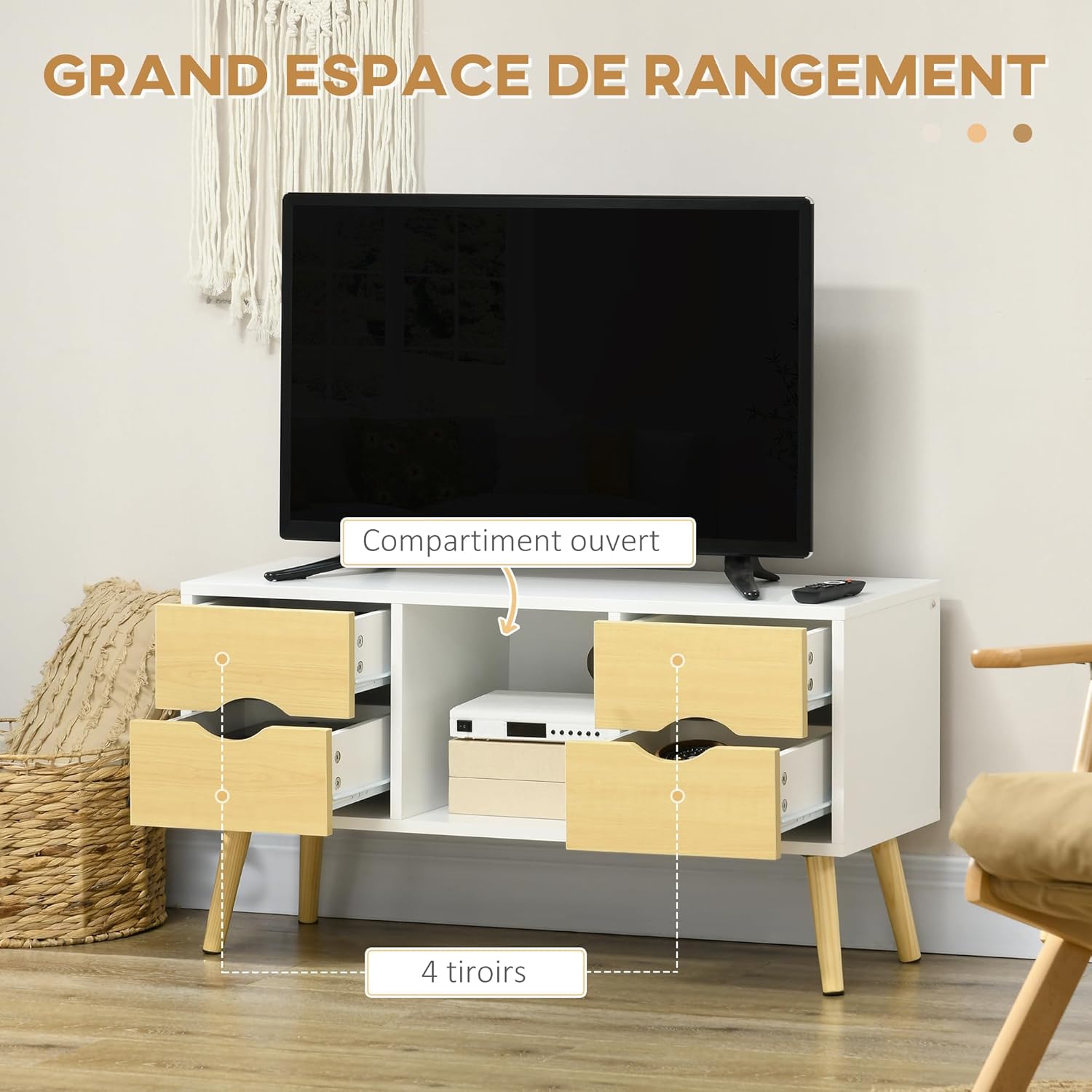
Figure 3: Storage Overview. The unit features four drawers and a central open compartment.
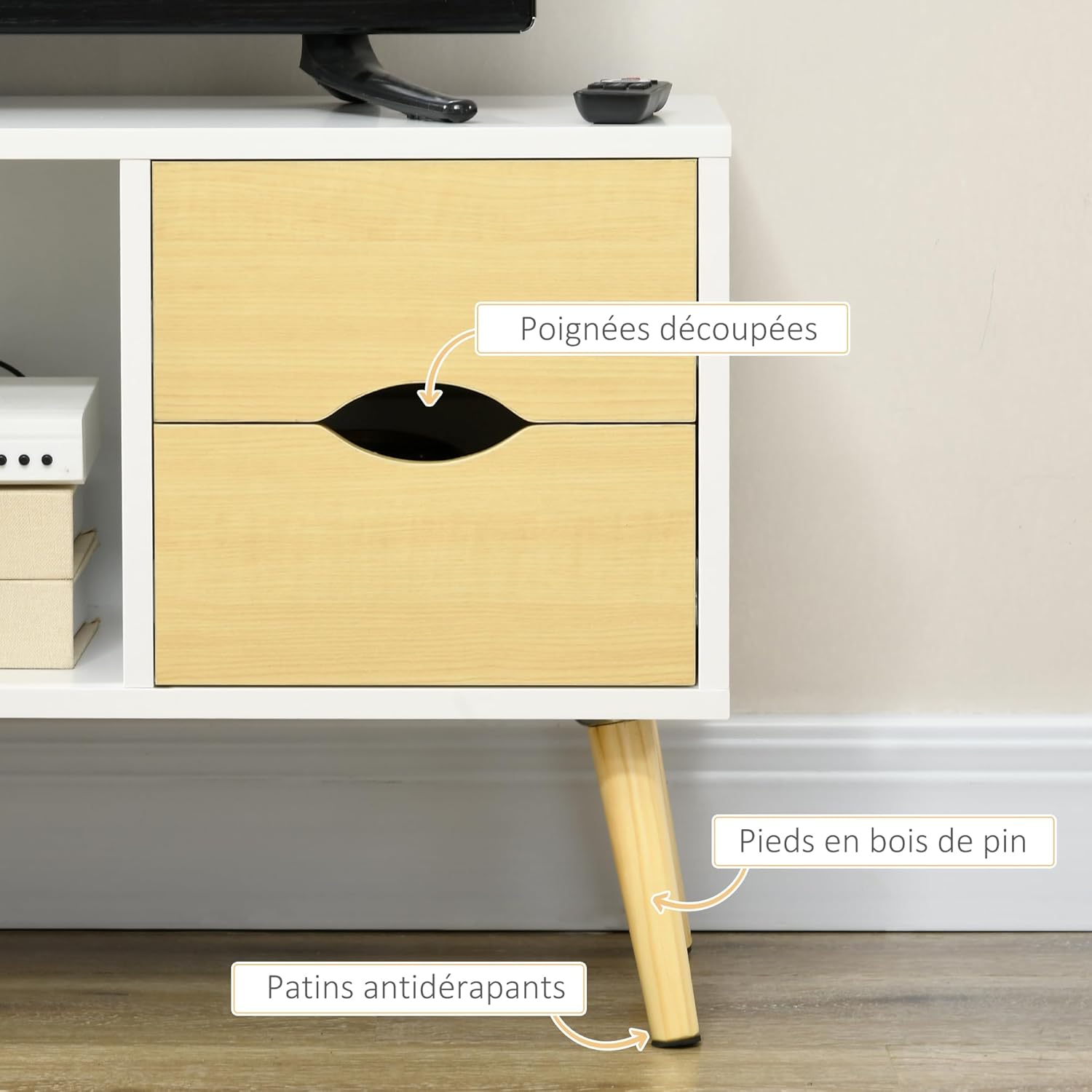
Figure 4: Cable Management. Utilize the rear cable pass-through for organized wiring.

Figure 5: Detail of Wooden Legs and Cut-out Handles. The solid wood legs provide stability, and the drawers feature integrated cut-out handles.

Figure 6: TV Size Compatibility. This stand accommodates TVs up to 40 inches.

Figure 7: Drawer Interior. Ample space for small items.
Operating Instructions
This TV stand is designed for straightforward use and organization.
- Television Placement: Place your television centrally on the top surface. Ensure the TV's base fits securely within the stand's dimensions.
- Media Device Storage: Use the central open niche for media devices such as a DVD player, gaming console, or soundbar.
- Accessory Storage: Utilize the four drawers for storing remote controls, cables, manuals, and other accessories to keep your living area tidy.
- Cable Management: Route all necessary cables through the designated cable pass-through hole at the back of the central niche to maintain a clean and organized appearance.
Maintenance
Proper care will ensure the longevity of your HOMCOM TV Stand.
- Cleaning: Clean the surface with a soft, slightly damp cloth. Avoid abrasive cleaners, harsh chemicals, or solvents, as these can damage the finish.
- Hardware Check: Regularly check all screws, bolts, and fittings to ensure they remain tight. Re-tighten if necessary to maintain stability.
- Environmental Conditions: Do not expose the unit to excessive moisture, extreme temperatures, or direct sunlight for prolonged periods, as this can cause warping or discoloration.
- Spills: Wipe up spills immediately with a dry cloth to prevent moisture damage.
Troubleshooting
- Instability: If the TV stand feels wobbly, ensure all assembly screws are fully tightened. Verify that the stand is placed on a level surface. Adjust the position if needed.
- Drawers Not Sliding Smoothly: Check if the drawer slides are correctly installed and free of any obstructions. Ensure the drawers are not overloaded. A silicone-based lubricant can be applied to the slides if necessary.
- Damaged Parts: If you discover any damaged or missing parts during assembly or use, please contact customer support for assistance. Do not attempt to force damaged parts into place.
Specifications
| Model Number | FR839-754V00WT |
| Brand | HOMCOM |
| Overall Dimensions (L x D x H) | 90 cm x 30 cm x 46 cm |
| Material | Particle Board, Solid Wood Legs |
| Color | White and Natural Wood |
| Maximum Weight Capacity (Total) | 35 kg |
| Maximum Weight Capacity (Top Surface) | 10 kg |
| Maximum Weight Capacity (Per Drawer) | 3 kg |
| Features | 4 sliding drawers, central open niche, cable pass-through, solid wood legs, Scandinavian style |
Warranty Information
Please refer to your purchase documentation for specific warranty details regarding your HOMCOM TV Stand. Typically, products come with a manufacturer's warranty covering defects in materials and workmanship under normal use. Keep your proof of purchase, such as your receipt or order confirmation, as it will be required for any warranty claims.
Customer Support
For further assistance, missing parts, or warranty inquiries, please contact HOMCOM customer service. You can typically find contact information on the packaging, in your purchase confirmation email, or by visiting the official HOMCOM website. When contacting support, please have your model number (FR839-754V00WT) and proof of purchase readily available.