
1. Introduction
This manual provides essential information for setting up, operating, and maintaining your FOREVER Colorum CW-300 Smartwatch. Please read this guide thoroughly before using your device to ensure proper function and longevity. Keep this manual for future reference.
2. Product Overview
The FOREVER Colorum CW-300 is a versatile smartwatch designed for daily activity tracking and smart notifications. It features a round 1.20-inch touchscreen display with 240x240 px resolution and Bluetooth 5.0 connectivity for seamless integration with Android and iOS smartphones. The watch is IP68 waterproof, making it suitable for various activities, including swimming.

Image: The FOREVER Colorum CW-300 Smartwatch on a user's wrist, displaying activity metrics.
Key functionalities include a comprehensive activity tracker, heart rate monitoring, sleep analysis, and 14 distinct sport modes. It also offers convenient features such as music and camera remote control for your smartphone.
3. Getting Started (Setup)
3.1 Unboxing and Components
Upon opening the package, ensure all components are present:
- FOREVER Colorum CW-300 Smartwatch
- Magnetic Charging Cable
- Protective Case (optional, if included in your specific package)
- User Manual (this document)
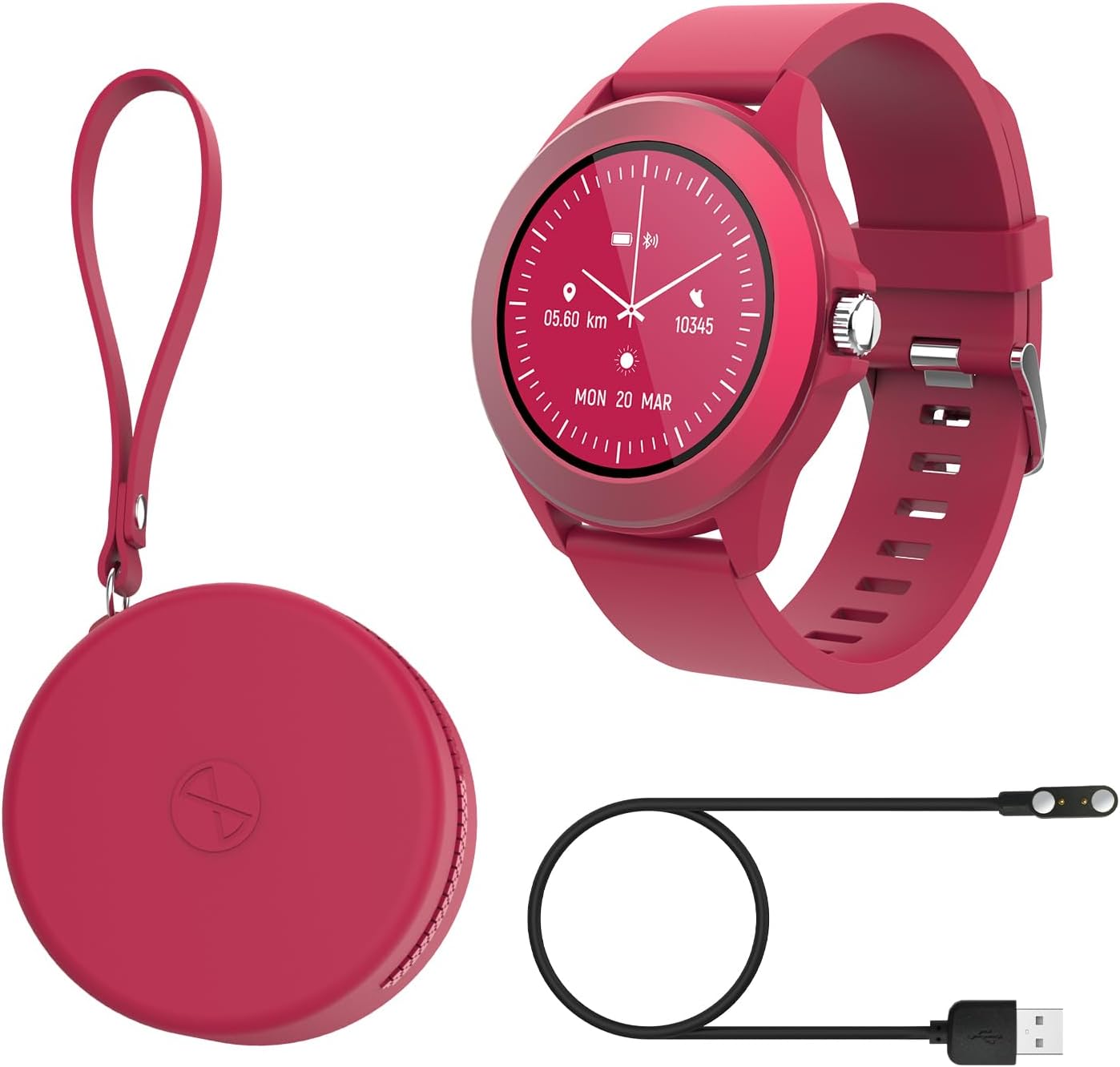
Image: Contents of the FOREVER Colorum CW-300 package, including the smartwatch, charging cable, and case.
3.2 Charging the Smartwatch
Before first use, fully charge your smartwatch. Connect the magnetic charging cable to the charging contacts on the back of the watch and plug the USB end into a standard USB power adapter (not included) or a computer's USB port. The watch display will indicate charging status. A full charge typically takes approximately 2 hours.
3.3 Pairing with Your Smartphone
- Download the companion app (e.g., 'Forever Smart' or similar, check packaging for exact app name) from your smartphone's app store (Google Play Store for Android, Apple App Store for iOS).
- Ensure Bluetooth is enabled on your smartphone.
- Open the app and follow the on-screen instructions to create an account or log in.
- In the app, select 'Add Device' or 'Pair Device' and choose 'CW-300' from the list of available devices.
- Confirm the pairing request on both your smartphone and the smartwatch.
4. Operating Your Smartwatch
4.1 Basic Navigation
The CW-300 features a full touchscreen display. Swipe left, right, up, or down to navigate through menus and functions. Press the physical button on the side to return to the home screen or wake the device.
4.2 Time Display and Watch Faces
The default screen displays the time. You can customize watch faces through the companion app or by long-pressing the watch face on the device and swiping to select a new one.
4.3 Notifications
Once paired, the smartwatch will display notifications from your smartphone, including calls, messages, and app alerts. Manage which app notifications appear on your watch through the companion app settings.
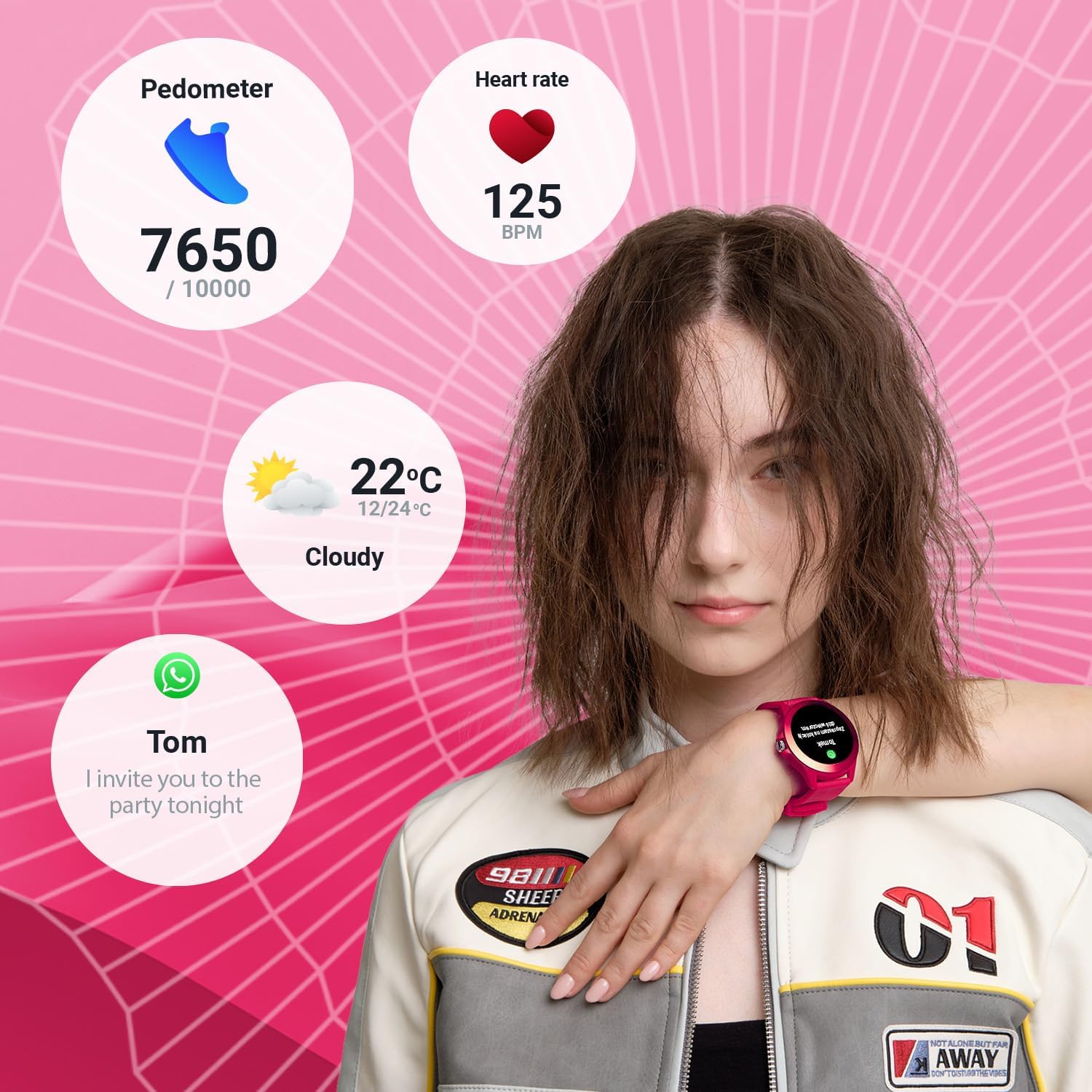
Image: The smartwatch display showing various data points including steps, heart rate, weather, and a message notification.
4.4 Music Control
Access the music control feature on your watch to play, pause, skip tracks, and adjust volume for music playing on your connected smartphone.
4.5 Camera Remote
Use the camera remote function to trigger your smartphone's camera shutter from your smartwatch, making it easier to take photos.
5. Health and Fitness Tracking
5.1 Activity Tracker
The smartwatch continuously tracks your daily activity, including steps taken and calories burned. View your progress towards daily goals on the watch or in the companion app.
5.2 Heart Rate Monitor
The built-in heart rate sensor monitors your heart rate throughout the day. Access real-time readings on the watch and review historical data in the app.

Image: Close-up view of two smartwatches, highlighting the heart rate monitoring feature with a graph.
5.3 Sleep Monitor
Wear your smartwatch to bed to track your sleep patterns. The device analyzes sleep quality, including deep and light sleep stages, providing insights in the companion app.
5.4 Sport Modes
The CW-300 offers 14 different sport modes to accurately track your workouts. These include:
- Running
- Fitness
- Cycling
- Swimming
- Climbing
- March
- Stairs
- Golf
- Yoga
- Hiking
- Orbiting
- Badminton
- Kayaking
- Treadmill

Image: The smartwatch display showcasing the icons for its 14 different sport modes.
5.5 Menstrual Cycle Monitor
For female users, the integrated menstrual monitor allows for easy tracking of the menstrual cycle within the companion app.
6. Maintenance
6.1 Cleaning
Regularly clean your smartwatch and strap with a soft, dry cloth. If necessary, use a slightly damp cloth with mild soap, then wipe dry. Avoid harsh chemicals or abrasive materials.
6.2 Water Resistance (IP68)
The CW-300 is IP68 rated, meaning it is resistant to dust and can withstand immersion in water up to 1.5 meters for up to 30 minutes. It is suitable for showering and swimming in shallow water. However, it is not recommended for diving, high-pressure water activities, or exposure to hot water/steam, which can compromise the seal.
6.3 Battery Care
To prolong battery life, avoid fully discharging the watch frequently. Charge the device regularly, and if storing for an extended period, ensure it has at least a 50% charge.
7. Troubleshooting
7.1 Watch Not Turning On
- Ensure the watch is fully charged. Connect it to the charger for at least 30 minutes.
- Press and hold the side button for 10-15 seconds to attempt a forced restart.
7.2 Unable to Pair with Smartphone
- Make sure Bluetooth is enabled on your smartphone and the watch is within range.
- Restart both your smartphone and the smartwatch.
- Ensure the companion app is updated to the latest version.
- If previously paired, try unpairing the device from your phone's Bluetooth settings and then re-pairing through the app.
7.3 Inaccurate Health Data
- Ensure the watch is worn snugly on your wrist, but not too tight.
- Clean the sensors on the back of the watch.
- Environmental factors and individual physiology can affect sensor accuracy.
7.4 Notifications Not Appearing
- Check if the watch is properly connected to your smartphone via Bluetooth.
- Verify notification permissions for the companion app in your phone's settings.
- Ensure specific app notifications are enabled within the companion app.
8. Specifications
| Brand | FOREVER |
| Model Name | CW-300 |
| Operating System | AsteroidOS |
| Screen Size | 1.20 Inches (1.22 Inches in some specifications) |
| Display Resolution | 240 x 240 px |
| Connectivity | Bluetooth 5.0 |
| Water Resistance | IP68 |
| Special Features | Time display, Alarm clock, Pedometer, Heart Rate Monitor, Sleep Monitor, Calorie Counter, 14 Sport Modes, Menstrual Cycle Monitor, Music Control, Camera Remote |
| Compatible Devices | Smartphone (Android/iOS) |
| Battery Type | Lithium-ion |
| GPS | Via smartphone |
| Shape | Round |
9. Warranty and Support
Information regarding specific warranty details, availability of spare parts, and guaranteed software updates for the FOREVER Colorum CW-300 Smartwatch is not available in the provided product data.
For any issues not covered in this manual or for further assistance, please refer to the official FOREVER website or contact their customer support directly. Keep your proof of purchase for any warranty claims.


