
Introduction
The DOOGEE V31GT is a state-of-the-art 5G rugged smartphone designed for durability and high performance in challenging environments. It integrates advanced features such as a thermal imaging camera, a powerful processor, and a long-lasting battery, making it suitable for both professional and outdoor use.

The DOOGEE V31GT, showcasing its robust design and key features like thermal imaging and large memory capacity.
What's in the Box
Upon unboxing your DOOGEE V31GT, please ensure all the following items are present:
- DOOGEE V31GT Smartphone
- USB Cable
- Power Adapter (not explicitly listed but implied for 66W charging)
- SIM Ejector Tool (implied for SIM card installation)
Setup Guide
1. SIM Card and TF Card Installation
The DOOGEE V31GT supports dual Nano-SIM cards or one Nano-SIM and one TF (microSD) card for expandable storage.
- Locate the SIM tray on the side of the device.
- Insert the SIM ejector tool into the small hole next to the tray and push gently until the tray pops out.
- Place your Nano-SIM card(s) and/or TF card into the designated slots on the tray, ensuring proper orientation.
- Carefully push the tray back into the device until it is flush with the side.

Illustration of the dual SIM and TF card slot, demonstrating how to insert the cards.
2. Initial Charging
Before first use, it is recommended to fully charge your DOOGEE V31GT. The device supports 66W fast charging.
- Connect the USB cable to the charging port on the phone.
- Connect the other end of the USB cable to the power adapter, and then plug the adapter into a wall outlet.
- The charging indicator will appear on the screen. A full charge can provide up to 960 hours of standby time.

The DOOGEE V31GT features a 10800mAh battery with 66W Super Fast Charging, allowing for quick power-ups.
3. Powering On/Off
- To Power On: Press and hold the Power button (usually on the side) until the DOOGEE logo appears.
- To Power Off: Press and hold the Power button, then select 'Power off' from the options on the screen.
Operating Instructions
Display and Navigation
The DOOGEE V31GT features a 6.6-inch FHD+ display with a 120Hz refresh rate for smooth visuals.

The vibrant 6.58-inch FHD+ display with a 120Hz refresh rate provides a smooth and immersive viewing experience.
Camera Features
The DOOGEE V31GT is equipped with a versatile camera system:
- 50MP AI Main Camera: For high-resolution photos.
- 8MP Fusion Camera (Thermal Imaging): Detects heat signatures with a measuring range of -15°C to 550°C and an ultra-high resolution of 1440x1080. It can detect objects up to 1,000 meters away.
- 24MP Night Vision Camera: Captures clear images in low-light or complete darkness.
- 32MP Front Camera: For high-quality selfies and video calls.
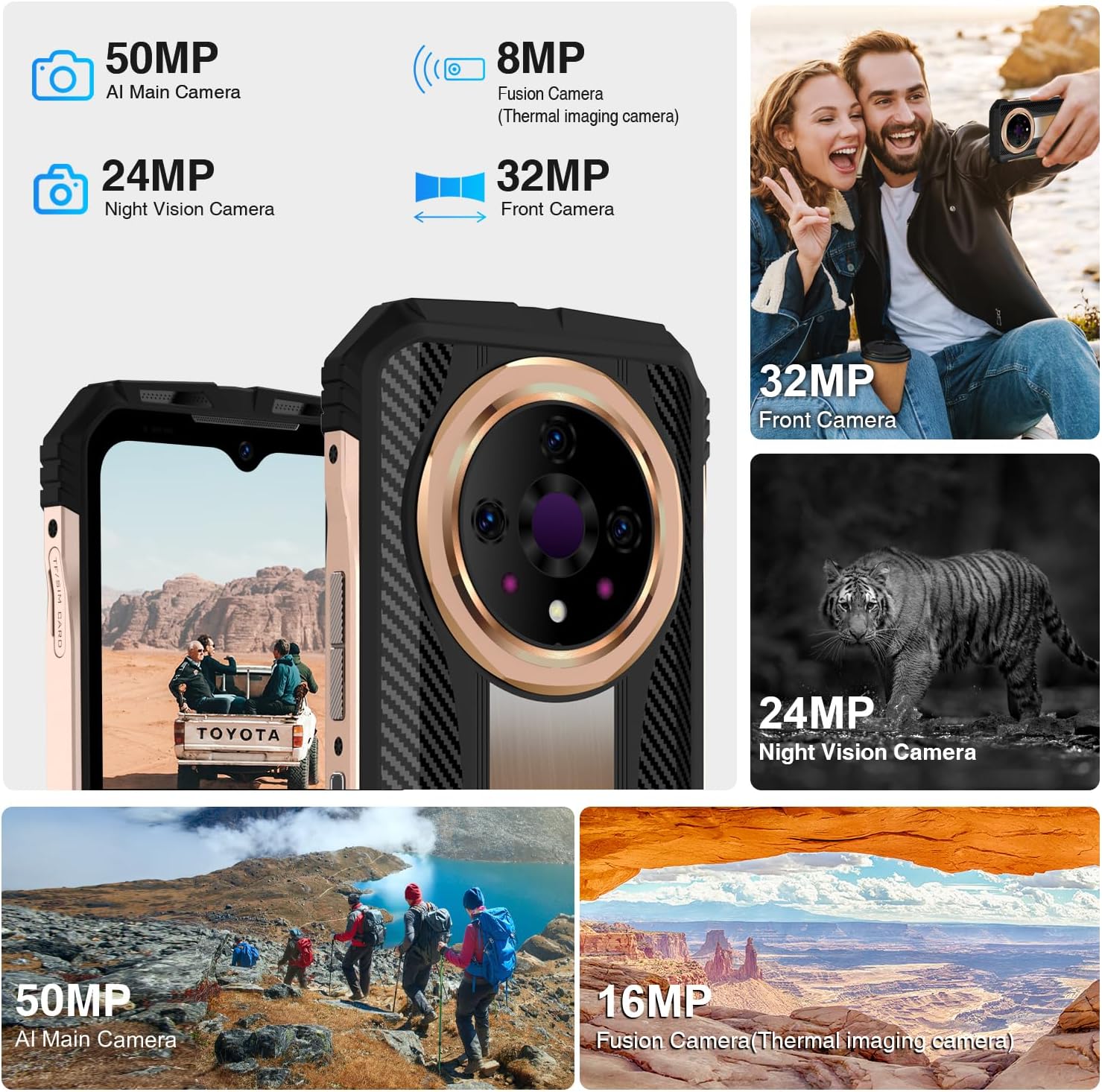
An overview of the DOOGEE V31GT's advanced camera system, highlighting its multiple lenses for various photographic needs.
Thermal Imaging Usage
To use the thermal imaging camera, open the dedicated thermal camera application. You can switch between different display modes and measure temperatures within the specified range.

The thermal imaging interface, demonstrating its ability to capture heat signatures with high resolution and a wide measuring range.

Various practical applications of the thermal imaging camera, from detecting wildlife to assisting first responders and identifying electrical issues.
Video Recording
The device supports 4K video capture, allowing for high-definition video recording.

The camera interface offers various modes including 4K video capture, HDR, Pro Mode, Portrait, and Night Mode for diverse photographic needs.
Connectivity
The DOOGEE V31GT offers comprehensive connectivity options:
- 5G Network Support: For high-speed mobile data.
- Wi-Fi 6: Enhanced wireless internet connectivity.
- NFC: For contactless payments and data transfer.
- GPS: Supports GPS, Glonass, Galileo, Beidou, and AGPS for accurate navigation.

The DOOGEE V31GT supports NFC for convenient contactless payments and quick pairing with other devices.

The device offers robust GPS capabilities, supporting multiple satellite systems for precise navigation.
Security Features
For enhanced security and convenience, the DOOGEE V31GT includes:
- Side Fingerprint Recognition: A fast and secure way to unlock your device.
- Face Unlock: Unlock your phone using facial recognition.

The side fingerprint recognition feature provides convenient and secure access to your device.

Face Unlock offers another fast and secure method for accessing your smartphone.
Audio
Experience rich audio with the powerful dual speakers, enhanced by Hi-Res Audio support.

The DOOGEE V31GT is equipped with powerful dual speakers, delivering high-fidelity audio.
Maintenance
The DOOGEE V31GT is built to withstand harsh conditions, having passed IP68, IP69K, and MIL-STD-810H tests.
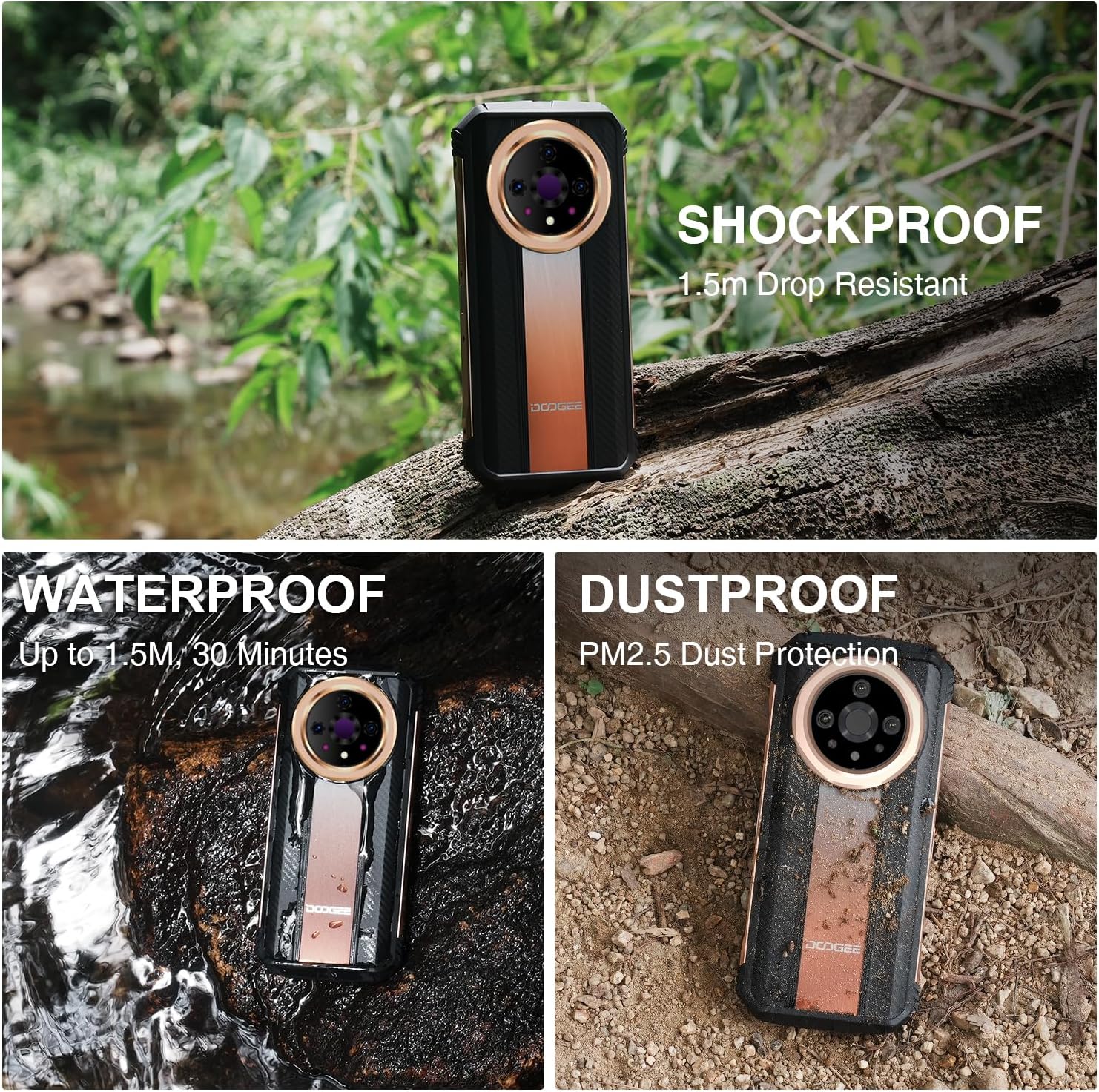
The DOOGEE V31GT is designed to be shockproof, waterproof, and dustproof, ensuring durability in extreme environments.
Cleaning Instructions
- Use a soft, lint-free cloth to clean the screen and body.
- For stubborn dirt, slightly dampen the cloth with water. Avoid harsh chemicals or abrasive materials.
- Ensure all ports are dry before charging or connecting accessories, especially after exposure to water.
Troubleshooting
If you encounter any issues with your DOOGEE V31GT, try the following basic troubleshooting steps:
- Device Unresponsive: Press and hold the Power button for about 10-15 seconds to force a restart.
- Network Issues: Check if your SIM card is properly inserted. Try toggling Airplane Mode on and off.
- Charging Problems: Ensure the USB cable and power adapter are securely connected and undamaged. Try a different outlet.
- App Malfunctions: Close and reopen the app. If the issue persists, clear the app's cache or reinstall it.
For more complex issues, please refer to the official DOOGEE support resources or contact customer service.
Specifications
| Feature | Specification |
|---|---|
| Model Name | DOOGEE V31GT |
| Operating System | Android 13.0 |
| Processor | Dimensity 1080 Octa-core |
| RAM Memory | 20 GB (12GB fixed, 8GB virtual) |
| Internal Storage | 256 GB |
| Expandable Storage | Up to 2 TB (TF Card) |
| Screen Size | 6.6 inches FHD+ (6.9 inches stated in specs, 6.6 inches in title/bullets - using 6.6 as more consistent with marketing) |
| Resolution | 1440 x 1080 (Thermal Camera), 2408 x 1080 (Display) |
| Refresh Rate | 120 Hz |
| Main Camera | 50 MP |
| Thermal Imaging Camera | 8 MP Fusion Camera (1440x1080 resolution, -15°C to 550°C range) |
| Night Vision Camera | 24 MP |
| Front Camera | 32 MP |
| Battery Capacity | 10800 mAh |
| Fast Charging | 66W |
| Durability Rating | IP68, IP69K, MIL-STD-810H |
| Connectivity | 5G, Wi-Fi 6, NFC, GPS (Glonass, Galileo, Beidou, AGPS) |
| Security | Side Fingerprint, Face Unlock |
| Item Weight | 1.52 pounds |
| Color | Gold |
Official Product Videos
DOOGEE V31GT 5G Unlocked Smartphone Overview
This video provides a general overview of the DOOGEE V31GT 5G Unlocked Smartphone, highlighting its design and key features.
Flagship 5G Thermal Imaging System - DOOGEE V31GT Rugged Phone
This video demonstrates the advanced thermal imaging capabilities of the DOOGEE V31GT, showcasing its use in various scenarios.
DOOGEE V31GT All-round Outdoor Photography System
This video highlights the comprehensive outdoor photography features of the DOOGEE V31GT, including its ruggedness and camera performance in different environments.
Warranty and Support
DOOGEE is committed to providing excellent customer service and product reliability.
- 30-Day Money Back Guarantee: If you are not satisfied with your purchase, you may be eligible for a refund within 30 days.
- 2-Year Limited Warranty: Your DOOGEE V31GT is covered by a 2-year limited warranty against manufacturing defects.
- 24/7 Online Support: Access 24/7 online support for any queries or assistance you may need.
For detailed warranty terms and to access support, please visit the official DOOGEE website or contact their customer service team.
