
1. Introduction
This manual provides detailed instructions for the safe and efficient operation of your Hipilove 2-in-1 Humidifier and Dehumidifier Combo. This versatile device is designed to regulate indoor humidity levels, offering both humidification for dry environments and dehumidification for overly moist spaces, contributing to a comfortable and healthy living environment.
2. Important Safety Instructions
- Read all instructions before use.
- Place the device on a stable, flat surface.
- Do not immerse the device in water or other liquids.
- Unplug the device before cleaning or refilling the water tank.
- Keep out of reach of children and pets.
- Use only the provided power adapter.
- Do not block air vents.
- If the device is damaged, do not operate it. Contact customer support.
3. Package Contents
Please check the box for the following items:
- Hipilove 2-in-1 Humidifier and Dehumidifier Combo Unit
- Power Adapter
- Water Tank
- Air Filter (pre-installed)
- User Manual (this document)
4. Product Overview
Familiarize yourself with the main components of your device.
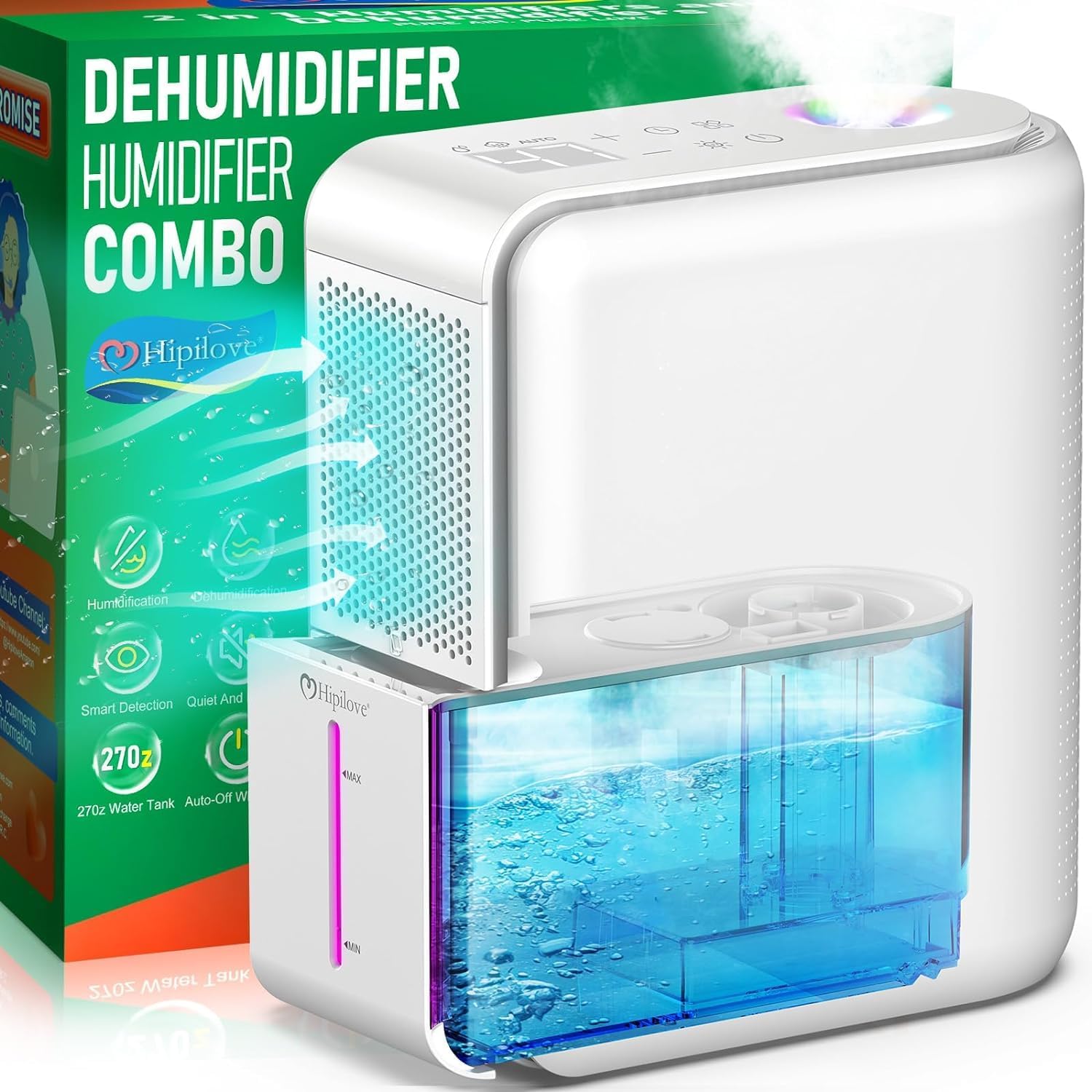
Figure 1: Front view of the Hipilove 2-in-1 Humidifier and Dehumidifier Combo, showing the control panel and water tank.
Control Panel:
- Power Button: Turns the device on/off.
- Mode Button: Cycles through Humidifier, Dehumidifier, and Auto modes.
- Humidity Adjustment (+/-): Increases or decreases target humidity level.
- Timer Button: Sets the operating duration.
- Light Button: Controls the 7-color night light.
- Digital Display: Shows current humidity level and timer settings.
Water Tank:
Located at the bottom front of the unit, easily removable for filling and emptying. Features MIN and MAX indicators.
Air Filter:
Located behind the front grille, accessible for cleaning or replacement.
5. Setup
5.1 Unpacking and Placement
- Remove all packaging materials from the device.
- Place the unit on a firm, level surface away from walls (at least 6 inches clearance) to ensure proper airflow.
5.2 Inserting the Filter
The air filter is typically pre-installed. If not, or for re-insertion after cleaning:
- Gently pull the front grille cover to remove it.
- Insert the filter into the designated slot.
- Replace the grille cover.

Figure 2: The filter is inserted into the side compartment of the unit.
5.3 Filling the Water Tank (for Humidification)
- Grip the red indicated areas on the water tank and pull it outwards to remove it from the main unit.
- Open the lid of the water tank.
- Fill the tank with clean, distilled water up to the "MAX" line. Do not overfill.
- Close the lid securely and slide the water tank back into the unit until it clicks into place.

Figure 3: The water tank is removed and filled with water, ensuring not to exceed the maximum fill line.
5.4 Power Connection
- Connect the power adapter to the device's power port.
- Plug the power adapter into a suitable electrical outlet.

Figure 4: The power cord is connected to the back of the unit.
6. Operating Instructions
6.1 Power On/Off
- Press the Power Button (circle with vertical line) on the control panel to turn the device on.
- Press the Power Button again to turn it off.
6.2 Mode Selection
The device offers three operating modes:
- Auto Mode: The device intelligently detects the current room humidity and automatically switches between humidification and dehumidification to maintain a comfortable humidity level (typically 45-55%).
- Humidifier Mode: Adds moisture to the air. Ideal for dry environments.
- Dehumidifier Mode: Removes excess moisture from the air. Ideal for humid environments.
Press the Mode Button (square with four smaller squares) to cycle through these modes.
Video 1: A demonstration of the Hipilove 2-in-1 Humidifier and Dehumidifier's control panel, showing how to select different modes and adjust settings. The video highlights the automatic mode, which intelligently switches between humidification and dehumidification based on room conditions.
6.3 Humidity Adjustment
- In Humidifier or Dehumidifier mode, use the '+' and '-' buttons to set your desired humidity level (range typically 0-100%).
- The digital display will show the set humidity.
6.4 Timer Function
- Press the Timer Button (clock icon) to set the operating duration (e.g., 2, 4, 8 hours).
- The device will automatically turn off after the set time.
6.5 Night Light / Color Light Function
- Press the Light Button (sun icon) to turn the 7-color night light on or off.
- The light can be used independently of the humidification/dehumidification functions.
Video 2: A user demonstrates the various functions of the Hipilove 2-in-1 Humidifier and Dehumidifier, including filling the water tank, operating the control panel, and showcasing the quiet operation and changing LED lights.
7. Maintenance
Regular maintenance ensures optimal performance and longevity of your device.
7.1 Cleaning the Water Tank
- Remove the water tank from the unit.
- Empty any remaining water.
- Clean the tank with a soft brush and mild detergent. Rinse thoroughly.
- Allow the tank to air dry completely before re-inserting.
7.2 Replacing the Air Filter
The air filter should be checked regularly and replaced every 3-6 months, or more frequently depending on usage and air quality.
- Turn off and unplug the device.
- Remove the front grille cover.
- Remove the old filter and dispose of it properly.
- Insert a new Hipilove compatible filter.
- Replace the front grille cover.

Figure 5: The air filter is easily accessible for replacement by removing the front panel.
7.3 General Cleaning
- Wipe the exterior of the device with a soft, damp cloth.
- Do not use abrasive cleaners or solvents.
- Ensure all vents are clear of dust and debris.
8. Troubleshooting
| Problem | Possible Cause | Solution |
|---|---|---|
| Device does not turn on | Not plugged in; Power outlet malfunction; Power button not pressed. | Ensure power adapter is securely plugged in; Try a different outlet; Press the Power Button firmly. |
| No mist/water collection | Water tank empty (humidifier mode); Filter clogged; Incorrect mode selected. | Refill water tank; Clean or replace filter; Select appropriate mode (Humidifier for mist, Dehumidifier for water collection). |
| Unusual noise | Device not on a flat surface; Obstruction in fan. | Place on a stable, flat surface; Check for and remove any obstructions. |
| Water leakage | Water tank not properly seated; Tank overfilled. | Ensure water tank is correctly inserted; Do not fill past the MAX line. |
9. Specifications
- Brand: Hipilove
- Model Name: 2 in1 Humidifier and Dehumidifier HD012
- Floor Area: 350 Square Feet
- Special Feature: Quiet Operation
- Capacity: 700 Milliliters (Water Tank)
- Item Weight: 2.19 pounds (35 Ounces)
- Wattage: 28 watts
- Operation Mode: Ultrasonic
- Product Dimensions: 4.72 x 8.46 x 9.72 inches
- UPC: 749874179480
10. Warranty and Support
Hipilove offers the following:
- 90-Day Refund Guarantee: If you are not satisfied with the product.
- 24-Month Full Warranty: Covers manufacturing defects and malfunctions.
- 24-Hour Customer Service: For questions, comments, or warranty information.
For support, you can:
- Call: +1 (206) 202-0232
- Email: support@hipilove.com
- Visit: www.hipilove.com
- YouTube Channel: https://www.youtube.com/@HipiloveAmazon