1. Introduction
Thank you for choosing the IDEALHOUSE Console Table. This manual provides detailed instructions for assembly, usage, and maintenance to ensure safe and optimal performance of your new furniture. Please read this manual thoroughly before beginning assembly and retain it for future reference.
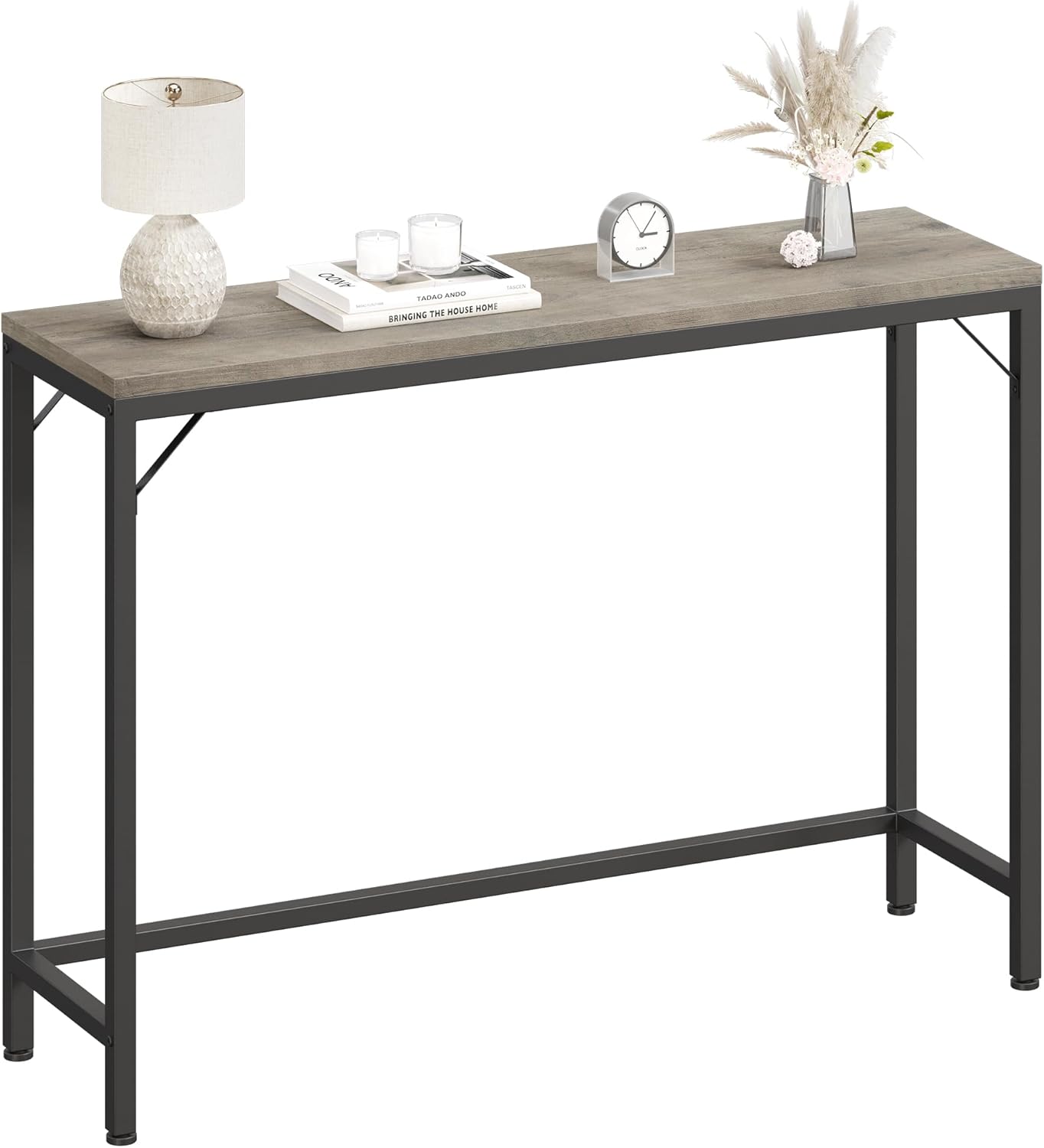
Image 1.1: The IDEALHOUSE Grey Console Table, showcasing its slim profile and industrial design, adorned with a lamp, books, and small decorative elements.

Image 1.2: A detailed view of the grey wood grain texture on the console table's tabletop, highlighting its finish.
2. Safety Instructions
- Always assemble the table on a soft, clean surface to prevent scratches.
- Ensure all screws and fasteners are securely tightened before use. Periodically check and re-tighten as needed.
- Do not exceed the maximum weight capacity of 110 lbs (50 kg).
- Keep small parts away from children during assembly to prevent choking hazards.
- Do not stand or climb on the table.
- For added stability, consider securing the table to a wall, especially if placing heavy items on top or if children are present.
3. Package Contents
Please verify that all components listed below are present before beginning assembly. If any parts are missing or damaged, please contact customer support.
| Component | Quantity |
|---|---|
| MDF Board (Tabletop) | 1 |
| Metal Frame (Legs and Supports) | 1 set |
| Accessory Bag (Screws, Allen Wrench, Adjustable Feet) | 1 |
| Instruction Manual | 1 |
4. Setup and Assembly
Assembly is designed to be straightforward and typically takes about 20 minutes. Follow these steps carefully:
- Unpack Components: Carefully remove all parts from the packaging and lay them out on a soft, clean surface to prevent damage. Identify each component using the provided labels.
- Assemble Metal Frame: Connect the vertical leg pieces to the horizontal support bars using the screws from the accessory bag. Ensure all connections are finger-tightened initially.
- Attach Tabletop: Align the MDF tabletop with the assembled metal frame. Secure the tabletop to the frame using the designated screws.
- Tighten All Screws: Once all parts are in place, use the included Allen wrench to fully tighten all screws. Do not overtighten.
- Adjust Feet: The table is equipped with adjustable feet. Place the table in its desired location and adjust the feet by rotating them clockwise or counter-clockwise until the table is stable and level on uneven floors.

Image 4.1: Detail of the adjustable foot at the base of the table leg, designed to provide stability on uneven surfaces.
5. Operating (Usage)
The IDEALHOUSE Console Table is versatile and can be used in various settings:
- Behind a Sofa: Ideal for placing lamps, remote controls, drinks, or decorative items.
- Entryway/Hallway: Perfect for keys, mail, small bags, or as a display surface for decor.
- Bedroom: Can serve as a narrow desk or a display table.
- Kitchen/Dining Area: Provides additional surface area for serving or storage.

Image 5.1: The console table positioned in an entryway, serving as a functional and decorative piece beneath a set of framed mirrors.

Image 5.2: The console table placed in a bedroom, functioning as a narrow side table next to a bed, holding a lamp and a small plant.

Image 5.3: Two console tables arranged together behind a sofa, demonstrating how multiple units can create a larger continuous surface.

Image 5.4: The console table configured as a compact workspace, featuring a laptop and a matching stool, ideal for small areas.
6. Maintenance
- Cleaning: Wipe the table surface with a soft, damp cloth. Avoid harsh chemicals or abrasive cleaners, as they may damage the finish.
- Spills: Clean up spills immediately to prevent staining or damage to the MDF board.
- Heat and Moisture: Avoid placing hot items directly on the surface. Use coasters for drinks to protect against moisture rings.
- Sunlight: Prolonged exposure to direct sunlight may cause fading or discoloration.
- Hardware Check: Periodically check all screws and connections to ensure they remain tight. Re-tighten if necessary.
7. Troubleshooting
| Problem | Possible Cause | Solution |
|---|---|---|
| Table is wobbly/unstable. | Uneven floor or loose screws. | Adjust the leveling feet at the bottom of the legs. Ensure all assembly screws are fully tightened. |
| Parts are missing or damaged. | Packaging error or shipping damage. | Do not proceed with assembly. Contact IDEALHOUSE customer support immediately for replacement parts. |
| Difficulty assembling. | Incorrect step order or misidentification of parts. | Review the assembly instructions carefully. Ensure each part is correctly oriented before tightening screws. |
8. Specifications
- Brand: IDEALHOUSE
- Model Name: ST001
- Color: Grey
- Product Dimensions (L x W x H): 39.4" x 9.1" x 31.4" (100 cm x 23.1 cm x 79.8 cm)
- Item Weight: 12.1 Pounds (5.49 kg)
- Maximum Weight Recommendation: 110 Pounds (50 kg)
- Material: Engineered Wood (Tabletop), Metal (Frame)
- Included Components: MDF Board, Metal Frame, Accessory Bag, Instruction Manual
- Indoor/Outdoor Usage: Indoor
9. Warranty and Support
IDEALHOUSE is committed to providing high-quality products. For specific warranty information, including coverage and duration, please refer to the warranty card included with your purchase or visit the official IDEALHOUSE website. For any questions, concerns, or assistance with your product, please contact IDEALHOUSE customer support.
Contact Information: Please refer to the contact details provided on the product packaging or the official IDEALHOUSE website for the most up-to-date support information.
Thank you for choosing IDEALHOUSE.