
AMHIL MF-230
AMHIL MF-230 Series Toner Cartridge User Manual
Model: MF-230 Series
Introduction
This user manual provides essential information for the installation, operation, and maintenance of your AMHIL MF-230 Series compatible toner cartridge. Please read this manual carefully before use to ensure optimal performance and longevity of your cartridge and printer.
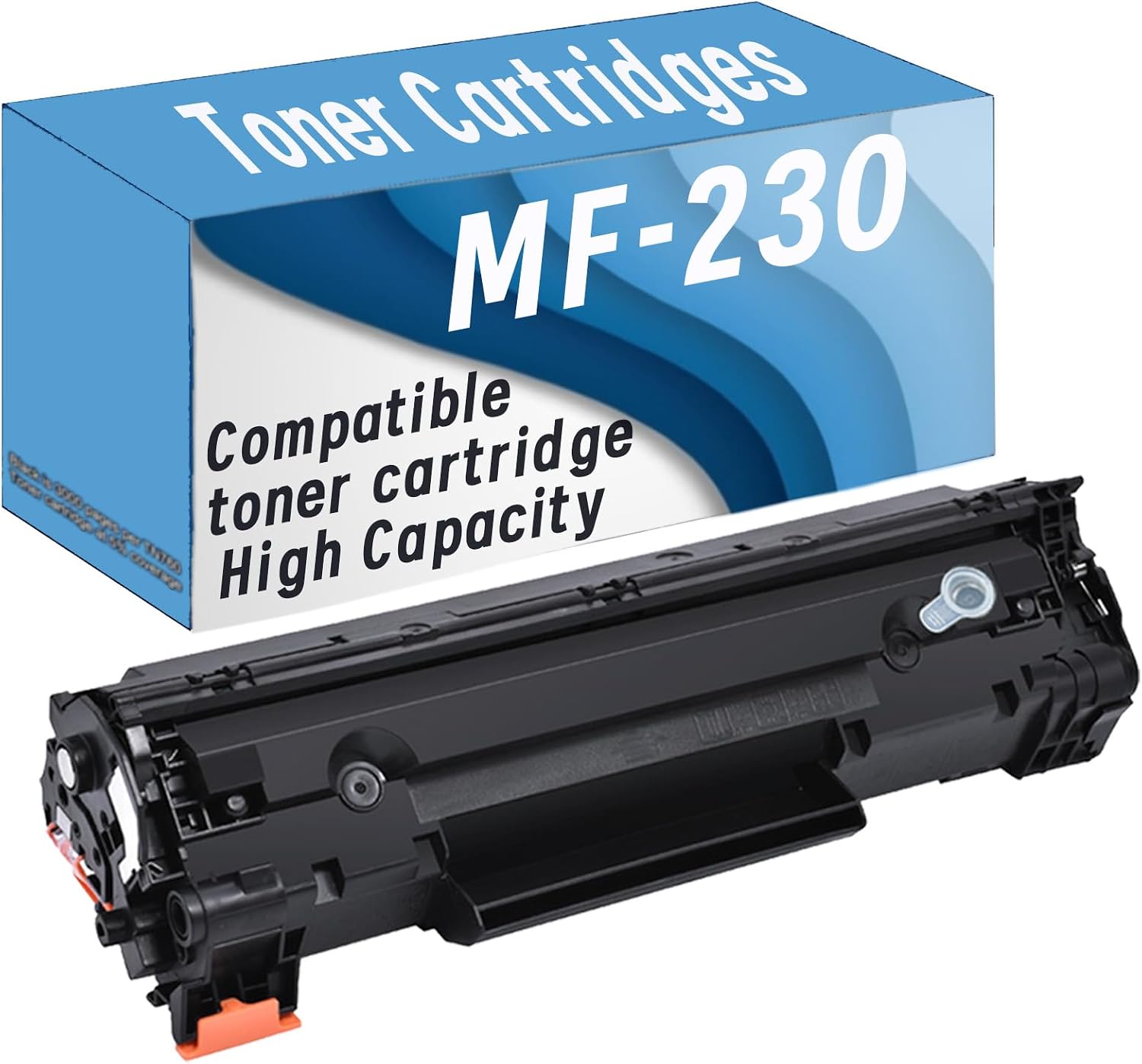
Image: The AMHIL MF-230 Series compatible toner cartridge shown next to its packaging box, highlighting the product's appearance.
Product Compatibility
The AMHIL MF-230 Series toner cartridge is designed for compatibility with various Canon iC MF series printers. Please confirm your printer model before installation to ensure proper fit and function.
Compatible Printer Models:
- Canon iC MF230
- Canon iC MF233n
- Canon iC MF236n
- Canon iC MF232w

Image: A graphic displaying the compatible printer models: iC MF230, MF233n, MF236n, MF232w, alongside a generic printer image.
Specifications
| Feature | Detail |
|---|---|
| Brand | AMHIL |
| Model | MF-230 Series |
| Color | Black |
| Page Yield | Up to 2000 pages (at 5% coverage) |
| Included Components | 1 x Toner Cartridge |
| Compatibility | Compatible with specified Canon iC MF series printers |

Image: A graphic indicating "HIGH YIELD" with "Black: 2000 pages", illustrating the cartridge's estimated page output.
Installation Guide
Follow these steps for easy installation of your new toner cartridge. Ensure your printer is turned off before beginning the installation process.
Preparation
- Unpack the new toner cartridge from its protective packaging.
- Gently shake the toner cartridge horizontally 5 to 6 times to distribute the toner evenly inside the cartridge. This helps ensure consistent print quality.

Image: An illustration showing the toner cartridge and a separate drum unit, emphasizing the "Easy installation and ready to use" aspect.
Installation Steps
- Step 1: Shake the Cartridge. Shake the toner cartridge horizontally 5 to 6 times before use to make the toner more uniform.
- Step 2: Remove the Seal. Pull out the sealing tape (usually orange or yellow) using the front horizontal direction. Ensure the entire tape is removed.
- Step 3: Remove Isolation Buckles/Covers. Remove any yellow isolation buckles or chip protection covers on both sides of the cartridge. These are typically orange or yellow plastic pieces designed to protect the cartridge during shipping.
- Open the front cover of your printer and carefully remove the old toner cartridge.
- Insert the new AMHIL MF-230 Series toner cartridge into the printer until it clicks into place.
- Close the printer's front cover.
- Turn on your printer. It may perform a self-test or calibration.

Image: A step-by-step visual guide for installation, showing: 1. Shaking the cartridge horizontally. 2. Pulling out the orange sealing tape. 3. Removing the orange protective buckles/chip covers from the sides.
Operating Instructions
Once the toner cartridge is installed, your printer is ready for use. Ensure your printer drivers are up-to-date for optimal performance.
- Printing: Send print jobs from your computer as usual. The printer will automatically detect the new toner cartridge.
- Toner Level Monitoring: Most printers provide a utility or display to check the estimated toner level. Refer to your printer's manual for specific instructions on how to access this feature.
- Print Quality: If you notice any print quality issues (e.g., streaks, faded prints), refer to the troubleshooting section.

Image: A collage depicting various scenarios where the toner cartridge can be used, including home, school, and office environments, illustrating its versatility for daily printing needs.
Maintenance
Proper maintenance can extend the life of your printer and ensure consistent print quality.
- Storage: Store unused toner cartridges in their original sealed packaging in a cool, dry place away from direct sunlight and extreme temperatures.
- Handling: Avoid touching the drum or electrical contacts on the cartridge, as oils from your skin can affect print quality.
- Cleaning: Periodically clean the inside of your printer according to your printer's manual to remove any accumulated toner dust.
Troubleshooting
If you encounter any issues, try the following solutions before contacting support.
| Problem | Possible Cause / Solution |
|---|---|
| Faded or Light Prints |
|
| Streaks or Lines on Prints |
|
| "Toner Low" or "Replace Toner" Message after Installation |
|
| Printer Not Recognizing Cartridge |
|
Environmental Protection & Disposal
AMHIL is committed to environmental responsibility. Please dispose of used toner cartridges in an environmentally friendly manner.
- Recycling Programs: Many manufacturers and retailers offer recycling programs for used toner cartridges. Check with your local recycling center or printer manufacturer for options.
- Do Not Incinerate: Do not dispose of toner cartridges by incineration, as this can release harmful substances into the atmosphere.

Image: A graphic with the text "Environmental Protection" and a recycling symbol superimposed over a lush forest, emphasizing eco-friendly disposal.
Warranty and Support
For any questions, concerns, or technical support regarding your AMHIL MF-230 Series toner cartridge, please contact our customer service. We are dedicated to providing high-quality products and support.
- Customer Service: Refer to the contact information provided on the product packaging or the seller's website.
- Warranty: This product comes with a standard warranty against manufacturing defects. Please retain your proof of purchase for warranty claims.
Ask a question about this manual
Ask about setup, troubleshooting, compatibility, parts, safety, or missing instructions. Manuals+ will review the question and use this page’s manual context to help answer it.