1. Introduction
The MINISFORUM EM680 Mini PC is a compact and powerful computing solution designed for various tasks, from daily productivity to demanding applications. Featuring an AMD Ryzen 7 6800U processor and AMD Radeon 680M graphics, it offers robust performance in a small form factor. This manual provides essential information for setup, operation, maintenance, and troubleshooting to ensure optimal use of your device.
2. Package Contents
Please verify that all items listed below are included in your package:
- 1 x EM680 Mini PC
- 1 x HDMI Cable
- 1 x 65W GaN Type-C Power Adapter
- 1 x Power Cable
- 1 x User Manual

Image: Illustration of the MINISFORUM EM680 Mini PC and its included accessories, such as the power adapter, HDMI cable, and user manual.
3. Product Features and Ports
The EM680 Mini PC is designed for high performance and versatile connectivity. Below are key features and an overview of its ports.
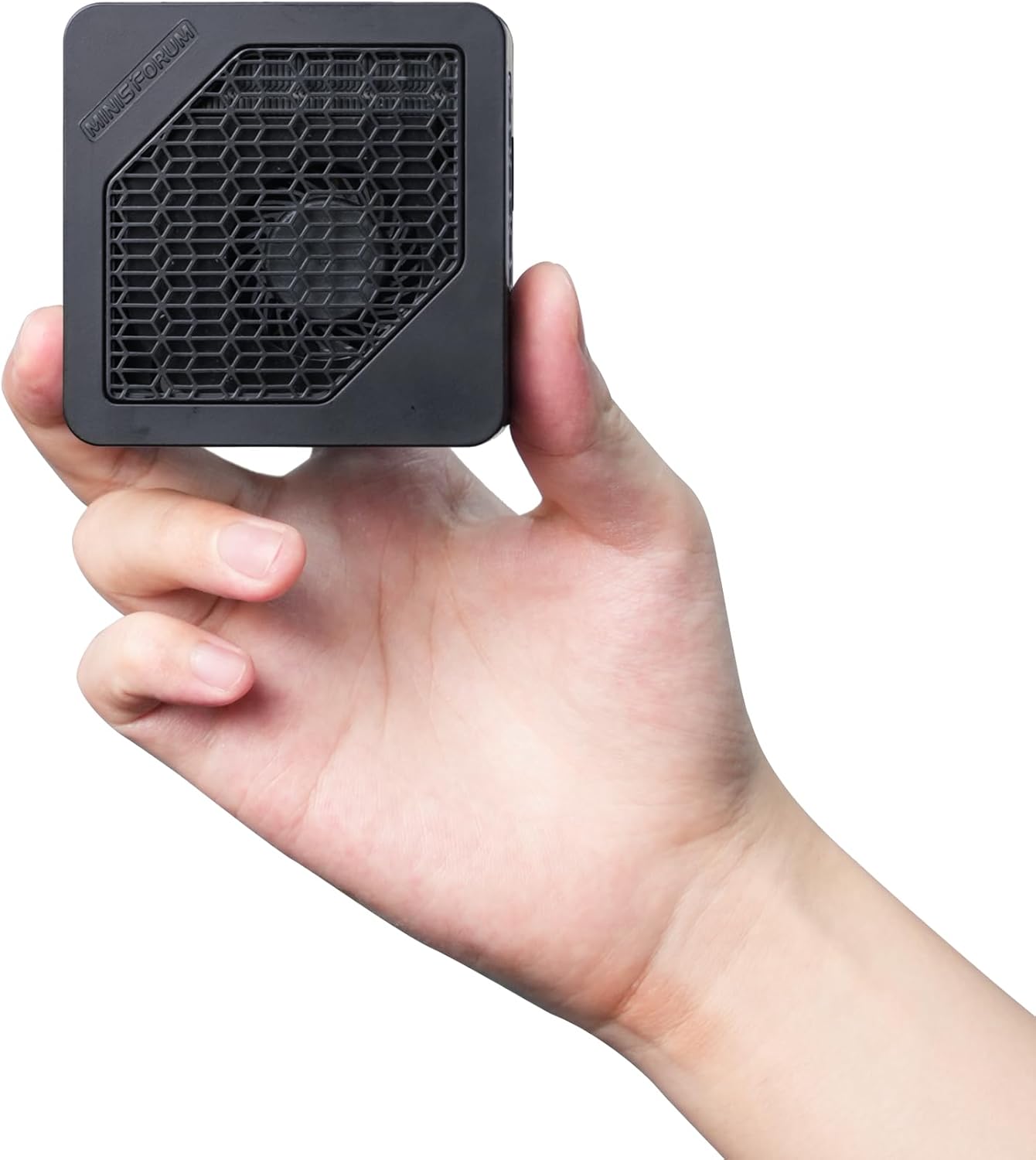
Image: The MINISFORUM EM680 Mini PC held in a hand, showcasing its compact size.
3.1. Processor and Graphics
Equipped with an AMD Ryzen 7 6800U processor (8 cores/16 threads) and AMD Radeon 680M graphics, the EM680 delivers excellent performance for daily tasks, browsing, video playback, and light gaming.
3.2. Memory and Storage
The device comes pre-installed with 32GB LPDDR5 RAM and a 512GB M.2 2230 PCIe4.0 SSD, ensuring fast operating system performance. It also includes a TF card slot for additional storage expansion.

Image: Diagram illustrating the speed increase of LPDDR5 6400 memory compared to DDR5 4800.

Image: Diagram showing the speed increase of PCIe 4.0 SSD compared to PCIe 3.0.
3.3. Connectivity Ports Overview
The EM680 offers a variety of ports for extensive connectivity:

Image: Detailed view of the MINISFORUM EM680 Mini PC's ports, including USB4, HDMI, USB 3.2, 3.5mm audio jack, and power button.
- Video Outputs: 1 x HDMI (4K@60Hz), 2 x USB4 (8K@60Hz). Supports triple display output.
- USB Ports: 2 x USB4 (Alt PD, 8K@60Hz), 3 x USB3.2 Gen2 Type-A.
- Audio: 1 x 3.5mm Audio Jack, 1 x DMIC.
- Network: Onboard Wi-Fi 6E, Bluetooth 5.2.
- Other: TF Card Slot, Clear CMOS button, Power Button.

Image: The MINISFORUM EM680 Mini PC connected to three monitors, demonstrating its triple display output capability.

Image: Close-up of the MINISFORUM EM680 highlighting its dual USB4 ports and support for PD and one-cable Type-C connectivity.
4. Setup Guide
Follow these steps to set up your MINISFORUM EM680 Mini PC:
- Connect to Display: Use the provided HDMI cable to connect the Mini PC to your monitor or TV. For additional displays, use the USB4 ports with compatible cables/adapters.
- Connect Peripherals: Plug in your keyboard, mouse, and any other USB devices into the available USB ports.
- Connect Power: Connect the 65W GaN Type-C Power Adapter to the Mini PC's power input and then to a power outlet.
- Power On: Press the power button located on the front of the Mini PC.
5. Operating Instructions
The MINISFORUM EM680 comes pre-installed with Windows 11 Home.
- Initial Boot: Upon first power-on, the system will guide you through the Windows 11 setup process. Follow the on-screen instructions to configure your language, region, network, and user account.
- Power On/Off: Press the power button to turn the device on. To turn off, use the Windows Shut Down option or briefly press the power button.
- Restart: Use the Windows Restart option for a proper system restart.
6. Cooling System
The EM680 features an advanced "Cold Wave 2.0" cooling structure, utilizing liquid metal for comprehensive cooling of the CPU, DDR, and SSD. This design aims to achieve higher performance while maintaining lower noise levels.

Image: Diagram illustrating the Cold Wave 2.0 cooling system with liquid metal for CPU, DDR, and SSD, designed for optimal thermal management.
6.1. Noise Level Test
The following video demonstrates the noise levels of the EM680 Mini PC during operation.
Video: A demonstration of the noise levels produced by the MINISFORUM EM680 Mini PC, measured with a sound level meter.
7. Troubleshooting
If you encounter issues with your EM680 Mini PC, consider the following:
- No Power: Ensure the power adapter is securely connected to both the Mini PC and a working power outlet.
- No Display: Check the HDMI and USB4 cable connections to your monitor. Ensure the monitor is powered on and set to the correct input source.
- Peripherals Not Working: Verify USB connections. Try different USB ports or restart the Mini PC.
- System Unresponsive: If the system freezes, press and hold the power button for 5-10 seconds to force a shutdown, then restart.
8. Specifications
| Feature | Detail |
|---|---|
| Processor | AMD Ryzen 7 6800U (8 cores/16 threads, 2.7 GHz base, up to 4.7 GHz) |
| Graphics | AMD Radeon 680M (Integrated) |
| RAM | 32 GB LPDDR5 (6400 MHz) |
| Storage | 512 GB M.2 2230 PCIe4.0 SSD |
| Operating System | Windows 11 Home |
| Video Outputs | 1 x HDMI (4K@60Hz), 2 x USB4 (8K@60Hz) |
| USB Ports | 2 x USB4, 3 x USB3.2 Gen2 Type-A |
| Wireless Connectivity | Wi-Fi 6E, Bluetooth 5.2 |
| Audio | 3.5mm Audio Jack, DMIC |
| Dimensions | 4.88 x 4.88 x 4.17 inches |
| Weight | 1.26 pounds |
9. Warranty and Support
The MINISFORUM EM680 Mini PC comes with a manufacturer's warranty. As per customer reviews, MINISFORUM has provided replacements and honored warranties for hardware issues. For detailed warranty information and technical support, please refer to the included manual or visit the official MINISFORUM website.
9.1. Product Introduction Video
Watch a short introduction to the MINISFORUM EM680 Mini PC:
Video: A brief introductory video showcasing the features and design of the MINISFORUM EM680 Mini PC.


