
Introduction
Thank you for purchasing the ESSAGER 2-in-1 Magnetic Detachable Wireless Charging Station. This device is designed to provide a convenient and efficient charging solution for your compatible Apple devices. Please read this manual carefully before use to ensure proper operation and to maximize the lifespan of your product.
Package Contents
- 1 x ESSAGER 2-in-1 Magnetic Detachable Wireless Charging Station (consisting of two magnetic units)
- 1 x USB-C to USB-C Cable
- 1 x USB-A to USB-C Cable
- 1 x User Manual
Note: A power adapter is not included and must be purchased separately. For optimal fast charging, a Quick Charge (QC) 3.0 or Power Delivery (PD) compatible adapter is recommended.
Product Overview

Image: The ESSAGER 2-in-1 charging station with a phone charging pad and an Apple Watch charging pad magnetically connected. The phone pad is connected via a Type-C interface, and both pads show charging indicators. The image highlights 15W for mobile phone/AirPods and 3W for iWatch.
The ESSAGER 2-in-1 Wireless Charging Station features a modular design, allowing two independent charging units to be used separately or combined magnetically. It provides wireless charging for compatible iPhones, Apple Watches, and AirPods.
Setup Instructions
- Connect to Power: Use the provided USB-C cable to connect the main charging unit (the one with the ESSAGER logo) to a compatible power adapter (not included). Ensure the adapter provides sufficient power for optimal charging (e.g., 15W or higher).
- Assemble the Charging Station:
- To use as a combined station, align the magnetic connectors of the phone charging unit and the Apple Watch charging unit. They will snap together securely.
- For individual use, simply separate the units. Each unit can be powered independently if connected to a separate power source, or the main unit can power the connected secondary unit.
- Placement: Place the charging station on a flat, stable surface.

Image: The ESSAGER 2-in-1 charging station demonstrating flexible usage. It shows a phone and an Apple Watch charging simultaneously on the connected pads, and another image shows the two pads separated, each charging a device.
Operating Instructions
- Charging an iPhone: Place your compatible iPhone (iPhone 11/12/13/14/15 series) on the flat charging pad with the ESSAGER logo. Ensure the phone is centered on the charging area. The charging indicator light will illuminate (blue for charging) to confirm charging has begun. The charger supports charging through phone cases up to 5mm thick. Remove any magnetic or metal accessories from your phone case before charging.
- Charging Apple Watch: Place your compatible Apple Watch (Apple Watch 8/7/6/5/4/3/2/SE) on the dedicated watch charging module. The watch module can be rotated 90 degrees for optimal viewing in Nightstand mode. The charging indicator light will illuminate (blue for charging) to confirm charging has begun.
- Charging AirPods: Place your compatible AirPods (AirPods Pro/3/2 with a wireless case) on the flat charging pad. The charging indicator light will illuminate (blue for charging) to confirm charging has begun.

Image: This image illustrates the charging capabilities: 15W for compatible iPhone models (iPhone 14, iPhone 13, iPhone 12 series, and Galaxy series) and 3W for Apple Watch models (Apple Watch Ultra/SE/8/7/6/5/4/3/2).
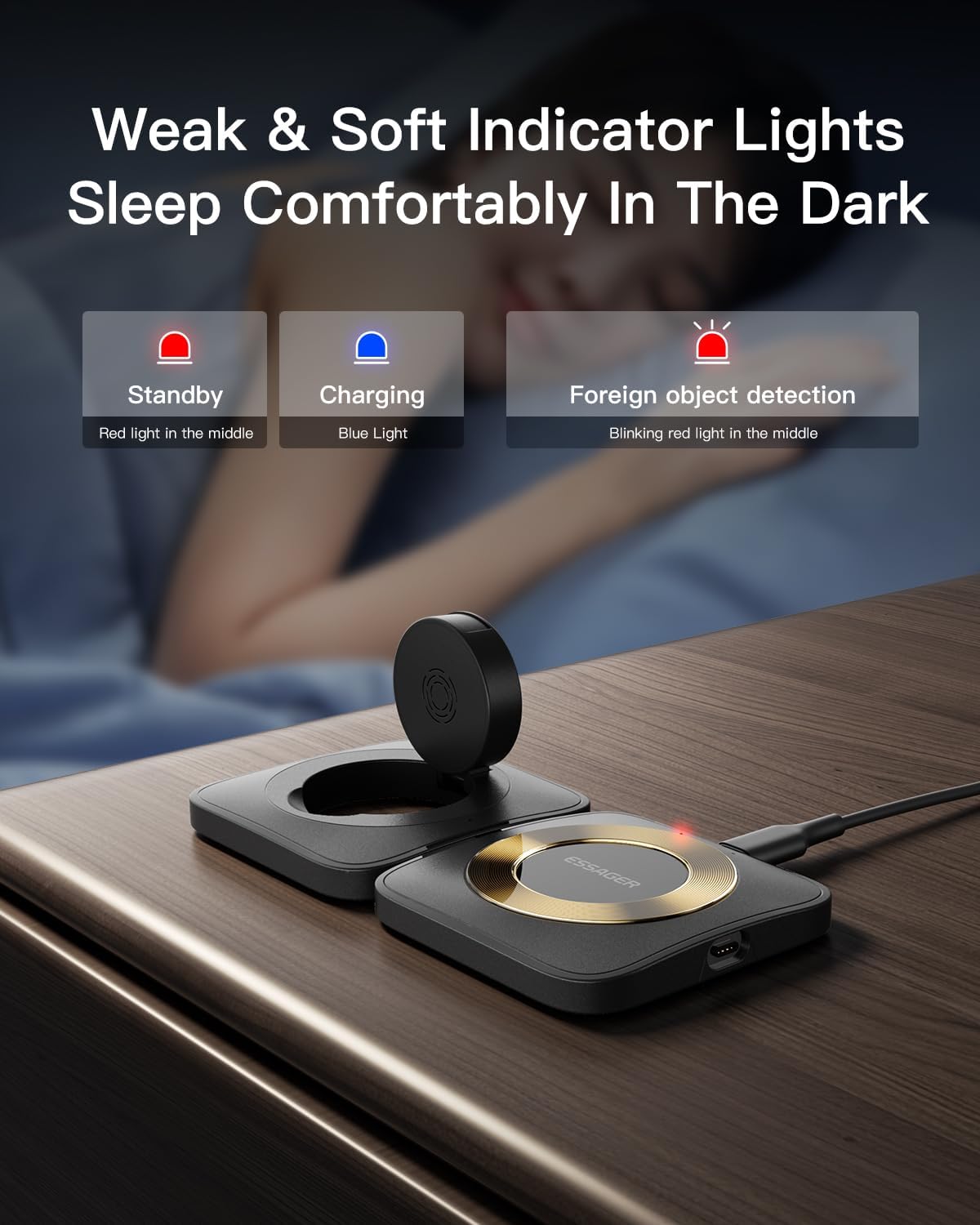
Image: The charging station displays indicator lights: Red light for standby, Blue light for charging, and a blinking red light for foreign object detection. These lights are designed to be soft for comfortable sleep in the dark.
Safety Features
The ESSAGER 2-in-1 Wireless Charging Station is equipped with multiple safety protections to ensure the safety of your devices and yourself:
- Over-temperature Protection: Prevents overheating during charging.
- Over-current Protection: Safeguards against excessive current flow.
- Over-voltage Protection: Protects against voltage surges.
- Short-circuit Protection: Prevents damage from short circuits.
- Foreign Object Detection (FOD): Detects foreign metal objects on the charging surface and stops charging to prevent damage.

Image: An exploded view of the charging station highlighting its internal components and listing safety features such as Overheat Protection, Short Circuit Protection, Overcharge Protection, and Over Current Protection.
Maintenance
- Keep the charging station clean and free from dust and debris. Use a soft, dry cloth for cleaning.
- Avoid exposing the device to extreme temperatures, humidity, or liquids.
- Do not disassemble or attempt to repair the device yourself. This will void the warranty.
Troubleshooting
| Problem | Possible Cause | Solution |
|---|---|---|
| Device not charging. |
|
|
| Slow charging. |
|
|
| Indicator light blinking red. | Foreign object detected. | Remove any metal objects or debris from the charging surface. |
Specifications
| Feature | Detail |
|---|---|
| Product Dimensions | 0.67 x 8.82 x 4.53 inches |
| Item Weight | 4.9 ounces |
| Brand | ESSAGER |
| Connector Type | Proprietary (USB-C input) |
| Compatible Devices | Smartphones (iPhone 11/12/13/14/15 series), Apple Watch (UItra/8/7/6/SE/SE 2/5/4/3/2), AirPods (Pro/3/2 with wireless case) |
| Special Feature | Magnetic, Detachable |
| Color | Black |
| Total USB Ports | 1 (for power input) |
| Max Wireless Output | 15W (Phone), 5W (AirPods), 3W (Apple Watch) |
Product Video
Video: This video demonstrates the ESSAGER Magnetic Wireless Charging Station. It shows the modular design, how devices (iPhone, AirPods, Apple Watch) are placed for charging, and the compact, foldable nature of the product for portability. Note: This video may feature a 3-in-1 model, but the core functionality and magnetic detachment principles apply to the 2-in-1 model.
Warranty and Support
ESSAGER provides a one-year after-sales service for every customer. If you encounter any malfunctions or issues with the product, please contact ESSAGER customer service for free replacement or professional technical support.
- Warranty Period: 1 Year
- Support: Contact ESSAGER customer service for any product-related inquiries or issues.
For more information, please visit the official ESSAGER store or contact their customer support channels.