
DYNASONIC DYNAPRO15
DYNASONIC Dynapro 15' Portable Speaker User Manual
Model: DYNAPRO15
1. Introduction
Thank you for choosing the DYNASONIC Dynapro 15' Portable Professional Audio System. This powerful 800W speaker is designed for versatile audio performance, featuring Bluetooth connectivity, USB/SD playback, FM radio, and TWS (True Wireless Stereo) technology. Its portable design with wheels and an extendable handle makes it ideal for various events and gatherings. This manual provides essential information for setting up, operating, maintaining, and troubleshooting your device.

Figure 1: Front view of the DYNASONIC Dynapro 15' Portable Speaker.
2. What's in the Box
Please check the package contents to ensure all items are present:
- DYNASONIC Dynapro 15' Portable Speaker
- Wireless Microphone
- Tablet Stand
- Remote Control
- Charging Cable
- Headset Microphone

Figure 2: Speaker and included accessories: wireless microphones, remote control, and tablet stand.
3. Key Features
- Powerful Audio Output: 800W peak power for clear and robust sound.
- TWS Technology: Pair two Dynapro speakers for a true wireless stereo experience.
- Multiple Connectivity Options: Bluetooth, USB/SD card reader, FM Radio.
- Microphone & Instrument Inputs: Dedicated inputs for microphones and instruments like guitars, with adjustable echo.
- Portable Design: Built-in rechargeable battery (4-5 hours autonomy), wheels, and an extendable handle for easy transport.
- Sound Customization: Control panel on the rear for adjusting bass, treble, and echo.
4. Setup
4.1 Initial Charging
Before first use, fully charge the speaker's built-in rechargeable battery using the provided charging cable. The charging indicator will show the battery status.
4.2 Positioning the Speaker
Place the speaker on a stable, flat surface. For optimal sound dispersion, position it in an open area. The speaker can also be mounted on a compatible stand (sold separately) using the integrated pole mount.
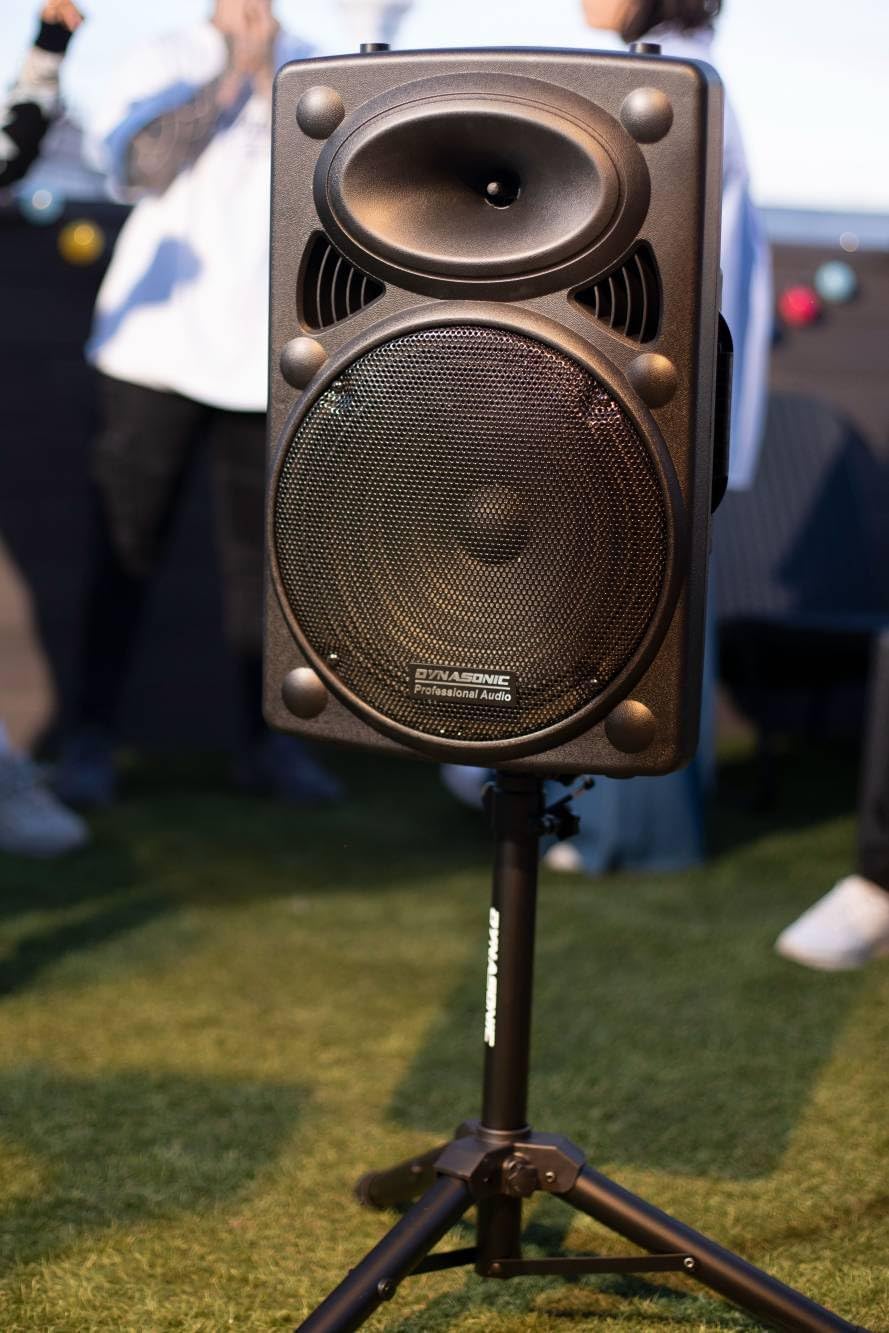
Figure 3: Speaker positioned on a stand for elevated sound projection.
4.3 Attaching the Tablet Stand
The included tablet stand can be attached to the top of the speaker for convenient display of lyrics or other content during performances or karaoke sessions.

Figure 4: A tablet securely mounted on the speaker using the provided stand.
4.4 TWS (True Wireless Stereo) Pairing (Optional)
To achieve a stereo sound experience, you can pair two DYNASONIC Dynapro 15' speakers using TWS technology:
- Ensure both speakers are powered on and in Bluetooth mode.
- On one speaker (this will be the master), press and hold the TWS button (refer to the control panel diagram for location).
- The speakers will automatically search and connect to each other. A confirmation sound will indicate successful pairing.
- Once paired, connect your Bluetooth device to the master speaker. Audio will now play in stereo through both units.

Figure 5: Visual representation of True Wireless Stereo (TWS) connection.
5. Operating Instructions
5.1 Control Panel Overview
The main control panel is located on the rear of the speaker. It provides access to all input modes and sound adjustments.

Figure 6: Detailed view of the speaker's rear control panel with various inputs and knobs.
5.2 Power On/Off
Locate the power switch on the control panel and toggle it to the 'ON' position to power on the speaker. Toggle to 'OFF' to power down.
5.3 Bluetooth Connectivity
- Turn on the speaker. It will automatically enter Bluetooth pairing mode.
- Enable Bluetooth on your smartphone, tablet, or other device.
- Search for 'DYNASONIC DYNAPRO15' (or similar) in your device's Bluetooth list and select it to connect.
- A confirmation sound will indicate successful pairing. You can now play audio wirelessly.
5.4 USB/SD Playback
Insert a USB flash drive or SD card containing MP3 audio files into the respective slot on the control panel. The speaker will automatically switch to USB/SD mode and begin playback. Use the control panel or remote control to navigate tracks and adjust volume.
5.5 FM Radio
Switch the speaker to FM Radio mode. Use the scan function (refer to control panel markings) to automatically search and save available radio stations. Use the navigation buttons to switch between saved stations.
5.6 Microphone and Instrument Use
Connect the wireless microphone (or other wired microphones/instruments) to the designated input jacks on the control panel. Adjust the individual volume knobs for each input, as well as the master volume. The echo control can be used to add reverberation to vocals.

Figure 7: The speaker being used with a guitar, demonstrating its instrument input capability.
5.7 Sound Configuration
Use the dedicated knobs on the control panel to fine-tune the sound:
- Bass: Adjusts the low-frequency output.
- Treble: Adjusts the high-frequency output.
- Echo: Controls the amount of echo effect applied to microphone inputs.
6. Maintenance
6.1 Cleaning
Wipe the speaker's exterior with a soft, dry cloth. Do not use abrasive cleaners, waxes, or solvents. Avoid spraying liquids directly onto the speaker.
6.2 Battery Care
To prolong battery life, avoid fully discharging the battery frequently. Recharge the speaker regularly, even if not in use, especially if storing for extended periods. Store in a cool, dry place.
6.3 Storage
When not in use, store the speaker in a dry, dust-free environment. If storing for a long time, ensure the battery is partially charged (around 50%) and recharge every few months.
7. Troubleshooting
| Problem | Possible Cause | Solution |
|---|---|---|
| Speaker does not power on / Not charging | Low battery; Power cable not connected; Faulty power outlet/cable. | Ensure charging cable is securely connected. Try a different power outlet. Allow sufficient time for charging. If issues persist, contact support. |
| No sound output | Volume too low; Incorrect input mode selected; Device not connected properly. | Increase master volume and input-specific volumes. Verify correct input mode (Bluetooth, USB, FM). Reconnect Bluetooth device or reinsert USB/SD card. |
| Bluetooth pairing issues | Speaker not in pairing mode; Device too far; Interference. | Ensure speaker is in Bluetooth mode. Move device closer to speaker. Turn off other Bluetooth devices nearby. Try unpairing and re-pairing. |
| Microphone not working | Microphone not powered on; Volume too low; Incorrect input. | Ensure wireless microphone has fresh batteries and is powered on. Increase microphone volume knob. Check if microphone is plugged into the correct input. |
| Distorted sound / Low power | Volume too high; Low battery; Speaker overloaded. | Reduce volume. Charge the speaker fully. Avoid playing at maximum volume for extended periods. |
8. Specifications
| Feature | Detail |
|---|---|
| Model Number | DYNAPRO15 |
| Brand | DYNASONIC |
| Connectivity Technology | Bluetooth, USB |
| Product Dimensions (L x W x H) | 48 x 71 x 43 cm |
| Weight | 6 Kilograms |
| Battery Type | 1 Lithium-Polymer Battery (included) |
| Battery Autonomy | 4-5 hours |
| Compatible Devices | Guitar, Headset, Tablet, Smartphone |
| Country of Origin | China |
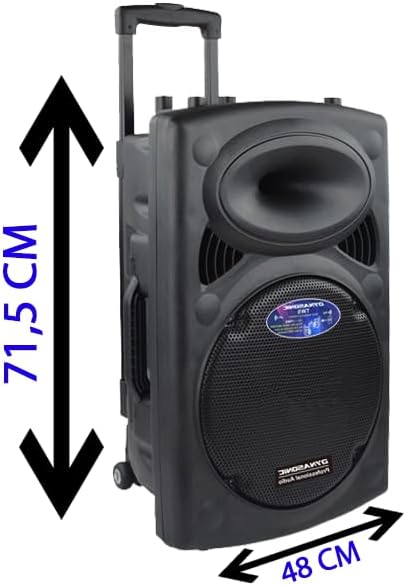
Figure 8: Speaker dimensions (71.5 cm height, 48 cm width).
9. Warranty and Support
Specific warranty details and direct support contact information are not provided in this manual. Please refer to your purchase documentation or the retailer's website for warranty terms and customer service contact details. For general inquiries or troubleshooting not covered in this manual, you may visit the official DYNASONIC brand store or contact their customer support channels if available.
Related Documents - DYNAPRO15
 |
Dynasonic Modelo 025 User Manual - Portable Bluetooth Speaker Comprehensive user manual for the Dynasonic Modelo 025 portable Bluetooth speaker, covering button descriptions, modes, specifications, and frequently asked questions. |
 |
Dynasonic Model 025 User Manual User manual for the Dynasonic Model 025 speaker, covering button functions, modes, TWS pairing, specifications, remote control, FAQs, and FCC statement. |
 |
Dynasonic Model 025 Portable Bluetooth Speaker User Manual User manual for the Dynasonic Model 025 portable Bluetooth speaker, covering device and remote functions, audio modes, TWS pairing, specifications, FAQs, and FCC compliance. |
Ask a question about this manual
Ask about setup, troubleshooting, compatibility, parts, safety, or missing instructions. Manuals+ will review the question and use this page’s manual context to help answer it.