1. Introduction
This manual provides detailed instructions for the assembly, operation, and maintenance of your MOTPK 39 Inch Small Gaming Desk. Please read this manual thoroughly before assembly and use to ensure proper function and safety.

2. Safety Information
Important Safety Warnings:
- The desk has a maximum weight limit of 110 pounds (50 kg). Do not exceed this limit to prevent damage or injury.
- Always use the desk on a flat and stable surface to ensure stability and prevent tipping.
- Exercise caution during assembly to avoid injury. It is recommended to have assistance if needed.
- Keep all electrical components (power outlets, LED lights) away from liquids.
- Ensure all cables are properly managed to prevent tripping hazards.
3. Package Contents
Verify that all components are present before beginning assembly. If any parts are missing or damaged, please contact customer support.
- Desktop Board (with Carbon Fiber Texture)
- Monitor Shelf
- T-Shaped Metal Legs (2)
- Built-in Power Outlet Strip (3 AC outlets, 2 USB ports)
- LED Lights Controller
- Metal Cup Holder
- Headphone Hook
- Assembly Hardware (screws, bolts, etc.)
- Assembly Tools (Allen wrench, screwdriver)
- Installation Manual
4. Assembly Instructions
Assembly is required for this product. A detailed installation manual and step-by-step video are provided with the product to guide you through the process. It is recommended that one person perform the assembly, and all necessary tools are included.
4.1. Pre-Assembly Checklist
- Clear a spacious area for assembly.
- Unpack all components and verify against the package contents list.
- Keep small parts out of reach of children.
4.2. Assembly Steps Overview
- Attach the T-shaped metal legs to the desktop board using the provided hardware. Ensure all connections are secure for optimal stability.
- Install the monitor shelf onto the designated area of the desktop.
- Mount the built-in power outlet strip to the underside of the monitor shelf or desktop as indicated in the manual.
- Attach the LED lights controller, cup holder, and headphone hook to their respective positions.
- Connect the LED light strips to the controller and the power outlet strip.
- Plug the desk's main power cord (6.6 feet) into a wall outlet.


5. Operating Instructions
5.1. LED Lights Operation
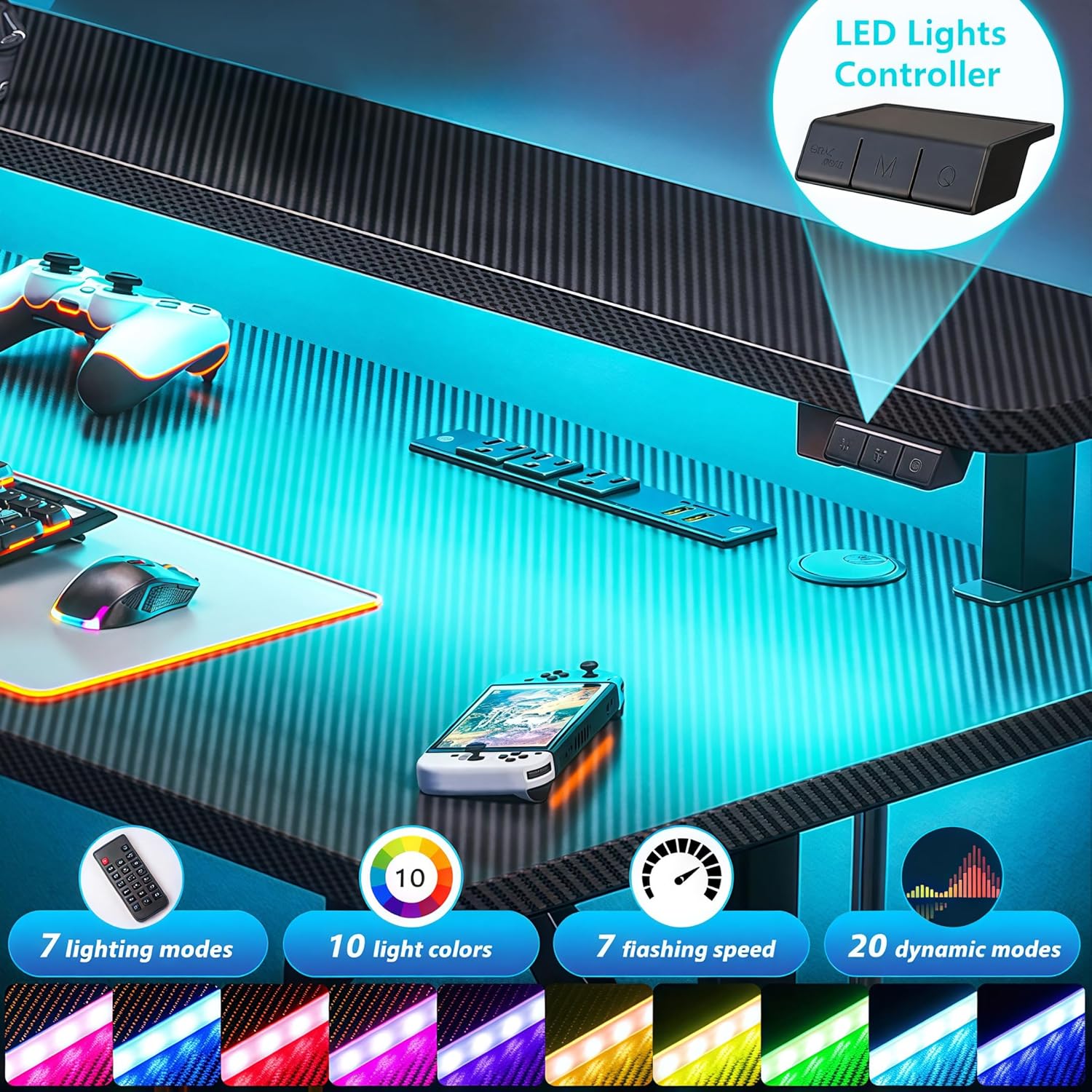
The desk features customizable LED lights with 20 dynamic lighting modes. Use the integrated controller to manage the lighting effects.
- ON/OFF Button: Press to turn the LED lights on or off.
- 'M' (Dynamic Mode) Button: Cycle through 20 dynamic lighting modes.
- 'C' (Static Color) Button: Select from 10 static color options.
- Speed/Brightness Control: Adjust the speed of dynamic modes or the brightness of static colors.

5.2. Power Outlets Usage
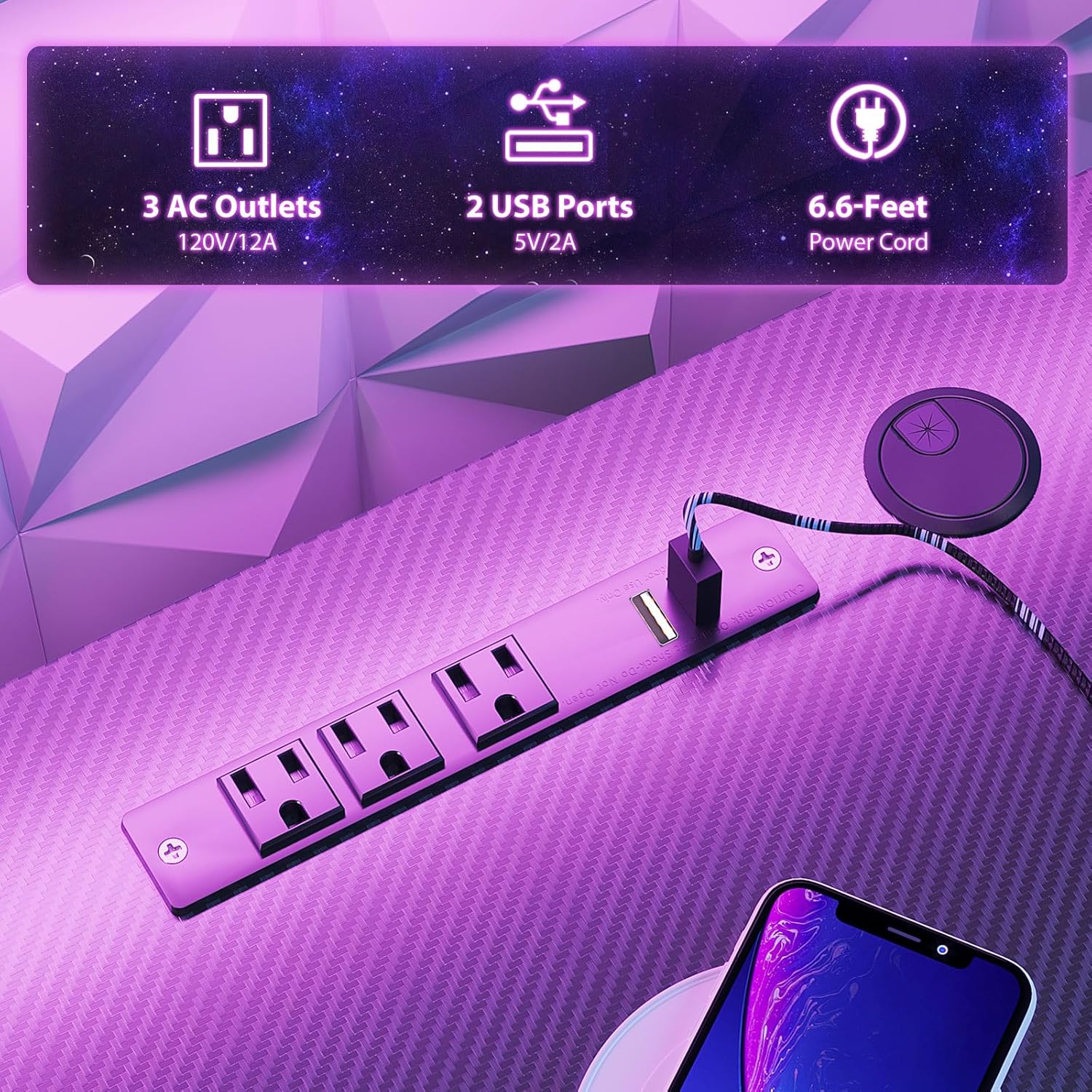
The integrated charging station provides convenient power for your devices.
- AC Outlets: Three 120V/12A AC outlets are available for powering monitors, computers, and other electronics.
- USB Ports: Two 5V/2A USB ports are provided for charging smartphones, tablets, and other USB-powered devices.
- Ensure the desk's main power cord is securely plugged into a functional wall outlet.
5.3. Monitor Shelf Utilization
The full-sized monitor shelf is designed to optimize viewing angles and maximize desk space.
- The shelf can accommodate up to two 24-inch monitors.
- It can also support a monitor arm or gaming consoles like a PS5.
- Positioning monitors on the shelf helps maintain an ergonomic sitting posture.


5.4. Accessory Usage
The desk includes a metal cup holder and a headphone hook for convenience.
- Cup Holder: Attach the metal cup holder to either side of the desk for easy access to beverages.
- Headphone Hook: Utilize the headphone hook to keep your headphones organized and within reach.


6. Maintenance
Regular maintenance helps prolong the life and appearance of your gaming desk.
- Cleaning: Wipe the carbon fiber textured desktop and metal frame with a soft, damp cloth. Avoid abrasive cleaners or harsh chemicals that could damage the finish.
- Electrical Components: Ensure the power outlets and LED lights are kept dry. Do not attempt to clean them with liquids.
- Hardware: Periodically check all screws and bolts to ensure they remain tight. Retighten if necessary to maintain desk stability.
7. Troubleshooting
If you encounter issues with your MOTPK Gaming Desk, refer to the following common solutions:
- Desk Wobbles: Ensure all assembly screws are tightened. Verify the desk is on a flat, even surface. Adjust leveling feet if present.
- LED Lights Not Working: Check if the main power cord is securely plugged into the wall outlet. Ensure the LED light strips are properly connected to the controller and the power source. Press the ON/OFF button on the controller.
- Power Outlets Not Functioning: Confirm the desk's main power cord is plugged in. Test the wall outlet with another device to ensure it is functional. Check for any tripped circuit breakers.
- Missing Parts: If parts are missing upon arrival, contact customer support immediately with your purchase details.
8. Specifications
| Feature | Specification |
|---|---|
| Model Number | MKB04010401002 |
| Product Dimensions (D x W x H) | 19.68"D x 39.37"W x 34.69"H |
| Item Weight | 27 Pounds (12.25 kg) |
| Maximum Weight Recommendation | 110 Pounds (50 kg) |
| Top Material Type | Engineered Wood (Carbon Fiber Texture) |
| Base Material | Metal (Iron) |
| Color | Black |
| Special Features | Built-in Power Outlet, Carbon Fiber Texture, LED Lights, T-shaped legs, Monitor Shelf, Metal Cup Holder, Headphone Hook |
| Power Outlets | 3 AC Outlets (120V/12A) |
| USB Ports | 2 USB Ports (5V/2A) |
| Power Cord Length | 6.6 Feet |
| LED Light Modes | 20 Dynamic Modes, 10 Static Colors |
| Assembly Required | Yes |
| Recommended People for Assembly | 1 |
| Assembly Tools Included | Yes |
9. Warranty and Support
MOTPK is committed to providing high-quality products and excellent pre-sales and after-sales service. For any questions, concerns, or assistance with your product, please refer to the contact information provided with your purchase or visit the official MOTPK website.
Please retain your proof of purchase for any warranty claims or support inquiries.


