Important Safety Instructions
Please read all instructions carefully before using this appliance. Failure to follow these instructions may result in electric shock, fire, or serious injury.
- Ensure the power supply voltage matches the rating on the appliance.
- Do not immerse the appliance, cord, or plug in water or other liquids.
- Unplug from the outlet when not in use, before cleaning, or when assembling/disassembling parts.
- Keep hands and utensils out of the bean hopper and grounds container during operation to prevent injury.
- Do not operate any appliance with a damaged cord or plug, or after the appliance malfunctions or has been damaged in any manner.
- This appliance is for household use only. Do not use outdoors.
- Close supervision is necessary when any appliance is used by or near children.
Product Overview
The SHARDOR Electric Flat Burr Coffee Grinder is designed to provide precise and consistent grinding for various coffee brewing methods. It features a digital display, multiple grind settings, and a flat burr grinding mechanism.
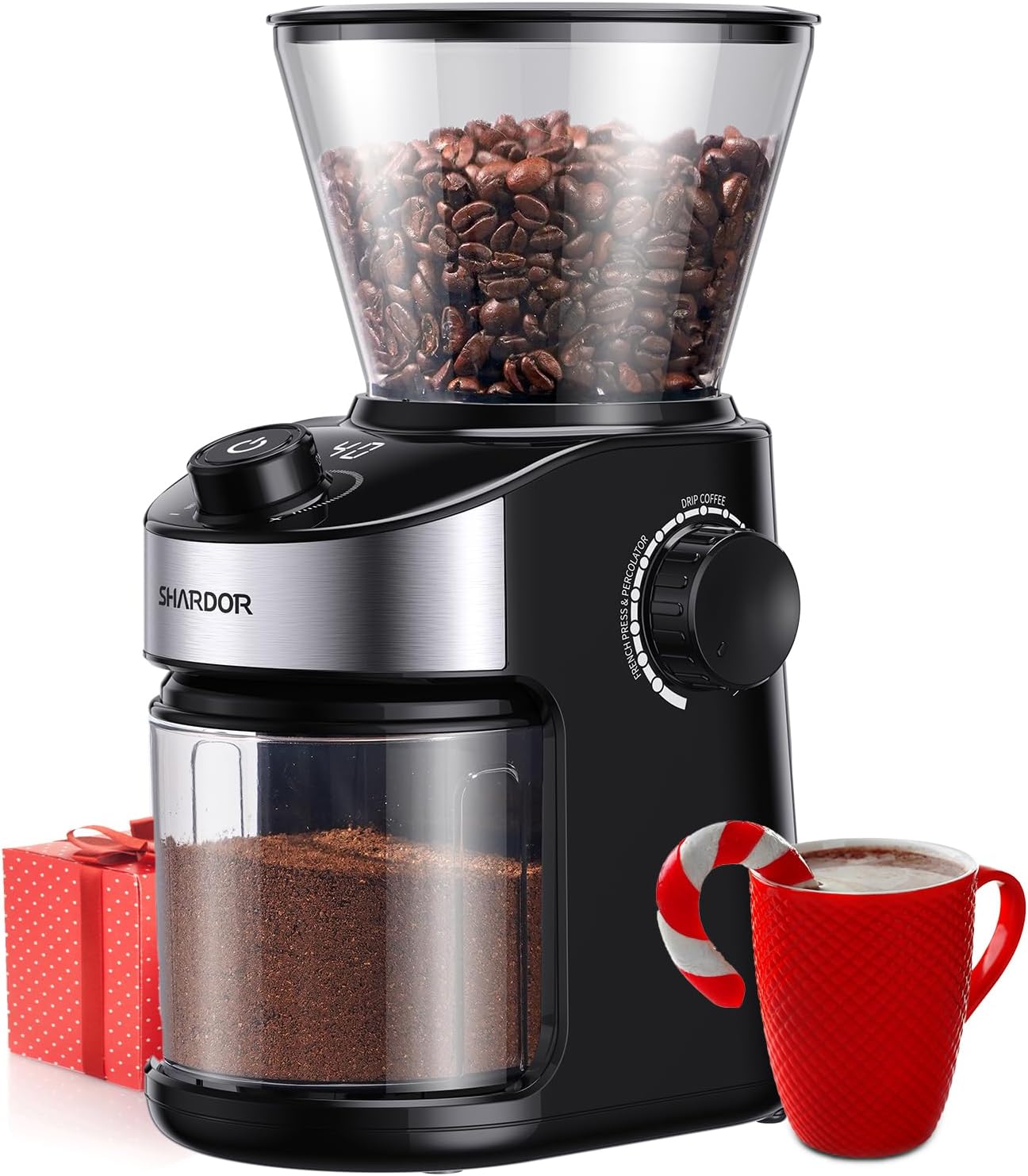
Image: The SHARDOR Electric Flat Burr Coffee Grinder, showcasing its main components including the bean hopper, control panel, and grounds container.
Setup
- Unpacking: Carefully remove all packaging materials and ensure all parts are present: main unit, bean hopper, grounds container, cleaning brush.
- Placement: Place the grinder on a stable, flat, and dry surface. Ensure there is adequate space around the unit for ventilation.
- Install Bean Hopper: Align the bean hopper with the opening on the top of the main unit and twist clockwise until it locks securely into place.
- Install Grounds Container: Slide the grounds container into its designated slot at the front of the grinder. Ensure it is fully inserted.

Image: Illustration of how to correctly install the bean hopper onto the grinder's main unit.

Image: Illustration of how to correctly insert the grounds container into the grinder's base.
Operating Instructions
- Add Coffee Beans: Open the lid of the bean hopper and pour whole roasted coffee beans into the hopper. Do not overfill.
- Select Grind Setting: Rotate the grind selector dial to choose your desired fineness. The grinder offers 25 precise grind settings, ranging from fine (1-8 for Espresso) to medium (9-16 for Drip Coffee/Pour Over) to coarse (17-25 for French Press).
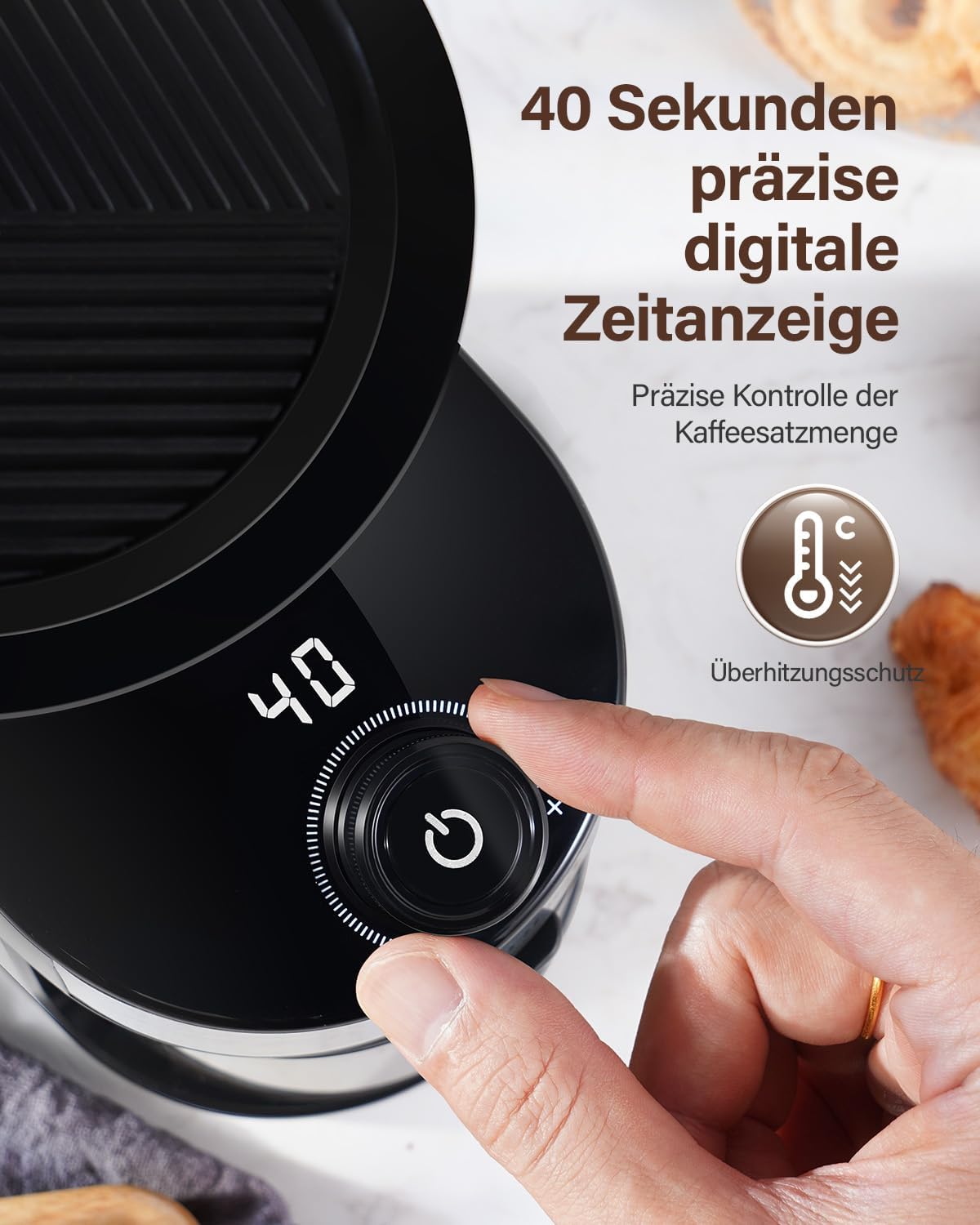
Image: Close-up of the grind setting dial, illustrating the 25 available fineness levels for different brewing methods.
- Set Grinding Time: Use the digital timer control knob to set the desired grinding duration. The digital display will show the selected time in seconds. Adjust based on the amount of coffee needed.

Image: View of the digital display showing the grinding time and the control knob for adjustment.
- Start Grinding: Press the start/stop button to begin the grinding process. The grinder will operate for the set duration. You can stop the grinding at any time by pressing the button again.
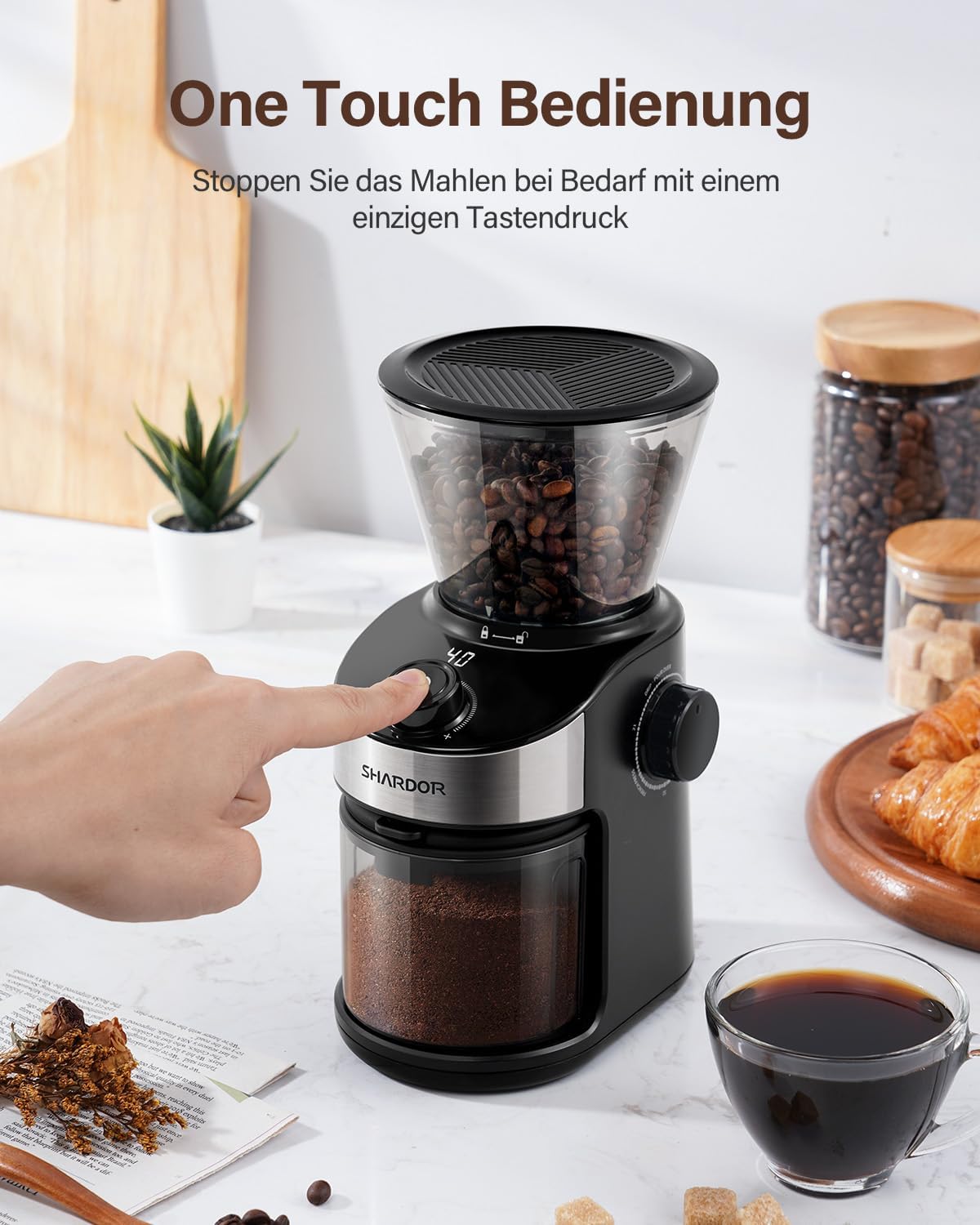
Image: A hand pressing the start button on the grinder, demonstrating the one-touch operation feature.
- Collect Ground Coffee: Once grinding is complete, carefully remove the grounds container to access your freshly ground coffee.
Maintenance and Cleaning
Regular cleaning ensures optimal performance and extends the lifespan of your grinder.
- Unplug: Always unplug the grinder from the power outlet before cleaning.
- Remove Hopper and Container: Detach the bean hopper and grounds container. Empty any remaining beans or grounds.
- Clean Grounds Container: The grounds container can be washed with warm, soapy water. Dry thoroughly before reattaching. Note: Static electricity can cause coffee grounds to cling to the container. Wiping with a damp cloth or using an anti-static spray may help reduce this effect.
- Clean Burr Grinders:
- Remove the upper burr by twisting it counter-clockwise and lifting it out.
- Use the provided cleaning brush to remove any coffee residue from both the upper and lower burrs.
- Clean the grinding chamber with the brush.
- Reinsert the upper burr and twist clockwise until it locks into place.

Image: Demonstrates how to remove the upper burr from the grinder for thorough cleaning.

Image: A cleaning brush being used to remove coffee grounds from the burr mechanism.
- Wipe Exterior: Wipe the exterior of the grinder with a damp cloth. Do not use abrasive cleaners or scourers.
Troubleshooting
| Problem | Possible Cause | Solution |
|---|---|---|
| Grinder does not start. | Not plugged in; Hopper/container not correctly installed; Overheating protection activated. | Ensure plug is securely in outlet; Reinstall hopper and grounds container correctly; Allow unit to cool down for 20-30 minutes if used continuously. |
| Inconsistent grind. | Burrs are dirty or worn; Incorrect grind setting for bean type. | Clean the burrs thoroughly; Adjust grind setting to a finer or coarser level as needed. |
| Excessive static electricity with grounds. | Natural occurrence with dry coffee grounds and plastic containers. | Lightly dampen the inside of the grounds container before grinding, or wipe with a damp cloth after grinding. Some users find anti-static sprays helpful. |
| Grinder stops during operation. | Overheating protection activated; Hopper is empty. | Allow the grinder to cool down. Avoid continuous grinding for extended periods. Refill the bean hopper. |
Specifications
- Brand: SHARDOR
- Model: B0CD7CHBTL
- Product Dimensions: 16.51 x 12.7 x 24.63 cm
- Item Weight: 200 grams
- Grind Settings: 25 levels (Espresso, Drip Coffee, French Press)
- Grinding Mechanism: Flat Burr
- Features: Digital Timer Display, Overheating Protection
Warranty and Support
SHARDOR products are manufactured to high-quality standards. For information regarding warranty coverage, please refer to the warranty card included with your purchase or visit the official SHARDOR website. If you encounter any issues or require technical assistance, please contact SHARDOR customer support through the contact information provided in your product packaging or on the brand's official channels.
Please retain your proof of purchase for warranty claims.


