
Bewinner A2-8015
Bewinner A2-8015 1.5KW Variable Frequency Drive User Manual
Model: A2-8015 | Brand: Bewinner
1. Introduction
This manual provides essential information for the safe and efficient operation of the Bewinner A2-8015 1.5KW Variable Frequency Drive (VFD). Please read this manual thoroughly before installation, operation, or maintenance to ensure proper usage and prevent potential hazards.
2. Safety Information
WARNING: Electrical shock hazard. Only qualified personnel should install, operate, and maintain this device. Disconnect all power before servicing.
- Ensure the input voltage matches the VFD's specifications (AC180-250V).
- Do not operate the VFD with damaged wiring or casing.
- Install the VFD in a well-ventilated area, away from direct sunlight, moisture, and corrosive gases.
- Proper grounding is essential to prevent electrical shock.
- Avoid touching internal components when power is connected.
3. Product Overview and Features
The Bewinner A2-8015 is a 1.5KW Variable Frequency Drive designed for precise motor speed control. It features a robust design and user-friendly interface.
Key Features:
- Industrial-grade ABS plastic casing for heat resistance, flame retardancy, and shock protection.
- Equipped with standard inverter functions suitable for diverse applications.
- User-friendly design with a clear display and intuitive keyboard for easy operation.
- Efficient heat dissipation system featuring a large aluminum-based heat sink and a powerful cooling fan.
- Manufactured under strict quality control for high safety and reliability.
Product Views:
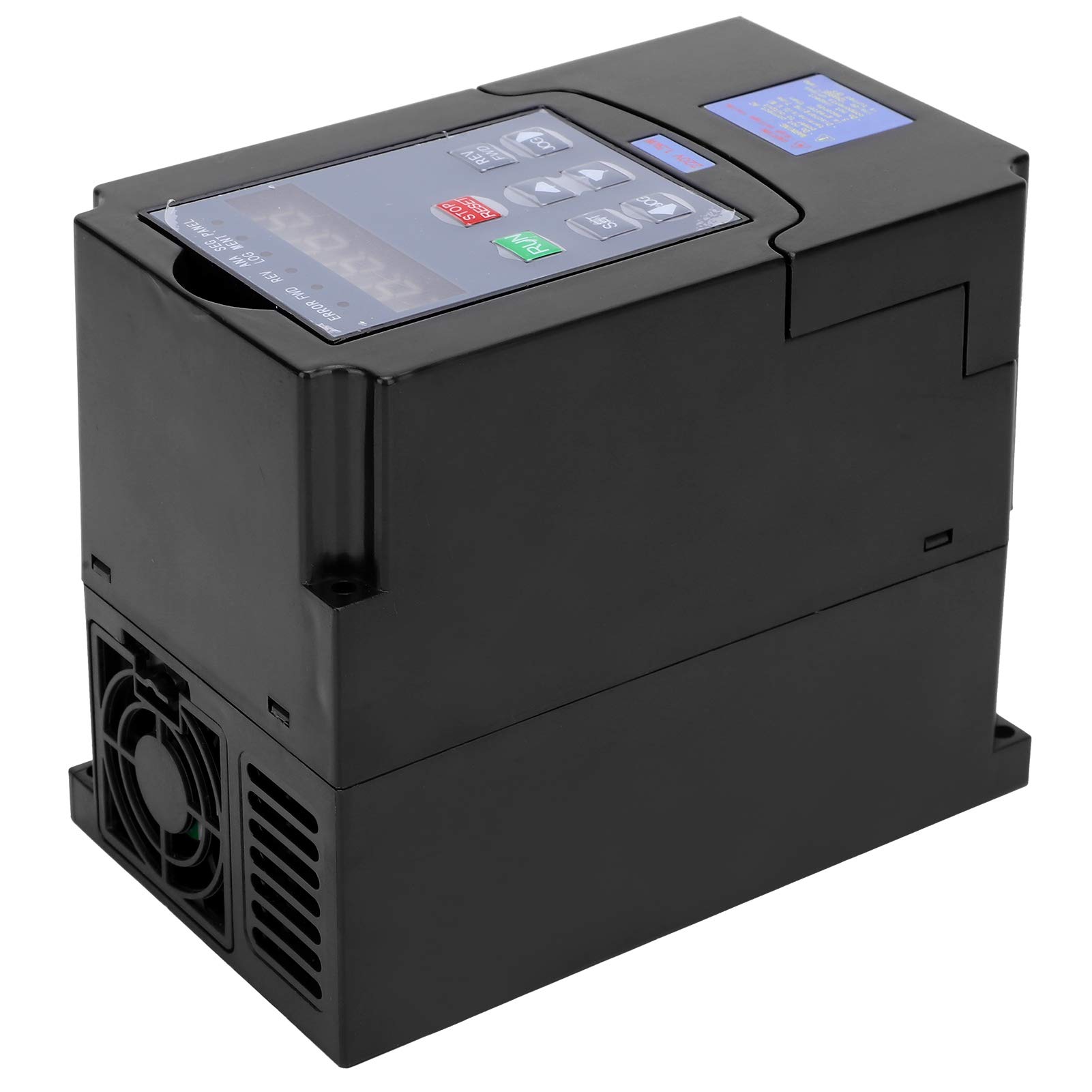
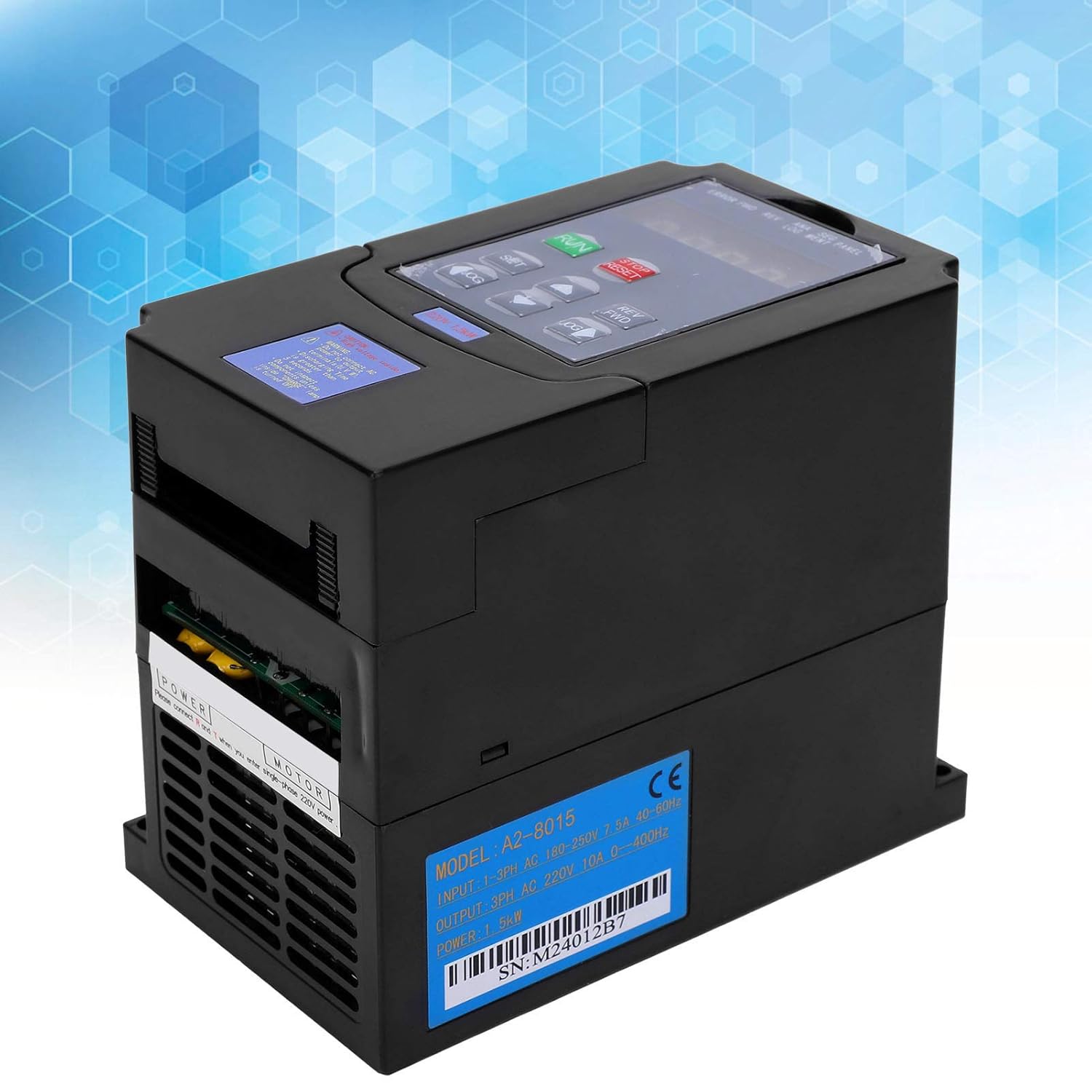
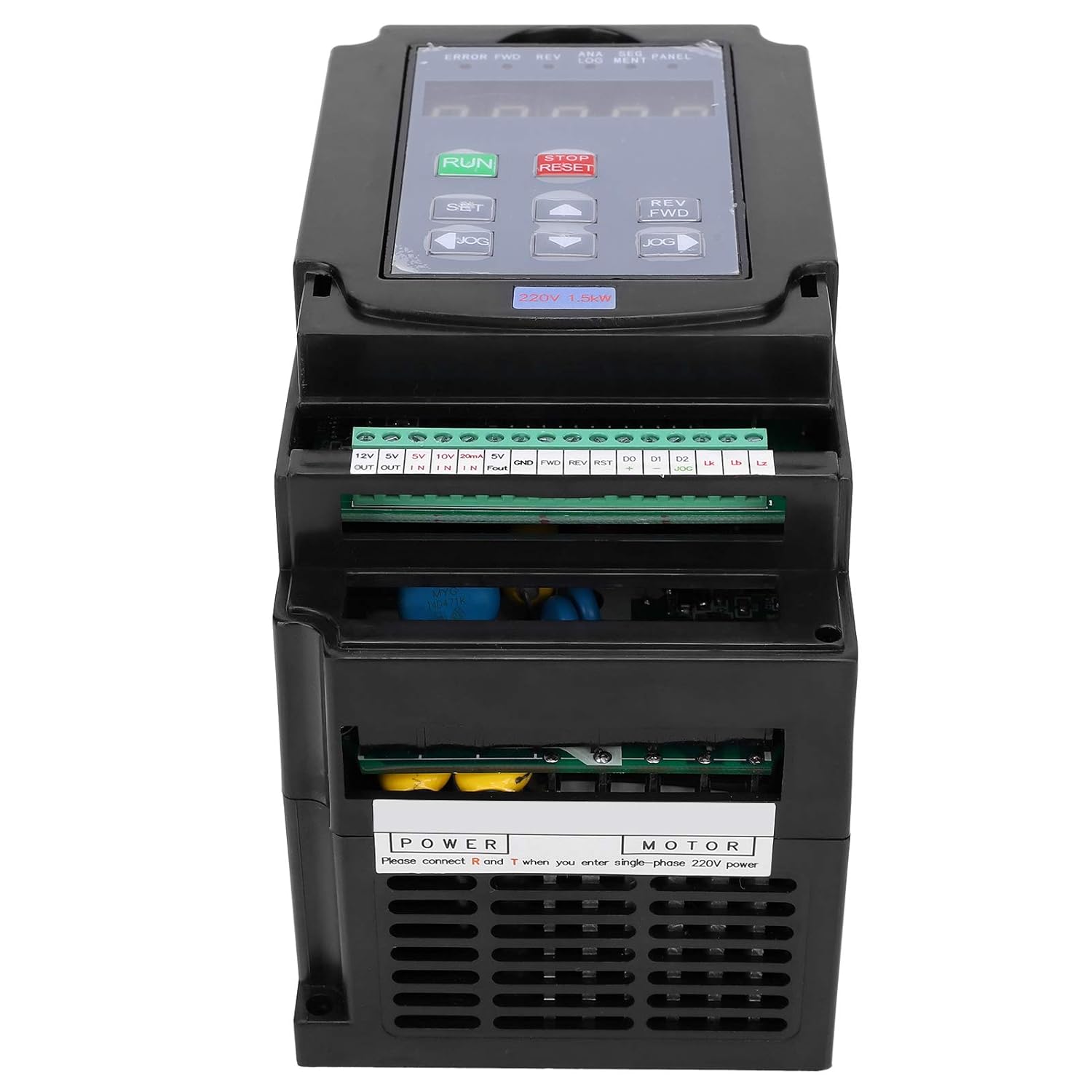


4. Specifications
| Parameter | Value |
|---|---|
| Item Type | Variable Frequency Drive |
| Model | A2-8015 |
| Material | Plastic Shell (ABS) |
| Input Voltage | 1-phase/3-phase AC180-250V, 7.5A, 40-60Hz |
| Output Voltage | 3-phase 220V, 10A, 0-400Hz |
| Power | 1.5KW |
| Applicable Motor | 180-250V Motor |
| Product Dimensions | Approx. 140 x 115 x 80 mm (5.5 x 4.5 x 3.1 inches) |
| Typical Applications | Spindle motors, lathes, milling machines, pumps, treadmills, conveyors, winders, mixers, extruders, separators, compressors, fans, elevators, centrifuges, and other machinery. |
5. Setup and Installation
5.1 Wiring Diagram
Refer to the internal wiring diagram on the device and the following general guidelines for connection. Ensure all connections are secure and insulated.

- Power Input (L1, L2, L3 or L, N): Connect the AC180-250V power supply to the designated input terminals. For single-phase input, connect to L and N.
- Motor Output (U, V, W): Connect the three-phase motor to the output terminals U, V, W.
- Grounding (GND): Ensure the VFD is properly grounded to a reliable earth ground.
- Control Terminals: Connect external control signals (e.g., start/stop, speed reference, emergency stop) to the corresponding control terminals as per your application requirements. Consult the detailed wiring diagram provided with the product for specific terminal functions.
5.2 Mounting
Mount the VFD vertically on a stable, non-flammable surface. Ensure adequate clearance around the unit for proper airflow and heat dissipation. Avoid mounting in areas with excessive vibration or dust.
6. Operating Instructions
The VFD features a humanized keyboard and clear display for easy operation.
6.1 Basic Operation
- Power On: Apply power to the VFD. The display will illuminate.
- Start Motor: Press the RUN button to start the motor.
- Stop Motor: Press the STOP/RESET button to stop the motor.
- Adjust Frequency/Speed: Use the UP and DOWN arrow buttons to adjust the output frequency, thereby controlling the motor speed.
- Change Direction: Use the REV/FWD button to toggle the motor rotation direction.
- Jog Operation: Press the JOG button for momentary motor operation.
6.2 Parameter Settings
To access and modify advanced parameters, press the SET button. Navigate through the menus using the arrow keys and confirm selections with the SET button. Refer to the comprehensive parameter list in the included physical manual for detailed descriptions and adjustment ranges.
7. Maintenance
Regular maintenance ensures the longevity and reliable operation of your VFD.
- Cleaning: Periodically clean the VFD's exterior and cooling fins to prevent dust accumulation, which can hinder heat dissipation. Use a soft, dry cloth. Do not use liquid cleaners.
- Fan Inspection: Check the cooling fan for obstructions or unusual noise. Ensure it operates freely.
- Terminal Connections: Periodically inspect all wiring terminals for tightness. Loose connections can cause overheating or intermittent operation.
- Environmental Check: Ensure the operating environment remains within specified temperature and humidity ranges.
8. Troubleshooting
This section provides solutions to common issues. For problems not listed here, contact technical support.
| Problem | Possible Cause | Solution |
|---|---|---|
| Motor does not start | No power, incorrect wiring, emergency stop active, parameter error. | Check power supply, verify wiring, release emergency stop, check motor parameters. |
| VFD displays an error code | Overcurrent, overvoltage, undervoltage, overheat, motor overload. | Refer to the physical manual's error code section for specific meanings and remedies. Address the underlying cause (e.g., reduce load, check input voltage). |
| Motor runs erratically or at incorrect speed | Incorrect frequency setting, motor parameter mismatch, poor connection. | Adjust frequency, verify motor parameters (e.g., rated frequency, poles), check motor wiring. |
| Excessive noise or vibration | Motor imbalance, mechanical issue, VFD parameter settings. | Inspect motor and load for mechanical issues. Adjust VFD carrier frequency or other motor control parameters if applicable. |
9. Package Contents
Upon unpacking, ensure all items listed below are present:
- 1 x Variable Frequency Drive (Bewinner A2-8015)
- 1 x User Manual (Chinese and English)
10. Warranty and Support
Information regarding specific warranty terms and conditions is typically provided with the product documentation. For technical support or service inquiries, please refer to the contact information provided in the included physical user manual or contact your point of purchase.
Note: Spare parts availability information is not available at this time.
Ask a question about this manual
Ask about setup, troubleshooting, compatibility, parts, safety, or missing instructions. Manuals+ will review the question and use this page’s manual context to help answer it.