
1. Introduction
Thank you for choosing the SIMSEN 95oz Dehumidifier, Model CT15. This manual provides essential information for the safe and efficient operation, maintenance, and troubleshooting of your new dehumidifier. Please read this manual thoroughly before use and retain it for future reference.
The SIMSEN CT15 Dehumidifier is designed to create a more comfortable and healthy home environment by effectively removing excess moisture from the air. It features advanced semiconductor technology for quiet and powerful dehumidification, a reusable filter, an ionizer for improved air quality, and convenient automatic shut-off functions.

Figure 1.1: SIMSEN CT15 Dehumidifier

Figure 1.2: Benefits of using the SIMSEN Dehumidifier
2. Product Overview
2.1 Key Features
- Powerful Dehumidification: Removes up to 34oz (1000ml) of moisture per day in optimal conditions (86°F, 80% RH), suitable for areas up to 800 sq ft.
- Quiet Operation: Features a 35dB quiet sleep mode for undisturbed rest or study.
- Colorful Atmosphere Light: Integrated LED lights create a pleasant ambiance, with options to choose a favorite color or turn off.
- Detachable Filter & Ionizer: Equipped with a reusable filter to capture small particles and an ionizer to release fresh air, enhancing overall air quality.
- Automatic Shut-off: Unit automatically turns off when the 95oz (2.8L) water tank is full, preventing overflow. A red indicator light flashes and an audible beep alerts you to empty the tank.
- Continuous Drain Option: Includes a drain hose for continuous water drainage, eliminating the need for manual tank emptying.
- Portable & Compact Design: Ergonomic recessed handles make it easy to move and place in various spaces such as bedrooms, bathrooms, closets, kitchens, garages, and RVs.

Figure 2.1: Internal Components and Dehumidification Process

Figure 2.2: Ionizer Purification System
2.2 Package Contents
- SIMSEN CT15 Dehumidifier Unit
- Reusable Filter (pre-installed)
- Drain Hose
- User Manual (this document)
3. Safety Instructions
To reduce the risk of fire, electric shock, or injury, always follow these basic safety precautions when using your dehumidifier:
- Read all instructions before using the appliance.
- Do not operate the dehumidifier with a damaged cord or plug. If the cord or plug is damaged, it must be replaced by the manufacturer or a qualified service agent.
- Do not place the dehumidifier near heat sources such as radiators, heat registers, stoves, or other heat-producing appliances.
- Ensure the dehumidifier is placed on a stable, level surface to prevent tipping and water spillage.
- Do not block air intake or exhaust vents. Maintain at least 8 inches (20 cm) clearance from walls or other objects.
- Do not immerse the unit, power cord, or plug in water or other liquids.
- Always unplug the dehumidifier before cleaning, performing maintenance, or when not in use.
- Do not allow children to play with the dehumidifier. Close supervision is necessary when the appliance is used near children.
- Use only the power supply specified for this unit.
- Do not attempt to repair or modify the dehumidifier yourself. All servicing should be performed by qualified personnel.
- Empty the water tank regularly to prevent overflow and maintain efficiency.
4. Setup
4.1 Unpacking
Carefully remove the dehumidifier and all accessories from the packaging. Inspect the unit for any signs of damage. Keep the packaging materials for future storage or transport if needed.
4.2 Placement
Place the dehumidifier in an area where the humidity is highest or where you wish to reduce moisture. Ensure the unit is on a firm, level surface. For optimal performance, allow at least 8 inches (20 cm) of space around the air inlets and outlets to ensure proper airflow.

Figure 4.1: Suitable Application Areas (30-720 sq ft)

Figure 4.2: Dehumidifier in an RV setting
4.3 Power Connection
Plug the power cord into a suitable electrical outlet. Ensure the voltage matches the specifications of the dehumidifier.
4.4 Continuous Drainage Setup (Optional)
For continuous operation without manually emptying the water tank, connect the included drain hose:
- Remove the water tank from the dehumidifier.
- Locate the drainage hole at the bottom of the water tank and remove the plug.
- Insert one end of the drain hose firmly into the drainage hole.
- Direct the other end of the hose to a suitable drain, ensuring it is lower than the dehumidifier's drainage point for gravity flow.
- Place the water tank back into the dehumidifier.
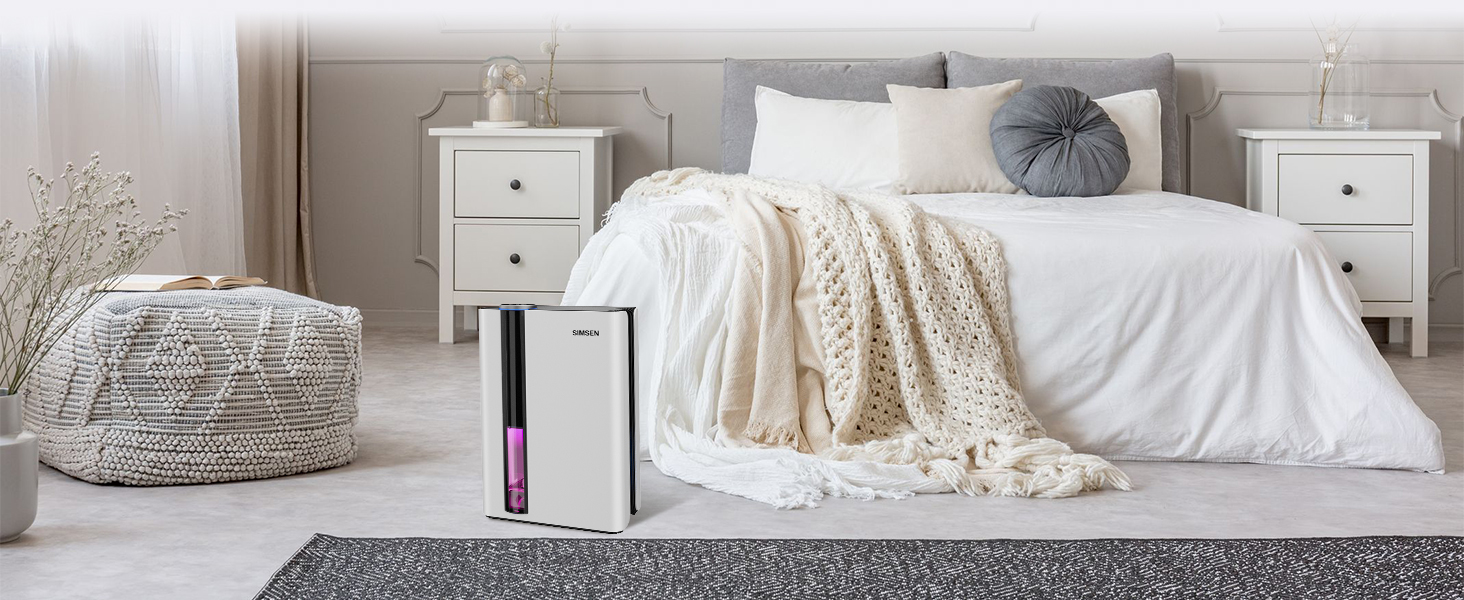
Figure 4.3: Continuous Drainage Setup
5. Operation
5.1 Power On/Off
- Press the ON/OFF button once to turn the dehumidifier on. It will start in the default operating mode.
- Press the ON/OFF button again to turn the dehumidifier off.
5.2 Mode Selection
The dehumidifier offers two operating modes: High Power Mode and Sleep Mode.
- High Power Mode: Provides maximum dehumidification for quick moisture removal. This is the default mode upon startup.
- Sleep Mode: Reduces fan speed and turns off all lights for quiet operation (approx. 30dB), ideal for bedrooms or quiet environments. Press the Sleep Mode button to activate. Press again to return to High Power Mode.
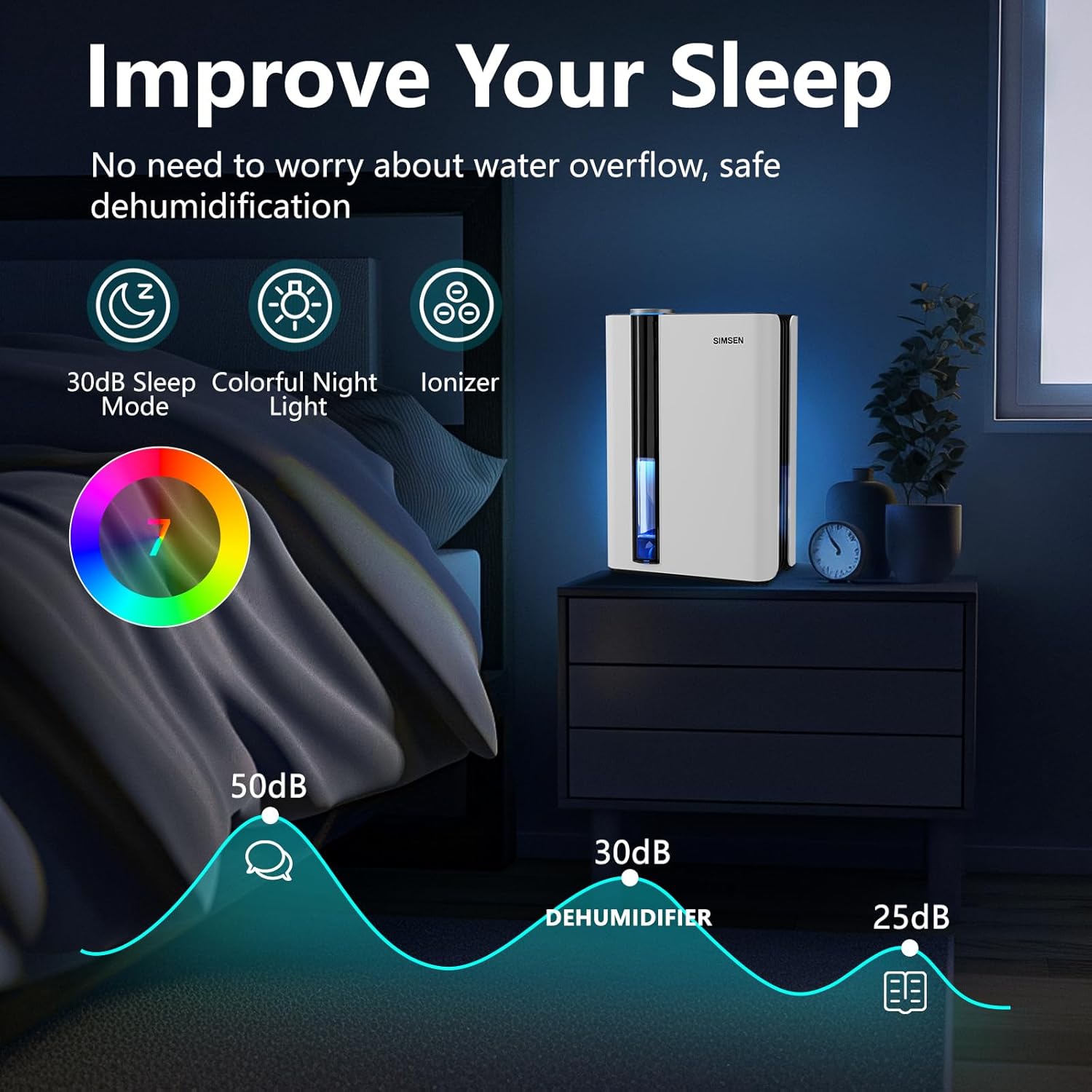
Figure 5.1: Improve Your Sleep with Quiet Mode

Figure 5.2: Sleep Mode Activation
5.3 Colorful Atmosphere Light Control
The dehumidifier features an integrated colorful atmosphere light.
- Press the Light button to cycle through different colors or to turn the light off.
- You can choose to have the light on or off regardless of the dehumidifier's operating mode.

Figure 5.3: Colorful Atmosphere Lights Control
5.4 Ionizer Function
The ionizer function helps to purify the air by releasing negative ions.
- The ionizer operates automatically when the unit is on. There is no separate control button for this feature.
5.5 Automatic Shut-off
The dehumidifier is equipped with an automatic shut-off feature for safety and convenience.
- When the water tank reaches its full capacity (95oz / 2.8L), the dehumidifier will automatically turn off.
- A red indicator light will flash, and an audible beep will sound to alert you that the tank needs to be emptied.
- The unit will resume operation once the water tank has been emptied and correctly reinserted.

Figure 5.4: Automatic Shut-Off Indication
6. Maintenance
Regular maintenance ensures the longevity and optimal performance of your dehumidifier.
6.1 Emptying the Water Tank
When the water tank is full, the unit will stop operating and indicate that it needs to be emptied.
- Gently pull out the water tank from the front of the dehumidifier.
- Carefully carry the tank to a sink or drain.
- Remove the tank lid and pour out the collected water.
- Replace the tank lid and slide the empty tank back into the dehumidifier until it clicks into place. The unit will resume operation.

Figure 6.1: Manual Water Tank Emptying
6.2 Cleaning the Water Tank
Clean the water tank every few weeks to prevent mold and mildew growth.
- Wash the tank with mild soap and warm water.
- Rinse thoroughly and dry completely before reinserting into the unit.
6.3 Cleaning the Filter
The reusable filter should be cleaned regularly (e.g., every 2-4 weeks, depending on usage and air quality) to maintain dehumidification efficiency.
- Turn off and unplug the dehumidifier.
- Locate the filter cover at the back of the unit and open it.
- Remove the filter.
- Use a vacuum cleaner to remove dust and debris from the filter. For a deeper clean, wash the filter with warm, soapy water.
- Allow the filter to air dry completely before reinserting it. Do not use a dryer or direct heat.
- Place the dry filter back into the unit and close the filter cover.

Figure 6.2: Activated Carbon Filter Maintenance
6.4 Cleaning the Exterior
Wipe the exterior of the dehumidifier with a soft, damp cloth. Do not use abrasive cleaners or solvents, as they may damage the surface.
7. Troubleshooting
If you encounter issues with your dehumidifier, refer to the following table for common problems and solutions.
| Problem | Possible Cause | Solution |
|---|---|---|
| Dehumidifier does not turn on. | No power supply. Power cord not securely plugged in. Water tank is full or not properly inserted. | Check if the unit is plugged into a working outlet. Ensure the power cord is firmly connected. Empty the water tank and ensure it is correctly reinserted. |
| No water collected or low dehumidification. | Room humidity is too low. Air inlets/outlets are blocked. Filter is dirty. Room temperature is too low. | Dehumidifier works best in higher humidity environments. Ensure there is sufficient clearance around the unit. Clean the air filter. Optimal operating temperature is above 41°F (5°C). |
| Unit is noisy. | Unit is not on a level surface. Air filter is dirty. Fan obstruction. | Place the unit on a flat, stable surface. Clean the air filter. Check for any obstructions in the fan area (unplug first). |
| Red indicator light flashing. | Water tank is full. | Empty the water tank and reinsert it properly. |
| Unpleasant odor from unit. | Water tank or filter needs cleaning. | Clean the water tank and the air filter thoroughly. |
If the problem persists after trying these solutions, please contact customer support.
8. Specifications
The following table outlines the technical specifications for the SIMSEN CT15 Dehumidifier:
| Specification | Value |
|---|---|
| Brand | Simsen |
| Model Name | CT15 |
| Dehumidification Capacity | 34oz (1 Liter) per Day (at 86°F, 80% RH) |
| Water Tank Volume | 95 Fluid Ounces (2.8 Liters) |
| Coverage Area | Up to 800 sq ft |
| Product Dimensions (D x W x H) | 7.05" x 10.24" x 15.31" |
| Item Weight | 5.94 pounds (2.7 Kilograms) |
| Wattage | 58.0 W |
| Noise Level | 35dB (Sleep Mode) |
| Special Features | Filter, Ionizer, Colorful Night Lights, Sleep Mode, Power Mode, Auto Shut-off, Continuous Drain |
| Material | Plastic |
| Color | 02White |
| UPC | 764020942411 |
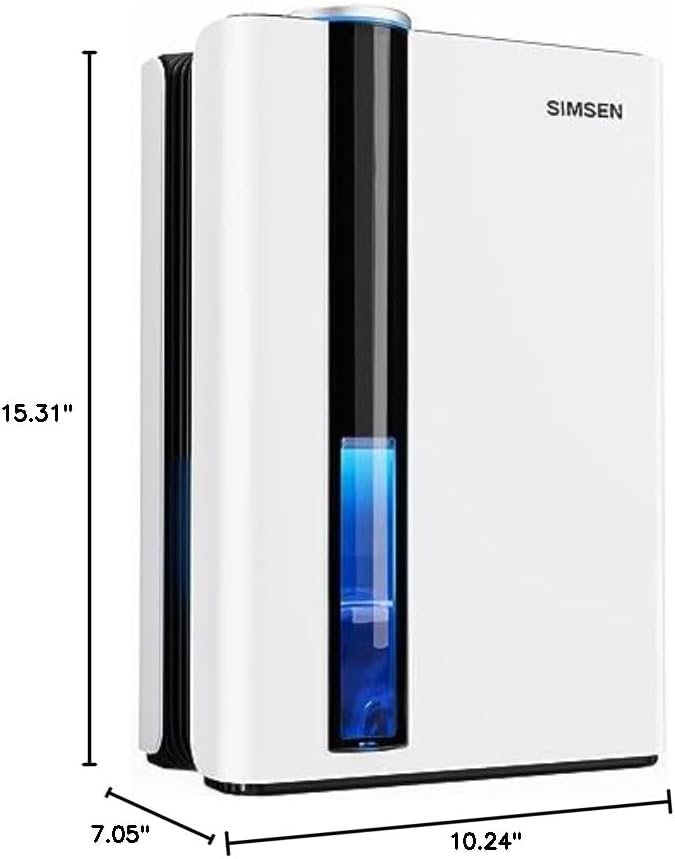
Figure 8.1: Product Dimensions
9. Warranty and Support
9.1 Warranty Information
SIMSEN products are manufactured to high-quality standards. For specific warranty details, please refer to the warranty card included with your product or visit the official SIMSEN website. Retain your proof of purchase for warranty claims.
9.2 Customer Support
If you have any questions, concerns, or require technical assistance, please contact SIMSEN customer support. Contact information can typically be found on the product packaging, the official SIMSEN website, or the purchase platform.
For further assistance, you may also refer to the digital user guide available at: SIMSEN CT15 User Guide (PDF)

