
Introduction
Thank you for purchasing the eKids iH-B52 Bluetooth Headphones. These headphones are designed for children, offering both wireless Bluetooth connectivity and a wired option for versatile listening. They feature a built-in microphone for communication and a comfortable, adjustable design. This manual provides essential information for safe and effective use, setup, operation, and maintenance of your headphones.

Image: Front view of the eKids iH-B52 Bluetooth Headphones in white, showcasing their sleek design.
Safety Information
Please read and understand all safety instructions before using this product. Failure to follow these instructions may result in injury or damage.
- Volume Control: To prevent hearing damage, do not listen at high volume levels for extended periods. The headphones are designed with reduced volume levels for safe listening.
- Choking Hazard: This product contains small parts and is not suitable for children under 3 years of age.
- Water Exposure: These headphones are not water-resistant. Avoid exposure to water or moisture.
- Cleaning: Clean the headphones only with a dry, soft cloth. Do not use liquid cleaners.
- Battery Safety: Do not attempt to replace the internal battery. Do not expose the battery to excessive heat or fire.
- Disposal: Dispose of the product and battery responsibly according to local regulations.
Package Contents
Ensure all items are present in the package:
- eKids iH-B52 Bluetooth Headphones
- USB Charging Cable
- 3.5mm Audio Cable (Aux Cord)
Product Overview
Familiarize yourself with the headphone's controls and ports:
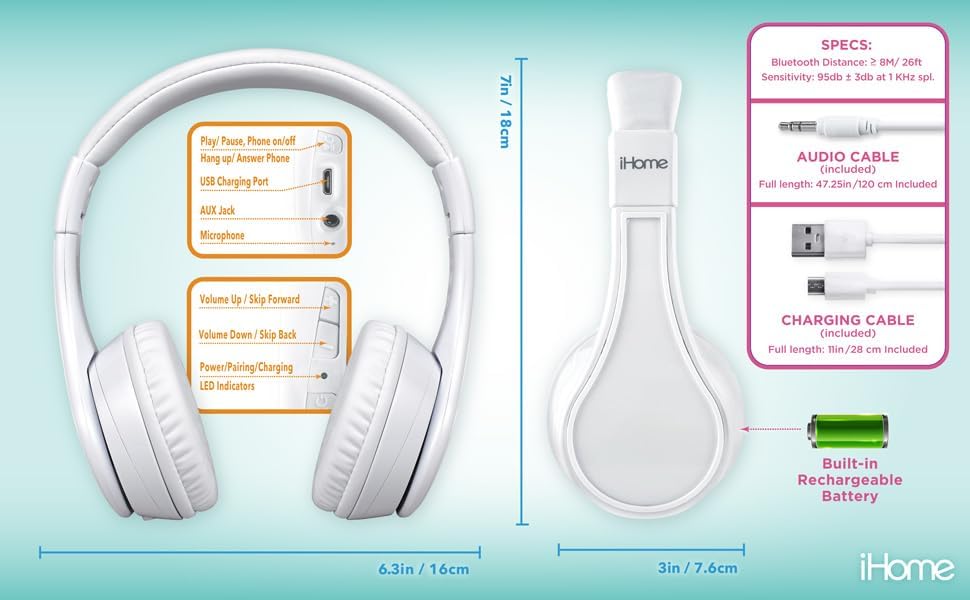
Image: Detailed diagram showing the location of controls, ports (USB charging, AUX jack), microphone, LED indicators, and dimensions of the eKids iH-B52 headphones.
- Power/Play/Pause Button: Used to power the headphones on/off, play/pause audio, and answer/end phone calls.
- Volume Up / Skip Forward Button: Increases volume with a short press, skips to the next track with a long press.
- Volume Down / Skip Back Button: Decreases volume with a short press, skips to the previous track with a long press.
- USB Charging Port: For connecting the USB charging cable.
- AUX Jack: For connecting the 3.5mm audio cable for wired listening.
- Microphone: For hands-free calls and voice commands.
- LED Indicators: Display power, pairing, and charging status.
Setup
1. Charging the Headphones
Before first use, fully charge the headphones.
- Connect the small end of the USB charging cable to the USB Charging Port on the headphones.
- Connect the large end of the USB charging cable to a powered USB port (e.g., computer, USB wall adapter).
- The LED indicator will illuminate during charging and turn off or change color when fully charged.
- A full charge provides up to 37 hours of continuous Bluetooth playtime.
2. Powering On/Off
- To Power On: Press and hold the Power/Play/Pause button until the LED indicator lights up.
- To Power Off: Press and hold the Power/Play/Pause button until the LED indicator turns off.
3. Bluetooth Pairing (Wireless Mode)
Pair your headphones with a Bluetooth-enabled device.
- Ensure the headphones are powered off.
- Press and hold the Power/Play/Pause button for approximately 5-7 seconds until the LED indicator flashes rapidly (usually blue and red), indicating pairing mode.
- On your device (smartphone, tablet, computer), enable Bluetooth and search for available devices.
- Select "eKids iH-B52" from the list of found devices.
- Once paired, the LED indicator will flash slowly or turn solid blue.
- The headphones will automatically attempt to reconnect to the last paired device when powered on.

Image: A child wearing the eKids headphones while looking at a smartphone, illustrating the wireless Bluetooth functionality and key features.
4. Wired Connection (Aux Mode)
Use the included 3.5mm audio cable for a wired connection, which does not require battery power.
- Connect one end of the 3.5mm audio cable to the AUX Jack on the headphones.
- Connect the other end of the 3.5mm audio cable to the headphone jack of your audio device.
- The headphones will automatically switch to wired mode.
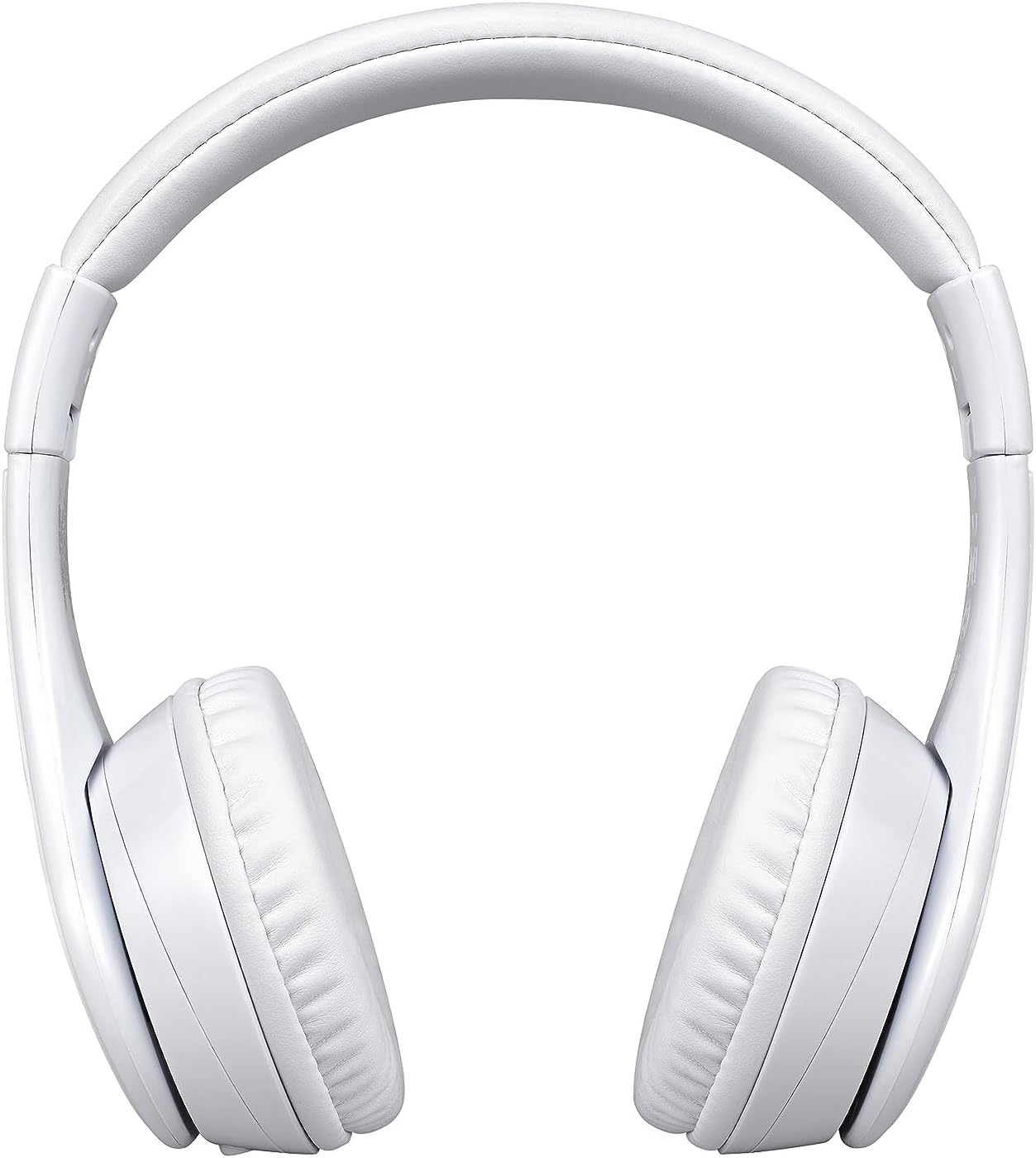
Image: A visual comparison of the wired mode (using a 3.5mm audio cable) and wireless Bluetooth mode, showing how to switch between them.
Operating
Music Playback (Bluetooth Mode)
- Play/Pause: Press the Power/Play/Pause button once.
- Volume Up: Short press the Volume Up button.
- Volume Down: Short press the Volume Down button.
- Next Track: Long press the Volume Up button.
- Previous Track: Long press the Volume Down button.
Phone Calls (Bluetooth Mode)
- Answer Call: Press the Power/Play/Pause button once when a call comes in.
- End Call: Press the Power/Play/Pause button once during a call.
- Reject Call: Press and hold the Power/Play/Pause button for 2 seconds when a call comes in.

Image: An illustration of the eKids headphones alongside various compatible devices, including PCs, smartwatches, gaming devices, mobile phones, tablets, and notebooks.
Maintenance
Cleaning
- Wipe the headphones with a soft, dry, lint-free cloth.
- Do not use abrasive cleaners, alcohol, or chemical solvents.
- Avoid getting moisture into any openings.
Storage
- Store the headphones in a cool, dry place away from extreme temperatures.
- When not in use for extended periods, charge the headphones periodically to maintain battery health.
- The headphones feature a foldable design for compact storage and travel.
Troubleshooting
If you encounter issues, refer to the following table for common problems and solutions:
| Problem | Solution |
|---|---|
| Headphones do not power on. | Ensure the headphones are charged. Connect to a power source using the USB cable. |
| Cannot pair via Bluetooth. | Ensure headphones are in pairing mode (LED flashing rapidly). Turn off and on Bluetooth on your device. Move closer to the device. |
| No sound in Bluetooth mode. | Check volume levels on both headphones and the connected device. Ensure headphones are properly paired. |
| No sound in wired mode. | Ensure the 3.5mm audio cable is fully inserted into both the headphones and the audio device. Check the audio source device's volume. |
| Microphone not working. | Ensure headphones are connected via Bluetooth. Check microphone settings on your connected device. |
Specifications
| Feature | Detail |
|---|---|
| Model Name | iH-B52W |
| Connectivity Technology | Wireless (Bluetooth) |
| Wireless Communication Technology | Bluetooth |
| Headphones Jack | 3.5 mm Jack |
| Battery | 1 Lithium Ion battery (included) |
| Playtime (Bluetooth) | Up to 37 hours |
| Item Weight | 8.8 ounces (0.55 Pounds) |
| Material | Plastic |
| Color | White |
| Special Features | Detachable Cable, Foldable, Rechargeable Battery |
| Age Range (Description) | Kid |
| Control Type | Media Control |
| Control Method | Touch |
| Impedance | 32 Ohm |
| Water Resistance Level | Not Water Resistant |
Warranty and Support
For warranty information or technical support, please refer to the documentation included with your purchase or visit the official eKids website. Keep your proof of purchase for warranty claims.


