
Product Overview
The Kratos SW15 Smart Watch is a versatile wearable device designed for both men and women, offering a blend of style and functionality. It features Bluetooth calling, a vibrant 1.85-inch HD display, and comprehensive health monitoring capabilities. This manual provides essential information for setting up, operating, and maintaining your device.

Image: Kratos SW15 Smart Watch, showcasing its sleek design and green strap.
What's in the Box
Upon unboxing your Kratos SW15 Smart Watch, you will find the following components:
- Kratos SW15 Smart Watch
- Magnetic Charging Cable
- User Manual
Video: An unboxing video demonstrating the contents of the Kratos SW15 Smart Watch package, including the watch and its accessories.
Setup Guide
1. Initial Charging
Before first use, fully charge your Kratos SW15 Smart Watch. Connect the magnetic charging cable to the charging points on the back of the watch and plug the USB end into a power source. A full charge typically takes approximately 2 hours.
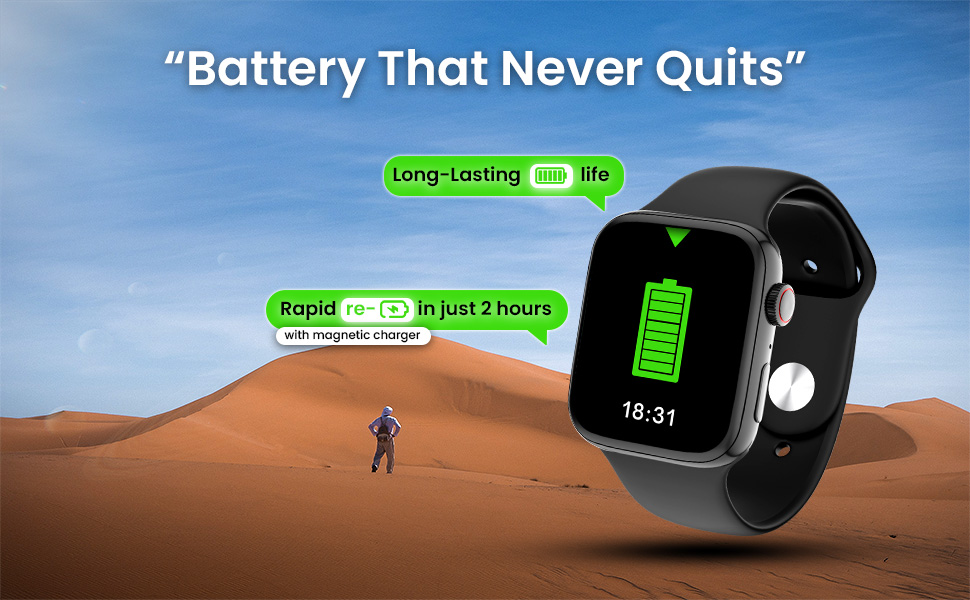
Image: The Kratos SW15 Smart Watch connected to its magnetic charger, illustrating the charging process.
2. App Download and Pairing
- Scan the QR code provided in the product packaging or on the product page to download the companion app (HryFine). The app is compatible with both iOS and Android devices.
- Install the app on your smartphone.
- Open the app and follow the on-screen instructions to create an account or log in.
- Enable Bluetooth on your smartphone.
- Within the app, search for your Kratos SW15 Smart Watch and select it to initiate the pairing process.
- Confirm the pairing request on both your smartphone and the smart watch.
Download the HryFine app from the Google Play Store.
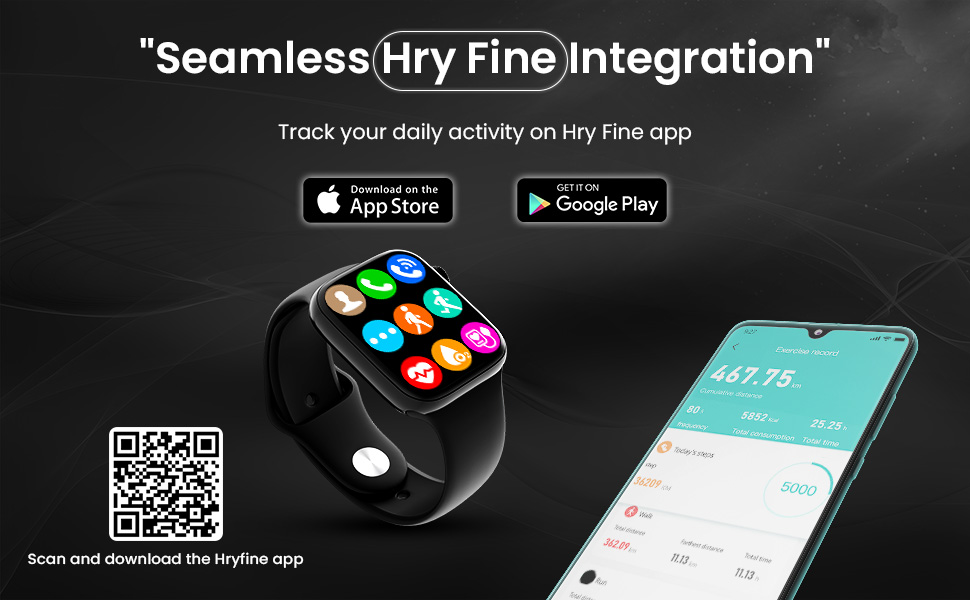
Image: The Kratos SW15 Smart Watch displaying its interface alongside a smartphone showing the HryFine app, illustrating seamless integration.
Operating Instructions
Display and Navigation
The Kratos SW15 features a 1.85-inch HD IPS display with 550 nits brightness for clear visibility. Navigate through menus and features using the touchscreen and the digital rotating crown.

Image: The Kratos SW15 Smart Watch highlighting its 1.85-inch HD IPS large display.

Image: The Kratos SW15 Smart Watch showcasing its digital rotating crown for changing watch faces and navigating menus.
Key Features
- Bluetooth Calling: Make and receive calls directly from your wrist.
- Music Control: Manage playback of music on your connected smartphone.
- AI Voice Assistant: Access your phone's voice assistant for hands-free commands.
- Watch Faces: Choose from over 200 customizable watch faces to match your style.
- Split Screen Display: Access frequently used functions quickly.
- Smart Calculator: Perform basic calculations on your watch.
- Weather Information: Get real-time weather updates.
- Find My Watch/Phone: Locate your devices easily.
- Password Protected: Enhance security with a password lock.

Image: A visual representation of the Kratos SW15 Smart Watch's diverse features, including music control, weather, calculator, and find phone function.
Health Monitoring
The Kratos SW15 Smart Watch provides comprehensive health tracking features to help you monitor your well-being:
- 24x7 Heart Rate Monitoring: Continuously track your heart rate.
- SpO2 Blood Oxygen Level Monitoring: Measure your blood oxygen saturation.
- Blood Pressure Monitoring: Keep an eye on your blood pressure levels.

Image: The Kratos SW15 Smart Watch displaying its health monitoring capabilities, including heart rate, blood pressure, and blood oxygen tracking.
Sports Modes and Water Resistance
Stay active and track your workouts with the Kratos SW15 Smart Watch:
- 25+ Sports Modes: Choose from a variety of sports modes to accurately track your activities and optimize your workouts.
- IP67 Water Resistant: The watch is resistant to water and dust, making it suitable for daily activities and light water exposure. Avoid prolonged submersion or hot water.

Image: The Kratos SW15 Smart Watch showcasing its 25+ sports modes for daily activity tracking.
Battery Information
The Kratos SW15 Smart Watch is equipped with a 220 mAh battery, providing up to 2 days of usage on a single charge. Rapid charging allows the device to fully charge in approximately 2 hours using the magnetic charger.
Maintenance
To ensure the longevity and optimal performance of your Kratos SW15 Smart Watch, follow these maintenance guidelines:
- Cleaning: Regularly wipe the watch screen and strap with a soft, dry cloth. For stubborn dirt, use a slightly damp cloth and dry thoroughly.
- Avoid Chemicals: Do not use harsh chemicals, cleaning solvents, or strong detergents, as they may damage the watch's finish or internal components.
- Storage: When not in use for extended periods, store the watch in a cool, dry place away from direct sunlight.
- Water Exposure: While IP67 water resistant, avoid exposing the watch to high-pressure water, hot water, or steam. Dry the watch thoroughly if it gets wet.
Troubleshooting
If you encounter any issues with your Kratos SW15 Smart Watch, try the following basic troubleshooting steps:
- Watch Not Turning On: Ensure the watch is fully charged. Connect it to the charger for at least 30 minutes.
- Cannot Pair with Phone: Make sure Bluetooth is enabled on your phone and the watch. Restart both devices and try pairing again. Ensure the HryFine app is installed and running.
- Inaccurate Health Data: Ensure the watch is worn snugly on your wrist, not too tight or too loose. Clean the sensors on the back of the watch.
- Short Battery Life: Reduce screen brightness, disable unnecessary notifications, and limit continuous heart rate monitoring if not required.
- Touchscreen Unresponsive: Restart the watch. If the issue persists, ensure the screen is clean and dry.
For further assistance, please contact customer support.
Specifications
| Feature | Detail |
|---|---|
| Brand | Kratos |
| Model Number | KR SW 15 |
| Display Size | 1.85 Inches |
| Display Type | HD IPS |
| Connectivity | Bluetooth |
| Operating System | Android |
| Battery Capacity | 220 mAh |
| Average Battery Life | 2 Days |
| Water Resistance | IP67 |
| Item Weight | 64 g |
| Dimensions (LxWxH) | 32 x 69 x 184 Millimeters |
| Special Features | Activity Tracker, Blood Pressure Monitor, Heart Rate Monitor, Multisport Tracker, Phone Call |
Warranty and Support
The Kratos SW15 Smart Watch comes with a 1-year brand warranty. To avail the warranty, please register your purchase on the official Kratos website (gokratos.com) within 10 days of purchase. Alternatively, you may contact customer support for assistance.
Customer Support Contact:
- Phone: 81482 73270
- Email: help@gokratos.com