
DownyPaws DPWFP6-SUS-TB-EU
DownyPaws Wireless Cat Water Fountain User Manual
Model: DPWFP6-SUS-TB-EU
1. Introduction
Welcome to the DownyPaws Wireless Cat Water Fountain. This innovative pet fountain is designed to provide your cat with fresh, clean water, promoting hydration and well-being. Its wireless design offers flexible placement, and intelligent features ensure quiet and efficient operation, making it a perfect addition to any home.

Image 1.1: The DownyPaws Wireless Cat Water Fountain in operation.
Video 1.1: An overview of the DownyPaws Wireless Cat Water Fountain, showcasing its design and features.
2. What's Included
Please check the package contents to ensure all items are present:
- 1 x Cat Water Fountain (main unit)
- 1 x Water Pump with integrated battery unit
- 1 x USB Type-C Cable
- 1 x Filter
- 1 x Cleaning Brush

Image 2.1: All components of the DownyPaws Cat Water Fountain for easy assembly and cleaning.
3. Setup Guide
Follow these steps to set up your new DownyPaws Wireless Cat Water Fountain:
Unpack and Clean: Carefully remove all components from the packaging. Wash the stainless steel tray, water tank, and pump components (excluding the battery unit) with mild soap and water. Rinse thoroughly to remove any residue.
Install Filter: Place the filter into its designated slot within the pump assembly. Ensure it is securely seated. The 5-stage filtration system is designed to provide clean and healthy water for your pet.
Assemble Pump: Attach the pump to the main unit as shown in the diagram. Ensure the water outlet is correctly aligned with the stainless steel tray.
Insert and Charge Battery: The fountain is equipped with a 4000mAh rechargeable lithium-ion battery. Insert the battery into its compartment in the pump unit. Ensure it clicks firmly into place for a secure connection. Charge the battery fully before first use using the provided USB Type-C cable. A full charge takes approximately 4.5 hours.
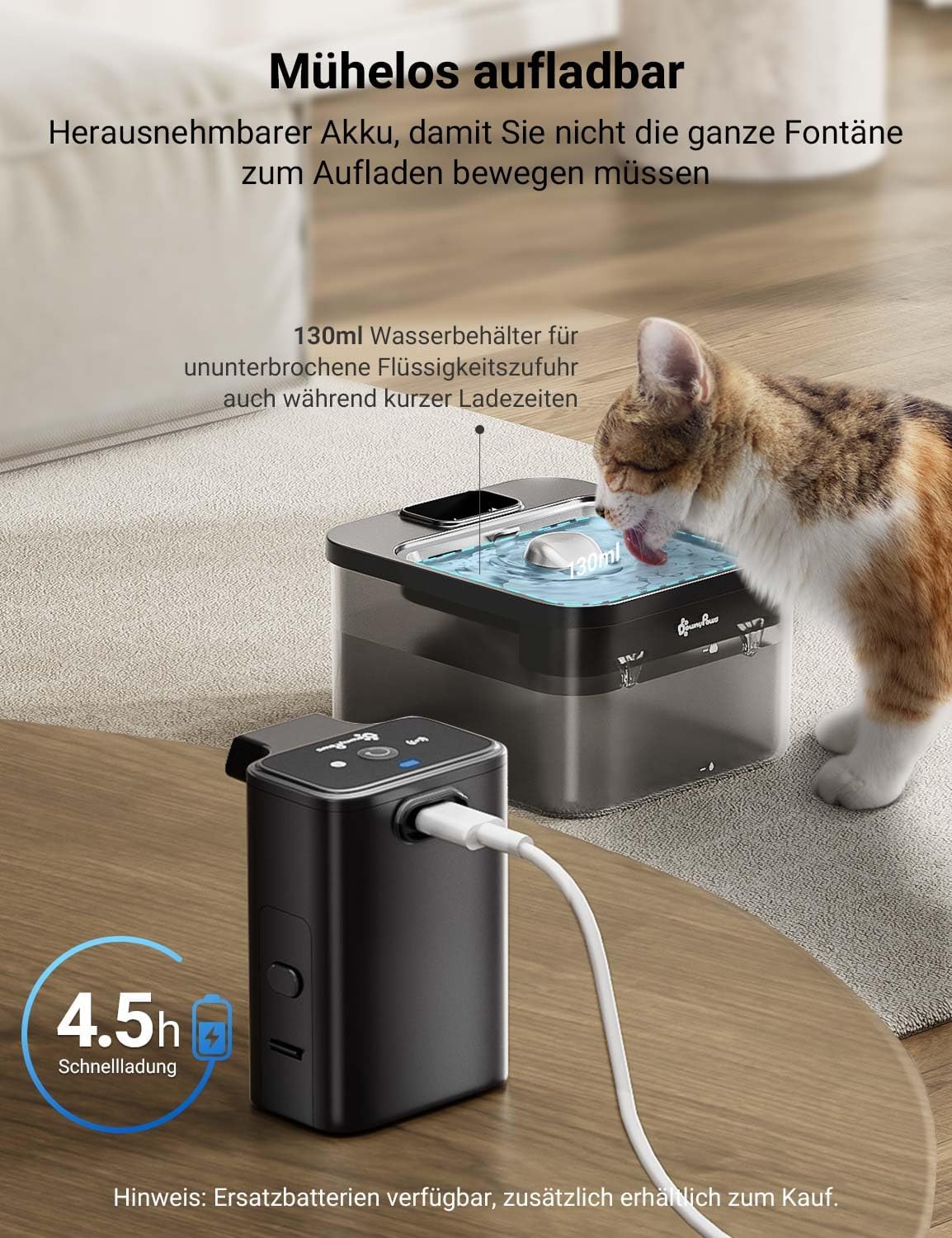
Image 3.1: The removable battery unit allows for convenient charging.
Fill Water Tank: Fill the water tank with clean, fresh water up to the maximum fill line. The 2.5L capacity ensures a sufficient water supply for your pet.
Place Tray: Position the stainless steel water tray on top of the main unit, ensuring it sits correctly and securely.
Power On: Press the power button on the pump unit to turn on the fountain. Select your desired operating mode (Motion Sensor or Timer Mode) using the mode selection button.
4. Operating Modes and Features
The DownyPaws Wireless Cat Water Fountain offers intelligent operating modes and features for optimal pet hydration:
4.1. Motion Sensor Mode
In this mode, the water flow activates automatically when your cat approaches the fountain (within 1.5 meters and a 120° detection angle). This mimics a running tap, which can greatly encourage pets to drink more water, promoting better hydration.
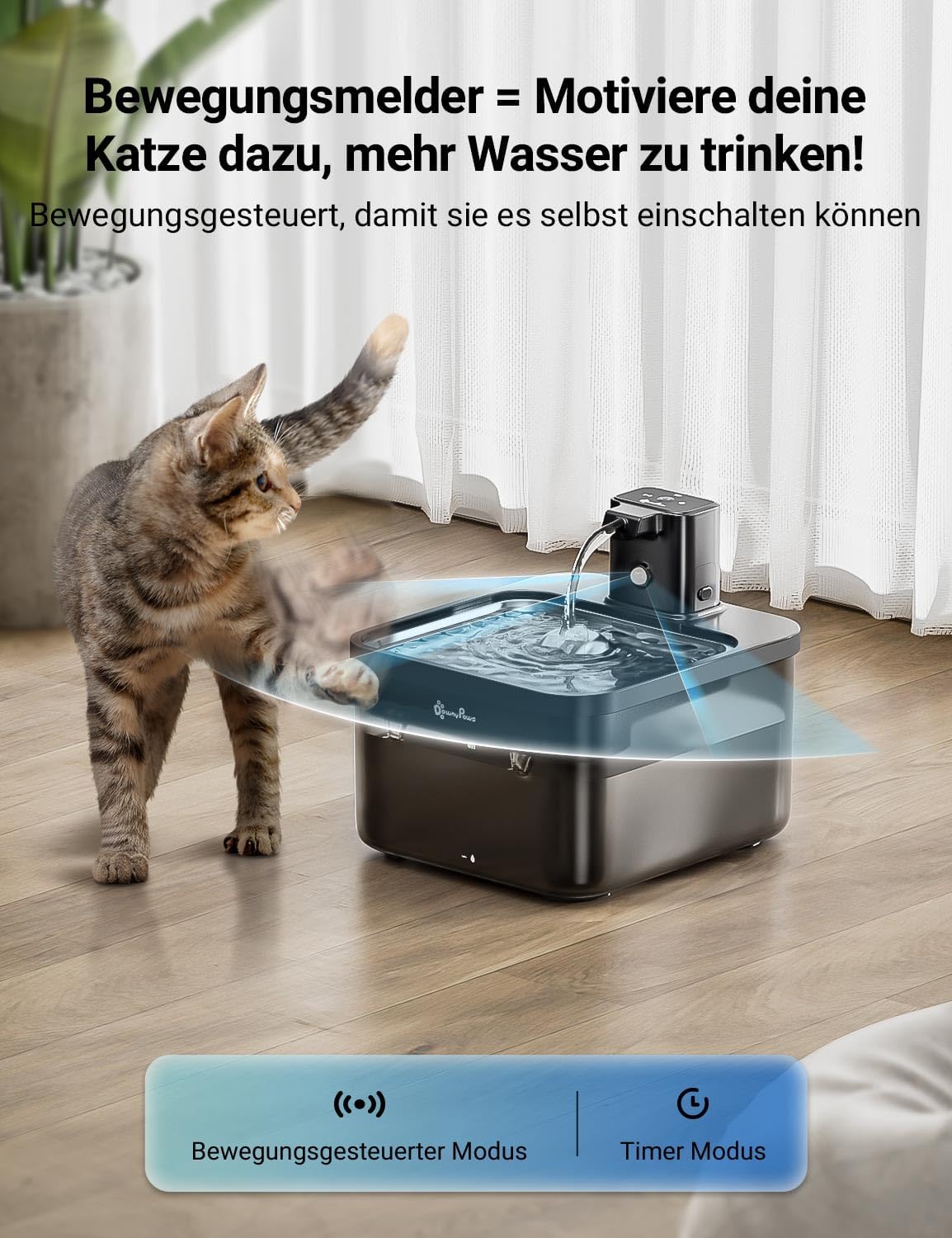
Image 4.1: The motion sensor activates water flow when your cat is nearby.
Video 4.1: Demonstration of the DownyPaws Wireless Cat Water Fountain, highlighting its motion sensor feature.
4.2. Timer Mode
In Timer Mode, the fountain dispenses water for 20 seconds every 15 minutes. This provides a consistent and scheduled water supply throughout the day, ideal for pets with regular drinking habits.
Video 4.2: A short demonstration of the DownyPaws Cat Water Fountain in Timer Mode.
4.3. Excellent Battery Life
The integrated 4000mAh battery provides extended operation, lasting up to 30 days on a single charge when used in motion-activated mode (based on typical single-cat household usage). This allows for worry-free travel and flexible placement without needing a power outlet nearby.

Image 4.3: The powerful 4000mAh battery ensures long-lasting operation.
4.4. Ultra-Quiet Operation
The fountain features a whisper-quiet pump operating at less than 30 decibels, which is quieter than a whisper. This ensures a peaceful environment for both you and your pet, without disturbing daily activities or sleep.

Image 4.4: The fountain operates at a very low noise level, ensuring a quiet home.
4.5. Flexible Placement
Thanks to its wireless and battery-operated design, the DownyPaws fountain can be placed anywhere your cat feels most comfortable, whether it's the living room, bedroom, kitchen, or even outdoors (in a sheltered area).

Image 4.5: The wireless design allows for versatile placement options.
5. Maintenance and Cleaning
Regular cleaning and maintenance are crucial for the longevity of your fountain and the health of your pet. The fountain is designed for easy disassembly and cleaning.
5.1. Daily Maintenance
- Check the water level and refill as needed. The transparent tank allows for easy monitoring.
- Wipe down the stainless steel tray to remove any debris or slime.

Image 5.1: The stainless steel tray is hygienic and helps prevent feline acne.
5.2. Weekly Cleaning
- Disassemble the fountain: Remove the stainless steel tray, pump unit, and water tank.
- Clean all parts (except the battery unit) with mild soap and water. Use the provided cleaning brush for hard-to-reach areas.
- Rinse all components thoroughly to remove any soap residue.
- For the spout, simply rinse; do NOT immerse the battery unit in water.
Image 5.2: The fountain is designed with fewer parts for easier assembly and cleaning.
5.3. Filter Replacement
The 5-stage filtration system continuously provides fresh and healthy water. It includes activated carbon, ion-exchange resin, medical stone, and non-woven fabric to remove odors, soften water, and filter impurities. Replace the filter every 2-4 weeks, or more frequently if you have multiple pets or notice reduced water flow.
Replacement filters can be purchased using ASIN B0BPSDWWHM.

Image 5.3: The multi-layered filtration system ensures water purity.
6. Troubleshooting
If you encounter any issues with your DownyPaws Wireless Cat Water Fountain, please refer to the following common solutions:
| Problem | Possible Cause | Solution |
|---|---|---|
| No water flow | Low water level | Refill water tank to the MAX line. The pump automatically shuts off when water is low to prevent damage. |
| Clogged filter/pump | Clean the pump and replace the filter. Ensure no hair or debris is blocking the pump intake. | |
| Battery low or not properly inserted | Charge the battery. Ensure the battery unit is securely clicked into place. The battery indicator light will show status. | |
| Fountain is noisy | Low water level | Refill water tank. |
| Debris in pump | Disassemble and clean the pump thoroughly. | |
| Motion sensor not activating | Obstruction or incorrect placement | Ensure no objects are blocking the sensor. Place the fountain in an open area where your cat can approach freely. |

Image 6.1: The low water detection system protects the pump and alerts you to refill.
7. Product Specifications
| Feature | Detail |
|---|---|
| Model Number | DPWFP6-SUS-TB-EU |
| Capacity | 2.5 Liters |
| Product Dimensions | 21 x 19 x 14 cm |
| Item Weight | 270 g |
| Material | Stainless Steel, Acrylonitrile Butadiene Styrene (ABS) |
| Color | Black Stainless Steel |
| Battery Type | 4000mAh Lithium-Ion (2 batteries included) |
| Special Features | Battery-operated, Motion Sensor, 5-Stage Filtration System, Quiet Pump |
| Noise Level | Less than 30 dB |
| Allergy Information | BPA-free |
| Recommended Age | All life stages |
| Specific Uses | Indoor |

Image 7.1: The compact size is suitable for both kittens and adult cats.
8. Warranty and Support
DownyPaws products are designed for quality and durability. For warranty information, technical support, or to purchase replacement parts and filters, please visit the official DownyPaws store on Amazon or contact customer service via the details provided on your product packaging or the Amazon product page.
Related documentsDPWFP6-SUS-TB-EU


Ask a question about this manual
Ask about setup, troubleshooting, compatibility, parts, safety, or missing instructions. Manuals+ will review the question and use this page’s manual context to help answer it.