
1. Setup
1.1 Unpacking and Component Check
Carefully unpack all components from the packaging. Verify that all parts listed in the included assembly guide are present and undamaged before proceeding with assembly.

Image: All components of the AODK L-Shaped Desk laid out for inspection prior to assembly.
- Desk panels (L-shaped sections)
- Metal frame components
- Storage bag
- Host stand
- All necessary screws, bolts, and assembly tools
1.2 Assembly Instructions
Follow the detailed step-by-step instructions provided in the separate assembly manual. The desk features a reversible design, allowing you to configure the L-shape to either the left or right side to suit your space requirements.

Image: A visual representation of the AODK L-Shaped Desk's reversible configuration options.

Image: A person comfortably assembling the AODK L-Shaped Desk, demonstrating the straightforward assembly process.
Note: No official seller videos demonstrating assembly were available for embedding.
2. Operating
2.1 Desk Features
The AODK L-Shaped Desk is designed for versatile use in various environments. Its 50-inch width provides ample workspace.

Image: The AODK L-Shaped Desk set up with a computer, monitor, and other office accessories, illustrating its practical use.
- L-Shaped Design: Offers a large surface area for multiple monitors, peripherals, and work materials.
- Storage Bag: A fabric storage bag is included for organizing files, books, magazines, and small items, helping to keep the desktop clear.
- Host Stand: A removable host stand is provided to elevate your computer tower, protecting it from dust and freeing up floor space. It can be positioned in three different locations.
- Waterproof Desktop: The desk surface is crafted from waterproof material, making it resistant to spills and easy to clean.
- Adjustable Foot Pads: Equipped with adjustable foot pads to ensure stability on uneven floors and prevent scratches.
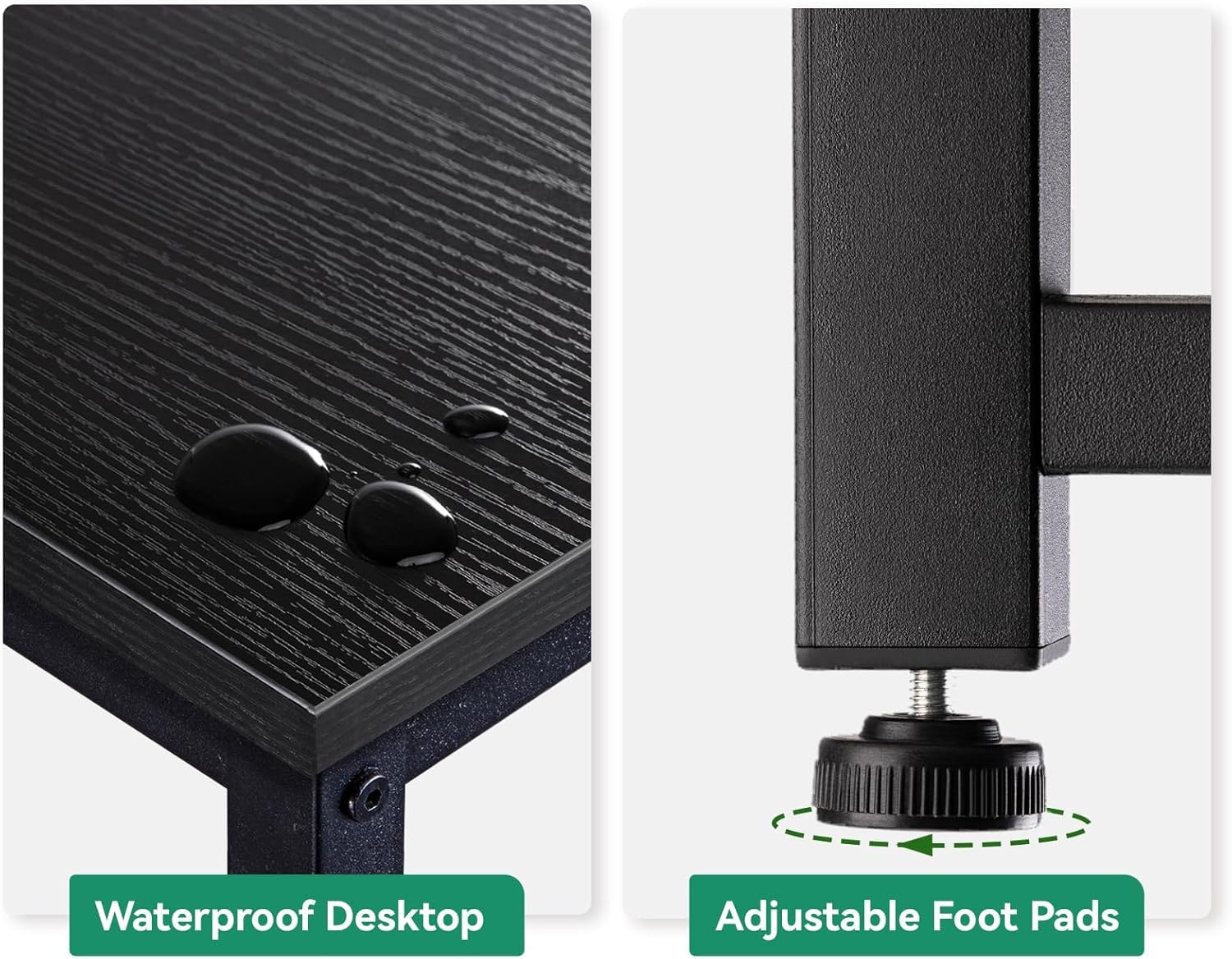
Image: Detailed view of the desk surface showing water droplets, demonstrating its waterproof quality, alongside an adjustable foot pad.
2.2 Usage Recommendations
This desk is suitable for various applications, including study rooms, home offices, bedrooms, and living rooms. It is designed for use by both students and adults.
Important Safety Information: Do not exceed the maximum weight recommendation of 100 pounds (approximately 45 kg) on the desktop. Overloading the desk can compromise its stability and structural integrity.
3. Maintenance
3.1 Cleaning
To clean the desk surface, wipe spills immediately with a dry towel or paper towel. For general cleaning, use a soft, damp cloth with a mild cleaning solution. Avoid abrasive cleaners or harsh chemicals, as these may damage the finish.
3.2 General Care
Periodically check all screws and bolts to ensure they remain tight. Retighten if necessary to maintain the desk's stability. Avoid dragging the desk across floors; lift it when moving to prevent damage to the legs and floor.
4. Troubleshooting
4.1 Stability Issues
- Wobbling: Ensure all assembly screws are fully tightened. Check that the desk is placed on a level surface.
- Unevenness: Adjust the foot pads at the bottom of the desk legs to compensate for uneven flooring. Rotate the pads until the desk is stable.
4.2 Assembly Difficulties
- Missing Parts: Refer to the component list in the assembly manual. If parts are missing, contact customer support.
- Difficulty Aligning Holes: Double-check that you are using the correct parts for each step and that they are oriented correctly. Do not overtighten screws until all components are loosely fitted.
5. Specifications
| Feature | Detail |
|---|---|
| Brand | AODK |
| Model Number | B02011601008USAN0728ANTZ3FY |
| UPC | 850053190995 |
| Product Dimensions | 18.1"D x 50"W x 29.9"H |
| Color | Black |
| Style | Modern |
| Base Material | Iron |
| Top Material Type | Wood |
| Special Feature | Reversible |
| Room Type | Office |
| Recommended Uses | Working |
| Maximum Weight Recommendation | 100 Pounds |
| Required Assembly | Yes |
| Recommended Number of People for Assembly | 1 |
| Includes All Assembly Tools | Yes |
6. Warranty and Support
6.1 Warranty Information
AODK is committed to customer satisfaction. While specific warranty terms may vary, please retain your proof of purchase for any potential warranty claims.
6.2 Customer Support
For any questions regarding assembly, missing parts, or product issues, please contact AODK customer support. A professional after-sales team is available to reply to your messages within 24 hours.
Refer to your purchase documentation or the AODK official website for specific contact details.